BeyondERP.Newsletter
Menu

Report page · Asset management

Asset fault

A report that prints the fault registrations for several assets or asset types, with a graphical overview of fault statistics.

Business process
Monitor asset performance
Menu item
output:EntAssetObjectFaultReport
Show what matters for
PAGE GUIDEWhat the page does and how to use it7 sections. Choose a role to highlight what matters to you.
Everyone

1What it is and why

What it isA report that prints the fault registrations for several assets or asset types, with a graphical overview of fault statistics.
What you do hereUse this page to print fault registrations for a period or fault type across assets or asset types.
ExampleFor example, a reliability engineer prints the fault report for one asset type for the last year.
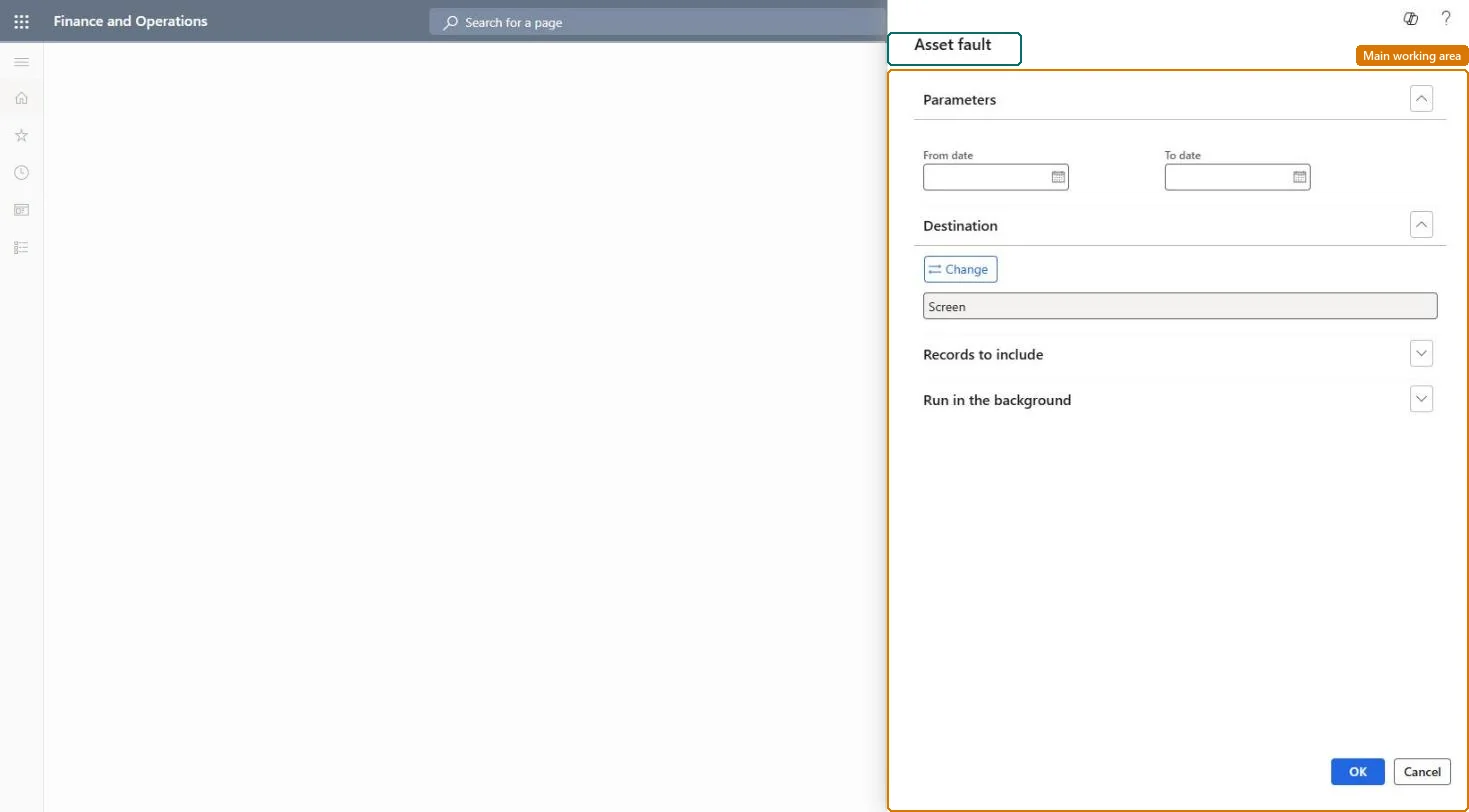
Asset fault page in Dynamics 365
The page in Dynamics 365. page title tab to open what to set or check
Functional consultant · Solution architect

2Where it fits

Business processAnalyze assets › Monitor asset performance
Menu pathAsset management › Reports › Assets › Asset fault
Set up firstAll work orders Microsoft Learn
Related pagesAsset faults Microsoft Learn Asset fault analysis Microsoft Learn
End user · Functional consultant

3How to do it

About the examples: Examples and screenshots in this guide use BEAT, a demo company in a Dynamics 365 test environment. Use your own company's codes and values instead of copying them.

When to run it

When to run itWhen you analyse recurring faults, for example in a maintenance review or before changing a maintenance plan.
How oftenOn demand, for the review period.
What the output showsFault registrations for the selected assets or asset types, with a graphical overview of fault statistics. An asset with no faults listed usually had no fault registered on its work orders.

Source: Microsoft Learn

Steps from Microsoft

  1. Go to Asset management > Reports > Assets > Asset fault.
  2. Enter a specific period to see all faults registered in it, or select a fault type to focus on one kind of fault.
  3. Print the report for several assets or asset types; for one asset, print it from All assets, General tab, Reports group, Asset fault.
  4. Use the fault statistics graph to spot assets or fault types that recur, and open Asset faults under Inquiries for the details.

Source: Microsoft Learn

Solution architect

4Design impact

Can it be undoneNothing to undo: The report only reads fault registrations; it changes nothing. Microsoft Learn
Technical architect

5Technical

Menu itemoutput:EntAssetObjectFaultReport Checked in Dynamics 365
FormSysOperationTemplateForm Checked in Dynamics 365
Roles to set it up and use itTo use itMaintenance manager EntAssetMaintenanceManagerMaintenance clerk EntAssetMaintenanceClerkMaintenance worker EntAssetMaintenanceWorkerBudget manager BudgetBudgetManagerAuditor AuditPolicyManagerGive people one of these roles. On this system, 10 roles can run this page.Checked in Dynamics 365
Developer

6Developer

Open it by URLhttps://<your-environment>/?mi=output:EntAssetObjectFaultReport
Everyone

7Sources