About the examples: Examples and screenshots in this guide use BEAT, a demo company in a Dynamics 365 test environment. Use your own company's codes and values instead of copying them.
Setup steps on this page
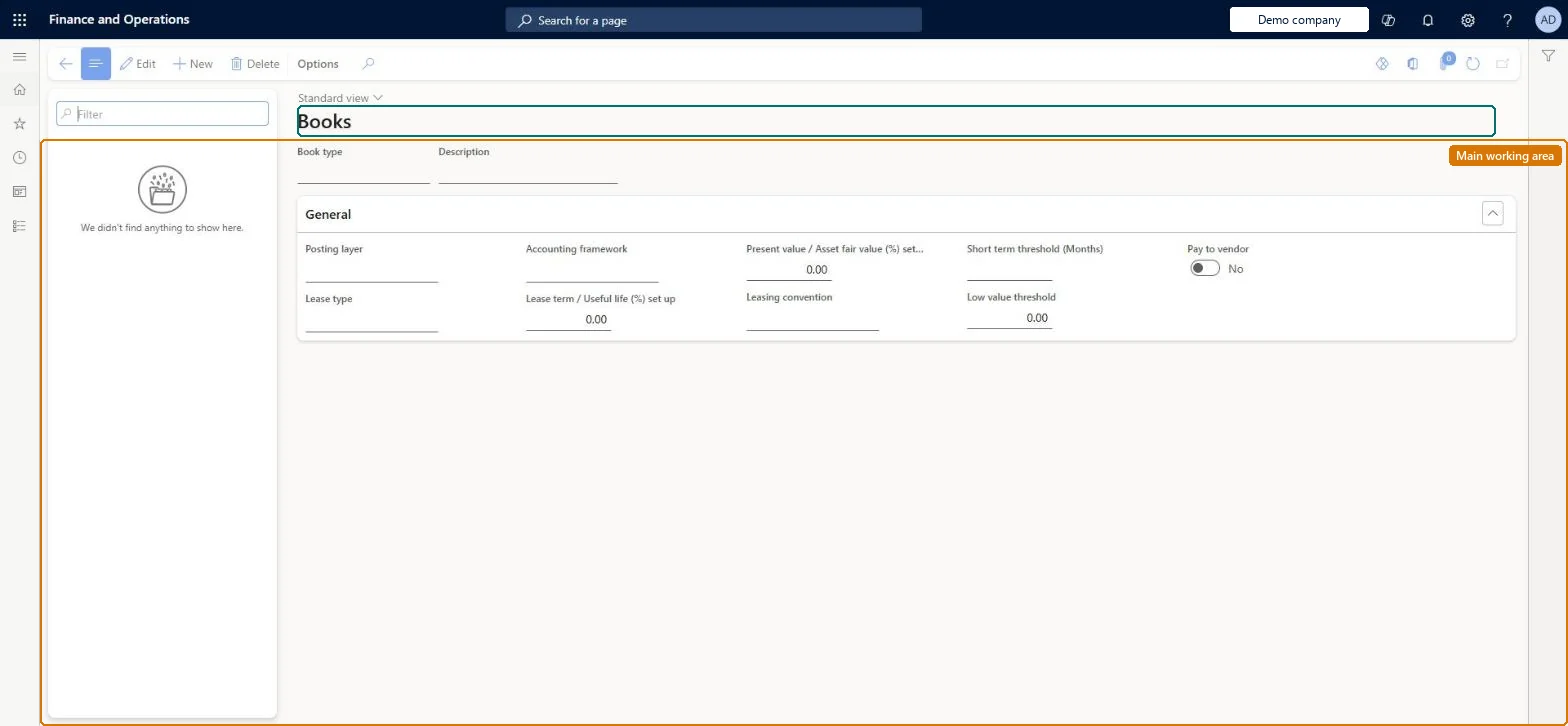
Set up Lease books
Use this page to create books with their posting layer, accounting framework, lease type and classification thresholds.
Steps from Microsoft
Go to Asset leasing > Setup > Lease books.
Select New to add a book.
Set the posting layer, lease type and accounting framework.
Set the classification thresholds and the other book options.
Whether leases are classified automatically or predefined as finance or operating.Microsoft Learn
Automatic
LeaseType
Accounting framework
The accounting framework associated with the book.Microsoft Learn
IFRS 16
AccountingFramework
Lease term/Useful life setup
The percentage of lease term over useful life at or above which an automatically classified lease becomes a finance lease.Microsoft Learn
Short-term threshold
The number of months at or under which a lease is classified as short-term.Microsoft Learn
12
Low value threshold
The amount at or under which a lease is classified as low-value.Microsoft Learn
5,000.00
LowValue
Pay to vendor
Posts lease payments as invoices to the vendor account on each lease.Microsoft Learn
PayToVendor
Leasing convention
Sets whether the commencement date is the lease start date or the first day of that month.Microsoft Learn
Full month
LeasingConvention
Present value / Asset fair value setup
With Lease type Automatic, the lease is classified as finance when the present value of future minimum payments is at or above this threshold.Microsoft Learn
Common errors and fixes
Message
What to do
Leasing convention can't be set
Turn on the feature Leasing convention for asset leasing in Feature management. Microsoft Learn
Monthly expenses post mid-month
Leasing convention is None, so the lease start date is used. Use Full month to post on the last day of the month. Microsoft Learn
Test checklist
Create a book with Lease type Automatic, the accounting framework, thresholds and Leasing convention Full month.
Create a lease that starts mid-month with this book and select Create schedules.
Check the Lease classification test FastTab shows the expected Lease type for the thresholds.
Open the depreciation and amortization schedules and check entries fall on the last day of the month.
With Pay to vendor set to Yes, create a lease payment and check it posts as a vendor invoice to the lease's vendor.
Leasing convention: Full monthFull month starts the lease accounting on the first day of the month of the start date, so the whole month's expense accrues and posts on the last day of the month. With None, amortization and depreciation can accrue and post mid-month.
Asset leasing (Must be on)Leasing convention for asset leasing (Optional)
Licence or add-in
Asset leasing must be turned on in Feature management (feature Asset leasing). Microsoft Learn describes three Asset leasing roles: Maintain lease (add, edit and post leases), View lease (view leases and schedules and run reports) and Lease clerk (create new leases only). Maintain lease users set up the books.
Hard to reverse: The book setup is applied when schedules are created for a lease. After Confirm schedule the lease can't be edited, so changing the book doesn't fix leases already confirmed; they need a lease adjustment. Microsoft Learn
If you change it later
The leasing convention affects when expenses accrue; with None, schedules may accrue and post expenses mid-month instead of at month end. Microsoft Learn
Technical architect
6Technical
Menu item
AssetLeaseBookMasterChecked in Dynamics 365
Form
AssetLeaseBookMasterChecked in Dynamics 365
Table
AssetLeaseBookTableShown as “BOOK TABLE” in Record infoKey field: BookTypeChecked in Dynamics 365
Data entities
AssetLeaseBookSetupDataEntityBook table Checked in Dynamics 365
To set it up or change itLease accountant AssetLeaseLeaseMaintainAccountant LedgerAccountantTo use itLease manager AssetLeaseLeaseViewAccounting manager LedgerAccountingManagerGive people one of these roles. On this system, 4 roles can open this page.Checked in Dynamics 365
AssetLeaseBookSetupDataEntity data entity Checked in Dynamics 365
Data migration
AssetLeaseBookSetupDataEntity (Book table): the lease books and their policies.Load order: Load the Asset leasing setup in Microsoft's order: lease books, lease groups, then the parameters (journal names, posting accounts, executory cost accounts), expense types, payment amount types, index rate types and locations, and only then the leases.Load first: Posting layersMicrosoft Learn