Setup page · Accounts receivable
Free text invoice templates
The page where reusable free text invoice templates are maintained.
- Used by
- Accounts receivable clerk, Accounts receivable manager, Collections agent and 8 more roles
- Business process
- Generate recurring free text invoices in Dynamics 365 Finance
- Menu item
CustInvoiceTemplate- Main table
CustInvoiceTemplate- Data entity
- —
- Setup steps
- 1 on this page
Everyone
1What it is and why
| What it is | The page where reusable free text invoice templates are maintained. |
|---|---|
| What you do here | Used to create free text invoice templates with invoice lines, charges, an accounting distribution template and ledger account information. |
| Example | An existing free text invoice can be saved as a template with Save to template on the Invoice tab, entering a name and description. |
Functional consultant · Solution architect
2Where it fits
| Business process | Manage accounts receivable › Issue sales invoices › Generate recurring free text invoices in Dynamics 365 Finance |
|---|---|
| Menu path | Accounts receivable › Invoices › Recurring invoices › Free text invoice templates |
| Set up first | — |
| Used next by | Recurring invoices on the customer Microsoft Learn ↗Generate recurring invoices Microsoft Learn ↗ |
| Related pages | All free text invoices Microsoft Learn ↗ |
End user · Functional consultant
3How to do it
Step by step, with screenshots
Set up Free text invoice templates5 screens
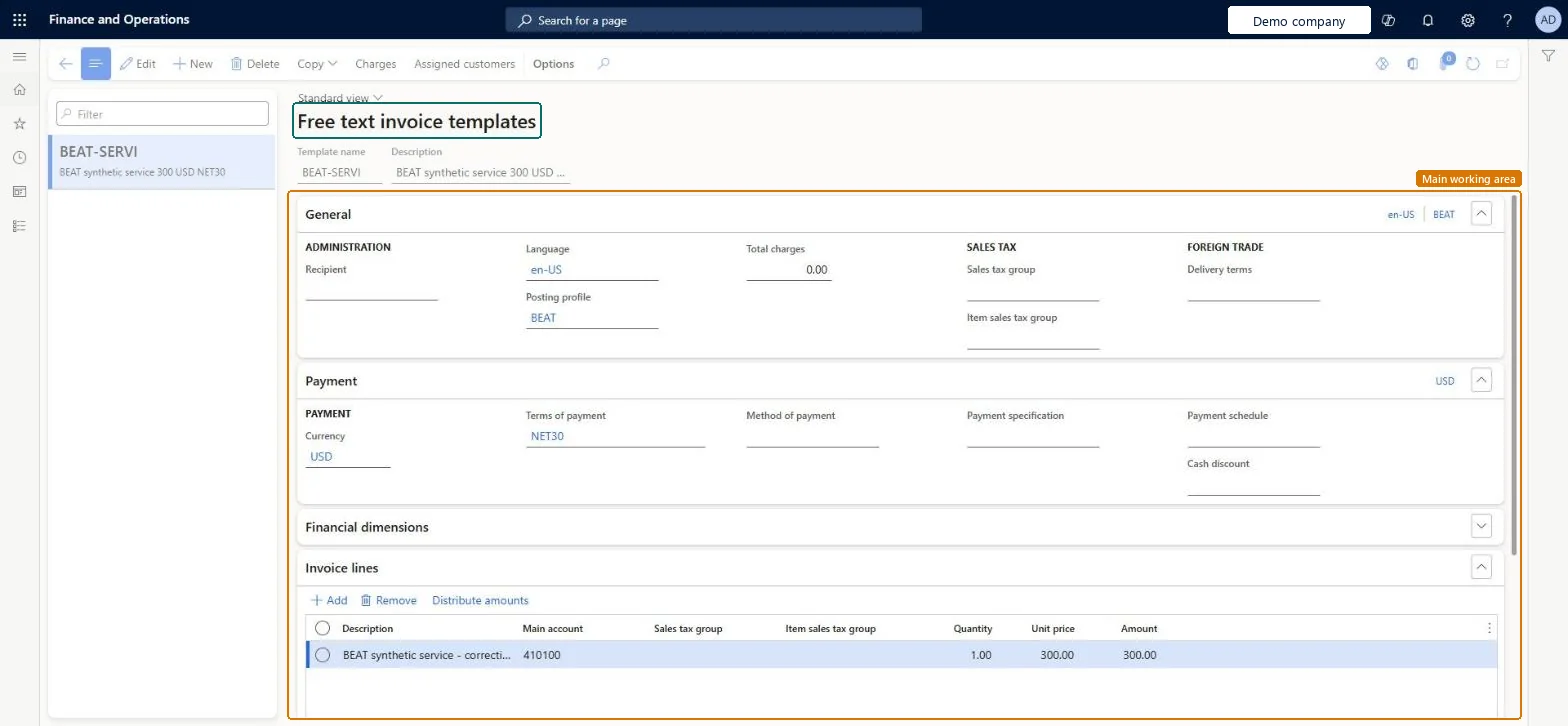
Stores reusable free text invoice definitions, including lines, charges and accounting distributions, that are assigned to customers to generate recurring invoices.
Screen 1
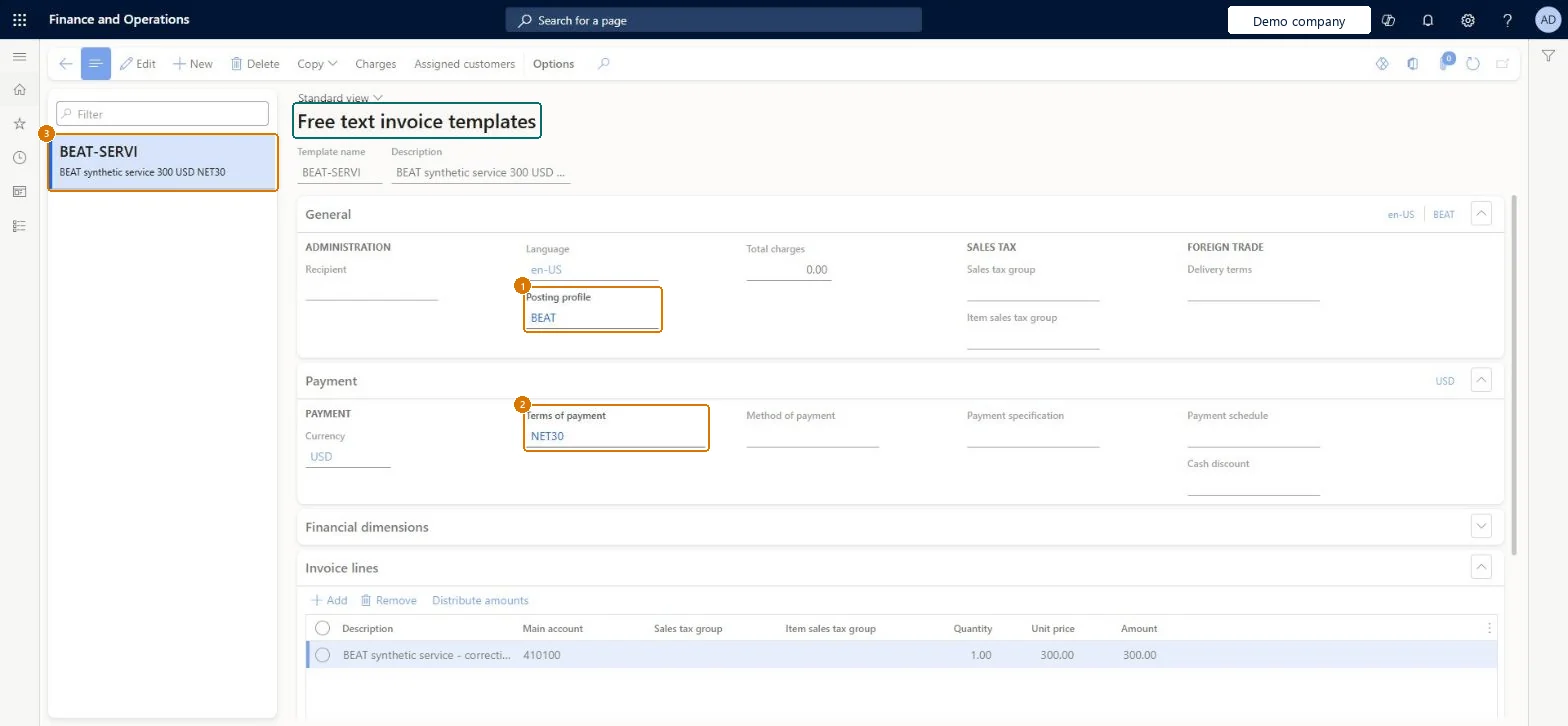
Create the free text invoice template
Go to Accounts receivable > Invoices > Recurring invoices > Free text invoice templates
- Select New and enter BEAT-SERVI as the template, with a description
- On the General FastTab, set the posting profile
- On the Payment FastTab, set the currency and terms of payment
- On the Invoice lines FastTab, select Add and enter the main account, quantity and unit price
1Posting profile BEAT 2Terms of payment NET30 Description BEAT synthetic service 300 USD NET30 Currency USD Main account 410100 Quantity 1.00 Unit price 300.00 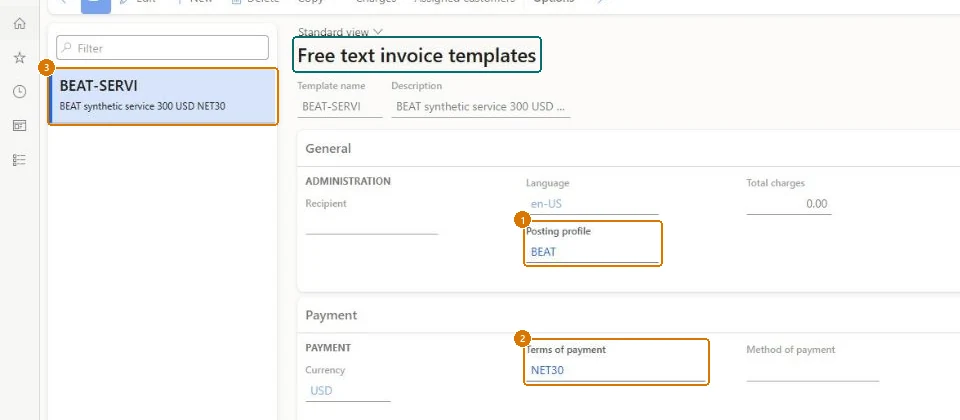
Show the full screen
page title tab to open what to set or check Screen 2
Check the posted invoice
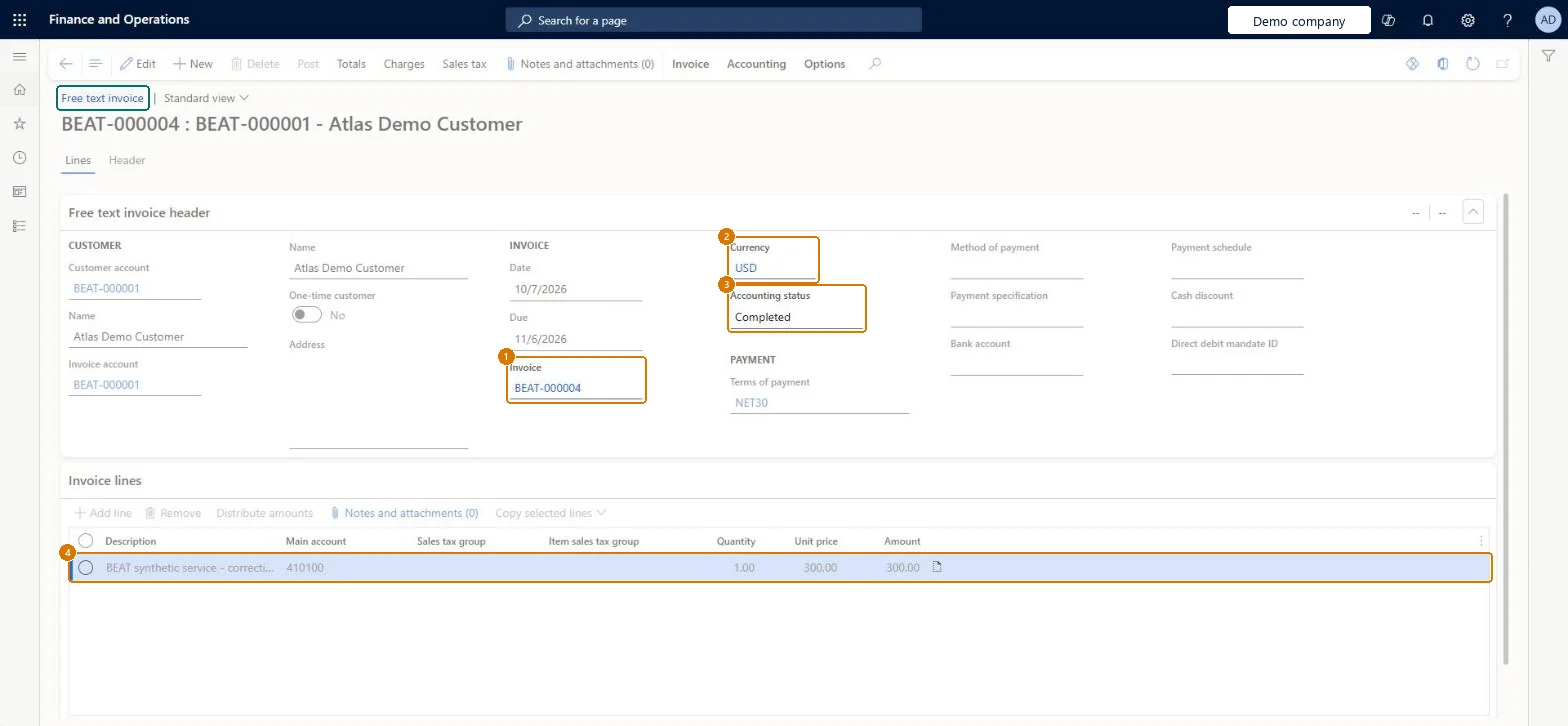
Go to Free text invoice BEAT-000004, Lines tab
- Open free text invoice BEAT-000004
- Review the header and the Invoice lines FastTab
Check Invoice BEAT-000004 for customer BEAT-000001 shows currency USD, accounting status Completed, terms NET30, date 10/7/2026, and one line of 1 x 300.00 = 300.00 USD to main account 410100.
page title tab to open what to set or check Screen 3
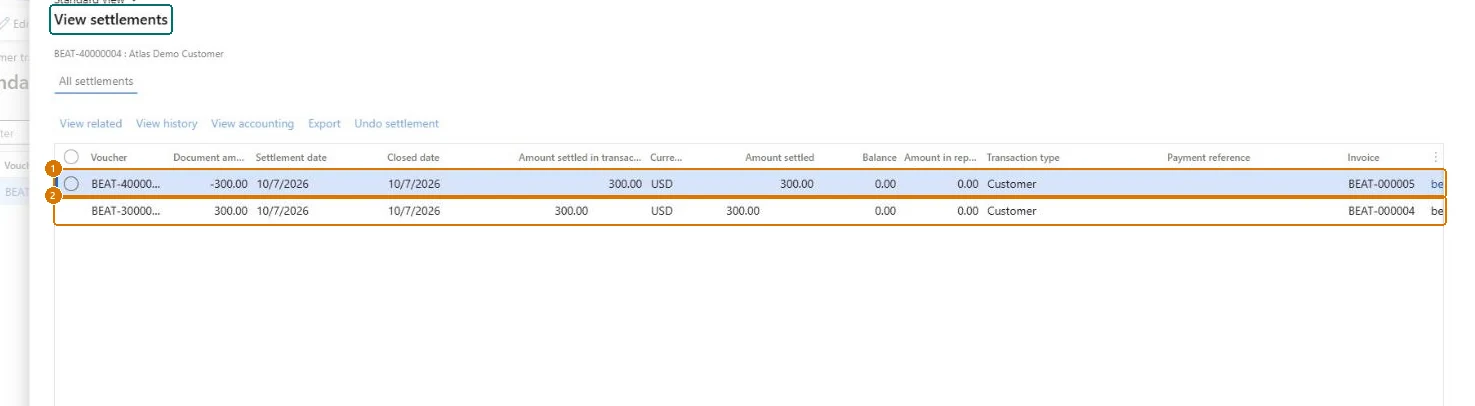
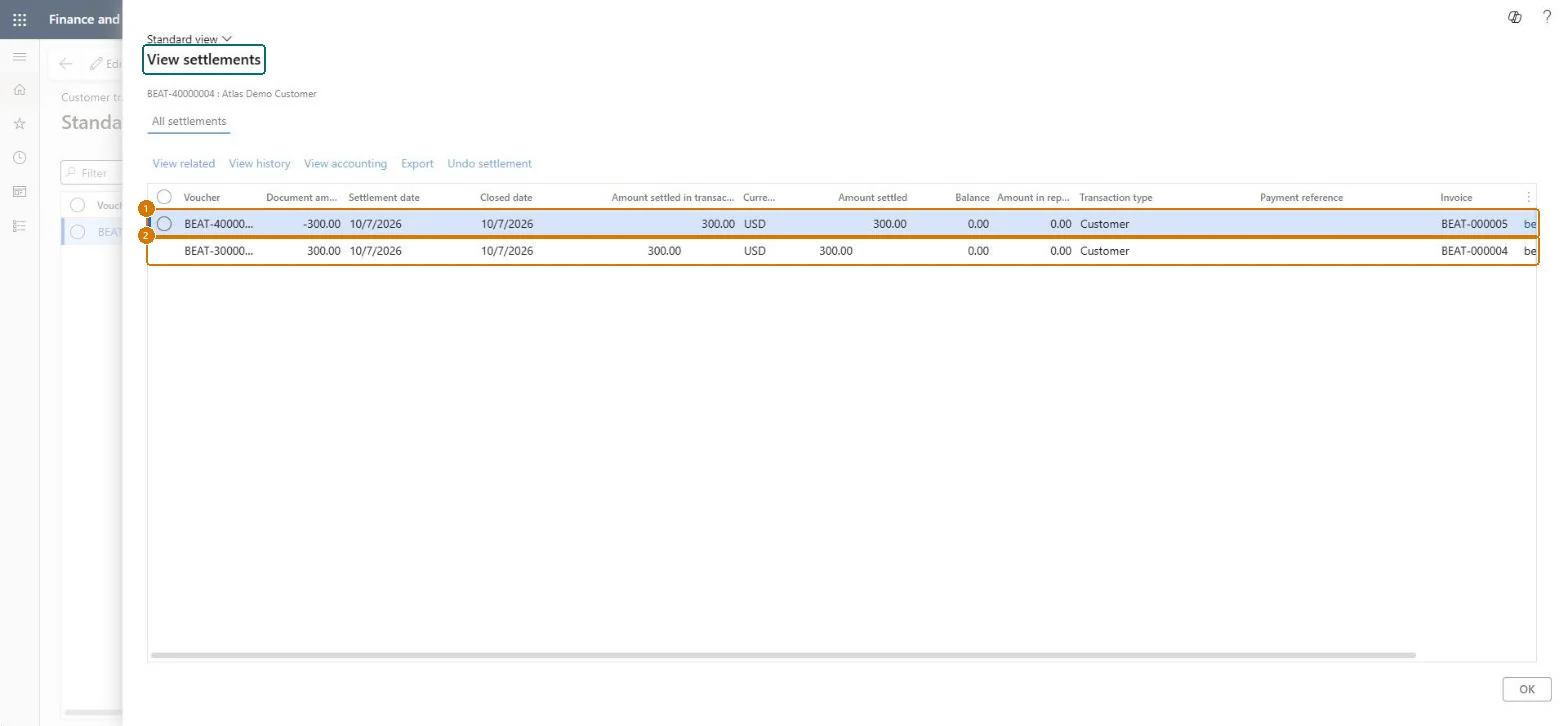
Check the invoice settlement
Go to Customer transactions > View settlements
- Open the customer's transactions
- Select the credit voucher BEAT-40000004 and open View settlements
Check Credit voucher BEAT-40000004 (-300.00) and invoice voucher BEAT-30000003 (300.00 USD) are each settled 300.00, with settlement and closed dates of 10/7/2026 and a balance of 0.00.
Show the full screen
page title tab to open what to set or check Screen 4
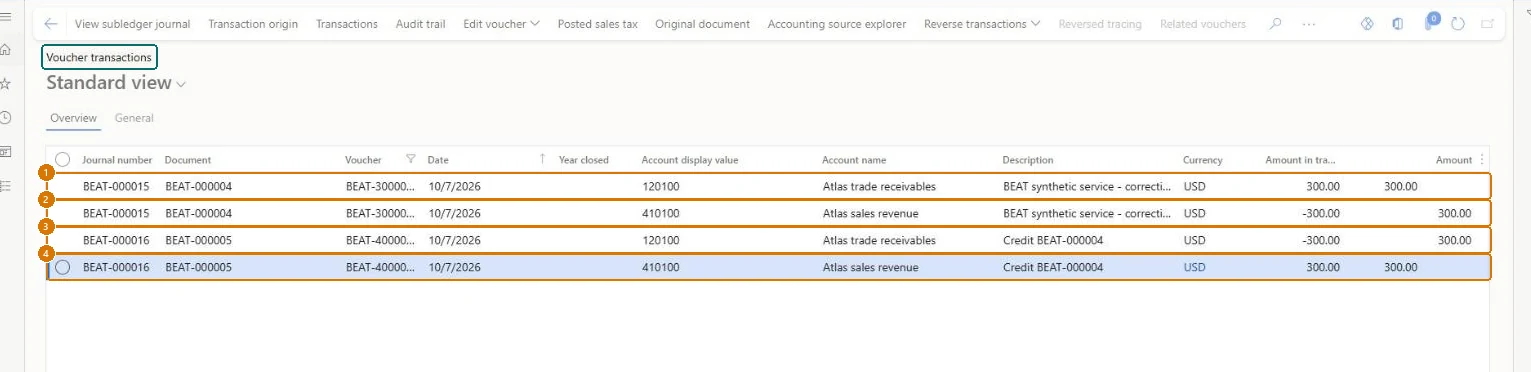
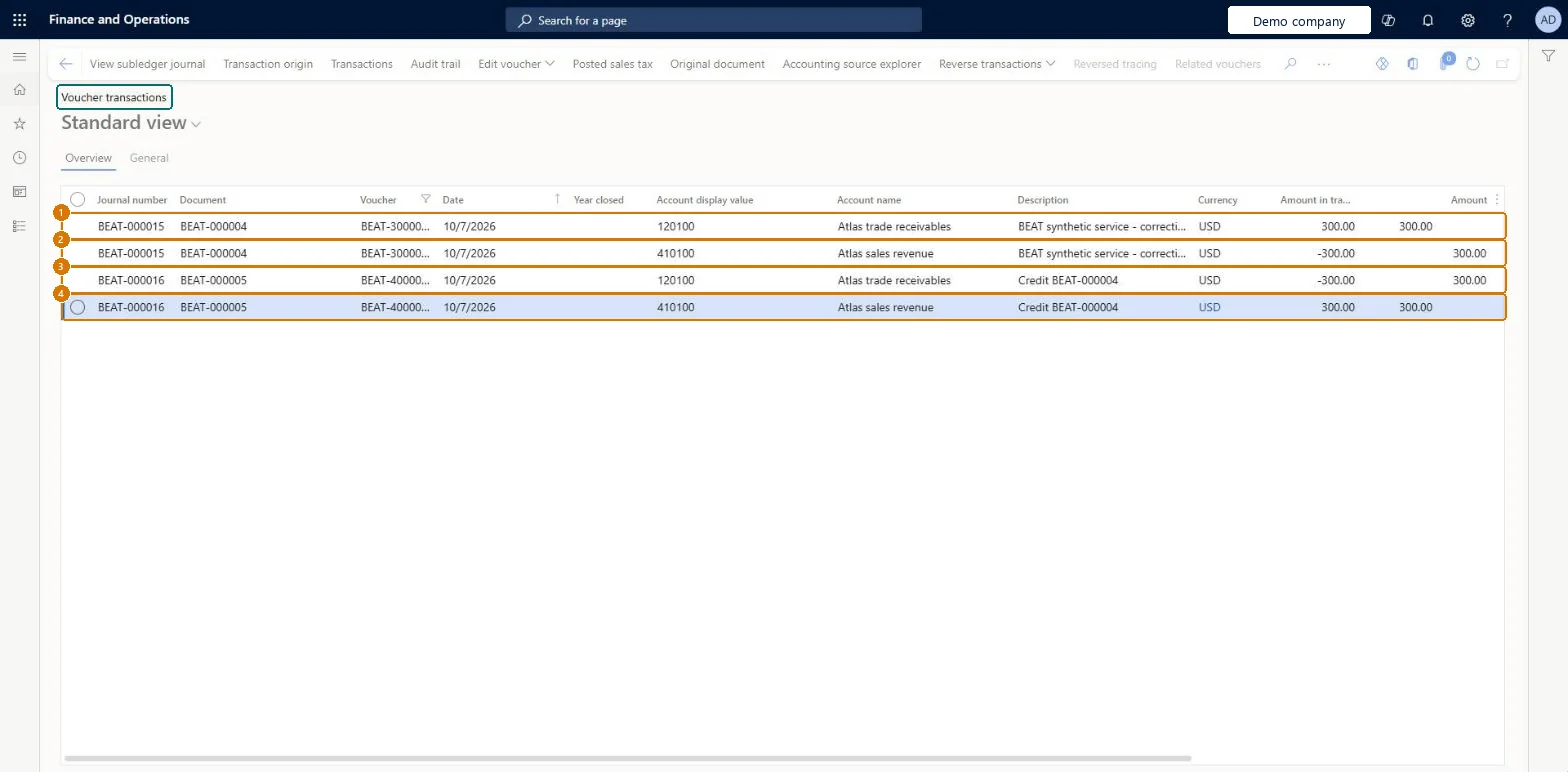
Check the ledger vouchers
Go to General ledger > Inquiries and reports > Voucher transactions
- In the Inquiry dialog, set Voucher to BEAT-30000003,BEAT-40000004 and select OK
- Review the four lines on the Overview tab
Check Invoice voucher BEAT-30000003 (document BEAT-000004) posts 120100 +300.00 and 410100 -300.00 USD; credit note voucher BEAT-40000004 (document BEAT-000005) posts the exact opposite: 120100 -300.00 and 410100 +300.00 USD.
Show the full screen
page title tab to open what to set or check Screen 5
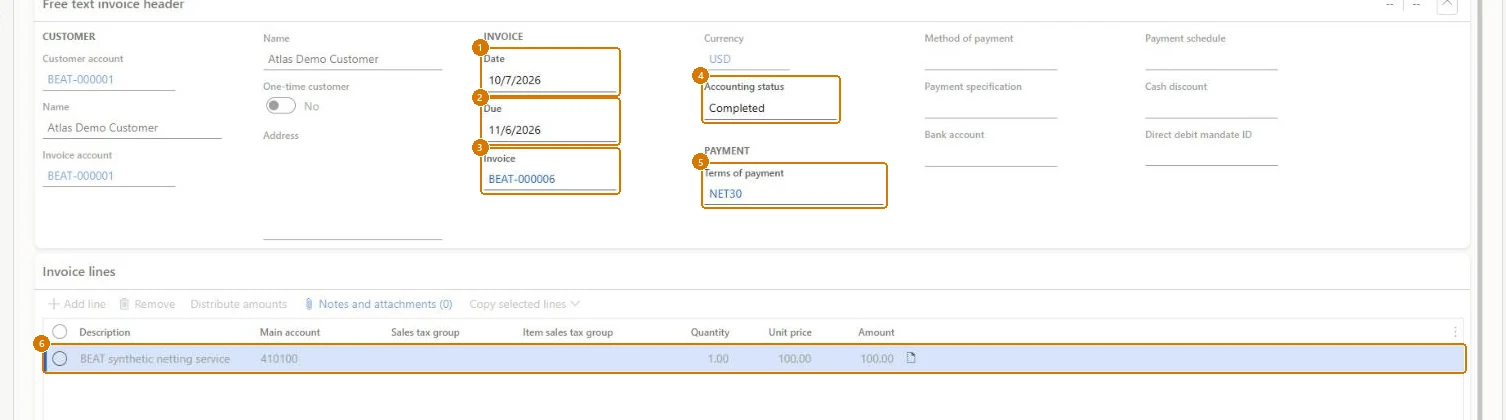
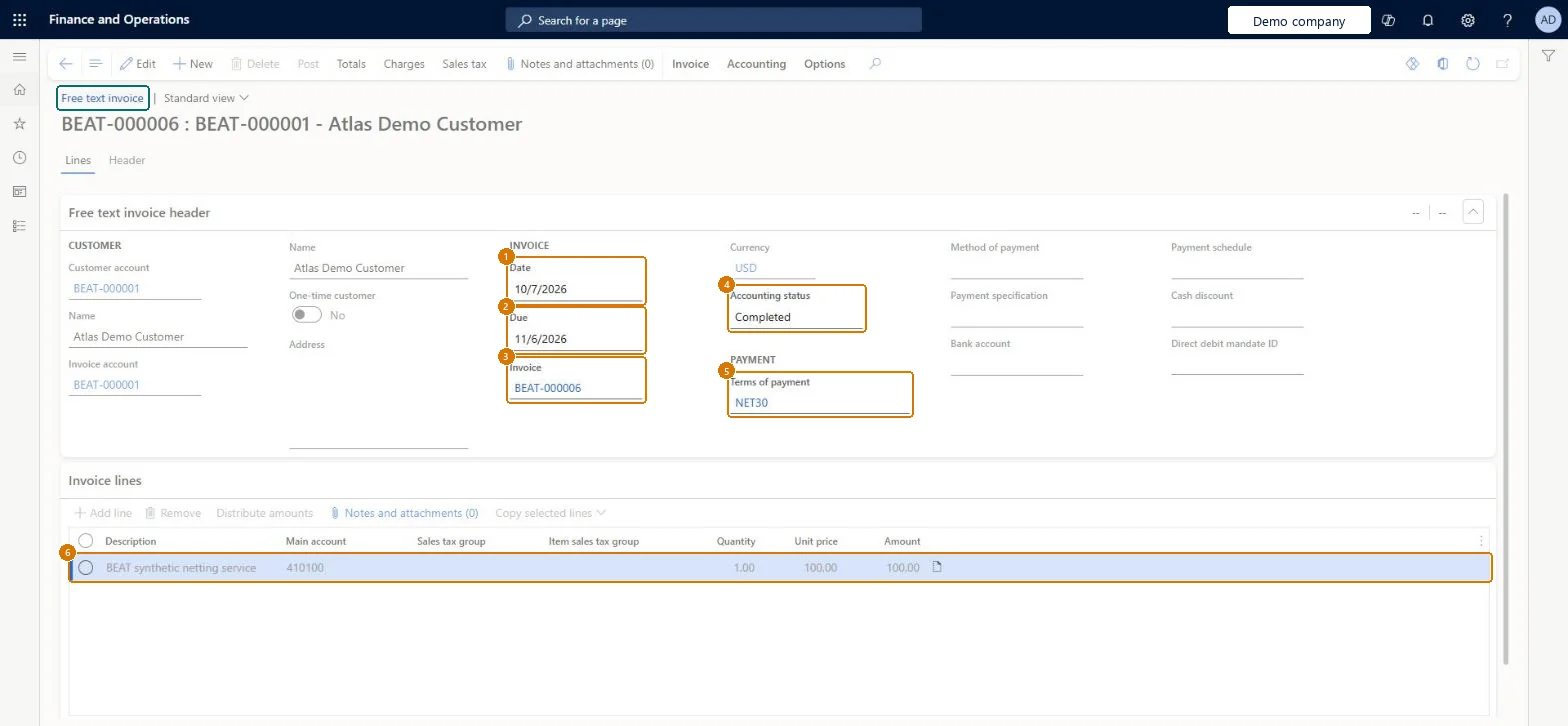
Check the second posted invoice
Go to Free text invoice BEAT-000006, Lines tab
- Open free text invoice BEAT-000006
- Review the header and the Invoice lines FastTab
Check Invoice BEAT-000006 for customer BEAT-000001 is dated 10/7/2026, due 11/6/2026, with accounting status Completed, terms NET30, and one line of 1 x 100.00 = 100.00 USD to main account 410100.
Show the full screen
page title tab to open what to set or check
Microsoft's steps
- Go to Accounts receivable > Invoices > Recurring invoices > Free text invoice templates.
- Select New.
- In the Template name field, enter a unique name, and enter a Description.
- Expand the Invoice lines tab and enter a Description for the line.
- In the Main account field, select a revenue account.
- Select the Sales tax group and Item sales tax group for the line.
- Enter the Quantity and Unit price.
- Add more lines as needed and review the accounting distributions for each line.
- Select Close.
Source: Microsoft Learn ↗
Field guide
| Field | What it means | Worked example | Table column |
|---|---|---|---|
| Template name | A unique name that identifies the template.Microsoft Learn ↗ | — | TemplateName |
| Main account | The revenue account for the template line.Microsoft Learn ↗ | 410100 | — |
| Sales tax group | The sales tax group for the line; it defaults from the customer account.Microsoft Learn ↗ | — | — |
| Unit price | Price per unit, multiplied by the quantity to give the line amount.Microsoft Learn ↗ | 300.00 | — |
| Description | — | BEAT synthetic service 300 USD NET30 | — |
| Posting profile | — | BEAT | PostingProfile |
| Currency | — | USD | — |
| Terms of payment | — | NET30 | — |
| Quantity | — | 1.00 | — |
Functional consultant
4Setup decisions
| Setup step | Recommended value and why | Decision · common mistake · test |
|---|---|---|
| Set up Free text invoice templates | — | — |
Solution architect
5Design impact
| Shared or per company | Per company: each legal entity has its own records. Microsoft data model ↗ |
|---|---|
| Can it be undone | — |
| Feature or country | — |
| If you change it later | When generating recurring invoices, defaults such as payment terms and tax groups come from either the template or the customer account, as chosen on the customer's recurring invoice setup. Microsoft Learn ↗ |
Technical architect
6Technical
| Menu item | CustInvoiceTemplate Checked in Dynamics 365 |
|---|---|
| Form | CustInvoiceTemplate Checked in Dynamics 365 |
| Table | CustInvoiceTemplateShown as “Free text invoice template” in Record infoChecked in Dynamics 365 |
| Data entities | — |
| Who can open it | PrivilegesMaintain customer invoice template CustInvoiceTemplateMaintainView a list of invoices that were generated for this customer and the template that was used CustInvoiceTemplateViewDutiesInquire into customer invoice status CustInvoiceCustomerInvoiceStatusInquireMaintain customer invoice transactions CustInvoiceCustomerInvoiceTransMaintain11 security rolesCollections agentCollectionLetterCollectionsAgentCollections manager CollectionLetterCollectionsManagerChief financial officer CompanyChiefFinancialOfficerAccounts receivable clerk CustInvoiceAccountsReceivableClerkAccounts receivable manager CustInvoiceAccountsReceivableManagerAccountant LedgerAccountantAccounting manager LedgerAccountingManagerAccounting supervisor LedgerAccountingSupervisorFinancial controller LedgerFinancialControllerAccounts receivable centralized payments clerk PaymAccountsReceivableCentralPaymClerkAccounts receivable payments clerk PaymAccountsReceivablePaymentsClerk |
| Actions on the page | Buttons: Copy, Charges, Assigned customersChecked in Dynamics 365 |
Developer
7Developer
| Open it directly | https://<your-environment>/?mi=CustInvoiceTemplate |
|---|---|
| Integrate with | — |
| Table definition | CustInvoiceTemplate columns and relations Microsoft data model ↗ |
Everyone
8Sources and checks
- learn.microsoft.com/dynamics365/finance/accounts-receivable/create-free-text-invoice-template-new
- learn.microsoft.com/dynamics365/finance/accounts-receivable/create-free-text-invoice-template-new
- learn.microsoft.com/common-data-model/schema/core/operationscommon/tables/finance/accountsreceivable/group/custinvoicetemplate
- learn.microsoft.com/dynamics365/finance/accounts-receivable/tasks/assign-free-text-invoice-template-customer
- learn.microsoft.com/dynamics365/finance/accounts-receivable/set-up-process-recurring-invoices
- Checked in a working Dynamics 365 system, version 10.0.49: the menu item, form, table and security, the page, the demo records and the values in the screenshots.