SETUP GUIDEHow to set it up8 sections. Choose a role to highlight what matters to you.
Everyone
1What it is and why
What it is
A setup page where you define work processing policies, which set whether put processing for a work order type runs immediately or is deferred to the background.
What you do here
Use this page to set the work processing method for each work order type and operation, and the batch group used for deferred processing.
Example
For example, when many work lines must be processed, the worker can let that work be processed asynchronously in the background.
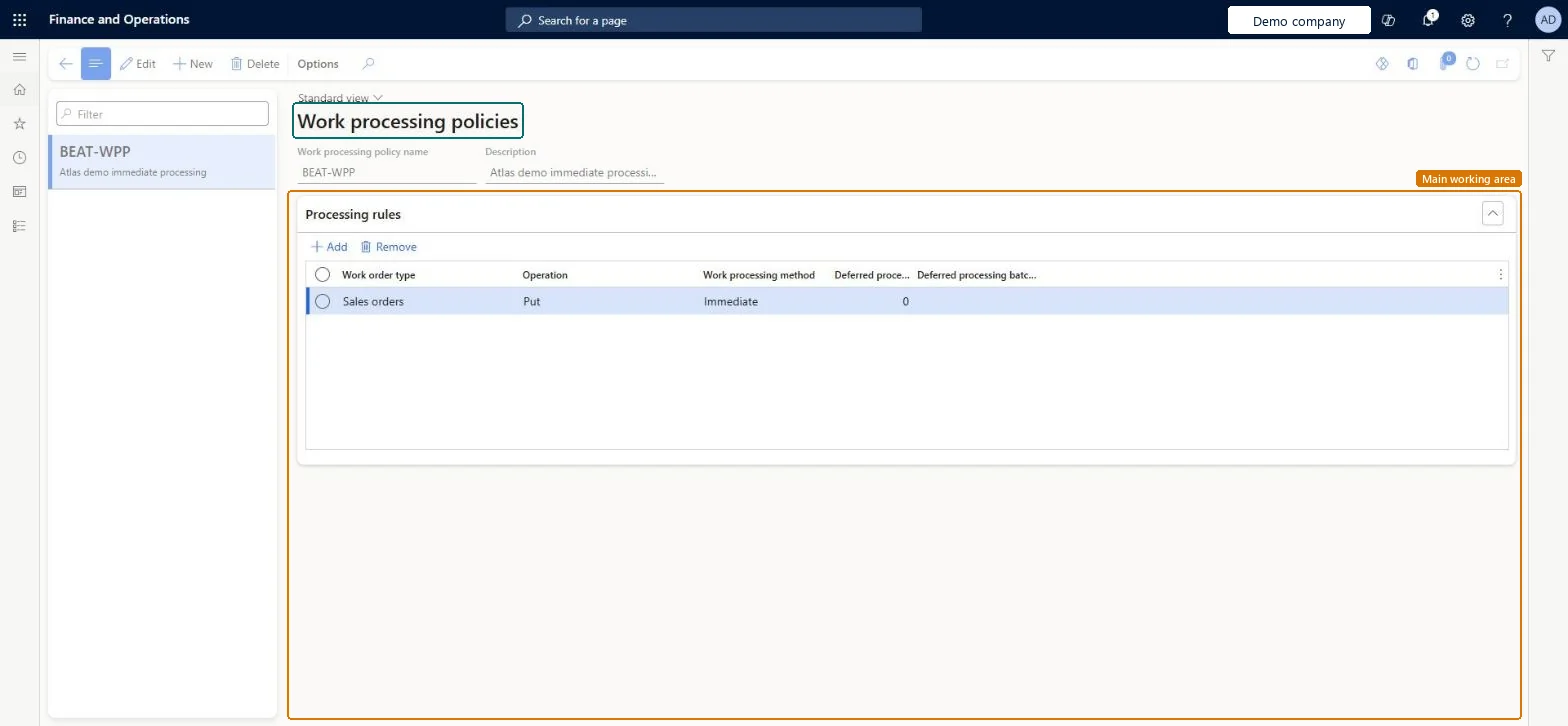
The page in Dynamics 365. page title tab to open what to set or check
About the examples: Examples and screenshots in this guide use BEAT, a demo company in a Dynamics 365 test environment. Use your own company's codes and values instead of copying them.
Setup steps on this page
Set up Work processing policies
Use this page to set the work processing method for each work order type and operation, and the batch group used for deferred processing.
Steps from Microsoft
Go to Warehouse management > Setup > Work > Work processing policies.
Select an existing policy in the list, or select New to create a policy.
Enter the work processing policy name and a description.
On the Processing rules FastTab, add the rules that the policy applies.
For each rule, set the work order type, the operation and the work processing method, plus the deferred processing threshold and batch group when needed.
Deferred for put on large sales, transfer issue or replenishment work, with a Deferred processing threshold so small work stays ImmediateDeferred processing lets workers continue while the put runs in batch; the threshold keeps work below a set number of load lines on Immediate.
PrivilegesMaintain work processing policies WHSWorkProcessingPolicyMaintainView work processing policies WHSWorkProcessingPolicyViewDutiesInquire into warehouse planning master data WHSWarehousePlanningMasterInquireRecord warehouse planning masters WHSWarehousePlanningMasterMaintain2 security rolesWarehouse planner WHSWarehousePlannerWarehouse manager WMSWarehouseManagerChecked in Dynamics 365
Roles to set it up and use it
To set it up or change itWarehouse manager WMSWarehouseManagerWarehouse planner WHSWarehousePlannerGive people one of these roles. On this system, 2 roles can open this page.Checked in Dynamics 365
WHSWarehouseWorkProcessingPolicyEntity (Work processing policy): shared by all companies, in Microsoft's default template 400 - Warehouse management.Load order: Microsoft's default template 400 - Warehouse management loads Work processing policy at execution unit 1, level 30, sequence 10. Lower levels load first, and entities at the same level load in sequence order.Load first: the default templates at lower levels (System setup to General ledger)Microsoft Learn