Setup step on the Foreign trade parameters page · Tax
Set up Foreign trade parameters
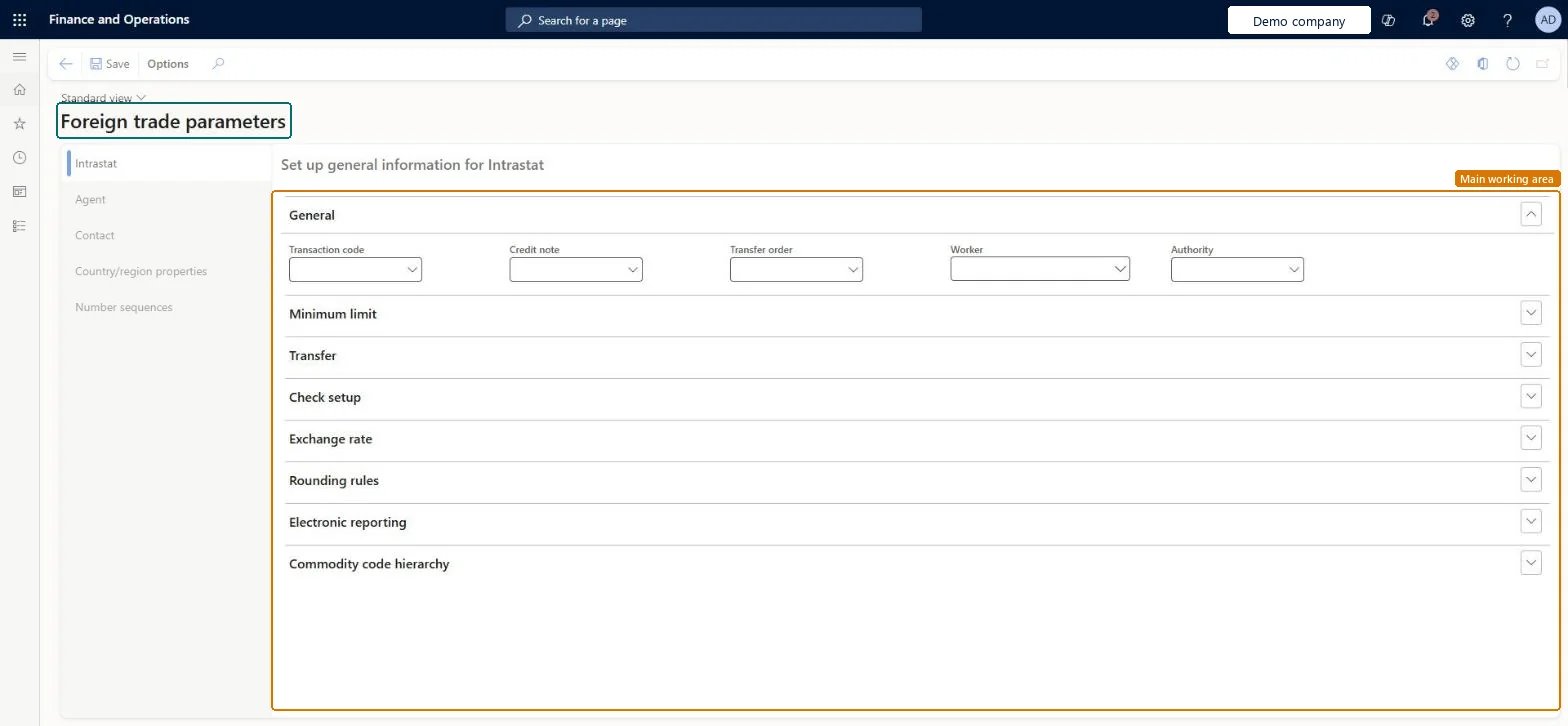
Used to control how transactions are transferred to the Intrastat journal, checked, rounded and reported.
- Used by
- Accountant, Accounting manager, Accounting supervisor
- Business process
- Report tax and financial data to authorities in Dynamics 365 Finance
- Menu item
IntrastatParameters- Main table
IntrastatParameters- Data entity
IntrastatForeignTradeParameterEntity- Setup steps
- 1 on this page
Show what matters for
Everyone
1What it is and why
| What it is | A setup page for the Intrastat and EU sales list parameters, such as default transaction codes, thresholds, transfer rules and reporting formats. |
|---|---|
| What you do here | Used to control how transactions are transferred to the Intrastat journal, checked, rounded and reported. |
| Example | For example, a German company that buys goods from Italy selects transaction code 11 as the default on the General FastTab of the Intrastat tab. |
Functional consultant · Solution architect
2Where it fits
| Business process | Record financial transactions › Record tax commitments › Report tax and financial data to authorities in Dynamics 365 Finance |
|---|---|
| Menu path | Tax › Setup › Foreign trade › Foreign trade parameters |
| Set up first | Transaction codes Microsoft Learn ↗ |
| Used next by | — |
| Related pages | Compression of Intrastat Microsoft Learn ↗Transport method Microsoft Learn ↗ |
| In this process | ← Set up Country/region parameters · Set up Port → |
End user · Functional consultant
3How to do it
Step by step, with screenshots
Set up Foreign trade parameters1 screen
Used to control how transactions are transferred to the Intrastat journal, checked, rounded and reported.
Screen 1
Set the default transaction code
Go to Tax > Setup > Foreign trade > Foreign trade parameters, Intrastat tab
- Open the Intrastat tab
- On the General section, select the Transaction code
- Select Save
1Transaction code BEAT-11 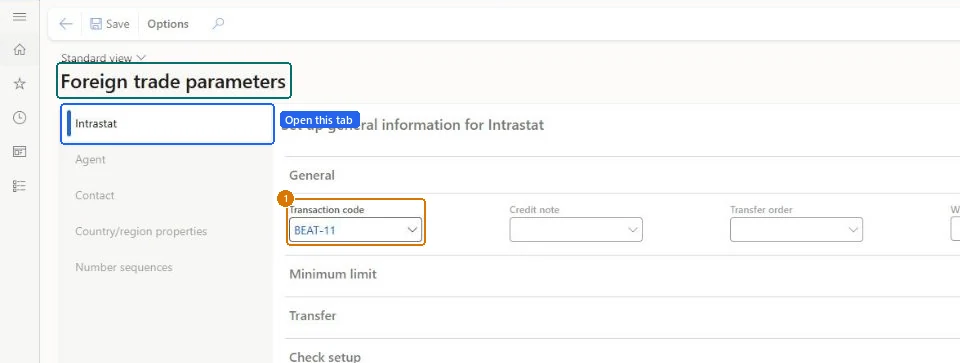
Show the full screen
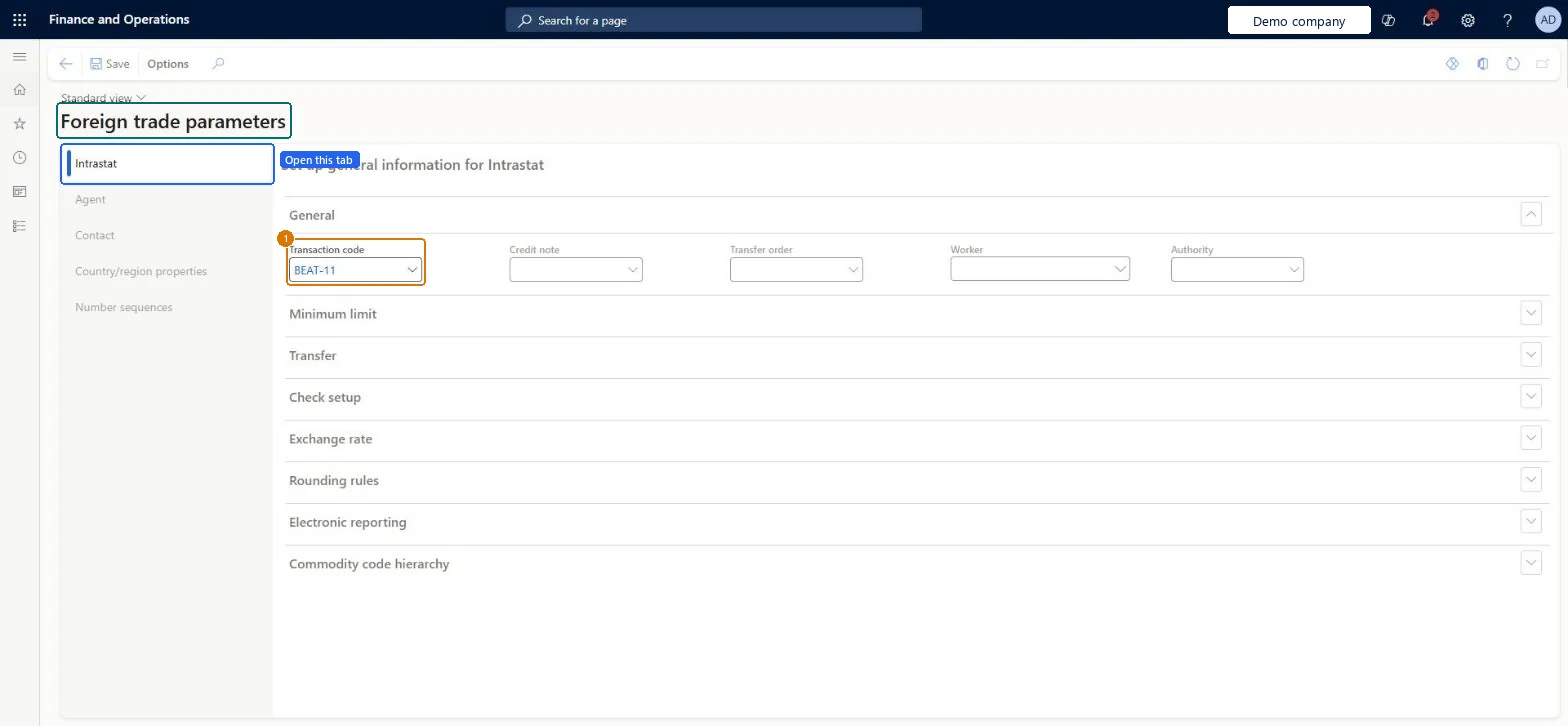
page title tab to open what to set or check
Microsoft's steps
- Go to Tax > Setup > Foreign trade > Foreign trade parameters.
- On the Intrastat tab, on the General FastTab, in the Transaction code field, select the default transaction code.
- On the Commodity code hierarchy FastTab, check that the Category hierarchy field is set to the Intrastat commodity code hierarchy.
Source: Microsoft Learn ↗
Field guide
| Field | What it means | Worked example | Table column |
|---|---|---|---|
| Minimum limit | The threshold amount and weight, and the commodity code used for transactions below it.Microsoft Learn ↗ | — | — |
| Transfer | The criteria an item must meet for its transactions to be transferred to the Intrastat journal.Microsoft Learn ↗ | — | — |
| Check setup | The rules that check whether Intrastat data is complete.Microsoft Learn ↗ | — | — |
| Exchange rate | The exchange rate type for Intrastat reporting.Microsoft Learn ↗ | — | — |
| Rounding rules | How amounts and weights are rounded for Intrastat reporting.Microsoft Learn ↗ | — | — |
| Electronic reporting | The electronic reporting configurations that produce the Intrastat file and report.Microsoft Learn ↗ | — | — |
| Agent contact information | The agent's name, address, tax exempt number, phone and fax.Microsoft Learn ↗ | — | — |
| Country/region properties | Marks your own country/region as Domestic and EU trading partners as EU.Microsoft Learn ↗ | — | — |
| Number sequences | The number sequence for the Intrastat journal.Microsoft Learn ↗ | — | — |
| Transaction code | — | BEAT-11 | TransactionCode |
Functional consultant
4Setup decisions
| Setup step | Recommended value and why | Decision · common mistake · test |
|---|---|---|
| Set up Foreign trade parameters | — | — |
Solution architect
5Design impact
| Shared or per company | Per company: each legal entity has its own records. Microsoft data model ↗ |
|---|---|
| Can it be undone | — |
| Feature or country | — |
| If you change it later | — |
Technical architect
6Technical
| Menu item | IntrastatParameters Checked in Dynamics 365 |
|---|---|
| Form | IntrastatParameters Checked in Dynamics 365 |
| Table | IntrastatParametersShown as “Foreign trade parameters” in Record infoChecked in Dynamics 365 |
| Data entities | IntrastatForeignTradeParameterEntityForeign trade parameters Microsoft data model ↗ |
| Who can open it | PrivilegesMaintain Intrastat parameters IntrastatParametersMaintainView Intrastat parameters IntrastatParametersViewDutiesInquire into Intrastat policies TaxIntrastatPoliciesInquireEnable Intrastat process TaxIntrastatProcessEnable3 security rolesAccountantLedgerAccountantAccounting manager LedgerAccountingManagerAccounting supervisor LedgerAccountingSupervisor |
| Actions on the page | Options: Personalize, Page options, Edit, ShareChecked in Dynamics 365 |
Developer
7Developer
| Open it directly | https://<your-environment>/?mi=IntrastatParameters |
|---|---|
| Integrate with | IntrastatForeignTradeParameterEntity data entity Microsoft data model ↗ |
| Table definition | IntrastatParameters columns and relations Microsoft data model ↗ |
Everyone
8Sources and checks
- learn.microsoft.com/dynamics365/finance/localizations/europe/emea-intrastat
- learn.microsoft.com/common-data-model/schema/core/operationscommon/tables/common/intrastat/parameter/intrastatparameters
- Checked in a working Dynamics 365 system, version 10.0.49: the menu item, form, table and security, the page, the demo records and the values in the screenshots.
TAX-SETUP-060 — Set up Foreign trade parameters. Beyond ERP Atlas Hub, snapshot 2026-10-16, partly verified. https://www.beyonderp.cloud/atlas/step/TAX-SETUP-060