Setup step on the Profile calendar page · Time and attendance
Set up Profile calendar
Use this page to record temporary profile changes, such as a switch to the evening shift for a period, so that registrations on those dates are calculated against the right profile.
Manager, Payroll administrator, Production manager and 1 more role
Business process
Manage time and attendance
Menu item
JmgProfileCalendar
Main table
JmgProfileCalendar
Setup steps
1 on this page
Show what matters for
SETUP GUIDEHow to set it up8 sections. Choose a role to highlight what matters to you.
Everyone
1What it is and why
What it is
A page that holds profile entries which replace a worker's or a group's standard work time profile on specific dates.
What you do here
Use this page to record temporary profile changes, such as a switch to the evening shift for a period, so that registrations on those dates are calculated against the right profile.
Example
For example, a worker who works on a Sunday or a public holiday is given a special or Sunday profile for that date.
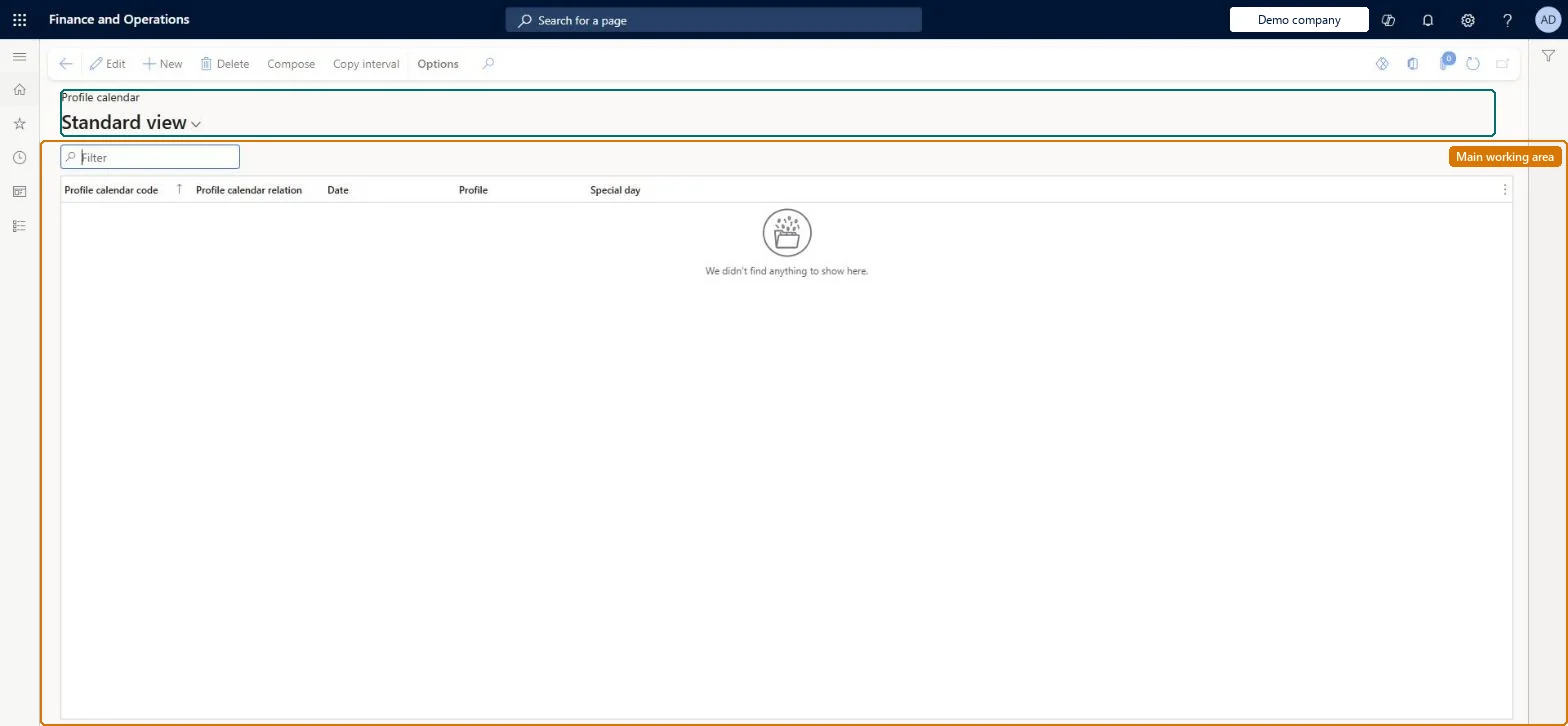
The page in Dynamics 365. page title tab to open what to set or check
About the examples: Examples and screenshots in this guide use BEAT, a demo company in a Dynamics 365 test environment. Use your own company's codes and values instead of copying them.
Setup steps on this page
Set up Profile calendar
Use this page to record temporary profile changes, such as a switch to the evening shift for a period, so that registrations on those dates are calculated against the right profile.
How to use it
Go to Time and attendance > Setup > Time profiles > Profile calendar.
Use the Filter box to find an entry.
Select New and enter the Profile calendar code, Profile calendar relation, Date, Profile and Special day.
Select Compose to build calendar entries, or Copy interval to copy a range of entries.
Select Edit to change a selected row, or Delete to remove it.
Source: Checked in Dynamics 365
Fields on the page
Field
What it means
Example
Profile calendar code
Whether the entry is for one worker or for a profile group.Microsoft Learn
Profile calendar entries only for planned deviations, such as a group moving to the evening shift for a period or a worker on a Sunday or holiday profile; create them in the work planner or with Compose profile calendar for a periodThe profile calendar holds the entries that differ from a worker's or group's standard profile, so registrations on those dates are calculated against the right profile.
Time and attendance roles come from the security read in the Technical section. On this system the page is opened with roles such as Manager, Payroll administrator, Production manager and 1 more. The Microsoft Learn article for this page names no Feature management feature to turn on.
Per company: each legal entity has its own profile calendar. Checked in Dynamics 365
Can it be undone
Reversible: Entries can be changed or removed before the dates are calculated; after calculation, the days must be recalculated.
If you change it later
An entry here makes the worker's registrations for the dates it covers be calculated against a different profile from their standard one. Microsoft Learn
Technical architect
6Technical
Menu item
JmgProfileCalendarChecked in Dynamics 365
Form
JmgProfileCalendarChecked in Dynamics 365
Table
JmgProfileCalendarShown as “PROFILE CALENDAR” in Record infoChecked in Dynamics 365
Who can open it
PrivilegesMaintain profile calendar entries JmgProfileCalendarMaintainView profile calendar entries JmgProfileCalendarViewDutiesInquire into manufacturing execution policies JmgManufacturingExecutionPoliciesInquirEnable time and attendance process JmgTimeAttendanceProcessEnableInquire into time and attendance progress JmgTimeAttendanceProgressInquireInquire into time and attendance reference data JmgTimeAttendanceReferenceDataInquireMaintain time and attendance profiles JmgTimeAttendenceProfilesMaintain4 security rolesManager HcmManagerPayroll administrator HcmPayrollAdministratorProduction manager ProdProductionManagerProduction supervisor ProdProductionSupervisorChecked in Dynamics 365
Roles to set it up and use it
To set it up or change itProduction manager ProdProductionManagerProduction supervisor ProdProductionSupervisorTo use itPayroll administrator HcmPayrollAdministratorManager HcmManagerGive people one of these roles. On this system, 4 roles can open this page.Checked in Dynamics 365
Actions on the page
(Action Pane without tabs): Compose, Copy intervalChecked in Dynamics 365
Developer
7Developer
Open it by URL
https://<your-environment>/?mi=JmgProfileCalendar
Data migration
Load order: The profile calendar has no data entity in Data management, so it can't be loaded from a file or a configuration template. Enter future deviations again with the work planner or Compose profile calendar in the new environment.Checked in Dynamics 365