SETUP GUIDEHow to set it up8 sections. Choose a role to highlight what matters to you.
Everyone
1What it is and why
What it is
A setup page where you enter the reasons why a telemarketing call might have been canceled.
What you do here
Use this page to record why a telemarketing call was canceled; you are asked for one of these reasons when you cancel a call on Call distributions.
Example
BEAT creates the reasons BUDGET, NOCONTACT and DUPLICATE. On the call list CL-000032 with 120 targets, 9 calls are canceled, 5 of them with NOCONTACT, so the marketing manager cleans up the phone numbers before the next campaign.
The page in Dynamics 365. page title tab to open what to set or check
About the examples: Examples and screenshots in this guide use BEAT, a demo company in a Dynamics 365 test environment. Use your own company's codes and values instead of copying them.
Step by step, with screenshots
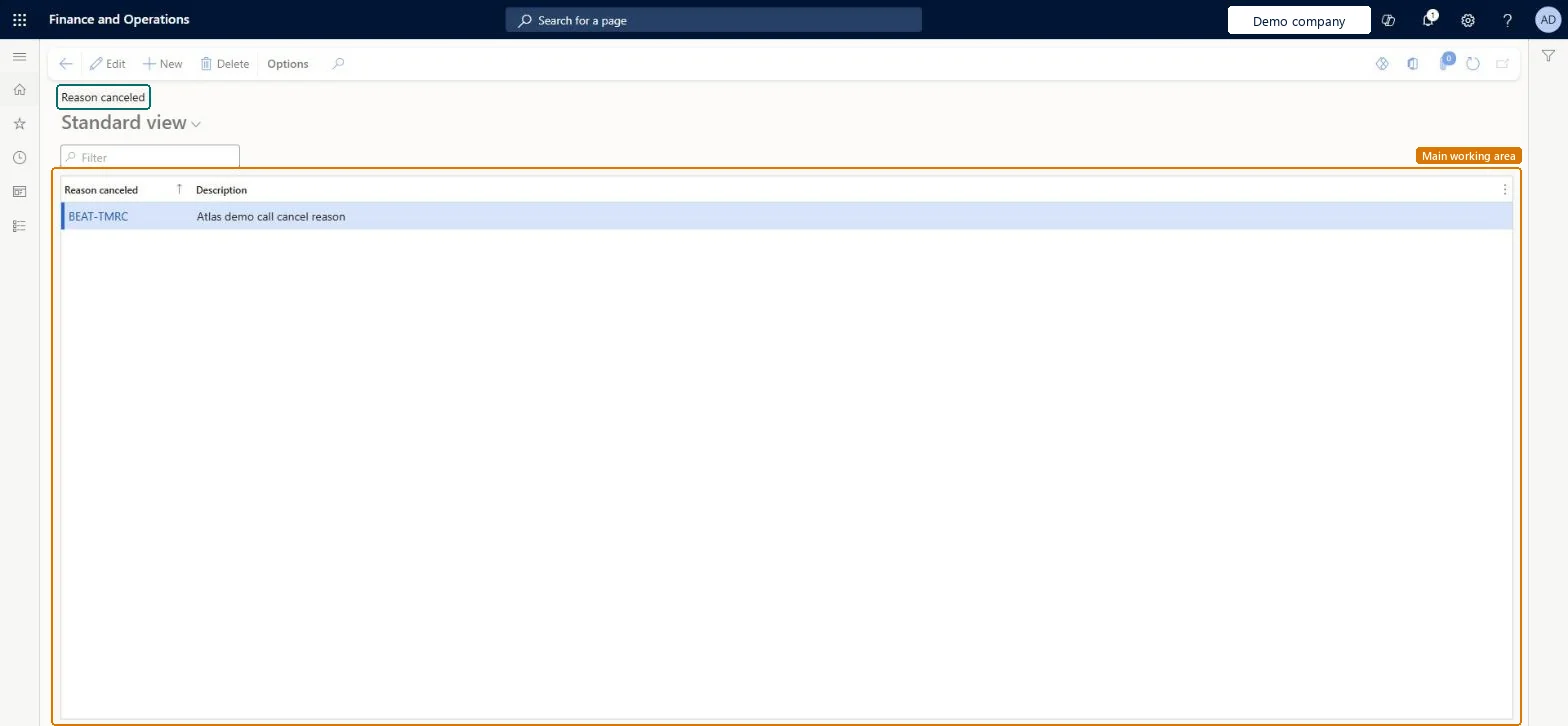
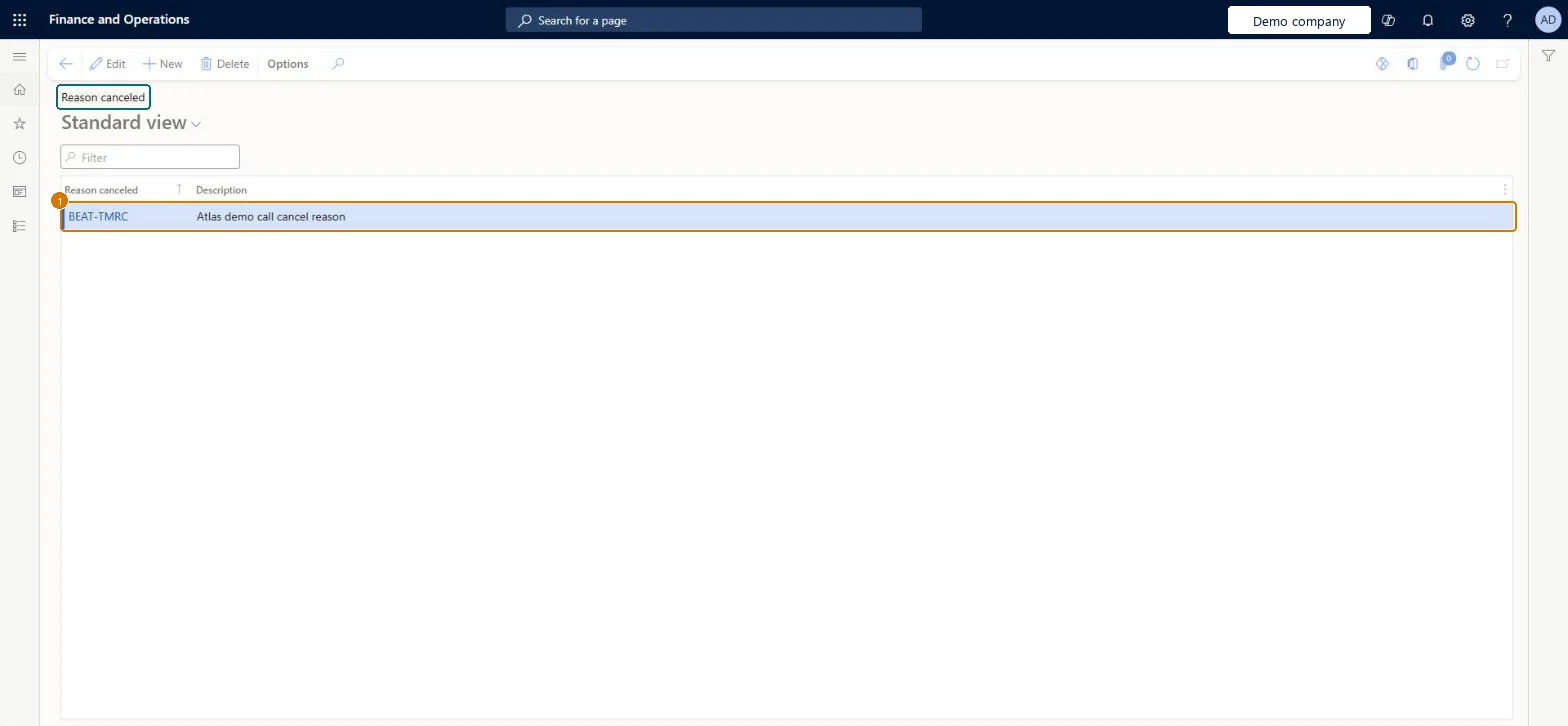
Set up Reason canceled1 screen
Use this page to record why a telemarketing call was canceled.
Screen 1
Create a telemarketing cancellation reason
Go to Sales and marketing > Setup > Telemarketing > Reason canceled
Select New
Enter the reason code and description
Select Save
1Reason canceled
BEAT-TMRC
Description
Call cancel reason
Show the full screen page title tab to open what to set or check
Steps from Microsoft
Go to Sales and marketing > Setup > Telemarketing > Reason canceled.
Select New and enter the Reason canceled code, such as BUDGET, and a Description.
Add the reasons the telemarketing team needs, such as NOCONTACT.
On Sales and marketing > Marketing > Telemarketing > Call distributions, cancel a call and select the new reason when prompted.
A short list of cancellation reasons that the telemarketing team can act on (for example NOCONTACT, BUDGET, DUPLICATE).A reason is required every time a call is canceled, so the list must exist before call lists are worked and decides what the cancellations tell you.
Reversible: Reasons can be changed; calls keep their reason.
If you change it later
The reason is asked for each time a call is canceled. A canceled call can later be changed to Call back or Closed, but a Closed call can't change status again. Microsoft Learn
Technical architect
6Technical
Menu item
smmTMReasonGroupChecked in Dynamics 365
Form
smmTMReasonGroupChecked in Dynamics 365
Table
smmTMReasonGroupShown as “Telemarketing reason” in Record infoChecked in Dynamics 365
Data entities
smmTelemarketingCancellationReasonEntityTelemarketing cancellation reasons Microsoft data model
Who can open it
PrivilegesMaintain reason groups smmTMReasonGroupMaintainView reason groups smmTMReasonGroupViewDutiesEnable marketing process smmMarketingProcessEnableInquire into marketing reference data smmMarketingReferenceData2 security rolesMarketing manager CRMMarketingManagerSales manager TradeSalesManagerChecked in Dynamics 365
Roles to set it up and use it
To set it up or change itSales manager TradeSalesManagerMarketing manager CRMMarketingManagerGive people one of these roles. On this system, 2 roles can open this page.Checked in Dynamics 365
Actions on the page
Options: Personalize, Page options, ShareChecked in Dynamics 365
smmTelemarketingCancellationReasonEntity (Telemarketing cancellation reasons): loaded for each company, in Microsoft's default template 330 - Sales and marketing.Load order: Microsoft's default template 330 - Sales and marketing loads Telemarketing cancellation reasons at execution unit 1, level 30, sequence 10. Lower levels load first, and entities at the same level load in sequence order.Load first: the default templates at lower levels (System setup to General ledger)Microsoft Learn
Checked in a working Dynamics 365 system, version 10.0.49: the menu item, form, table and security, the page, the demo records and the values in the screenshots.
To cite this step: SM-SETUP-330, Set up Reason canceled. Beyond ERP Atlas Hub, 2026-11-11. https://www.beyonderp.cloud/atlas/step/SM-SETUP-330