SETUP GUIDEHow to set it up8 sections. Choose a role to highlight what matters to you.
Everyone
1What it is and why
What it is
A setup page where you create customer rebate groups, so that one customer rebate agreement can cover a group of customers. These are the older customer rebates of Sales and marketing. Microsoft describes Rebate management as the newer module for rebate deals, provisions and royalties; choose one of the two for a project.
What you do here
Use this page to assign rebates to a group of customers instead of to each customer one by one.
Example
For example, BEAT groups its three supermarket chains in customer rebate group CHAINS and sets up one quarterly volume rebate agreement for the group instead of three.
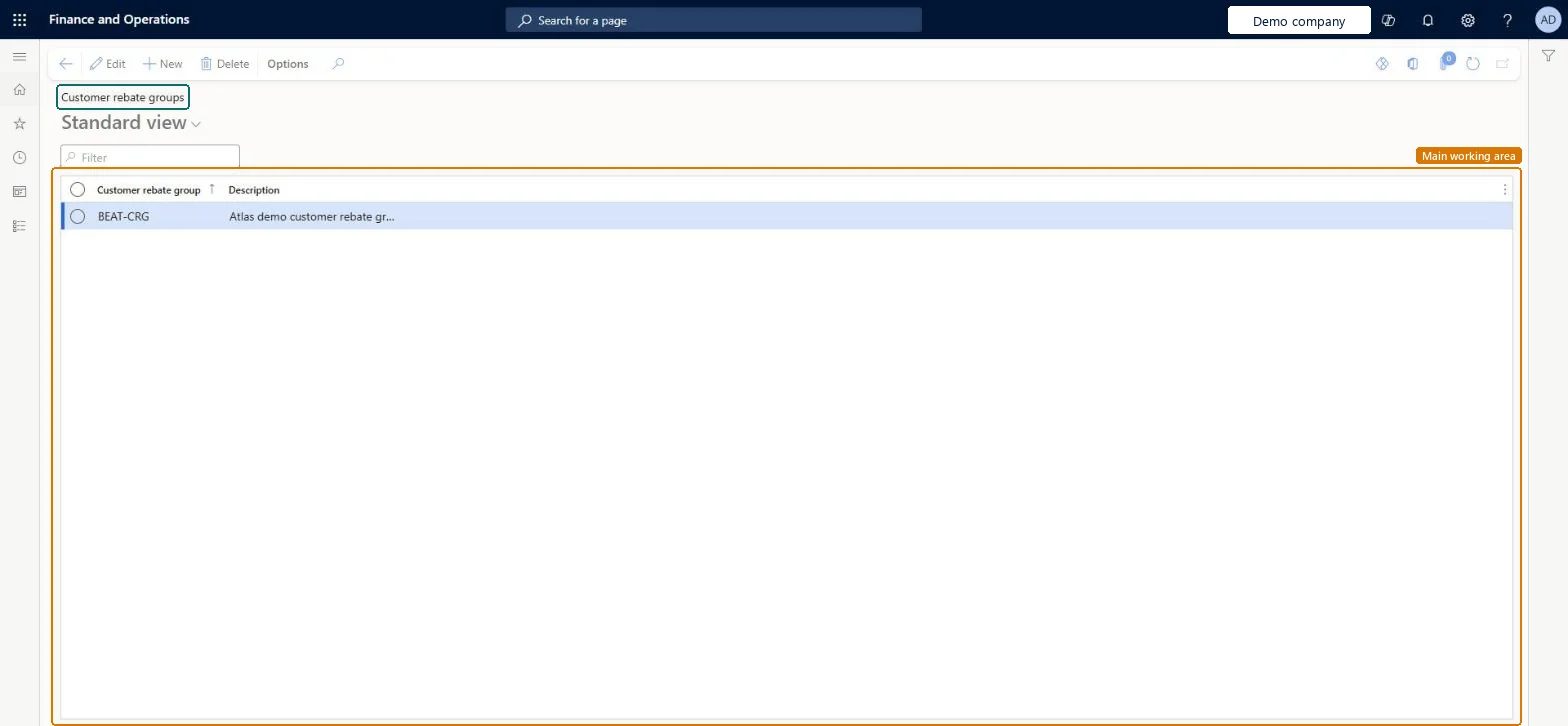
The page in Dynamics 365. page title tab to open what to set or check
About the examples: Examples and screenshots in this guide use BEAT, a demo company in a Dynamics 365 test environment. Use your own company's codes and values instead of copying them.
Step by step, with screenshots
Set up Customer rebate groups1 screen
Use this page to assign rebates to a group of customers instead of to each customer one by one.
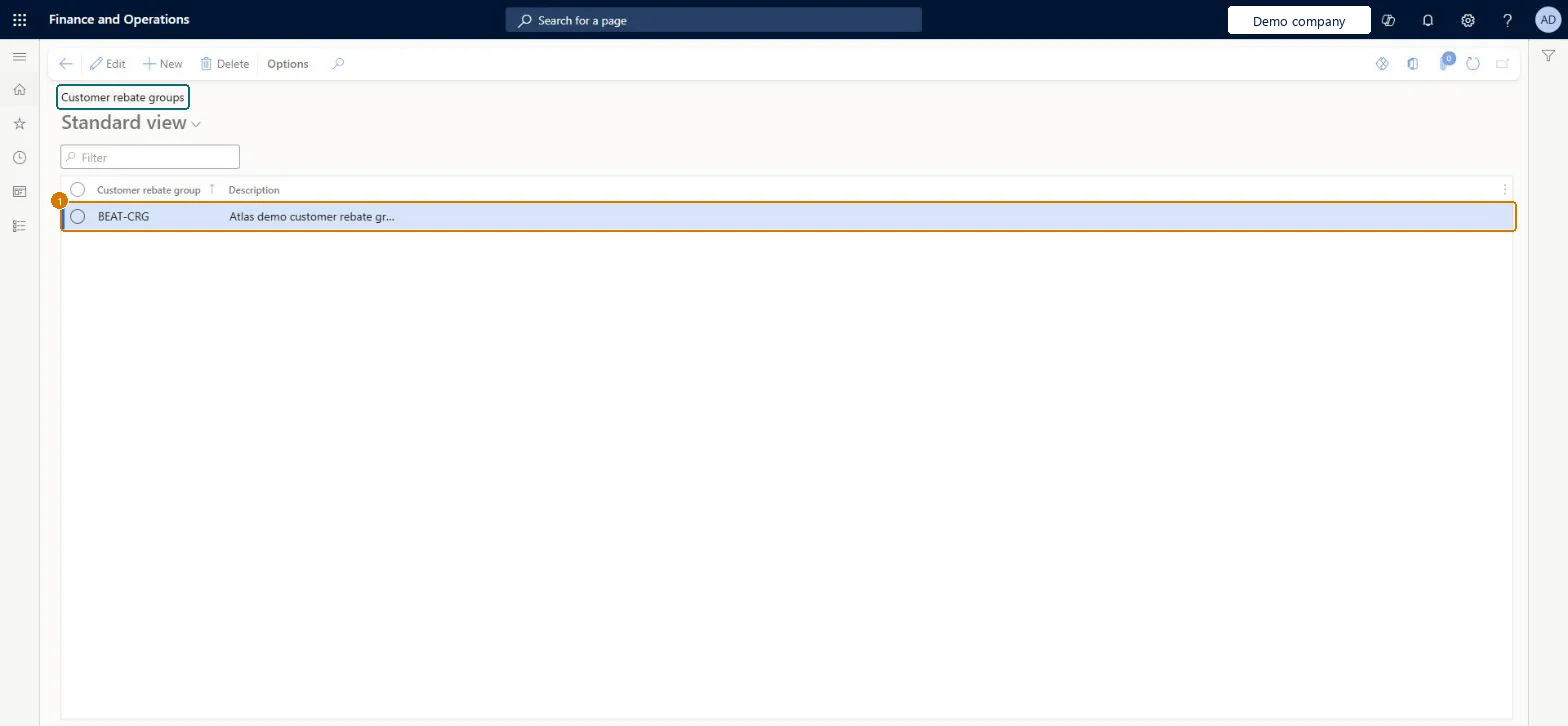
Screen 1
Create a customer rebate group
Go to Sales and marketing > Customer rebates > Rebate groups > Customer rebate groups
Select New
Enter the group code and description
Select Save
Assign the group to customers on the customer record
1Customer rebate group
BEAT-CRG
Description
Customer rebate group
Show the full screen page title tab to open what to set or check
Steps from Microsoft
Go to Sales and marketing > Customer rebates > Rebate groups > Customer rebate groups.
Select New.
In the Customer rebate group field, enter a unique name.
One customer rebate group per set of customers that get the same rebate terms, with the customers associated with the group before the agreement is approved.After the groups are set up, customers are associated with a group and rebate agreements are defined for the group; Process rebates can also be limited to one customer rebate group.
Reversible: The group can be renamed or reassigned; claims already created keep their values.
If you change it later
A rebate agreement for the group applies to every customer associated with it, and Process rebates can be run for one customer rebate group. Moving a customer to another group affects claims from later invoices. Microsoft Learn
Technical architect
6Technical
Menu item
PdsCustRebateGroupChecked in Dynamics 365
Form
PdsCustRebateGroupChecked in Dynamics 365
Table
PdsCustRebateGroupShown as “Customer rebate groups” in Record infoChecked in Dynamics 365
PrivilegesMaintain customer rebate groups PdsCustRebateGroupMaintainView customer rebate groups PdsCustRebateGroupViewDutiesMaintains customer rebate agreements PdsRebateAgreementMaintainInquire into purchase order to invoice policies PurchOrderToInvoicePoliciesInquire3 security rolesAuditor AuditPolicyManagerSales manager TradeSalesManagerAccounts payable manager VendInvoiceAccountsPayableManagerChecked in Dynamics 365
Roles to set it up and use it
To set it up or change itSales manager TradeSalesManagerTo use itAccounts payable manager VendInvoiceAccountsPayableManagerAuditor AuditPolicyManagerGive people one of these roles. On this system, 3 roles can open this page.Checked in Dynamics 365
Actions on the page
Options: Personalize, Page options, ShareChecked in Dynamics 365
SalesRebateCustomerGroupEntity (Customer rebate groups): loaded for each company.Load order: No default configuration template places this entity. Load the groups before the rebate agreements that refer to them.Load first: Rebate program typesMicrosoft Learn
Checked in a working Dynamics 365 system, version 10.0.49: the menu item, form, table and security, the page, the demo records and the values in the screenshots.
To cite this step: SM-REBATE-020, Set up Customer rebate groups. Beyond ERP Atlas Hub, 2026-11-11. https://www.beyonderp.cloud/atlas/step/SM-REBATE-020