Vendor account manager, Collections agent, Collections manager and 10 more roles
Business process
Identify and qualify leads
Menu item
smmTMCallListTable
Main table
smmTMCallListTable
Setup steps
1 on this page
Show what matters for
SETUP GUIDEHow to set it up8 sections. Choose a role to highlight what matters to you.
Everyone
1What it is and why
What it is
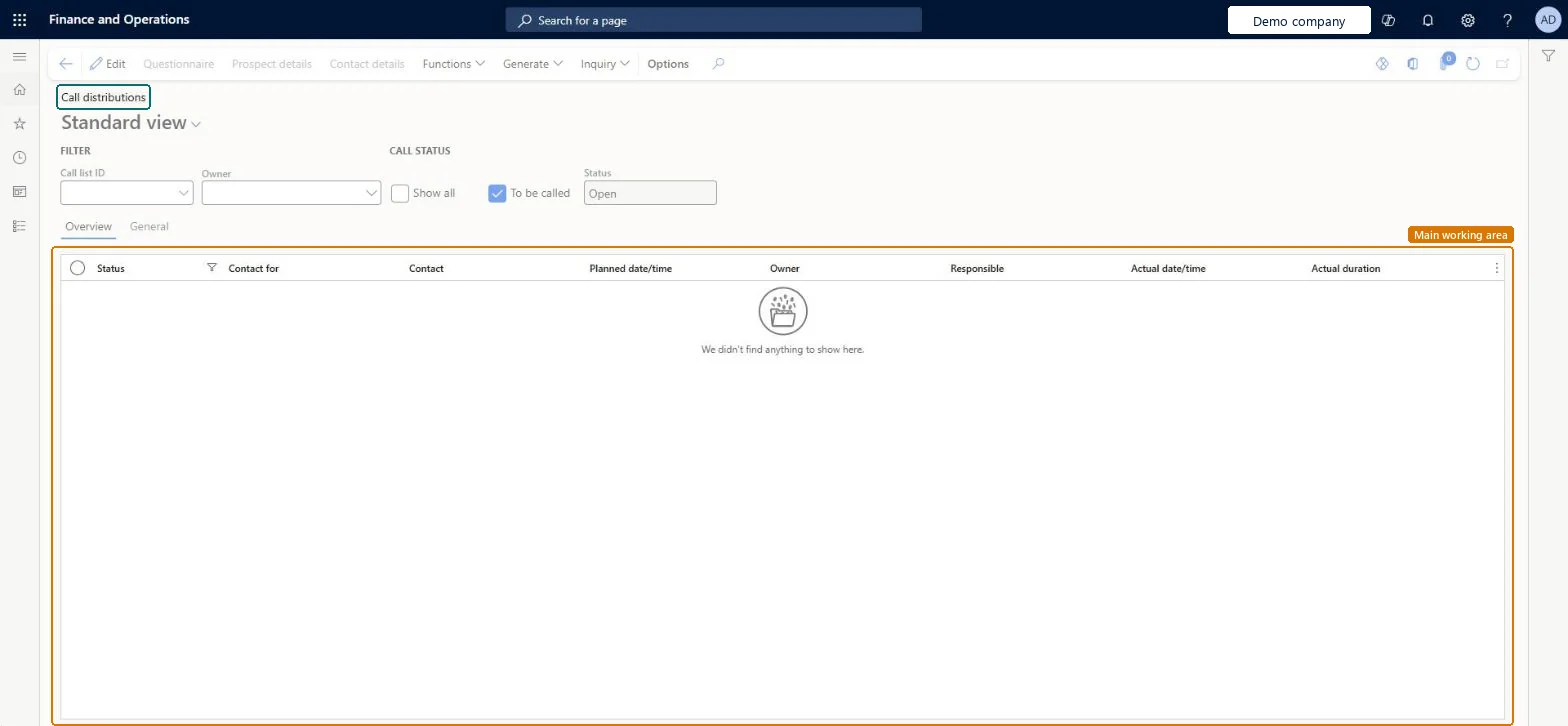
A page for working through call list targets, where you filter the calls by call list, worker or status.
What you do here
Use this page to view and edit the targets in a call list and to record the outcome of each call by changing its status.
Example
For example, a BEAT telemarketer filters Call distributions on CL-000045 and To be called, works 30 calls, and sets 4 to Call back and 2 to Canceled with reason WRONGNUM.
The page in Dynamics 365. page title tab to open what to set or check
About the examples: Examples and screenshots in this guide use BEAT, a demo company in a Dynamics 365 test environment. Use your own company's codes and values instead of copying them.
Setup steps on this page
Record call outcomes with the right status
Use this page to work through call list targets and record each outcome.
Steps from Microsoft
Go to Sales and marketing > Marketing > Telemarketing > Call distributions.
Select the call list, and select To be called to show only the Open and Call back calls.
Select the contact person whose call you have made.
Select Functions and the new status; if you cancel the call, select a reason.
Shows only calls with the status Open or Call back.Microsoft Learn
Status
Shows only calls with the selected status. A call can be Open, Call back, Closed or Canceled.Microsoft Learn
Call back
Common errors and fixes
Message
What to do
A call can't be set back to Open, Call back or Canceled.
A closed call can't change status at all, and a call in Call back can be closed or canceled but not set to Call back again. Add a new target if another call is needed. Microsoft Learn
You are asked for a reason when you cancel a call.
Select a reason from Reason canceled; set the reasons up under Setup > Telemarketing > Reason canceled. Microsoft Learn
Test checklist
Set an Open call to Call back.
Set it to Closed.
Try to change the closed call again and check no status change is offered.
Filter on the call list and To be called, and close a call only when no further contact is planned.Status changes follow fixed rules: a Closed call can't change again; parameters can also create activities on each change.
On the live system, the roles that use this page include Sales manager, Sales clerk, Marketing manager, Marketing coordinator, Customer service representative and Collections agent.
Checked in Dynamics 365
Solution architect
5Design impact
Shared or per company
Per company: each legal entity has its own call lists and call statuses. Microsoft data model
Can it be undone
Hard to reverse: Closed calls are final.
If you change it later
Each status change can create activities for the employee responsible for the call list, depending on Sales and marketing parameters. Closed calls can't be changed again. Microsoft Learn
Technical architect
6Technical
Menu item
smmTMCallListTableChecked in Dynamics 365
Form
smmTMCallListTableChecked in Dynamics 365
Table
smmTMCallListTableShown as “Call lists” in Record infoChecked in Dynamics 365
To set it up or change itSales manager TradeSalesManagerMarketing manager CRMMarketingManagerMarketing coordinator CRMMarketingCoordinatorTo use itRental manager RentalManagerRental coordinator agent RentalCoordinatorAgentSales clerk TradeSalesClerkSales representative TradeSalesRepresentativeRental sales manager RentalSalesManagerGive people one of these roles. On this system, 13 roles can open this page.Checked in Dynamics 365
Actions on the page
Options: Personalize, Page options, ShareChecked in Dynamics 365
Developer
7Developer
Open it by URL
https://<your-environment>/?mi=smmTMCallListTable
Data migration
Load order: Call distributions has no data entity in Data management: Microsoft's list of standard Sales and marketing entities has only the telemarketing cancellation reasons, no entity for call lists or their targets. Build call lists on this page with Select targets.Microsoft data model
Checked in a working Dynamics 365 system, version 10.0.49: the menu item, form, table and security, the page.
To cite this step: SM-CRM-240, Record call outcomes with the right status. Beyond ERP Atlas Hub, 2026-11-11. https://www.beyonderp.cloud/atlas/step/SM-CRM-240