Vendor account manager, Collections agent, Collections manager and 10 more roles
Business process
Identify and qualify leads
Menu item
smmCallListsListPage
Main table
smmTMCallListGroup
Setup steps
1 on this page
Show what matters for
SETUP GUIDEHow to set it up8 sections. Choose a role to highlight what matters to you.
Everyone
1What it is and why
What it is
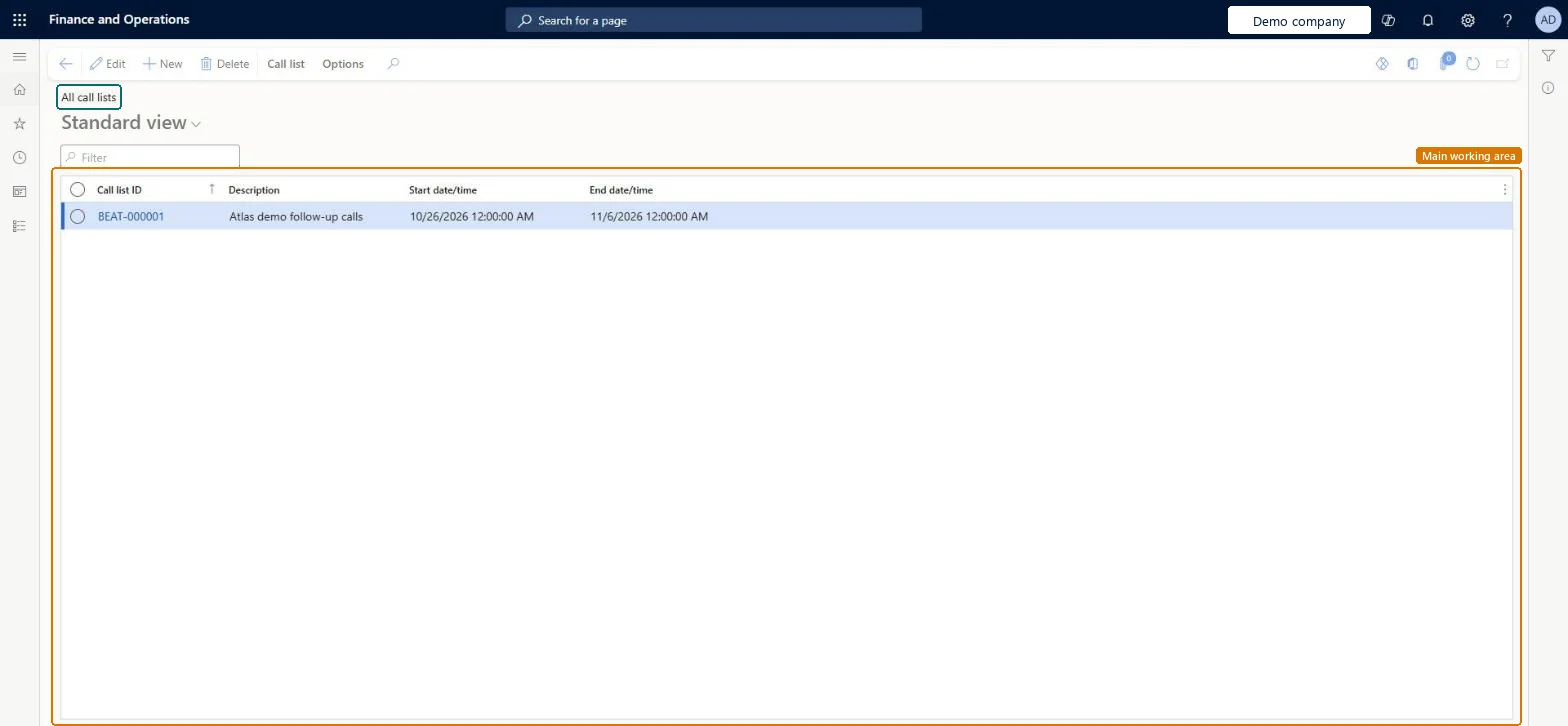
A list page of telemarketing call lists, each holding the targets to call for a campaign.
What you do here
Use this page to create call lists, add and maintain call list targets, and attach a questionnaire to a call list.
Example
For example, BEAT creates call list CL-000045 for campaign 1003, selects 80 contacts with Select targets, and plans the calls for 14.04.2026 09:00 to 17:00.
The page in Dynamics 365. page title tab to open what to set or check
About the examples: Examples and screenshots in this guide use BEAT, a demo company in a Dynamics 365 test environment. Use your own company's codes and values instead of copying them.
Setup steps on this page
Build call lists from a target query
Use this page to create call lists and their targets for a campaign.
Steps from Microsoft
Go to Sales and marketing > Marketing > Telemarketing > All call lists.
On the Action Pane, select Call list, enter a description, select the responsible worker and, if needed, a questionnaire.
Enter Start date/time and End date/time; they are for information only, so calls can be made outside them.
On the Targets FastTab, select Add for single contacts, or Select targets to pick many contacts with a query, then set the worker and planned date and time.
A call can't be set back to Open, Call back or Canceled.
A closed call can't change status at all, and a call in Call back can be closed or canceled but not set to Call back again. Add a new target if another call is needed. Microsoft Learn
Test checklist
Create a call list.
Add targets with Select targets.
Check the number of targets on the Targets FastTab matches the query result.
Use Select targets with a query for anything larger than a handful of contacts, and set the responsible worker and planned time on each target.Targets drive the work on Call distributions; the list dates are for information only and don't stop calls outside them.
New call lists take their Call list ID from the smmTMCallListID reference; BEAT uses number sequence Sale_123. Checked in Dynamics 365
Feature management and licence
Licence or add-in
On the live system, the roles that use this page include Sales manager, Sales clerk, Marketing manager, Marketing coordinator, Customer service representative and Collections agent.
Checked in Dynamics 365
Solution architect
5Design impact
Shared or per company
Per company: each legal entity has its own call lists and call list numbers. Microsoft data model
Can it be undone
Reversible with effort: Targets can be changed until calls are closed.
If you change it later
Call list targets are worked on Call distributions, where status changes can create activities for the responsible worker, depending on Sales and marketing parameters. Microsoft Learn
Technical architect
6Technical
Menu item
smmCallListsListPageChecked in Dynamics 365
Form
smmTMCallListGroupChecked in Dynamics 365
Table
smmTMCallListGroupShown as “Call list group table” in Record infoKey field: CallListID, DescriptionChecked in Dynamics 365
Who can open it
PrivilegesMaintain my call lists smmCallListsListPage_MyCallListMaintainView my call lists smmCallListsListPage_MyCallListsViewMaintain call list groups smmTMCallListGroupMaintainView call list groups smmTMCallListGroupViewDutiesMaintain prospect master RentalsmmBusinessRelationMaintainMaintain prospects smmBusinessRelationsMaintainMaintain contacts smmContactsMaintainMaintain telemarketing smmTelemarketingMaintainInquire into telemarketing progress smmTelemarketingProgressInquire14 security rolesCollections agent CollectionLetterCollectionsAgentCollections manager CollectionLetterCollectionsManagerMarketing coordinator CRMMarketingCoordinatorMarketing manager CRMMarketingManagerMCRTestUserRoleRental coordinator agent RentalCoordinatorAgentRental manager RentalManagerRental purchasing manager RentalPurchasingManagerRental sales manager RentalSalesManagerCustomer service representative TradeCustomerServiceRepresentativeSales clerk TradeSalesClerkSales manager TradeSalesManagerSales representative TradeSalesRepresentativeVendor account manager VendVendorAccountManagerChecked in Dynamics 365
Roles to set it up and use it
To set it up or change itSales manager TradeSalesManagerMarketing manager CRMMarketingManagerMarketing coordinator CRMMarketingCoordinatorTo use itRental manager RentalManagerRental coordinator agent RentalCoordinatorAgentSales clerk TradeSalesClerkSales representative TradeSalesRepresentativeRental sales manager RentalSalesManagerGive people one of these roles. On this system, 13 roles can open this page.Checked in Dynamics 365
Actions on the page
Call list: Set up, Related information, Activities, AttachmentsOptions: Personalize, Page options, ShareChecked in Dynamics 365
Load order: All call lists has no data entity in Data management: Microsoft's list of standard Sales and marketing entities has only the telemarketing cancellation reasons, no entity for call lists or their targets. Build call lists on this page with Select targets.Microsoft data model
Checked in a working Dynamics 365 system, version 10.0.49: the menu item, form, table and security, the page.
To cite this step: SM-CRM-220, Build call lists from a target query. Beyond ERP Atlas Hub, 2026-11-11. https://www.beyonderp.cloud/atlas/step/SM-CRM-220