About the examples: Examples and screenshots in this guide use BEAT, a demo company in a Dynamics 365 test environment. Use your own company's codes and values instead of copying them.
Setup steps on this page
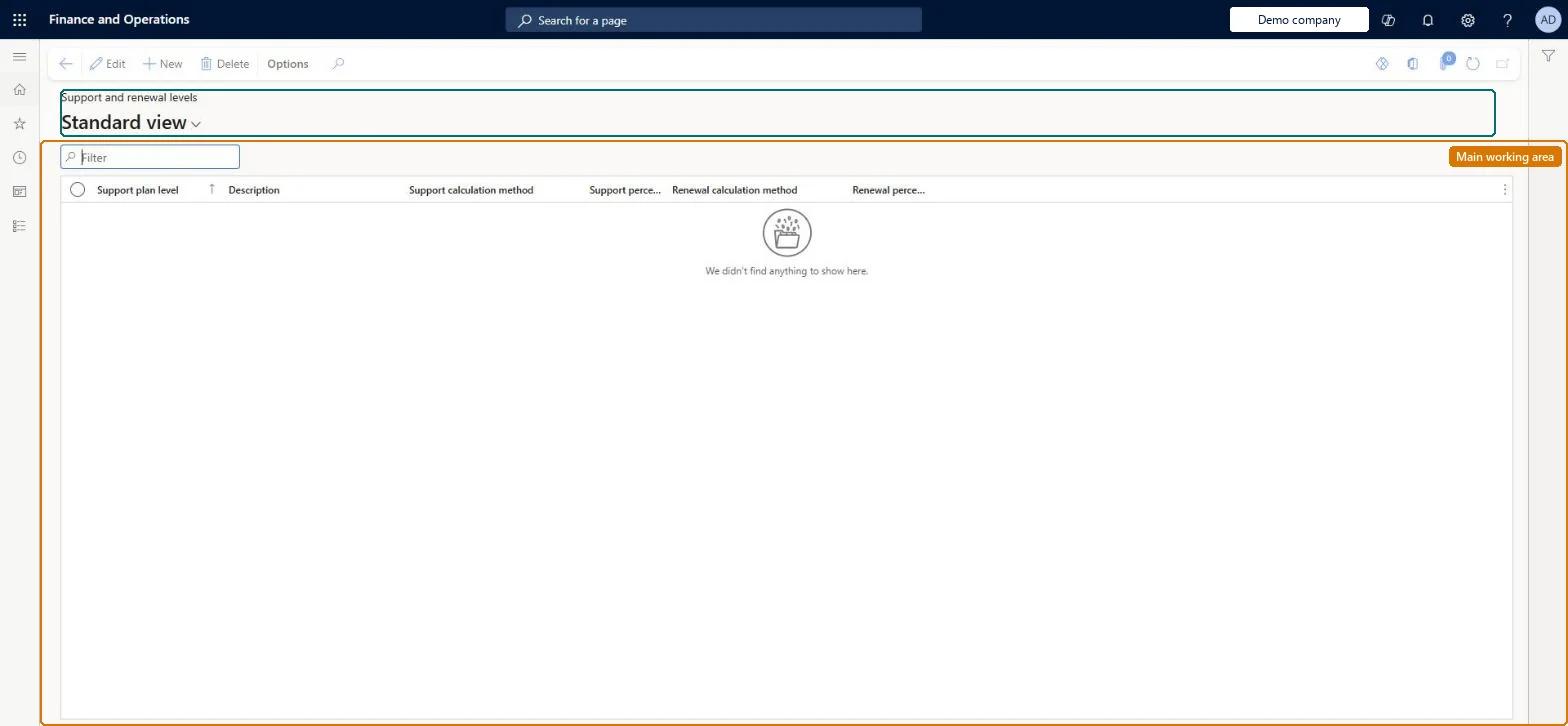
Set up Support and renewal levels
Use this page to set, for each level, whether support and renewal are a percentage of the original item amount or a standard amount.
Steps from Microsoft
Go to Subscription billing > Recurring contract billing > Setup > Support and renewal levels.
Select New.
In the Support level field, enter a unique name, and enter a description.
Select the support calculation method; if you select Percent, enter the support percentage.
Select the renewal calculation method; if you select Percent, enter the renewal percentage.
Percent levels per service tier (for example Gold and Silver with their support and renewal percentages), with one level set as the default on Recurring contract billing parametersLearn's setup example uses percentage tiers, and the default level from the parameters fills in on new support and renewal lines.
Subscription billing (Must be on)Recurring contract billing (Must be on)
Licence or add-in
Turn off the Revenue recognition feature first: Subscription billing can't be used while it is on. Then, in Feature management, turn on Subscription billing and after it Recurring contract billing. Revenue recognition was deprecated in January 2024 and replaced by Subscription billing. Subscription billing managers maintain this setup; Subscription billing users can view it.
Reversible: Levels can be changed at any time. Changes on existing billing schedule lines are made through Support and renewal audit, which keeps the original and changed values.
If you change it later
New support and renewal lines take the level's method and percentage; existing billing schedule lines change only through Support and renewal audit with a reason. Microsoft Learn
Technical architect
6Technical
Menu item
SubBillSupRenewLevelsChecked in Dynamics 365
Form
SubBillSupportAndRenewalLevelsChecked in Dynamics 365
Table
SubBillSupportRenewalLevelsTableShown as “SUBSCRIPTION BILLING SUPPORT AND RENEWAL LEVELS” in Record infoKey field: SubBillSupportLevelChecked in Dynamics 365
Data entities
SubBillSupportRenewalLevelsTableEntitySubscription billing support and renewal levels Checked in Dynamics 365
Who can open it
PrivilegesSubscription billing manager SubBillBillingMaintainSubscription billing user SubBillBillingViewSubscription billing allocation, deferral, and billing manager SubBillMaintainMaintain Subscription billing support and renewal process and levels SubBillSupportAndRenewalMaintainView Subscription billing support and renewal process and levels SubBillSupportAndRenewalViewSubscription billing module user with capabilities including billing, allocation, and deferral features SubBillViewDutiesSubscription billing user SubBillBillingInquireSubscription billing manager SubBillBillingMaintainSubscription billing module user with capabilities including billing, allocation, and deferral features SubBillInquireSubscription billing allocation, deferral, and billing manager SubBillMaintain4 security rolesSubscription billing manager SubBillBillingMaintainSubscription billing user SubBillBillingViewSubscription billing allocation, deferral, and billing manager SubBillMaintainSubscription billing module user with capabilities including billing, allocation, and deferral features SubBillViewChecked in Dynamics 365
Roles to set it up and use it
To set it up or change itSubscription billing manager SubBillBillingMaintainSubscription billing allocation, deferral, and billing manager SubBillMaintainTo use itSubscription billing user SubBillBillingViewSubscription billing module user with capabilities including billing, allocation, and deferral features SubBillViewGive people one of these roles. On this system, 4 roles can open this page.Checked in Dynamics 365
SubBillSupportRenewalLevelsTableEntity data entity Checked in Dynamics 365
Data migration
SubBillSupportRenewalLevelsTableEntity (Subscription billing support and renewal levels): one row per level.Load order: Load the setup in reference order: support and renewal levels, milestone templates and consumer price index schedules first; then billing schedule groups (a group can name a milestone template), item setup, item group setup, revenue split templates and unbilled revenue setup (they name items, templates and main accounts); then Recurring contract billing parameters, which name the default billing schedule group and support and renewal level; billing schedules come last.Microsoft Learn
Checked in a working Dynamics 365 system, version 10.0.49: the menu item, form, table and security, the page.
To cite this step: SB-SETUP-070, Set up Support and renewal levels. Beyond ERP Atlas Hub, 2026-11-11. https://www.beyonderp.cloud/atlas/step/SB-SETUP-070