Security administrator, Information technology manager
Business process
Administer system features
Menu item
SysUsersOnline
Main table
SysClientSessions
Setup steps
1 on this page
Show what matters for
SETUP GUIDEHow to set it up8 sections. Choose a role to highlight what matters to you.
Everyone
1What it is and why
What it is
A legacy page, built for the earlier client/server architecture, that shows the client sessions of users.
What you do here
Use this page to see which users have client sessions, keeping in mind that its information isn't always accurate.
Example
For example, before a maintenance window the BEAT administrator opens Client sessions, sees 4 users still signed in, warns them, and ends the remaining sessions.
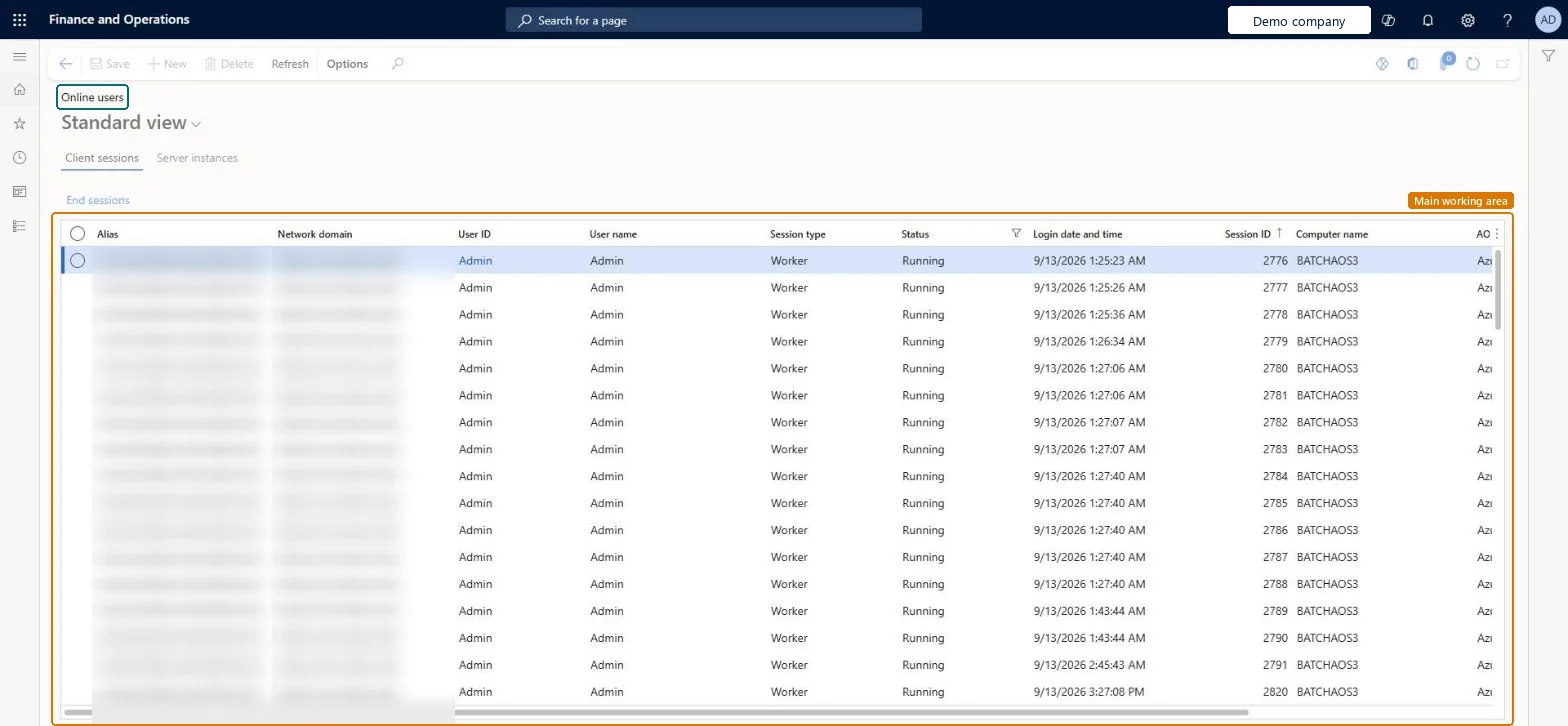
The page in Dynamics 365. page title tab to open what to set or check
About the examples: Examples and screenshots in this guide use BEAT, a demo company in a Dynamics 365 test environment. Use your own company's codes and values instead of copying them.
Setup steps on this page
Check who is signed in before maintenance
Use Online users to see open sessions, knowing the page is deprecated and not always accurate.
Steps from Microsoft
Go to System administration > Users > Online users.
Select the Client sessions or Server instances tab.
Check columns such as User ID, User name, Session type, Status, Login date and time and Session ID.
Select a session, then select End sessions.
Select Refresh on the Action Pane to reload the list.
Use the Client sessions tab as a first check, and confirm with the SysClientSessions table in the table browserLearn marks the page as deprecated and not always accurate, and names the table as the reliable source.
On this system the page opens for Information technology manager and Security administrator. No Feature management feature needs to be turned on for this page.
To use itInformation technology manager SysServerITManagerSecurity administrator SysSecSecurityAdministratorGive people one of these roles. On this system, 2 roles can open this page.Checked in Dynamics 365
Actions on the page
Options: Personalize, Page options, Edit, ShareChecked in Dynamics 365
Developer
7Developer
Open it by URL
https://<your-environment>/?mi=SysUsersOnline
Data migration
Load order: Online users has no data entity in Data management, so it can't be loaded from a file or a configuration template. It lists live sessions, which are never moved between environments.Checked in Dynamics 365
Checked in a working Dynamics 365 system, version 10.0.49: the menu item, form, table and security, the page.
To cite this step: SA-USER-510, Check who is signed in before maintenance. Beyond ERP Atlas Hub, 2026-11-11. https://www.beyonderp.cloud/atlas/step/SA-USER-510