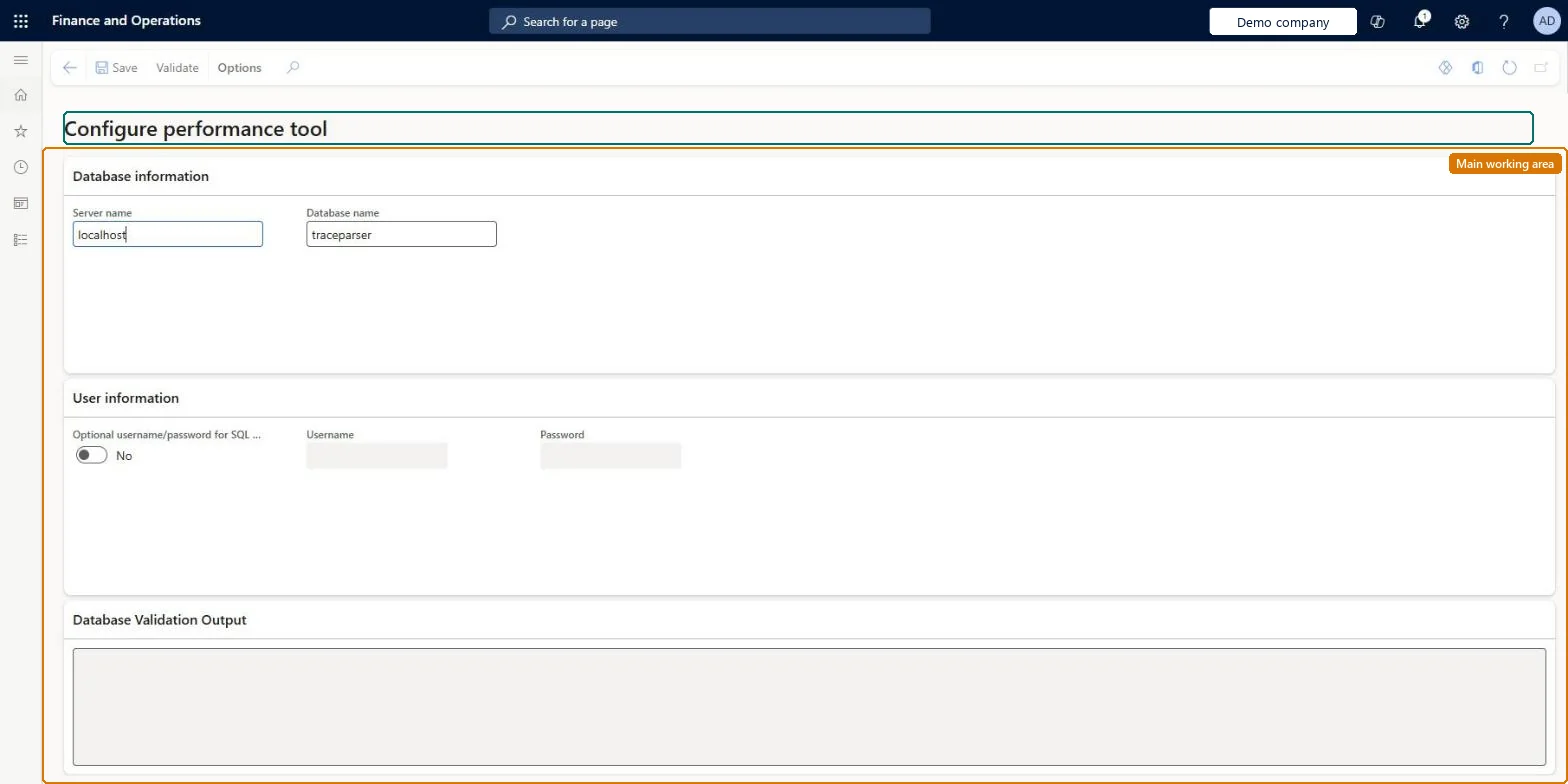
Point the performance tool at the Trace parser database
System administrationSetup
action:SysTraceCockpitMenuItem
Business process
Administer system features
Menu item
action:SysTraceCockpitMenuItem
Setup steps
1 on this page
Show what matters for
SETUP GUIDEHow to set it up8 sections. Choose a role to highlight what matters to you.
Everyone
1What it is and why
What it is
A setup dialog where you point the performance tool at the SQL Server database that Trace parser uses.
What you do here
Use this page on a development or cloud-hosted environment to enter the server and database name of the Trace parser database, add optional SQL sign-in details and validate the connection.
Example
For example, on a development machine the administrator enters Server name localhost and Database name traceparser, then selects Validate before importing traces.
The page in Dynamics 365. page title tab to open what to set or check
About the examples: Examples and screenshots in this guide use BEAT, a demo company in a Dynamics 365 test environment. Use your own company's codes and values instead of copying them.
When to run it
When to run it
Once per development environment, before the first trace is imported, and again if the Trace parser database moves.
The SQL Server that holds the Trace parser database.Checked in Dynamics 365
localhost
Database name
The Trace parser database.Checked in Dynamics 365
traceparser
Common errors and fixes
Message
What to do
Validate fails
Check that Server name and Database name point to the Trace parser database on this machine and, if SQL sign-in is used, that the user and password are right. Microsoft Learn
Use it on development environments where Trace parser is installed, with the local Trace parser databaseLearn places the Trace parser tool in development environments; traces from other environments are downloaded and opened there.
Per environment: the Trace parser tool and its database are on development environments; Learn says you find the tool there. Microsoft Learn
Can it be undone
Reversible: The server and database can be changed at any time.
If you change it later
The setting only tells the performance tool where its database is; it changes no business data. Traces are taken by an administrator, who can grant other users the right to take a trace. Microsoft Learn
Technical architect
6Technical
Menu item
action:SysTraceCockpitMenuItemChecked in Dynamics 365
Load order: Configure performance tool has no data entity in Data management, so it can't be loaded from a file or a configuration template. Enter the server and database by hand on each development environment.Checked in Dynamics 365
Checked in a working Dynamics 365 system, version 10.0.49: the menu item, form, table and security, the page.
To cite this step: SA-SETUP-620, Point the performance tool at the Trace parser database. Beyond ERP Atlas Hub, 2026-11-11. https://www.beyonderp.cloud/atlas/step/SA-SETUP-620