Setup step on the Personalization page · System administration
Set up Personalization
Use this page to publish, export, import or delete views, control each user's personalization rights, and turn personalization off for everyone if needed.
Saved views administrator, Information technology manager
Business process
Administer system features
Menu item
FormRunConfigurationParameters
Main table
FormRunConfigurationPageView
Setup steps
1 on this page
Show what matters for
SETUP GUIDEHow to set it up8 sections. Choose a role to highlight what matters to you.
Everyone
1What it is and why
What it is
A setup page where administrators manage saved views and personalizations for the whole system and for individual users.
What you do here
Use this page to publish, export, import or delete views, control each user's personalization rights, and turn personalization off for everyone if needed.
Example
For example, an administrator imports a saved personalization file and gives it straight to selected users.
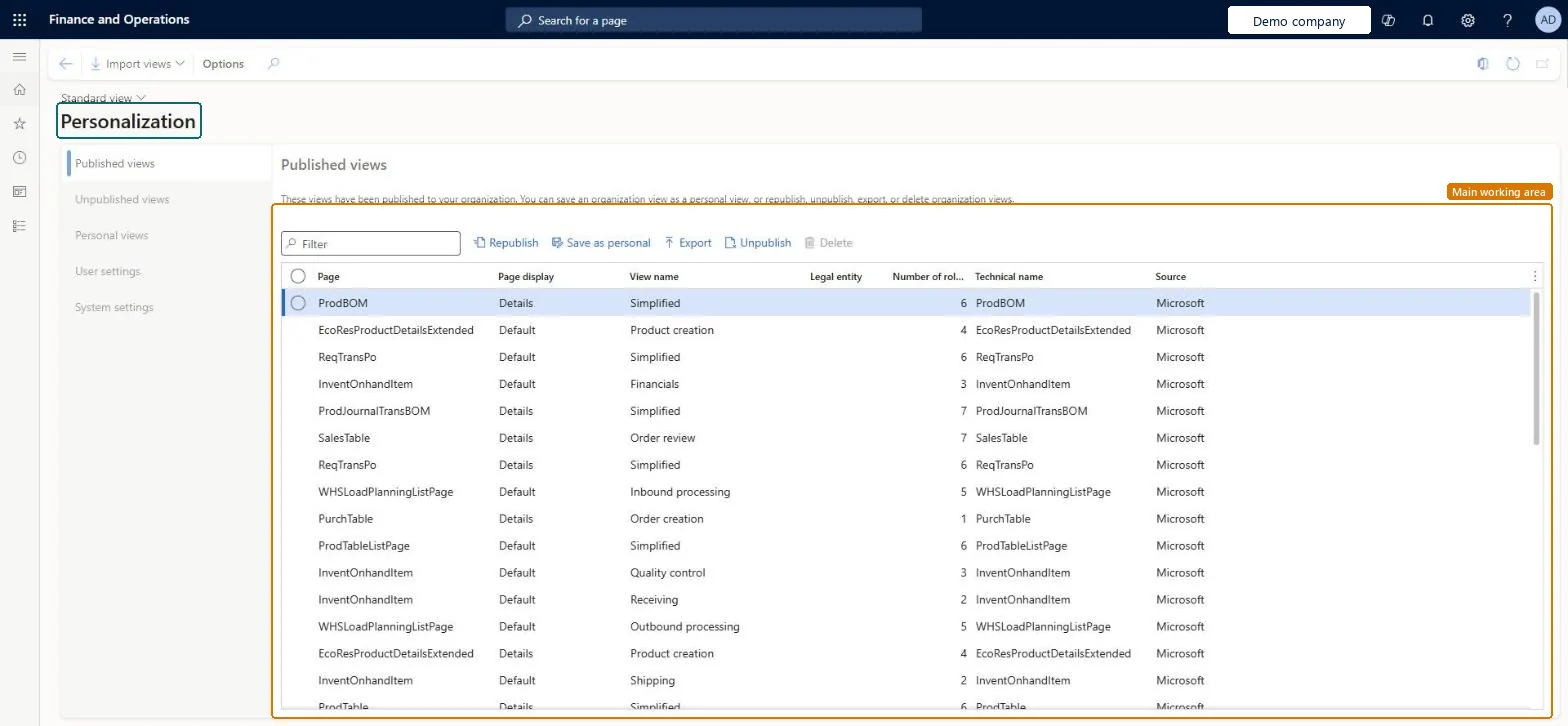
The page in Dynamics 365. page title tab to open what to set or check
About the examples: Examples and screenshots in this guide use BEAT, a demo company in a Dynamics 365 test environment. Use your own company's codes and values instead of copying them.
Step by step, with screenshots
Set up Personalization1 screen
Use this page to publish, export, import or delete views, control each user's personalization rights, and turn personalization off for everyone if needed.
Screen 1
Review the published personalization views
Go to System administration > Setup > Personalization
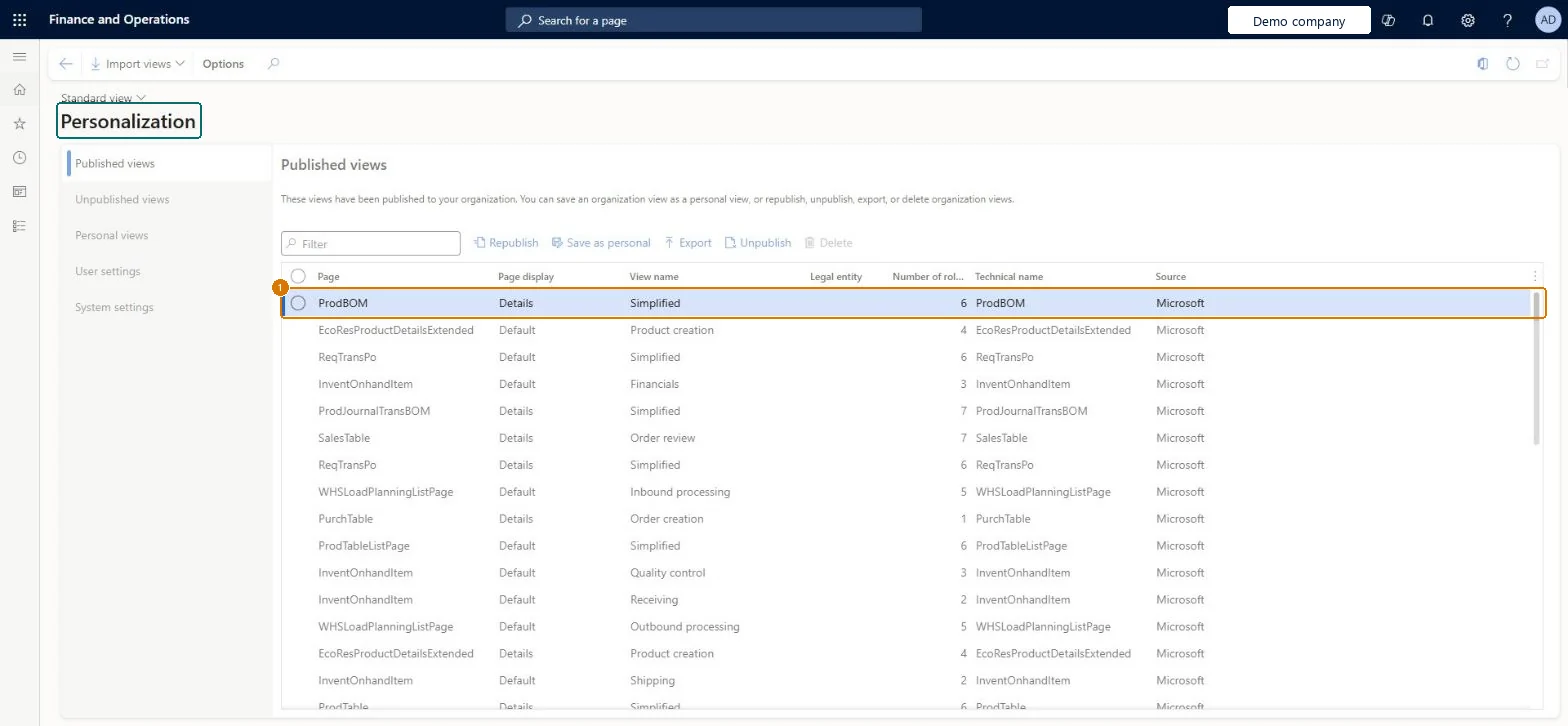
Open the Published views tab and review the views published to your organization
Select a view, then republish, unpublish, export or delete it
Use the User settings and System settings tabs to control who can personalize
Show the full screen page title tab to open what to set or check
Steps from Microsoft
Go to System administration > Setup > Personalization.
Share layouts by publishing saved views to security roles and legal entities; copy or export and import personalizations only for pages that don't support viewsLearn ranks publishing views as the best way to share: users with the role and legal entity get the view automatically, can't edit it, and lose it when they change role.
On this system the page opens for Information technology manager and Saved views administrator. Saved views administrators and IT administrators manage views. No Feature management feature needs to be turned on for this page.
System-wide setup with per-user records: published views are shared to security roles and legal entities, and personalizations belong to each user. Microsoft Learn
Can it be undone
One-way: Warning: Permanently deleting all personalizations for all users can't be undone; export anything you may need first. Turning personalization off temporarily is reversible.
If you change it later
Deleting all personalizations for all users is permanent, so export anything you may need first. Microsoft Learn
Technical architect
6Technical
Menu item
FormRunConfigurationParametersChecked in Dynamics 365
Form
FormRunConfigurationParametersChecked in Dynamics 365
Table
FormRunConfigurationPageViewShown as “Page view” in Record infoChecked in Dynamics 365
Who can open it
PrivilegesMaintains the personalization options. FormRunConfigurationParametersMaintainManage personal views globally SysSavedViewsGlobalPersonalViewMaintainManage published views globally SysSavedViewsGlobalPublishViewMaintainSysSavedViewsMaintainDutiesManage personal views globally SysSavedViewsGlobalPersonalViewMaintainManage published views globally SysSavedViewsGlobalPublishViewMaintainManage all saved views SysSavedViewsMaintainMaintain system settings SysServerSettingsMaintain4 security rolesSaved views administrator SysSavedViewsAdministratorInformation technology manager SysServerITManagerSysTestSavedViewsGlobalPersonalViewMaintainRoleSysTestSavedViewsGlobalPublishViewMaintainRoleChecked in Dynamics 365
Roles to set it up and use it
To set it up or change itInformation technology manager SysServerITManagerSaved views administrator SysSavedViewsAdministratorGive people one of these roles. On this system, 2 roles can open this page.Checked in Dynamics 365
Actions on the page
Options: Page options, ShareChecked in Dynamics 365
Load order: Personalization has no data entity in Data management, so it can't be loaded from a file or a configuration template. Move views and personalizations with Export and Import on this page.Microsoft Learn
Checked in a working Dynamics 365 system, version 10.0.49: the menu item, form, table and security, the page, the demo records and the values in the screenshots.
To cite this step: SA-SETUP-110, Set up Personalization. Beyond ERP Atlas Hub, 2026-11-11. https://www.beyonderp.cloud/atlas/step/SA-SETUP-110