BeyondERP.Newsletter
Menu

Setup step on the Script categories page · Retail and Commerce

Set up Script categories

A setup page where you define the categories used to group call center scripts.

Used by
Sales manager
Business process
Manage sales channels
Menu item
MCRMessageCategory
Main table
MCRMessageCategory
Setup steps
1 on this page
Show what matters for
SETUP GUIDEHow to set it up6 sections. Choose a role to highlight what matters to you.
Everyone

1What it is and why

What it isA setup page where you define the categories used to group call center scripts.
What you do hereUse this page to create script categories with a code and a description.
ExampleFor example, you add a Greeting category and a Returns category so agents can find the right script quickly.
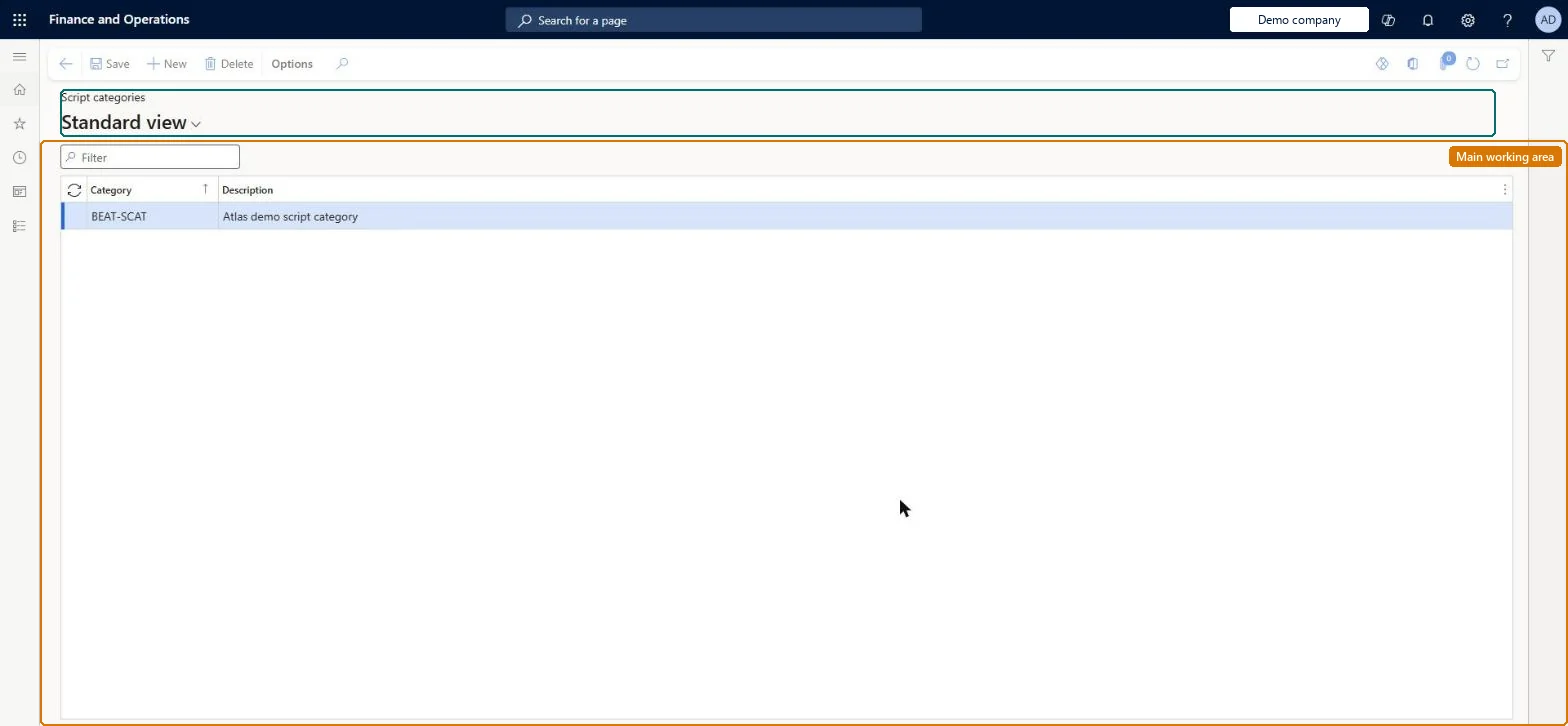
Script categories page in Dynamics 365
The page in Dynamics 365. page title tab to open what to set or check
Functional consultant · Solution architect

2Where it fits

Business processDevelop sales policies › Manage sales channels
Menu pathRetail and Commerce › Channel setup › Call center setup › Scripts › Script categories
Related pagesScripts Microsoft Learn
In this process Set up Price point groups · Set up Channel database
End user · Functional consultant

3How to do it

About the examples: Examples and screenshots in this guide use BEAT, a demo company in a Dynamics 365 test environment. Use your own company's codes and values instead of copying them.

Setup steps on this page

Set up Script categories

How to use it

  1. Go to Retail and Commerce > Channel setup > Call center setup > Scripts > Script categories.
  2. Use the Filter box to find a row.
  3. Select New and enter the Category code and its Description.
  4. Review the Category and Description columns.
  5. Select Save; select Delete to remove a selected row.

Source: Checked in Dynamics 365

Technical architect

4Technical

Menu itemMCRMessageCategory Checked in Dynamics 365
FormMCRMessageCategory Checked in Dynamics 365
TableMCRMessageCategoryShown as “SCRIPT CATEGORIES” in Record infoChecked in Dynamics 365
Who can open itPrivilegesMaintain script categories MCRMessageCategoryMaintainDutiesMaintain scripts MCRMessageMaintain
1 security roleSales manager TradeSalesManager
Checked in Dynamics 365
Roles to set it up and use itTo set it up or change itSales manager TradeSalesManagerGive people one of these roles. On this system, 1 role can open this page.Checked in Dynamics 365
Developer

5Developer

Open it by URLhttps://<your-environment>/?mi=MCRMessageCategory
Table definitionMCRMessageCategory columns and relations Microsoft data model
Everyone

6Sources

To cite this step: RC-CC-060, Set up Script categories. Beyond ERP Atlas Hub, 2026-11-11. https://www.beyonderp.cloud/atlas/step/RC-CC-060