SETUP GUIDEHow to set it up8 sections. Choose a role to highlight what matters to you.
Everyone
1What it is and why
What it is
A design page where you create the open-ended and closed-ended questions that questionnaires are built from.
What you do here
Use this page to write each question, choose its question type and input type, and link closed-ended questions to an answer group.
Example
For example, BEAT writes the closed-ended question 'The course met my expectations' with Input type Combo box and answer group AGREE5, and an open-ended question 'What should we change?' with a text input.
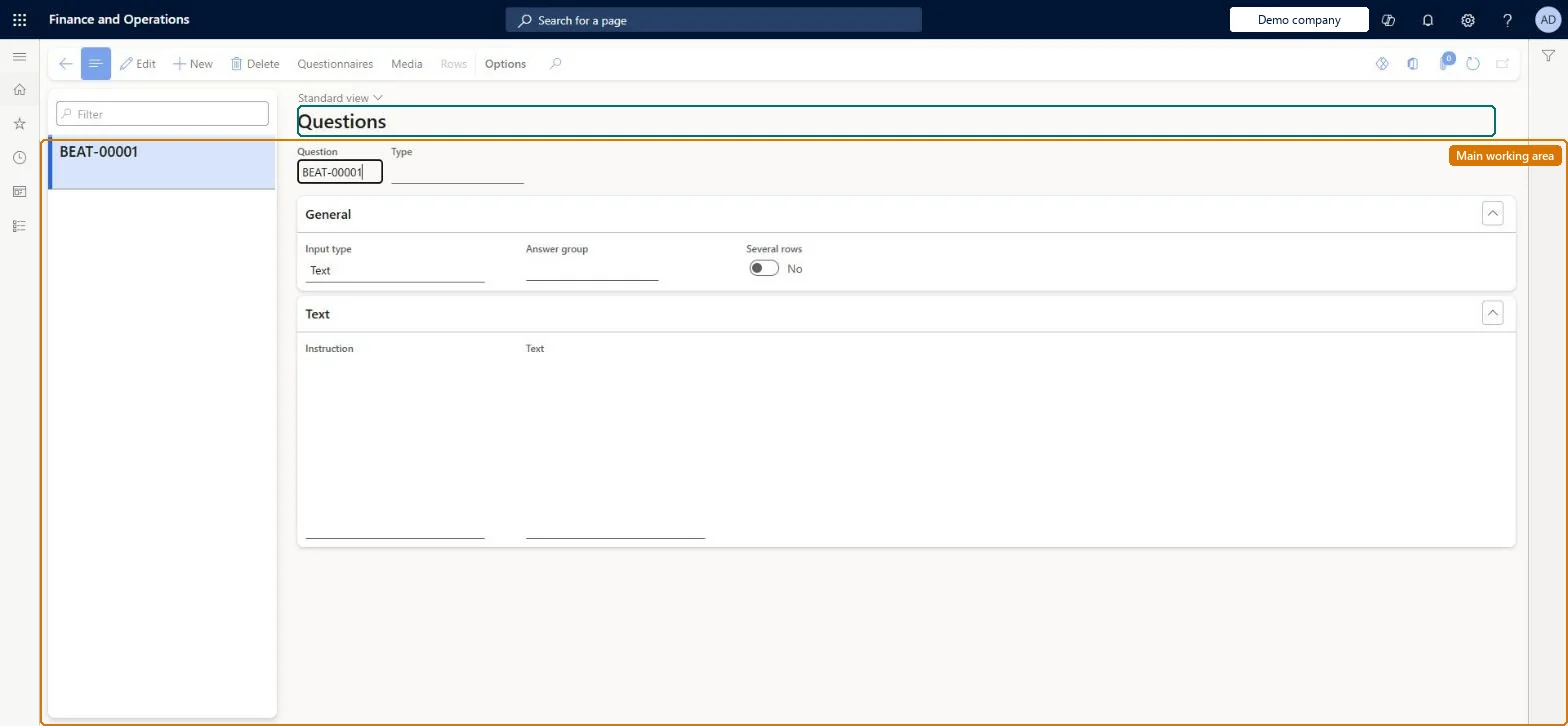
The page in Dynamics 365. page title tab to open what to set or check
About the examples: Examples and screenshots in this guide use BEAT, a demo company in a Dynamics 365 test environment. Use your own company's codes and values instead of copying them.
Setup steps on this page
Set up Questions
Use this page to write each question, choose its question type and input type, and link closed-ended questions to an answer group.
Steps from Microsoft
Go to Questionnaire > Design > Questions.
Select New.
In the Type field, select a question type to group related questions.
In the Input type field, select an option.
For a closed-ended question, select a value in the Answer group field.
It is attached to a question or questionnaire, or someone has already answered it. Leave it in place and create a new answer group or question for the change. Microsoft Learn
A closed-ended question shows no answer options
Closed-ended questions must be linked to an answer group with answers. Select the group in the Answer group field on Questions. Microsoft Learn
Test checklist
Create a question with a Type, Input type Combo box, an Answer group and the question Text.
Create an open-ended question with a text input type and no answer group.
Attach both questions to a test questionnaire and select Validate on the Questionnaires page.
Complete the questionnaire and check both answers appear on the Answers page.
Try to delete the answered question and check that it is refused.
Closed-ended questions use Input type Check box, Alternative button or Combo box and are linked to an answer group; open-ended questions have no answer groupClosed-ended questions must be linked to an answer group, and only Check box, Alternative button or Combo box questions can be scored through result groups.
No Feature management feature is needed for questionnaires; Microsoft Learn describes them without one. Questionnaires belong to the Human resources area, and in this system the same pages are also granted through procurement (vendor and RFQ questionnaires), sales and marketing (campaigns, telemarketing) and case management duties, as the Security section shows. The HR administrator or survey owner writes questions.
Reused across the library: a question can be attached to several questionnaires, and its type and answer group decide how it is answered and scored everywhere it is used. Microsoft Learn
Can it be undone
Hard to reverse: Questions attached to a questionnaire, or already answered, can't be deleted. Changing an answered question weakens existing statistics.
If you change it later
Changing a question that users already answered can reduce the accuracy of statistics, so create a new question instead; questions attached to a questionnaire or already answered cannot be deleted. Microsoft Learn
Technical architect
6Technical
Menu item
KMQuestionChecked in Dynamics 365
Form
KMQuestionChecked in Dynamics 365
Roles to set it up and use it
To set it up or change itHuman resource assistant HcmHumanResourceAssistantPurchasing manager TradePurchasingManagerMarketing coordinator CRMMarketingCoordinatorMarketing manager CRMMarketingManagerCustomer service manager TradeCustomerServiceManagerTo use itHuman resource manager HcmHumanResourceManagerGive people one of these roles. On this system, 15 roles can open this page.Checked in Dynamics 365
Actions on the page
(Action Pane without tabs): Questionnaires, Media, RowsChecked in Dynamics 365
Developer
7Developer
Open it by URL
https://<your-environment>/?mi=KMQuestion
Data migration
Load order: Questions has no data entity in Data management, so it can't be loaded from a file or a configuration template. Recreate questions by hand after their answer groups and question types; they can't be loaded from a file.Checked in Dynamics 365