Purchasing agent, Purchasing Agent - Public Sector, Vendor account manager and 14 more roles
Business process
Configure and manage surveys
Menu item
KMAnswerCollection
Main table
KMAnswerCollection
Setup steps
1 on this page
Show what matters for
PAGE GUIDEWhat the page does and how to use it8 sections. Choose a role to highlight what matters to you.
Everyone
1What it is and why
What it is
A design page where you create answer groups, which hold the list of possible answers for closed-ended questions.
What you do here
Use this page to set up the answer options, with optional points and a correct-answer mark, that closed-ended questions offer to respondents.
Example
For example, BEAT creates the answer group AGREE5 with five answers from Strongly disagree (1 point) to Strongly agree (5 points) and reuses it on all 20 rating questions of its staff survey.
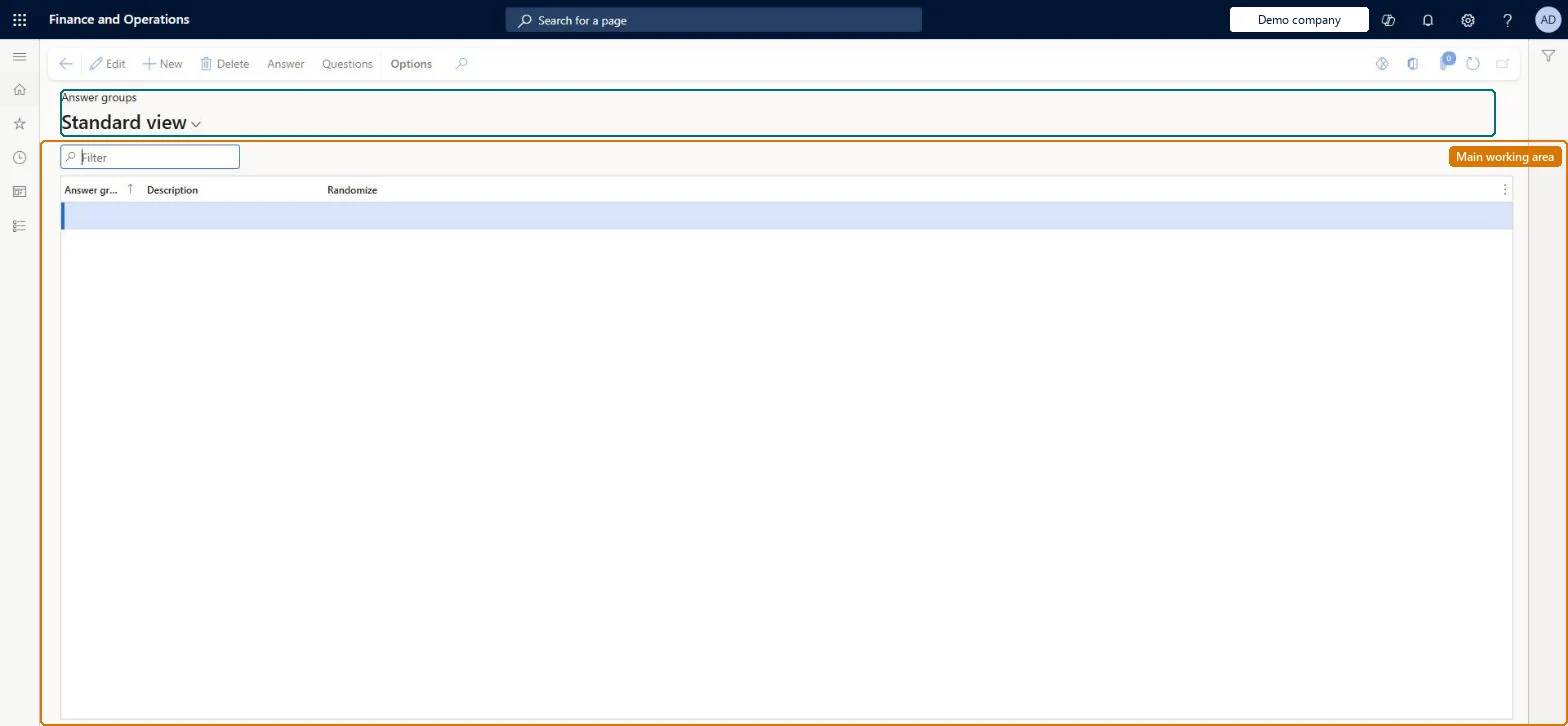
The page in Dynamics 365. page title tab to open what to set or check
About the examples: Examples and screenshots in this guide use BEAT, a demo company in a Dynamics 365 test environment. Use your own company's codes and values instead of copying them.
Setup steps on this page
Set up Answer groups
Use this page to set up the answer options, with optional points and a correct-answer mark, that closed-ended questions offer to respondents.
Steps from Microsoft
Go to Questionnaire > Design > Answer groups.
Select New.
Enter the Answer group and Description values.
Select Answer, then select New.
Enter the Points and Answer values, and mark the correct answer if the questionnaire is scored.
Repeat for each answer option, then close the page.
It is attached to a question or questionnaire, or someone has already answered it. Leave it in place and create a new answer group or question for the change. Microsoft Learn
A result group shows no points
Result groups only count closed-ended questions (input type Check box, Alternative button or Combo box) whose answer group has Points on its answers. Microsoft Learn
Test checklist
Create an answer group, select Answer and add three answers with a Sequence number and Points on each.
Mark one answer as Correct answer.
On Questions, create a closed-ended question with Input type Alternative button and select the new Answer group.
Attach the question to a test questionnaire, complete it, and check on Answers that the points earned match the answer chosen.
Turn on Randomize on the answer group and check that the answer order changes between sessions.
One answer group per reusable answer scale (for example a five-point agreement scale), with Points set on each answer when the questionnaire will be scored, and Correct answer marked only for test-style questionsAn answer group can be used by more than one question and on more than one questionnaire, and result groups need points defined on the answers before they can evaluate results.
No Feature management feature is needed for questionnaires; Microsoft Learn describes them without one. Questionnaires belong to the Human resources area, and in this system the same pages are also granted through procurement (vendor and RFQ questionnaires), sales and marketing (campaigns, telemarketing) and case management duties, as the Security section shows. The HR administrator designs answer groups; procurement and marketing users who build vendor or campaign questionnaires use the same page.
Reused across the library: one answer group can be used by several questions on the same questionnaire and on other questionnaires, so a change reaches all of them. Microsoft Learn
Can it be undone
Hard to reverse: Once an answer group is attached to a question or has been answered, you can't delete it, and changing its answers can invalidate completed results. Replace it with a new answer group rather than editing it. Microsoft Learn
If you change it later
Changing answer text in an answer group already used on completed questionnaires can make results hard to evaluate or invalid, so create a new answer group instead; answer groups that are in use or answered cannot be deleted. Microsoft Learn
Technical architect
6Technical
Menu item
KMAnswerCollectionChecked in Dynamics 365
Form
KMAnswerCollectionChecked in Dynamics 365
Table
KMAnswerCollectionShown as “ANSWER GROUPS” in Record infoChecked in Dynamics 365
Who can open it
PrivilegesMaintain questionnaire answer groups KMAnswerCollectionMaintainView questionnaire answer groups KMAnswerCollectionViewDutiesEnable case management CaseCaseManagementEnableEnable questionnaire process HcmQuestionnaireProcessEnableInquire into questionnaire process HcmQuestionnaireProcessInquireMaintain campaigns smmCampaignsMaintainMaintain telemarketing smmTelemarketingMaintainInquire into vendor questionnaire progress VendVendorQuestionnaireInquireMaintain vendor questionnaires VendVendorQuestionnaireMaintain17 security rolesProduct design manager BOMProductDesignManagerCollections manager CollectionLetterCollectionsManagerMarketing coordinator CRMMarketingCoordinatorMarketing manager CRMMarketingManagerHuman resource assistant HcmHumanResourceAssistantHuman resource manager HcmHumanResourceManagerTraining manager HcmTrainingManagerProject manager ProjProjectManagerProcess engineering manager RouteProcessEngineeringManagerService delivery manager SMAServiceDeliveryManagerCustomer service manager TradeCustomerServiceManagerPurchasing manager TradePurchasingManagerSales manager TradeSalesManagerPurchasing agent VendPurchasingAgentPurchasing Agent - Public Sector VendPurchasingAgent_PSNVendor account manager VendVendorAccountManagerand 1 moreChecked in Dynamics 365
Roles to set it up and use it
To set it up or change itHuman resource assistant HcmHumanResourceAssistantPurchasing manager TradePurchasingManagerMarketing coordinator CRMMarketingCoordinatorMarketing manager CRMMarketingManagerCustomer service manager TradeCustomerServiceManagerTo use itHuman resource manager HcmHumanResourceManagerVendor account manager VendVendorAccountManagerGive people one of these roles. On this system, 16 roles can open this page.Checked in Dynamics 365
Actions on the page
(Action Pane without tabs): Answer, QuestionsChecked in Dynamics 365
Developer
7Developer
Open it by URL
https://<your-environment>/?mi=KMAnswerCollection
Data migration
Load order: Answer groups has no data entity in Data management, so it can't be loaded from a file or a configuration template. Recreate answer groups and their answers by hand, or build them in one environment and copy the database; create them before the questions that use them.Checked in Dynamics 365