SETUP GUIDEHow to set it up8 sections. Choose a role to highlight what matters to you.
Everyone
1What it is and why
What it is
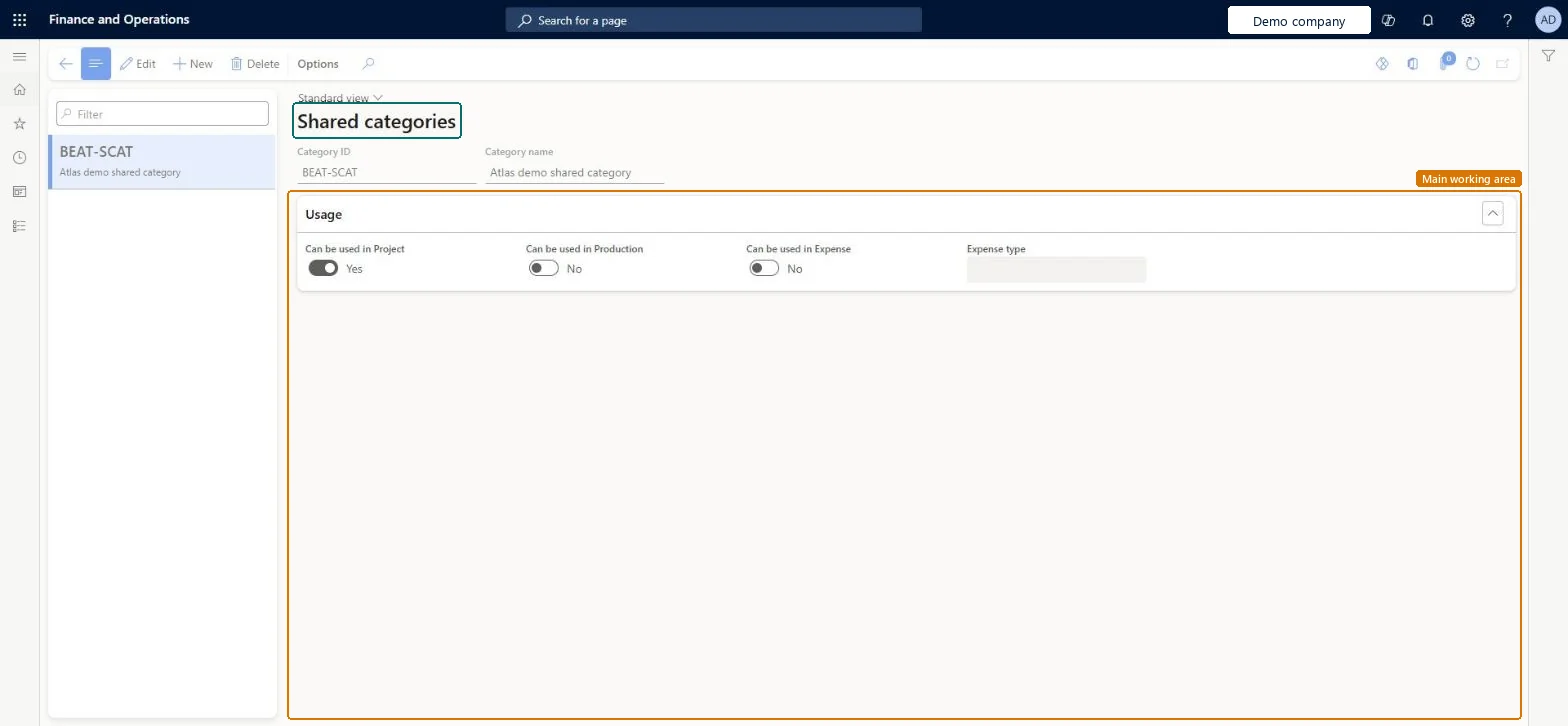
A setup page that lists shared categories, the parent grouping of project categories that can be shared across applications and modules.
What you do here
Use this page to review and adjust the shared categories that project categories are built on.
Example
For example, BEAT creates the shared category TRAVEL-AIR with Can be used in Project and Can be used in Expense selected, so that both the BEAT and BEUS legal entities can create a project category on it.
The page in Dynamics 365. page title tab to open what to set or check
About the examples: Examples and screenshots in this guide use BEAT, a demo company in a Dynamics 365 test environment. Use your own company's codes and values instead of copying them.
Step by step, with screenshots
Set up Shared categories1 screen
Use this page to review and adjust the shared categories that project categories are built on.
Screen 1
Create a shared category
Go to Project management and accounting > Setup > Categories > Shared categories
Select New
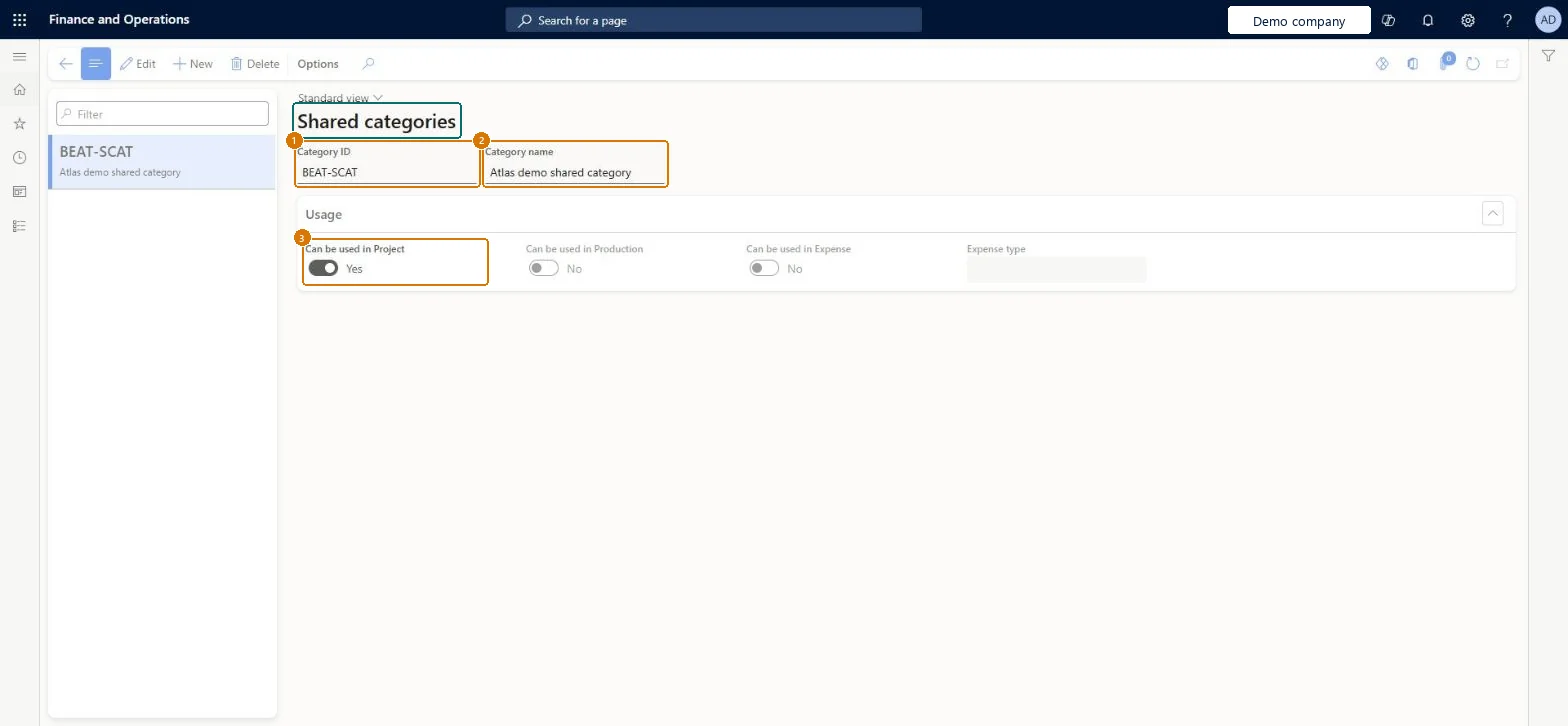
Enter the category ID and name
Choose where the category can be used, such as Project
Select Save
1Category ID
BEAT-SCAT
2Category name
Shared category
3Can be used in Project
Yes
Show the full screen page title tab to open what to set or check
Steps from Microsoft
Go to Project management and accounting > Setup > Categories > Shared categories.
Select New and enter the Category ID and Category name.
Under Usage, select Can be used in Project, and Can be used in Expense if expense reports also use it.
Create the project category on this shared category in each legal entity that needs it.
Create the shared category first, then the project category in each legal entityA shared category must exist before you can create a project category in any consuming legal entity. With Project Operations integrated with ERP, five shared categories (Hour, Expense, Fee, Item, On-account) are created for each transaction category.
Hard to reverse: Shared across legal entities and modules; changes reach every company that uses it.
If you change it later
A shared category is the parent of project categories in every legal entity that uses it. In Project Operations, each transaction category creates five shared categories (hours, expense, fees, item, on-account). Microsoft Learn
Technical architect
6Technical
Menu item
ProjSharedCategoryChecked in Dynamics 365
Form
GlobalCategoryChecked in Dynamics 365
Table
SharedCategoryShown as “Shared category” in Record infoChecked in Dynamics 365
To set it up or change itProject supervisor ProjProjectSupervisorTo use itProject manager ProjProjectManagerProject accountant ProjProjectAccountantAccounting manager LedgerAccountingManagerGive people one of these roles. On this system, 4 roles can open this page.Checked in Dynamics 365
Actions on the page
Options: Personalize, Page options, ShareChecked in Dynamics 365
Checked in a working Dynamics 365 system, version 10.0.49: the menu item, form, table and security, the page, the demo records and the values in the screenshots.
To cite this step: PM-SETUP-150, Set up Shared categories. Beyond ERP Atlas Hub, 2026-11-11. https://www.beyonderp.cloud/atlas/step/PM-SETUP-150