Accounting manager, Project accountant, Project manager and 1 more role
Business process
Manage project financials
Menu item
ProjCategoryGroup
Main table
ProjCategoryGroup
Data entity
ProjCategoryGroupEntity
Setup steps
1 on this page
Show what matters for
PAGE GUIDEWhat the page does and how to use it8 sections. Choose a role to highlight what matters to you.
Everyone
1What it is and why
What it is
A setup page where you create category groups, which let related project categories share settings, mainly posting profiles.
What you do here
Use this page to group project categories of the same transaction type; each transaction type needs at least one category group.
Example
For example, BEAT groups the hour categories CONSULTING and TRAINING in LABOR, posting their cost to 640100, and the expense categories TRAVEL-AIR and HOTEL in TRAVEL, so a new category added to LABOR posts correctly from its first 7.50-hour line.
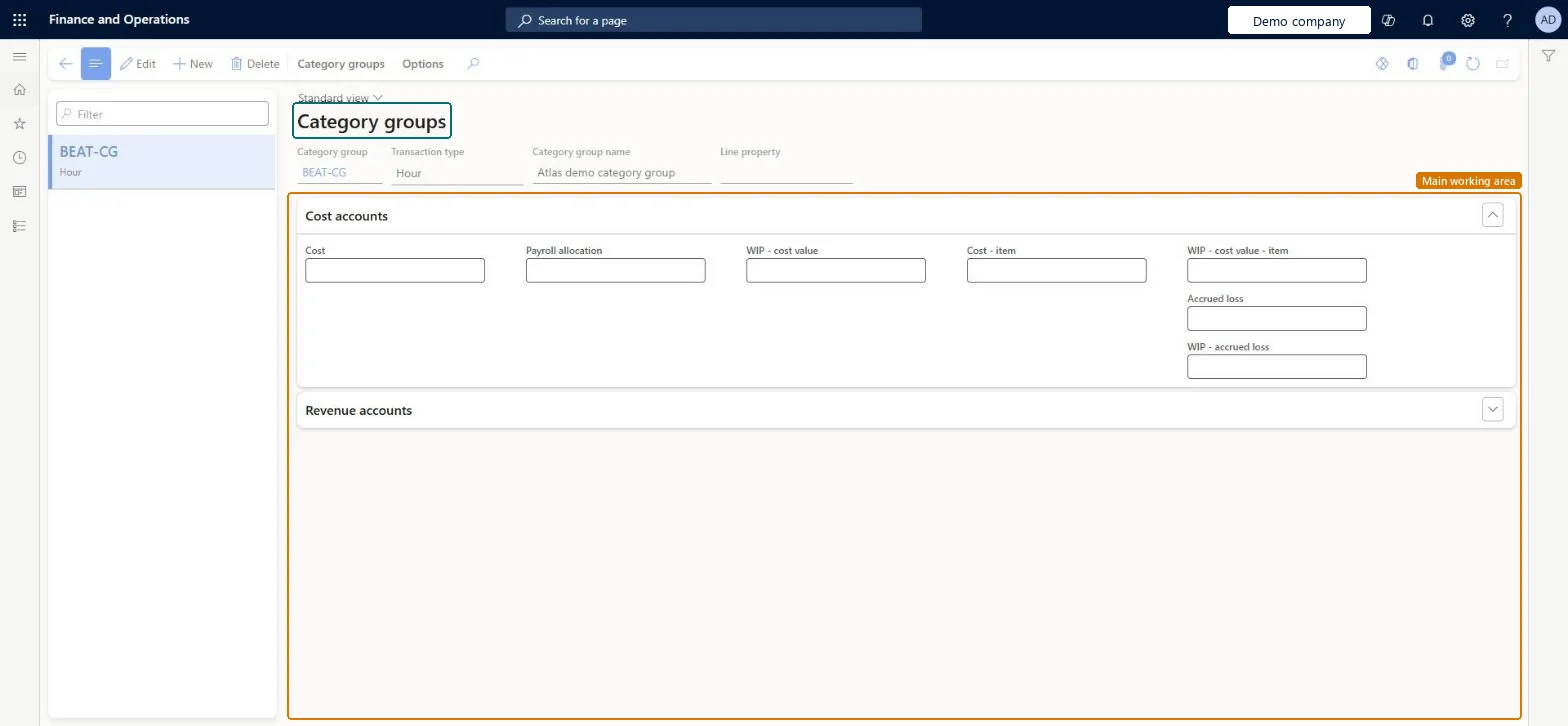
The page in Dynamics 365. page title tab to open what to set or check
About the examples: Examples and screenshots in this guide use BEAT, a demo company in a Dynamics 365 test environment. Use your own company's codes and values instead of copying them.
Step by step, with screenshots
Set up Category groups1 screen
Use this page to group project categories of the same transaction type; each transaction type needs at least one category group.
Screen 1
Create a category group
Go to Project management and accounting > Setup > Categories > Category groups
Select New
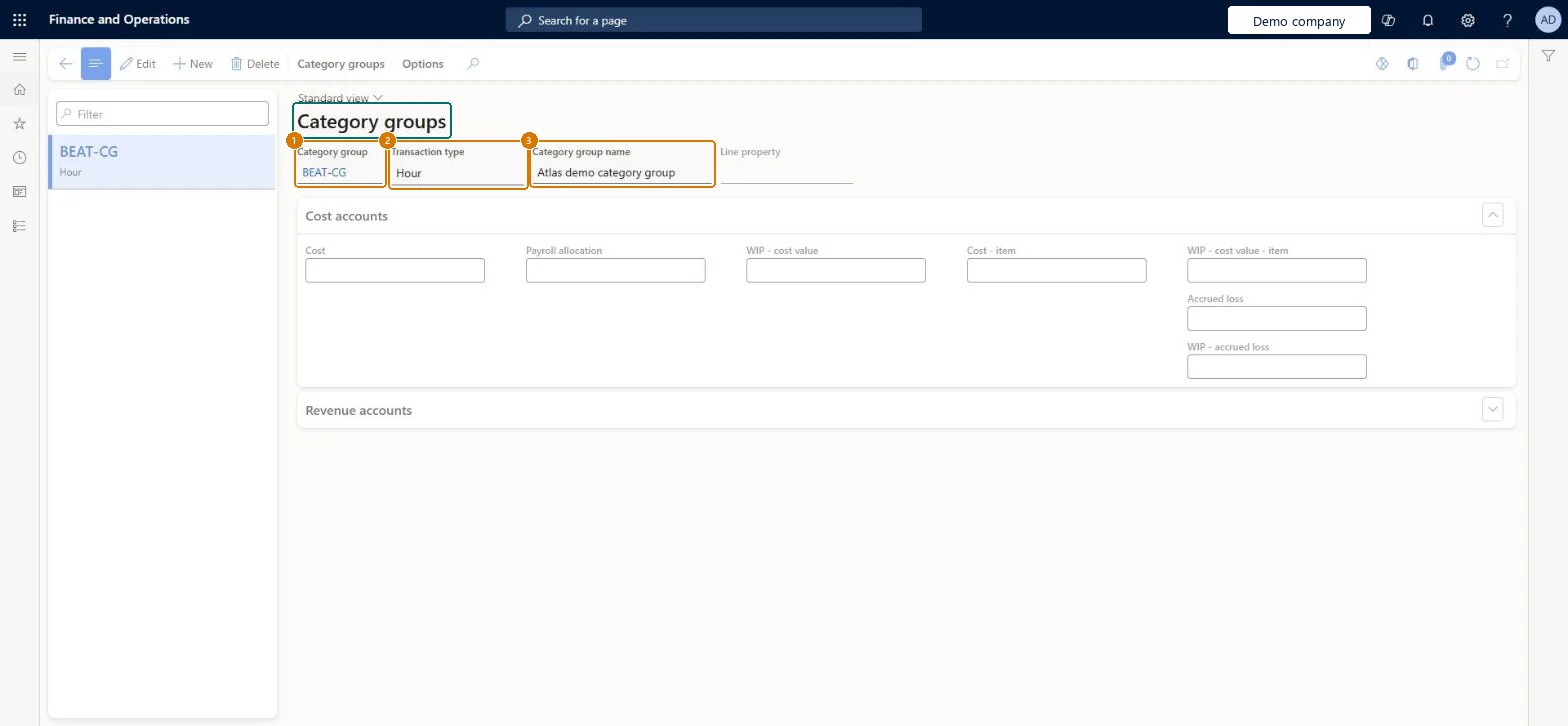
Enter the category group code and name
Select the transaction type, such as Hour, Expense or Item
Select Save
Enter the cost and revenue accounts when the group is used for posting
1Category group
BEAT-CG
2Transaction type
Hour
3Category group name
Category group
Show the full screen page title tab to open what to set or check
Steps from Microsoft
Go to Project management and accounting > Setup > Categories > Category groups.
Select New.
In the Category group field, enter an ID.
In the Transaction type field, select the transaction type for the group.
Optionally, enter a Category group name and select a Line property.
On the Cost accounts FastTab, select the cost accounts.
On the Revenue accounts FastTab, select the revenue accounts.
At least one category group per transaction type, grouping categories that share posting accountsEach transaction type needs at least one category group, and groups are how related categories share properties, mainly posting profiles.
Enable project categories for on-account transactions (Optional)
Licence or add-in
On the live system, Project supervisor maintains this page; Project manager, Project accountant and Accounting manager can open it. On-account category groups need the Enable project categories for on-account transactions feature (10.0.41).
Hard to reverse: A category belongs to one group and inherits its transaction type and posting setup. Moving categories later changes posting for new transactions, while posted history keeps the old accounts. Microsoft Learn
If you change it later
Categories inherit the transaction type and the posting accounts of their group. Accounts set on the group apply to every category in it that has no account of its own. Microsoft Learn
Technical architect
6Technical
Menu item
ProjCategoryGroupChecked in Dynamics 365
Form
ProjCategoryGroupChecked in Dynamics 365
Table
ProjCategoryGroupShown as “Category group” in Record infoKey field: CategoryGroupId, Name, CategoryTypeChecked in Dynamics 365
PrivilegesMaintain project category groups ProjCategoryGroupMaintainView project category groups ProjCategoryGroupViewDutiesInquire into project category master ProjProjectCategoriesMasterInquireMaintain project category master ProjProjectCategoriesMasterMaintain4 security rolesAccounting manager LedgerAccountingManagerProject accountant ProjProjectAccountantProject manager ProjProjectManagerProject supervisor ProjProjectSupervisorChecked in Dynamics 365
Roles to set it up and use it
To set it up or change itProject supervisor ProjProjectSupervisorTo use itProject manager ProjProjectManagerProject accountant ProjProjectAccountantAccounting manager LedgerAccountingManagerGive people one of these roles. On this system, 4 roles can open this page.Checked in Dynamics 365
ProjCategoryGroupEntity (Project category group): loaded for each company, in Microsoft's default template 650 - Project accounting.Load order: Microsoft's default template 650 - Project accounting loads Project category group at execution unit 1, level 40, sequence 10. Lower levels load first, and entities at the same level load in sequence order.Load first: the default templates at lower levels (System setup to dependency bands 30 to 90)Microsoft Learn
Checked in a working Dynamics 365 system, version 10.0.49: the menu item, form, table and security, the page, the demo records and the values in the screenshots.