Setup step on the Project report sort fields page · Project management and accounting
Set up Project report sort fields
A setup page where you create the sort fields that classify projects for reporting, such as a customer segment or a region, in up to the three sort field slots a project has.
SETUP GUIDEHow to set it up8 sections. Choose a role to highlight what matters to you.
Everyone
1What it is and why
What it is
A setup page where you create the sort fields that classify projects for reporting, such as a customer segment or a region, in up to the three sort field slots a project has.
What you do here
Use this page to define the values you can put in the sort fields of a project, so that project reports can be grouped and filtered by them.
Example
For example, BEAT creates the value PUBLIC for Sort field 1 (customer segment) and NORTH for Sort field 2 (region), so that the project statement can show PRJ-0042 and PRJ-0057 together under the public sector.
The page in Dynamics 365. page title tab to open what to set or check
About the examples: Examples and screenshots in this guide use BEAT, a demo company in a Dynamics 365 test environment. Use your own company's codes and values instead of copying them.
Step by step, with screenshots
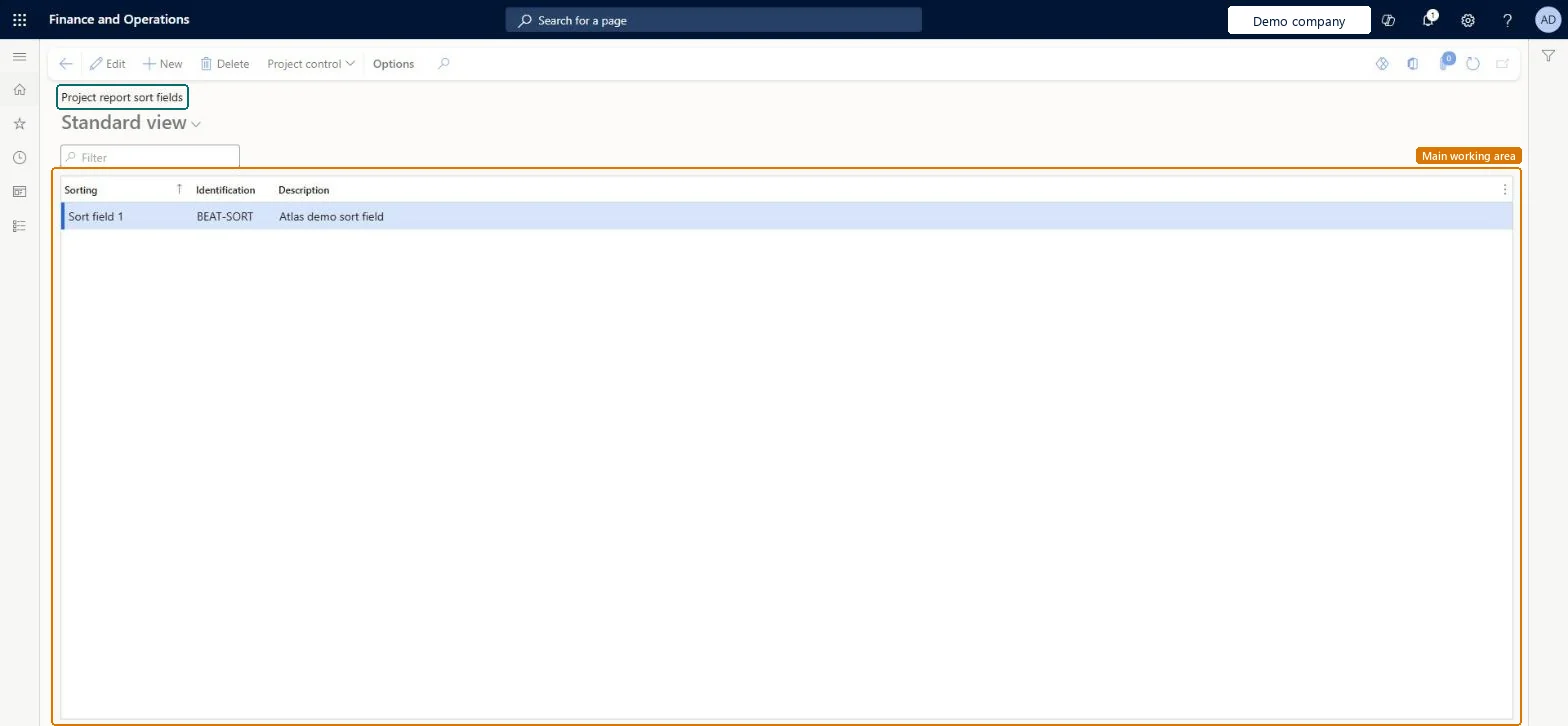
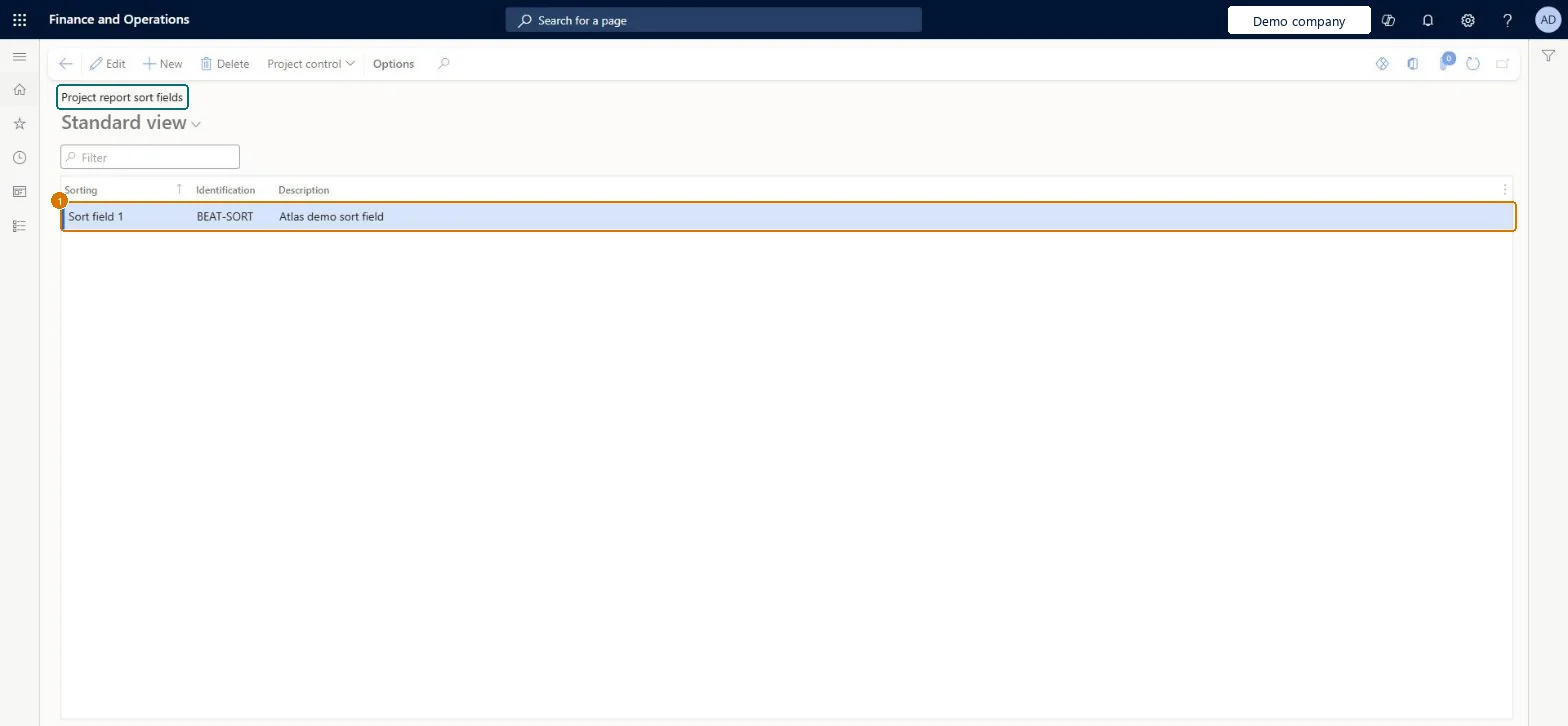
Set up Project report sort fields1 screen
Screen 1
Create a project report sort field
Go to Project management and accounting > Setup > Projects > Project report sort fields
Select New
Select the sort field, such as Sort field 1
Enter an identification and a description
Select Save
1Identification
BEAT-SORT
Sorting
Sort field 1
Description
Sort field
Show the full screen page title tab to open what to set or check
Steps from Microsoft
Go to Project management and accounting > Setup > Projects > Project report sort fields.
Select New and choose the Sorting slot, for example Sort field 1.
Enter the Identification value and a Description that says what the slot groups, such as Public sector customers.
Add the values for the other slots you use, then open the project and enter the value in its sort field.
One sort field slot per reporting dimension that the financial dimensions don't already give (for example customer segment in Sort field 1), with a short, fixed list of valuesSort fields only group and filter project reports. A short fixed list keeps reports readable; anything that must reach the general ledger belongs in a financial dimension instead.
Reversible: Values can be changed at any time; they only affect report grouping.
If you change it later
Reports group and filter projects by the sort field values on the project. Renaming a value changes the grouping on later report runs; projects keep the value already entered. Microsoft data model
Technical architect
6Technical
Menu item
ProjSortingChecked in Dynamics 365
Form
ProjSortingChecked in Dynamics 365
Table
ProjSortingShown as “Sorting” in Record infoKey field: sortingIdChecked in Dynamics 365
PrivilegesMaintain project report sorting criteria ProjSortingMaintainView project report sorting criteria ProjSortingViewDutiesEnable project accounting process ProjProjectAccountingProcessEnableInquire into project accounting reference data ProjProjectAccountingReferenceDataInqui1 security roleProject supervisor ProjProjectSupervisorChecked in Dynamics 365
Roles to set it up and use it
To set it up or change itProject supervisor ProjProjectSupervisorGive people one of these roles. On this system, 1 role can open this page.Checked in Dynamics 365
Actions on the page
Options: Personalize, Page options, ShareChecked in Dynamics 365
ProjProjectReportSortFieldsEntity Project report sort fields, loaded for each company.Load order: Load the sort field values before projects, because a project stores the value in its sort field.Load first: Legal entitiesMicrosoft Learn
Checked in a working Dynamics 365 system, version 10.0.49: the menu item, form, table and security, the page, the demo records and the values in the screenshots.
To cite this step: PM-SETUP-040, Set up Project report sort fields. Beyond ERP Atlas Hub, 2026-11-11. https://www.beyonderp.cloud/atlas/step/PM-SETUP-040