Project management and accountingInquiries and reportsForecast transactions reports
output:ProjListBudgetCategory
Business process
Analyze project performance
Menu item
output:ProjListBudgetCategory
Setup steps
1 on this page
Show what matters for
SETUP GUIDEHow to set it up8 sections. Choose a role to highlight what matters to you.
Everyone
1What it is and why
What it is
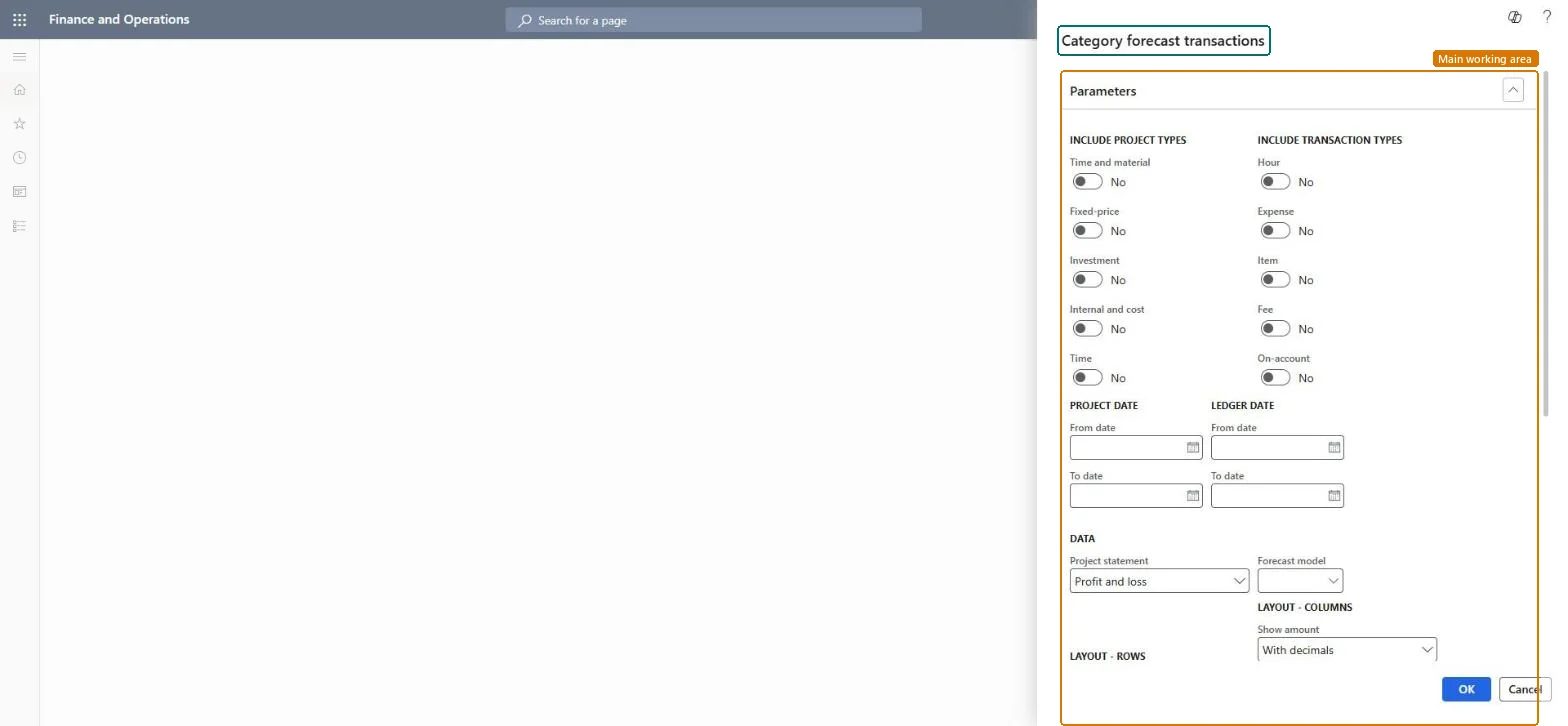
A report that lists forecast transactions of one forecast model grouped by project category, for the dates you choose. The report design is ProjListBudget.
What you do here
Use it to answer 'how much do we forecast per kind of cost or revenue?' to plan spending on categories such as subcontracting or travel.
Example
The BEAT project assistant runs model FC-2026 with Expense on for the first quarter and sees SUBCON at 68,000.00 EUR and TRAVEL at 9,500.00 EUR across all projects, which the finance lead compares with the purchasing plan.
The page in Dynamics 365. page title tab to open what to set or check
About the examples: Examples and screenshots in this guide use BEAT, a demo company in a Dynamics 365 test environment. Use your own company's codes and values instead of copying them.
When to run it
When to run it
At each forecast round, when spending is planned by category.
How often
Quarterly.
What the output shows
Forecast amounts per category for one model. The report design is ProjListBudget.
Which project types to include; the dialog toggles Time and material, Fixed-price, Investment, Internal and cost (Internal and Cost project types) and Time.Checked in Dynamics 365
All but Time
Include transaction types
Turn on the types whose categories you plan, for example Expense.Checked in Dynamics 365
Expense
(Project date) From date / To date
The range of forecast project dates; forecasts have no fiscal period.Microsoft Learn
1 November to 31 December
(Ledger date) From date / To date
Limits the report to transactions within a range of ledger dates.Microsoft Learn
Project statement
The statement the amounts follow; the dialog suggests Profit and loss.Checked in Dynamics 365
Profit and loss
Forecast model
The model whose forecast lines the report lists; a submodel shows only that part of the forecast. Budgets store their original and remaining amounts in two models, so budget data shows here too.Microsoft Learn
Choose the model or submodel and turn on one transaction type.Submodels let you forecast by region or department; reporting on the parent or the submodel answers different questions.
On the live system, Project assistant is the role that runs this report. Feature management controls whether this report skips the reporting framework's transaction scope (ProjSSRSSkipReportTransactionFeature), which helps large runs.
Per company: forecast models are shared setup, but the forecast lines belong to the projects of the current legal entity. Microsoft data model
Can it be undone
Reversible: Reading the page changes no data.
If you change it later
The report shows the model as it is when you run it; forecast reduction and edits change it without history, so keep a copy of the original model for comparisons. Microsoft Learn
Technical architect
6Technical
Menu item
output:ProjListBudgetCategoryChecked in Dynamics 365
Form
SysOperationTemplateFormChecked in Dynamics 365
Roles to set it up and use it
To use itProject assistant ProjProjectClerkGive people one of these roles. On this system, 1 role can run this page.Checked in Dynamics 365
Load order: The Category forecast transactions report has no data entity in Data management: it reads forecast lines. Load the forecasts with the forecast entities (for example ProjForecastEmplEntity for hours) and run the report to compare totals per model.Microsoft data model
Checked in a working Dynamics 365 system, version 10.0.49: the menu item, form, table and security, the page.
To cite this step: PM-RA-350, Plan spending by category from the forecast. Beyond ERP Atlas Hub, 2026-11-11. https://www.beyonderp.cloud/atlas/step/PM-RA-350