Post hours with the right journal name and category
Project management and accountingJournals
ProjJournalTableEmpl
Used by
Chief executive officer, Field Service Integration User, Machine operator and 5 more roles
Business process
Manage project delivery
Menu item
ProjJournalTableEmpl
Main table
ProjJournalTable
Data entity
ProjJournalTableEntity
Setup steps
1 on this page
Show what matters for
SETUP GUIDEHow to set it up8 sections. Choose a role to highlight what matters to you.
Everyone
1What it is and why
What it is
The project hour journal: a journal of hours worked on projects, priced with the cost and sales prices of the price setup, that posts the hours to the project and the ledger.
What you do here
Use it to record project hours that don't come from a timesheet, for example corrections or hours for workers who don't enter timesheets, and post them.
Example
For example, a BEAT consultant's 8.00 hours on PRJ-0042 are entered in hour journal PJ-000412 at a cost price of 50.00 and a sales price of 75.00; posting records 400.00 cost and, on a project that accrues revenue, 600.00 of accrued revenue.
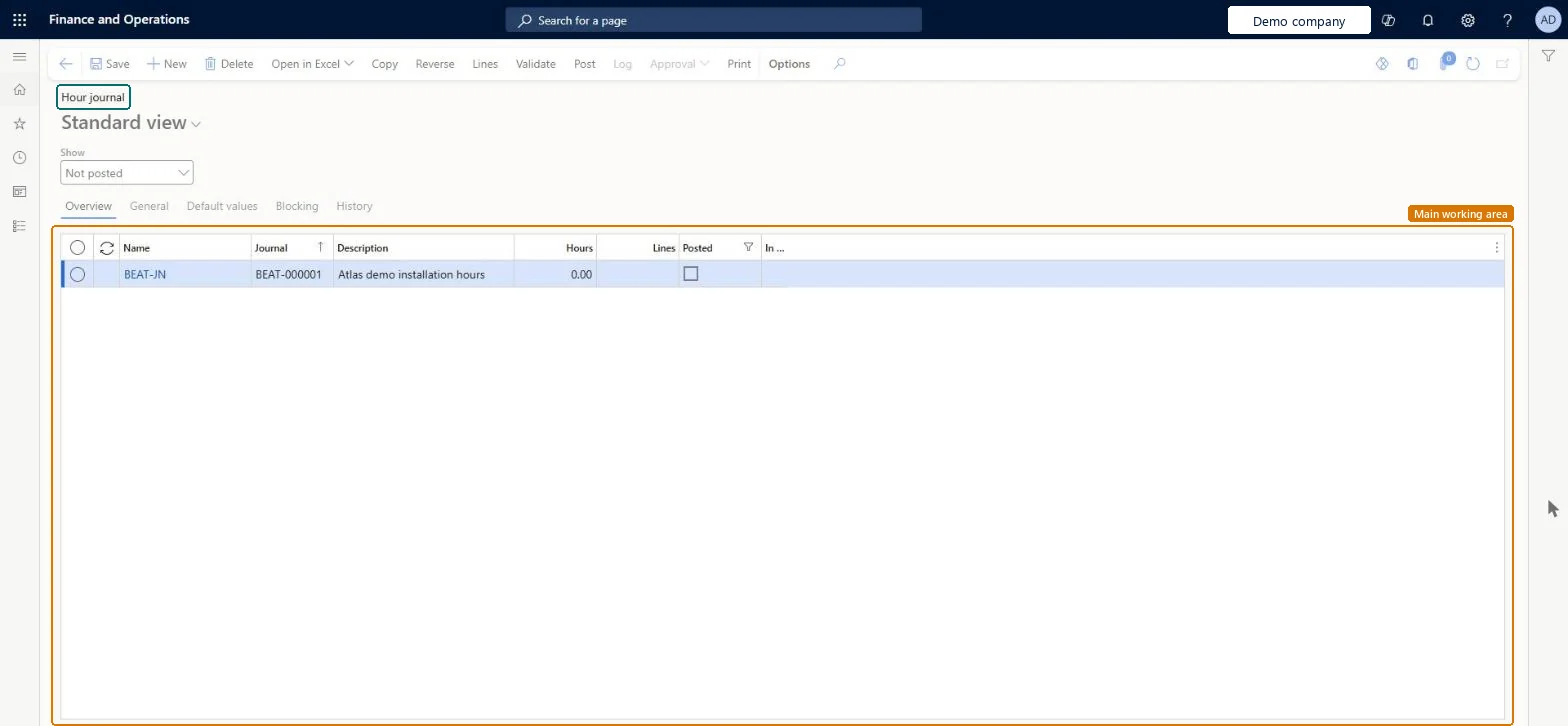
The page in Dynamics 365. page title tab to open what to set or check
About the examples: Examples and screenshots in this guide use BEAT, a demo company in a Dynamics 365 test environment. Use your own company's codes and values instead of copying them.
Setup steps on this page
Post hours with the right journal name and category
Price and post hours correctly.
Steps from Microsoft
Go to Project management and accounting > Journals > Hour.
Select New, select the journal name, and then select Lines.
Select New and enter the project date, project, resource, category and hours.
On the General tab, check the cost price, sales price, line property and sales tax groups.
Select Post.
Check the hours on Posted project transactions for the project.
With journal approval, a journal becomes read-only while its approval status doesn't allow editing; return it in the approval flow first. Microsoft Learn
Test checklist
Create an hour journal line of 8.00 hours on PRJ-0042.
Check the cost price 50.00 and sales price 75.00 default from the price setup.
Post the journal.
Check Posted project transactions shows 8.00 hours with a cost of 400.00.
Use a dedicated hour journal name and select the project category on every line, so prices and line property default.The category and the price setup decide the cost and sales price; the journal name decides the voucher series and approval.
Hard to reverse: Posted hours are corrected through project adjustments.
If you change it later
Posting records the cost and, for projects that accrue revenue, the accrued revenue; with journal approval the journal becomes read-only while its approval status doesn't allow editing. Microsoft Learn
Technical architect
6Technical
Menu item
ProjJournalTableEmplChecked in Dynamics 365
Form
ProjJournalTableChecked in Dynamics 365
Table
ProjJournalTableShown as “Project journal table” in Record infoKey field: JournalId, JournalType, JournalNameId, Description, TimesheetNbrChecked in Dynamics 365
PrivilegesMaintain hour journals ProjJournalTableEmplMaintainView hour journals ProjJournalTableEmplViewMaintain project journals ProjJournalTableMaintainView project journals ProjJournalTableViewDutiesMaintain project journals and journal transactions ProjProjectJournalsMaintainApprove project transactions ProjProjectTransactionApproveMaintain project transactions ProjProjectTransactionsMaintainMaintain project transactions ProjProjectTransactionsMaintainNoPostReview project transactions ProjProjectTransactionsReviewInquire into project transaction status ProjProjectTransactionStatusInquire8 security rolesChief executive officer CompanyChiefExecutiveOfficerField Service Integration User FieldServiceIntegrationUserMachine operator JmgMachineOperatorShop supervisor JmgShopSupervisorProject accountant ProjProjectAccountantProject assistant ProjProjectClerkProject manager ProjProjectManagerProject supervisor ProjProjectSupervisorChecked in Dynamics 365
Roles to set it up and use it
To set it up or change itProject manager ProjProjectManagerProject accountant ProjProjectAccountantProject assistant ProjProjectClerkField Service Integration User FieldServiceIntegrationUserMachine operator JmgMachineOperatorTo use itProject supervisor ProjProjectSupervisorChief executive officer CompanyChiefExecutiveOfficerGive people one of these roles. On this system, 8 roles can open this page.Checked in Dynamics 365
Actions on the page
Options: Personalize, Page options, Edit, ShareChecked in Dynamics 365
ProjJournalTableEntity (Project hour journals): loaded for each company; covers hour journal headers through the journal name.Load order: Load journal names, projects, categories and line properties first, then the journal headers. Open journals are usually posted in the old system instead.Load first: Project journal names (ProjJournalNameEntity), Projects, Project categories, Line propertiesMicrosoft Learn
Checked in a working Dynamics 365 system, version 10.0.49: the menu item, form, table and security, the page.
To cite this step: PM-OPS-410, Post hours with the right journal name and category. Beyond ERP Atlas Hub, 2026-11-11. https://www.beyonderp.cloud/atlas/step/PM-OPS-410