Project management and accountingPeriodicProject resources
action:ResCalendarCapacitySynchronizationBatch
Business process
Plan projects
Menu item
action:ResCalendarCapacitySynchronizationBatch
Main table
ResCalendarCapacity
Setup steps
1 on this page
Show what matters for
SETUP GUIDEHow to set it up8 sections. Choose a role to highlight what matters to you.
Everyone
1What it is and why
What it is
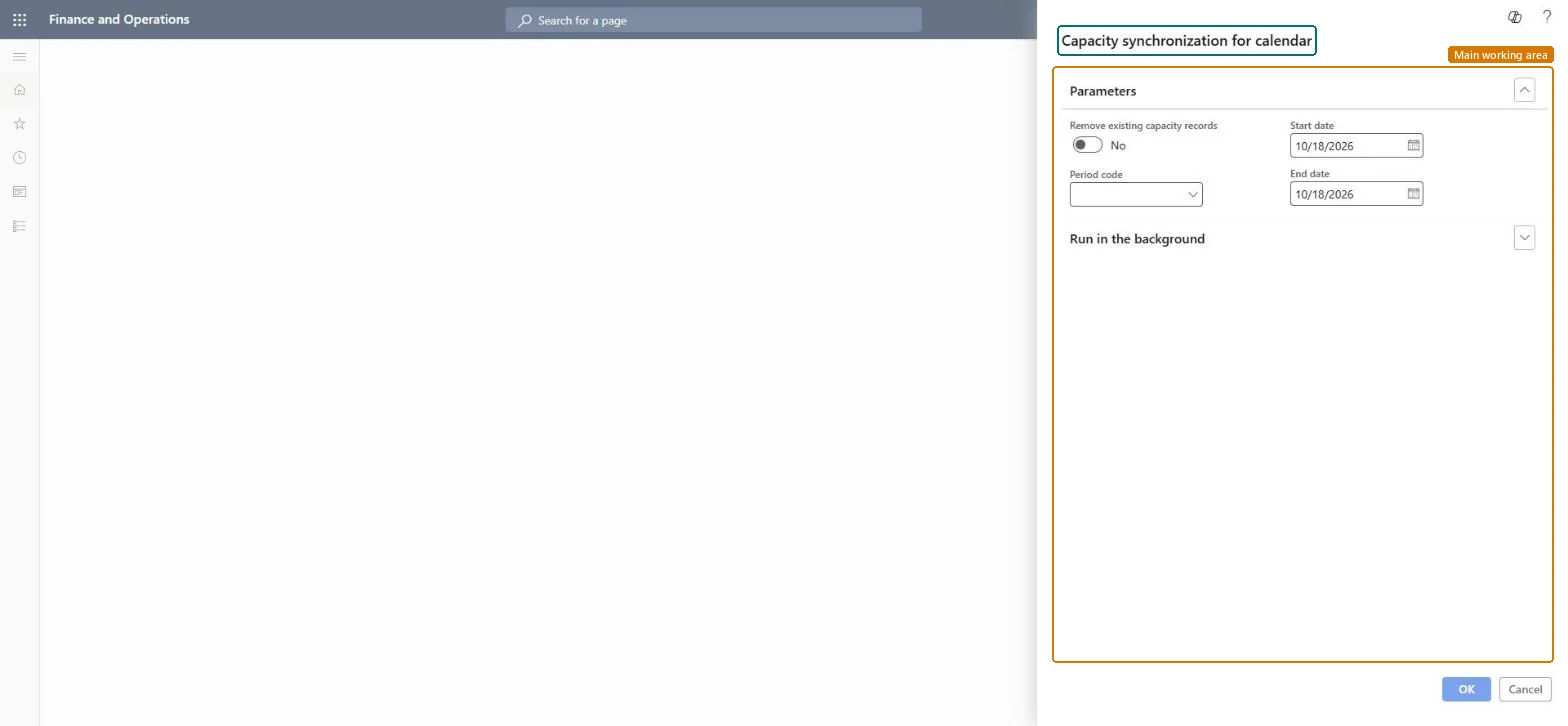
A periodic job that fills the capacity hours of the calendars linked to resources, for all companies, into the ResCalendarCapacity table used to calculate resource availability.
What you do here
Use it after turning on the resource scheduling performance feature, after any calendar change, and before scheduling beyond the last end date.
Example
BEAT's calendar capacity is built to 12/31/2026. Before planning PRJ-0042 for 2027, the resource manager runs the job from 01/01/2027 to 12/31/2027 with Remove existing capacity records = No, so 2027 shows 8.00 hours per working day.
The page in Dynamics 365. page title tab to open what to set or check
About the examples: Examples and screenshots in this guide use BEAT, a demo company in a Dynamics 365 test environment. Use your own company's codes and values instead of copying them.
When to run it
When to run it
After the feature is turned on, after calendar changes (for example a new holiday), and before scheduling past the last end date.
How often
After calendar changes and at least once a year to extend the end date.
Batch settings
Run as a batch job in one legal entity; it covers all companies.
What the output shows
Capacity hours per resource calendar for the date range in ResCalendarCapacity.
Run yearly with an end date 12 months beyond the furthest planned work, and after every calendar change.Capacity only exists up to the end date of the last run.
On the live system, Project manager and Resource manager use this page. Learn: run it after turning on Enable project resource scheduling performance enhancement feature (on by default from 10.0.36).
Cross-company: run in one legal entity, it distributes capacity data to all companies. Microsoft Learn
Can it be undone
Reversible: Rebuild by rerunning.
If you change it later
Builds capacity only up to the end date; scheduling past it shows no capacity until the job runs again. Microsoft Learn
Technical architect
6Technical
Menu item
action:ResCalendarCapacitySynchronizationBatchChecked in Dynamics 365
Form
DialogChecked in Dynamics 365
Table
ResCalendarCapacityChecked in Dynamics 365
Roles to set it up and use it
To use itProject manager ProjProjectManagerResource manager ProjResourceManagerGive people one of these roles. On this system, 2 roles can run this page.Checked in Dynamics 365
Load order: Synchronize resource calendars capacity across all companies has no data entity in Data management: it is a periodic job and keeps no records of its own. Migrate calendars and resources, then run the job in the target system.Microsoft Learn