Project management and accountingPeriodicProject invoices
action:ProjIntercompanyInvoicePeriodic
Business process
Manage project financials
Menu item
action:ProjIntercompanyInvoicePeriodic
Setup steps
1 on this page
Show what matters for
SETUP GUIDEHow to set it up8 sections. Choose a role to highlight what matters to you.
Everyone
1What it is and why
What it is
A periodic job that the lending legal entity runs to create intercompany customer invoices for project work done for borrowing legal entities, for all of them at once.
What you do here
Use it to bill other legal entities for the work of borrowed resources, often as a recurring batch job.
Example
BEAT lends two consultants to BEUK in October 2026; they post 96.00 hours on BEUK project PRJ-UK-0011. BEAT's monthly run creates one intercompany invoice to BEUK for 96.00 hours at transfer price 95.00 = 9,120.00; posting it creates a pending vendor invoice in BEUK.
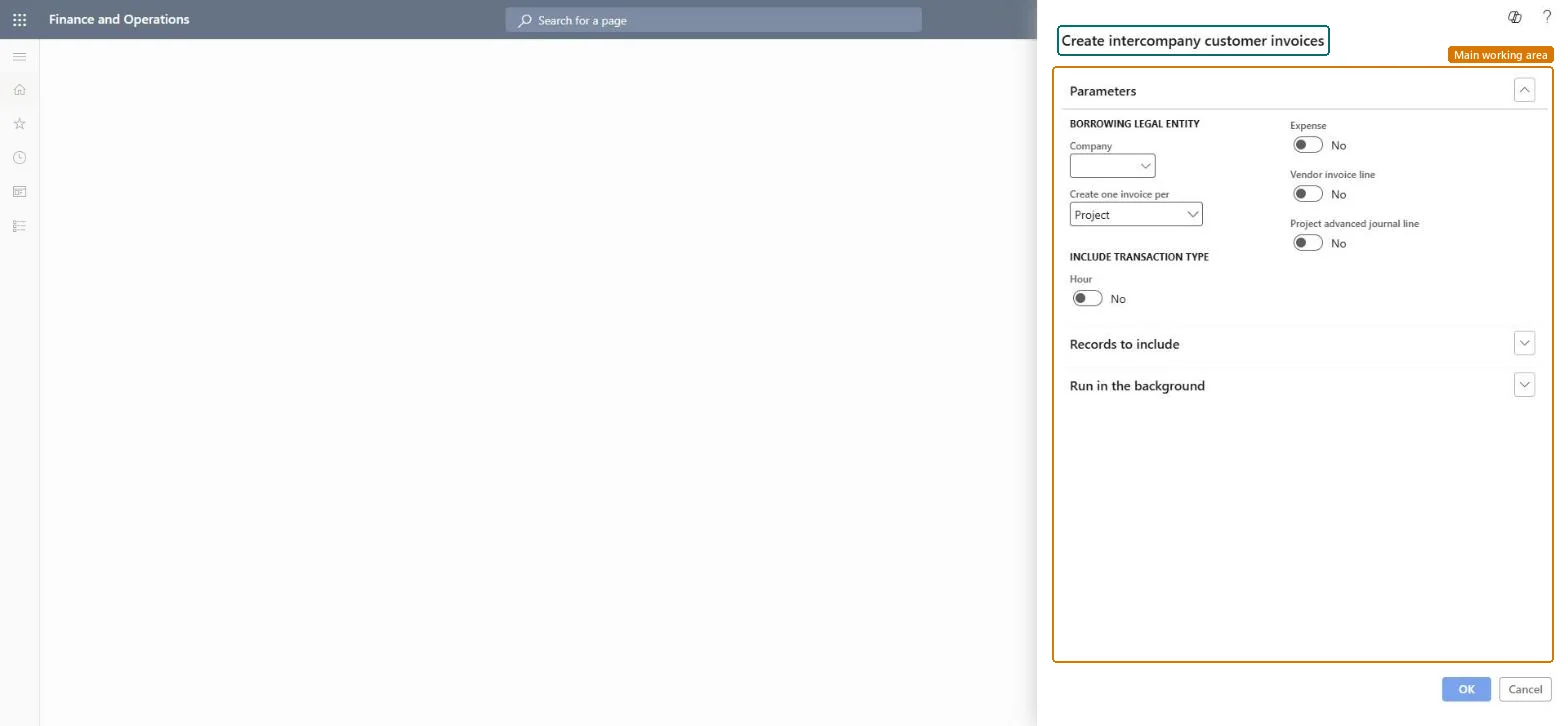
The page in Dynamics 365. page title tab to open what to set or check
About the examples: Examples and screenshots in this guide use BEAT, a demo company in a Dynamics 365 test environment. Use your own company's codes and values instead of copying them.
When to run it
When to run it
In the lending legal entity, when project work of borrowed resources must be billed.
How often
Monthly, or at the agreed intercompany billing interval.
Batch settings
Set it up as a recurring batch job so invoices for all borrowing legal entities are created regularly.
What the output shows
Intercompany customer invoices per project or per borrowing legal entity, ready to review and post.
One invoice per project or one per borrowing legal entity.Microsoft Learn
Borrowing legal entity
Common errors and fixes
Message
What to do
No invoice is created for a borrowing entity.
Check that the borrowed worker's transactions are posted and that the parameters' Intercompany tab and the transfer prices are set up for that entity. Microsoft Learn
Test checklist
Post 96.00 hours of a BEAT worker on a BEUK project.
Run the job for BEUK.
Open the intercompany invoice: 96.00 hours at the transfer price.
Post it and find the pending vendor invoice in BEUK with the same amount.
Schedule a monthly recurring batch job with one invoice per borrowing legal entity.One invoice per entity keeps the number of vendor invoices to approve in the borrowing entity small.
On the live system, Project manager, Project accountant, Project assistant, Service delivery manager and Accounts receivable clerk use this page.
Checked in Dynamics 365
Solution architect
5Design impact
Shared or per company
Cross-company: it runs in the lending legal entity and creates invoices to the borrowing legal entities; posting creates vendor invoices in those entities. Microsoft Learn
Can it be undone
Reversible: Before posting only.
If you change it later
Creates intercompany customer invoices; posting them creates pending vendor invoices in the borrowing legal entity. Microsoft Learn
Technical architect
6Technical
Menu item
action:ProjIntercompanyInvoicePeriodicChecked in Dynamics 365
Form
DialogChecked in Dynamics 365
Roles to set it up and use it
To use itProject manager ProjProjectManagerProject accountant ProjProjectAccountantProject assistant ProjProjectClerkService delivery manager SMAServiceDeliveryManagerAccounts receivable clerk CustInvoiceAccountsReceivableClerkGive people one of these roles. On this system, 5 roles can run this page.Checked in Dynamics 365
Load order: Create intercompany customer invoices has no data entity in Data management: it is a periodic job and keeps no records of its own. Settle intercompany work in the old system before cutover and run the job in the target system for new transactions.Microsoft Learn