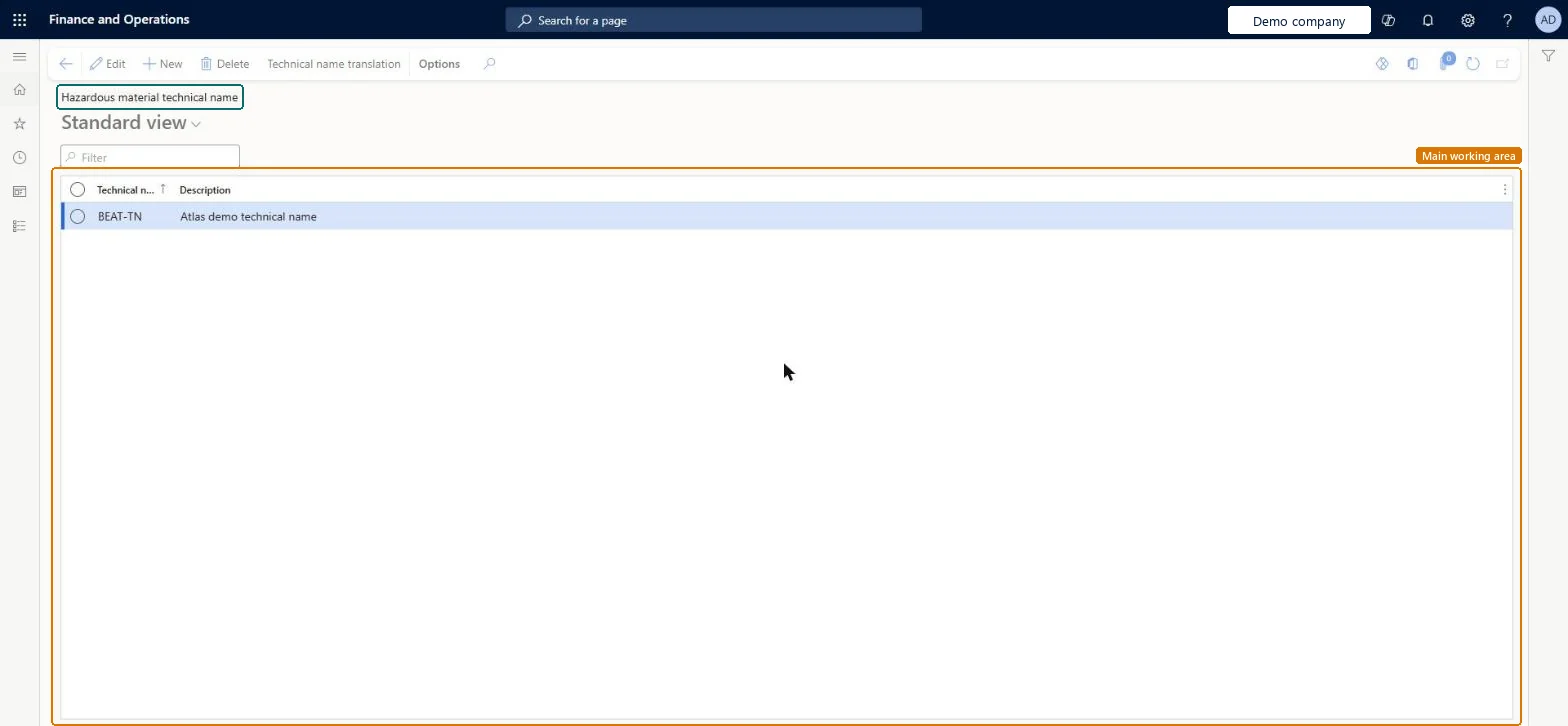
About the examples: Examples and screenshots in this guide use BEAT, a demo company in a Dynamics 365 test environment. Use your own company's codes and values instead of copying them.
Setup steps on this page
Set up Hazardous material technical name
Use this page to create technical names, each with a display name and a short description, that can then be selected for hazardous products.
Steps from Microsoft
Go to Product information management > Setup > Hazardous material shipping documentation > Hazardous material technical name.
Select New to add a technical name.
Enter the display name for the technical name.
In the Description field, enter a short description.
The commonly used or internal company name for each hazardous material, bundled per regulation in material codesTechnical name is the everyday name of the material and is one of the print fields for shipping text.
Using the technical name in place of the proper shipping name. They are separate print fields, and the regulation's print setup decides which ones print.
PrivilegesHazardous material technical name maintain HMIMTechnicalNameDisplayMaintainHazardous material technical name view HMIMTechnicalNameDisplayViewDutiesMaintain Hazardous materials HMIMHazardousMaterialsMaintainView Hazardous materials HMIMHazardousMaterialsView2 security rolesHazardous materials manager HMIMHazardousMaterialsManagerHazardous materials viewer HMIMHazardousMaterialsViewerChecked in Dynamics 365
Roles to set it up and use it
To set it up or change itHazardous materials manager HMIMHazardousMaterialsManagerTo use itHazardous materials viewer HMIMHazardousMaterialsViewerGive people one of these roles. On this system, 2 roles can open this page.Checked in Dynamics 365
Actions on the page
(Action Pane without tabs): Technical name translationChecked in Dynamics 365
Checked in a working Dynamics 365 system, version 10.0.49: the menu item, form, table and security, the page.
To cite this step: PIM-HAZ-120, Set up Hazardous material technical name. Beyond ERP Atlas Hub, 2026-11-11. https://www.beyonderp.cloud/atlas/step/PIM-HAZ-120