BeyondERP.Newsletter
Menu

Setup step on the Category hierarchies page · Product information management

Set up Category hierarchies

Use this page to create a category hierarchy, build its category nodes and assign a category hierarchy type to it.

Used by
Purchasing agent, Purchasing Agent - Public Sector, Product designer and 12 more roles
Business process
Develop product strategy
Menu item
EcoResCategoryHierarchyListPage
Main table
EcoResCategoryHierarchy
Data entity
EcoResProductCategoryHierarchyEntity
Setup steps
1 on this page
Show what matters for
SETUP GUIDEHow to set it up8 sections. Choose a role to highlight what matters to you.
Everyone

1What it is and why

What it isA list page that shows the category hierarchies that are used to classify products for export, procurement, sales or other purposes.
What you do hereUse this page to create a category hierarchy, build its category nodes and assign a category hierarchy type to it.
ExampleFor example, you can create a hierarchy for product classification and assign it the commodity code category hierarchy type.
Category hierarchies page in Dynamics 365
The page in Dynamics 365. page title tab to open what to set or check
Functional consultant · Solution architect

2Where it fits

Business processDevelop product strategy
Menu pathProduct information management › Setup › Categories and attributes › Category hierarchies
Used next byCategory hierarchy role associations Microsoft Learn Released products Microsoft Learn
In this process Set up Plan groups · Set up Country of Origin Vendor Certificates
End user · Functional consultant

3How to do it

About the examples: Examples and screenshots in this guide use BEAT, a demo company in a Dynamics 365 test environment. Use your own company's codes and values instead of copying them.

Setup steps on this page

Set up Category hierarchies

Use this page to create a category hierarchy, build its category nodes and assign a category hierarchy type to it.

Steps from Microsoft

  1. Go to Product information management > Setup > Categories and attributes > Category hierarchies.
  2. Select New.
  3. In the Name field and the Description field, enter values, and then select Create.
  4. Select New category node, and enter the Name, Code and Friendly name for each category.
  5. To classify the hierarchy, select it in the list, and on the Action Pane, select Category hierarchy and then Associate hierarchy type.
  6. Select New, select the Category hierarchy type and the Category hierarchy, and then close the page.

Source: Microsoft Learn

Test checklist

  1. Create a hierarchy and add category nodes with Name, Code and Friendly name.
  2. Select Category hierarchy > Associate hierarchy type and associate the type you need.
  3. Classify a released product in a category from Product > Product categories.
  4. Check the product appears under that category in the hierarchy.

Source: Microsoft Learn

Functional consultant

4Setup decisions

Setup stepRecommended value and whyDecision, common mistake and test
Set up Category hierarchiesOne hierarchy per purpose, each associated with its category hierarchy type; one procurement category hierarchy for the whole organizationLearn says one procurement category hierarchy is defined for a whole organization, and a hierarchy is classified for its use by associating a hierarchy type.Building the hierarchy but not associating a hierarchy type. Functions such as procurement categories need a hierarchy of type Procurement before they can be used.
Solution architect

5Design impact

Shared or per companyShared: the same records are used by every legal entity. Microsoft data model
Can it be undoneHard to reverse: Hierarchies are shared by every legal entity, and procurement catalogs, categories and policies are built on the procurement hierarchy, so restructuring it affects all of them.
Technical architect

6Technical

Menu itemEcoResCategoryHierarchyListPage Checked in Dynamics 365
FormEcoResCategoryHierarchyListPage Checked in Dynamics 365
TableEcoResCategoryHierarchyShown as “CATEGORY HIERARCHIES” in Record infoKey field: NameChecked in Dynamics 365
Data entitiesEcoResProductCategoryHierarchyEntityProduct category hierarchies Microsoft data model RetailEcoResCategoryHierarchyEntityCategory hierarchies Microsoft data model
Who can open itPrivilegesMaintain category hierarchy properties EcoResCategoryHierarchyDetailsCreateEdit category hierarchy details EcoResCategoryHierarchyDetailsEditMaintain category hierarchy details EcoResCategoryHierarchyDetailsMaintainView category hierarchy details EcoResCategoryHierarchyDetailsViewDutiesInquire into category hierarchy details EcoResCategoryMasterInquireMaintain all category hierarchy details EcoResCategoryMasterMaintainView derived financial hierarchy filters LedgerDerivedFinancialHierarchyInquireMaintain derived financial hierarchy filters LedgerDerivedFinancialHierarchyMaintain
15 security rolesProduct designer BOMProductDesignerProduct design manager BOMProductDesignManagerChief financial officer CompanyChiefFinancialOfficerMaterials manager InventMaterialsManagerAccountant LedgerAccountantAccounting manager LedgerAccountingManagerFinancial controller LedgerFinancialControllerRetail catalog manager RetailCatalogManagerRetail merchandising manager RetailMerchandisingManagerRetail service RetailServiceProcess engineer RouteProcessEngineerProcess engineering manager RouteProcessEngineeringManagerPurchasing manager TradePurchasingManagerPurchasing agent VendPurchasingAgentPurchasing Agent - Public Sector VendPurchasingAgent_PSN
Checked in Dynamics 365
Roles to set it up and use itTo set it up or change itProduct designer BOMProductDesignerProcess engineer RouteProcessEngineerRetail service RetailServiceRetail merchandising manager RetailMerchandisingManagerRetail catalog manager RetailCatalogManagerTo use itProduct design manager BOMProductDesignManagerProcess engineering manager RouteProcessEngineeringManagerMaterials manager InventMaterialsManagerAccountant LedgerAccountantChief financial officer CompanyChiefFinancialOfficerGive people one of these roles. On this system, 15 roles can open this page.Checked in Dynamics 365
Actions on the pageCategory hierarchy: Maintain, Set up, LanguagesChecked in Dynamics 365
Developer

7Developer

Open it by URLhttps://<your-environment>/?mi=EcoResCategoryHierarchyListPage
Integrate withEcoResProductCategoryHierarchyEntity data entity Microsoft data model
Data migrationEcoResProductCategoryHierarchyEntity (Product category hierarchies): shared by all companies, in Microsoft's default template 120 - Accounts payable.Load order: Microsoft's default template 120 - Accounts payable loads Product category hierarchies at execution unit 1, level 30, sequence 10. Lower levels load first, and entities at the same level load in sequence order.Load first: the default templates at lower levels (System setup to General ledger)Microsoft Learn
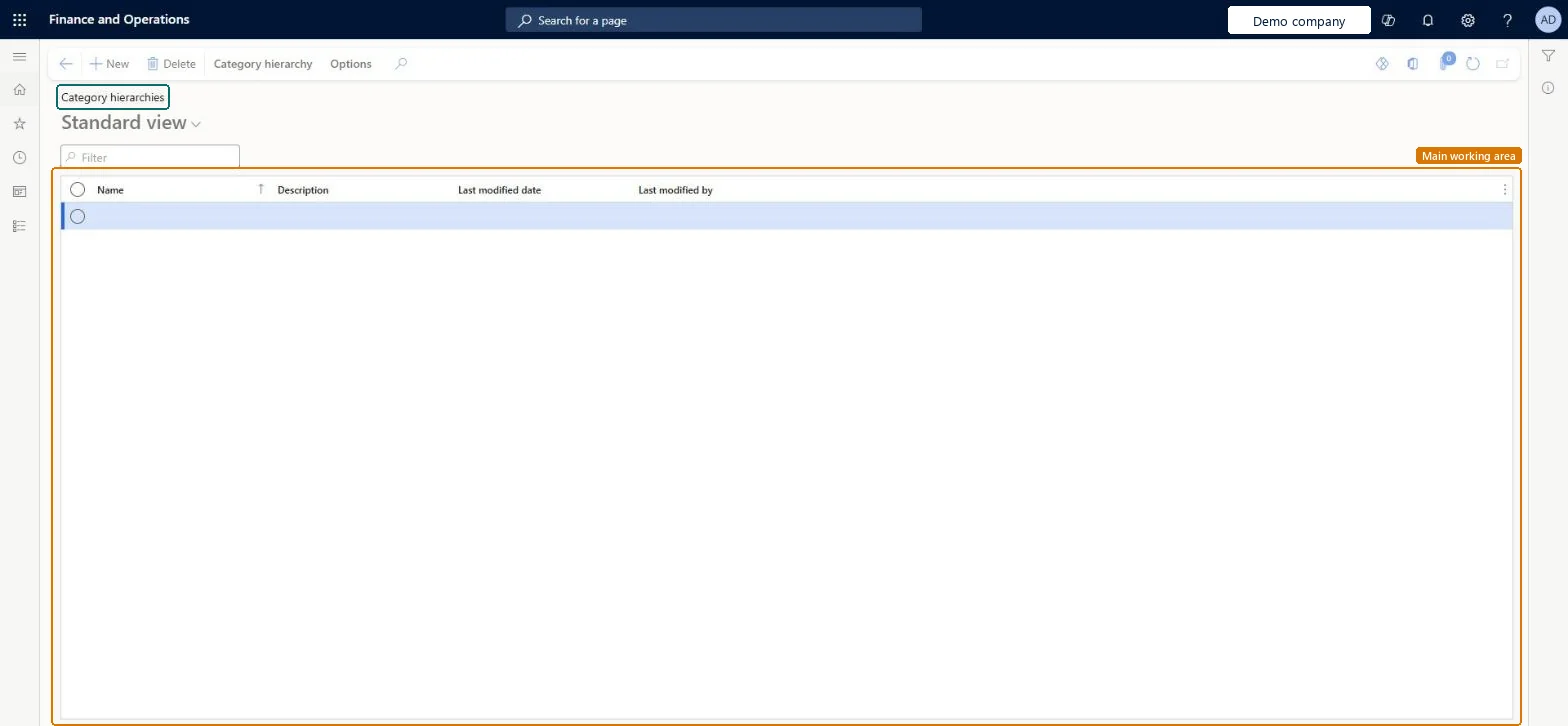
Table definitionEcoResCategoryHierarchy columns and relations Microsoft data model
Everyone

8Sources