About the examples: Examples and screenshots in this guide use BEAT, a demo company in a Dynamics 365 test environment. Use your own company's codes and values instead of copying them.
Setup steps on this page
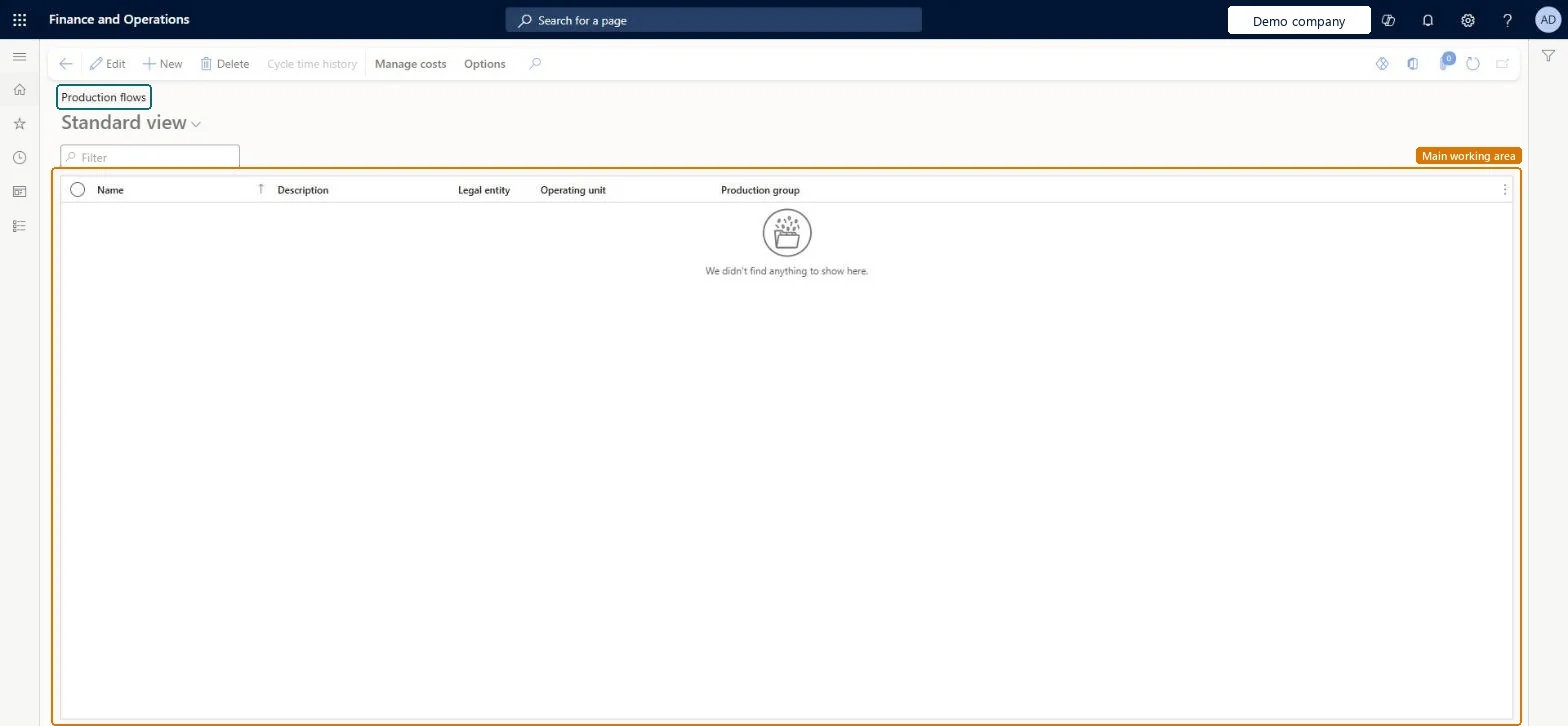
Set up Production flows
Use this page to create and maintain production flows and to link each flow to the production group that holds the accounts used for its costing.
Steps from Microsoft
Go to Cost management > Manufacturing accounting > Production flows.
Select New.
In the Name field, enter a name for the production flow.
In the Description field, enter a description.
Select the operating unit of type value stream for the production flow.
In the Production group field, select a production group.
One production group with its own WIP account for each production flowBackflush costing calculates variances from the WIP value of each production flow before and after the run, and Learn recommends a WIP account for every production flow; the flow takes its WIP accounts from its production group.
Several production flows sharing one production group and WIP account. Variances per flow can then no longer be read from the ledger.
Solution architect
5Design impact
Can it be undone
Hard to reverse: Flow versions can be expired at any time, but WIP sits on the production group's accounts and is cleared by backflush costing per period; change the production group only at a period end after backflush costing.
Technical architect
6Technical
Menu item
LeanProductionFlowChecked in Dynamics 365
Form
LeanProductionFlowChecked in Dynamics 365
Table
PlanReferenceShown as “PLAN REFERENCES” in Record infoKey field: PlanNameChecked in Dynamics 365
PrivilegesMaintain production flows LeanProductionFlowMaintainView production flows LeanProductionFlowViewDutiesEnable kanban execution process KanbanExecutionProcessEnableMaintain kanban rules master KanbanRulesMasterMaintainMaintain kanban schedule KanbanScheduleMaintainMaintain lean costing LeanCostingMaintainMaintain activation of production flows LeanProductionFlowActivationMaintainMaintain approval of production flows LeanProductionFlowApprovalMaintainInquire into production flow master LeanProductionFlowMasterInquireMaintain production flow master LeanProductionFlowMasterMaintain10 security rolesInventory accountant InventCostAccountantInventory accountant clerk InventCostCostClerkMaterials manager InventMaterialsManagerShop supervisor JmgShopSupervisorAccounting manager LedgerAccountingManagerProduction manager ProdProductionManagerProduction supervisor ProdProductionSupervisorProduction planner ReqProductionPlannerProcess engineer RouteProcessEngineerProcess engineering manager RouteProcessEngineeringManagerChecked in Dynamics 365
Roles to set it up and use it
To set it up or change itProcess engineer RouteProcessEngineerTo use itInventory accountant InventCostAccountantInventory accountant clerk InventCostCostClerkAccounting manager LedgerAccountingManagerProduction manager ProdProductionManagerProduction supervisor ProdProductionSupervisorGive people one of these roles. On this system, 10 roles can open this page.Checked in Dynamics 365
Actions on the page
Manage costs: Transactions, Calculation(Action Pane without tabs): Cycle time historyChecked in Dynamics 365