SETUP GUIDEHow to set it up7 sections. Choose a role to highlight what matters to you.
Everyone
1What it is and why
What it is
A setup page that lists scheduling parameters by site, with an Overview tab and a General tab.
What you do here
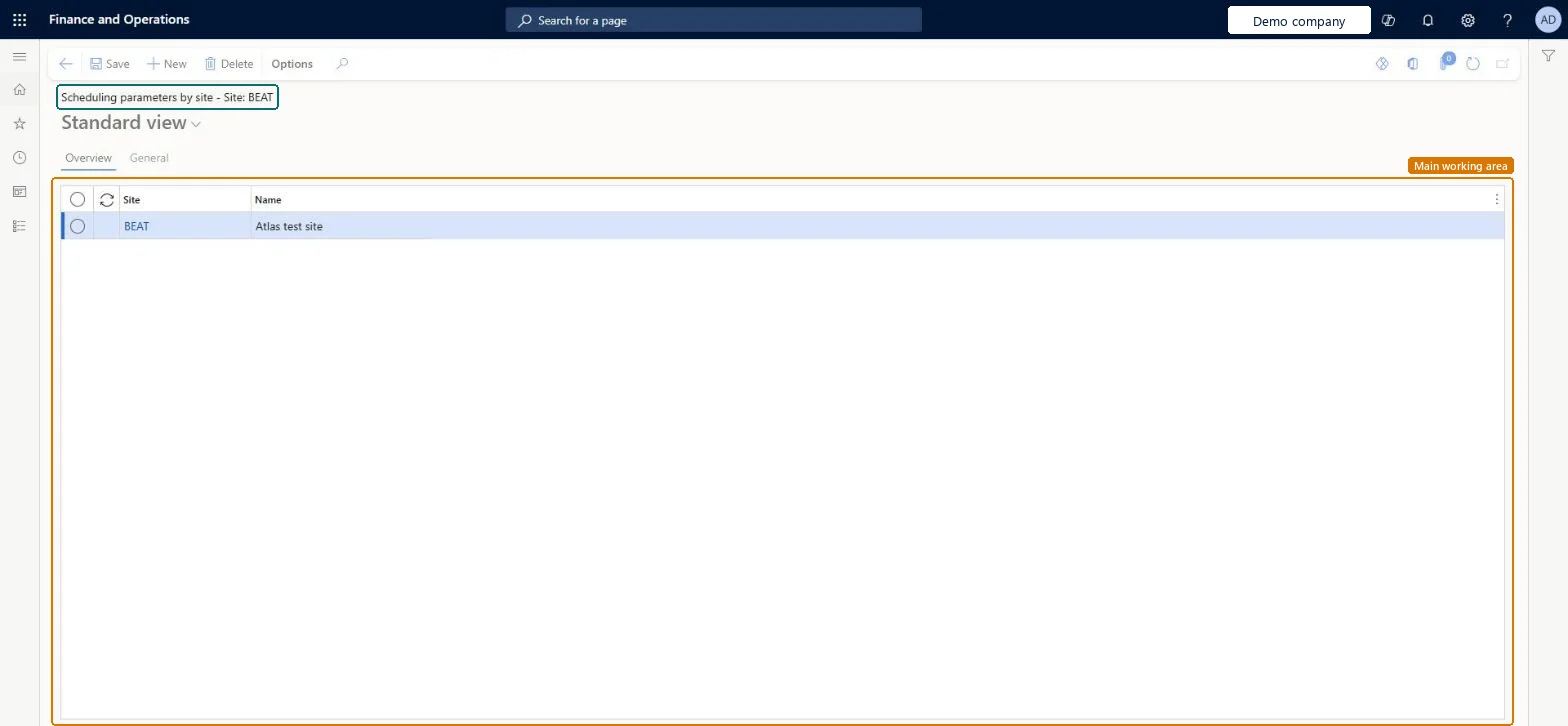
Use this page to set up resource scheduling parameters for each site. The Overview tab lists the Site and Name, and the General tab holds the settings for the selected site.
The page in Dynamics 365. page title tab to open what to set or check
About the examples: Examples and screenshots in this guide use BEAT, a demo company in a Dynamics 365 test environment. Use your own company's codes and values instead of copying them.
Setup steps on this page
Set up Scheduling parameters by site
How to use it
Go to Organization administration > Setup > Scheduling > Scheduling parameters by site.
Select New to add a line.
On the Overview tab, enter the Site and Name.
Select the General tab to enter the settings for the selected site.
WrkCtrSchedulingParametersSiteChecked in Dynamics 365
Form
WrkCtrSchedulingParametersChecked in Dynamics 365
Table
WrkCtrParametersDimShown as “Resource parameters by site” in Record infoChecked in Dynamics 365
Data entities
WrkCtrSiteSpecificOperationsResourceSchedulingParametersEntityResource parameters by site Microsoft data model WrkCtrOperationsResourceSchedulingParametersEntityResource parameters Microsoft data model
Who can open it
PrivilegesMaintain scheduling parameters by site WrkCtrSchedulingParametersSiteMaintainView scheduling parameters by site WrkCtrSchedulingParametersSiteViewDutiesInquire into resource management policies WrkCtrResourceManagementPoliciesInquireEnable resource management process WrkCtrResourceManagementProcessEnable2 security rolesProduction manager ProdProductionManagerProject manager ProjProjectManagerChecked in Dynamics 365
Roles to set it up and use it
To set it up or change itProduction manager ProdProductionManagerProject manager ProjProjectManagerGive people one of these roles. On this system, 2 roles can open this page.Checked in Dynamics 365
Actions on the page
Options: Personalize, Page options, Edit, ShareChecked in Dynamics 365
WrkCtrSiteSpecificOperationsResourceSchedulingParametersEntity data entity Microsoft data model
Data migration
WrkCtrSiteSpecificOperationsResourceSchedulingParametersEntity (Resource parameters by site): loaded for each company, in Microsoft's default template 410 - Production control.WrkCtrOperationsResourceSchedulingParametersEntity (Resource parameters): loaded for each company, in Microsoft's default template 410 - Production control.Load order: Microsoft's default template 410 - Production control loads Resource parameters by site at execution unit 1, level 90, sequence 10. Lower levels load first, and entities at the same level load in sequence order.Load first: the default templates at lower levels (System setup to dependency bands 30 to 90)Microsoft Learn
Checked in a working Dynamics 365 system, version 10.0.49: the menu item, form, table and security, the page.
To cite this step: OA-SETUP-210, Set up Scheduling parameters by site. Beyond ERP Atlas Hub, 2026-11-11. https://www.beyonderp.cloud/atlas/step/OA-SETUP-210