Setup step on the Blocking causes page · Inventory management
Set up Blocking causes
Use this page to block locations for receiving or picking, for example during maintenance, and to choose whether the block also applies to warehouse work.
SETUP GUIDEHow to set it up8 sections. Choose a role to highlight what matters to you.
Everyone
1What it is and why
What it is
A setup page where you define the causes used to block inventory locations for input or output.
What you do here
Use this page to block locations for receiving or picking, for example during maintenance, and to choose whether the block also applies to warehouse work.
Example
For example, a location can be blocked because it needs maintenance.
The page in Dynamics 365. page title tab to open what to set or check
About the examples: Examples and screenshots in this guide use BEAT, a demo company in a Dynamics 365 test environment. Use your own company's codes and values instead of copying them.
Step by step, with screenshots
Set up Blocking causes1 screen
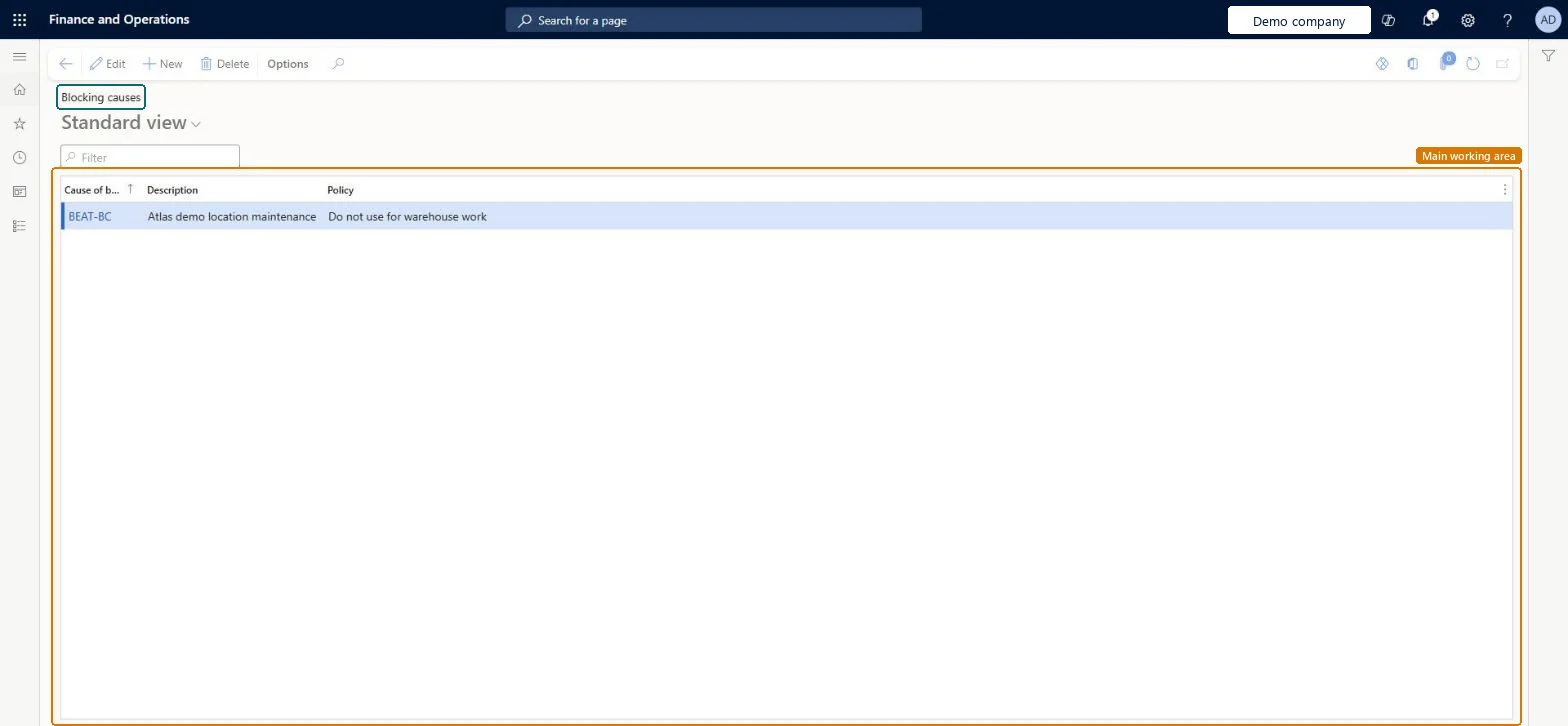
Use this page to block locations for receiving or picking, for example during maintenance, and to choose whether the block also applies to warehouse work.
Screen 1
Create a blocking cause
Go to Inventory management > Setup > Inventory > Blocking causes
Select New
Enter the blocking cause code and description
Choose the policy: whether the block also applies to warehouse work
Select Save
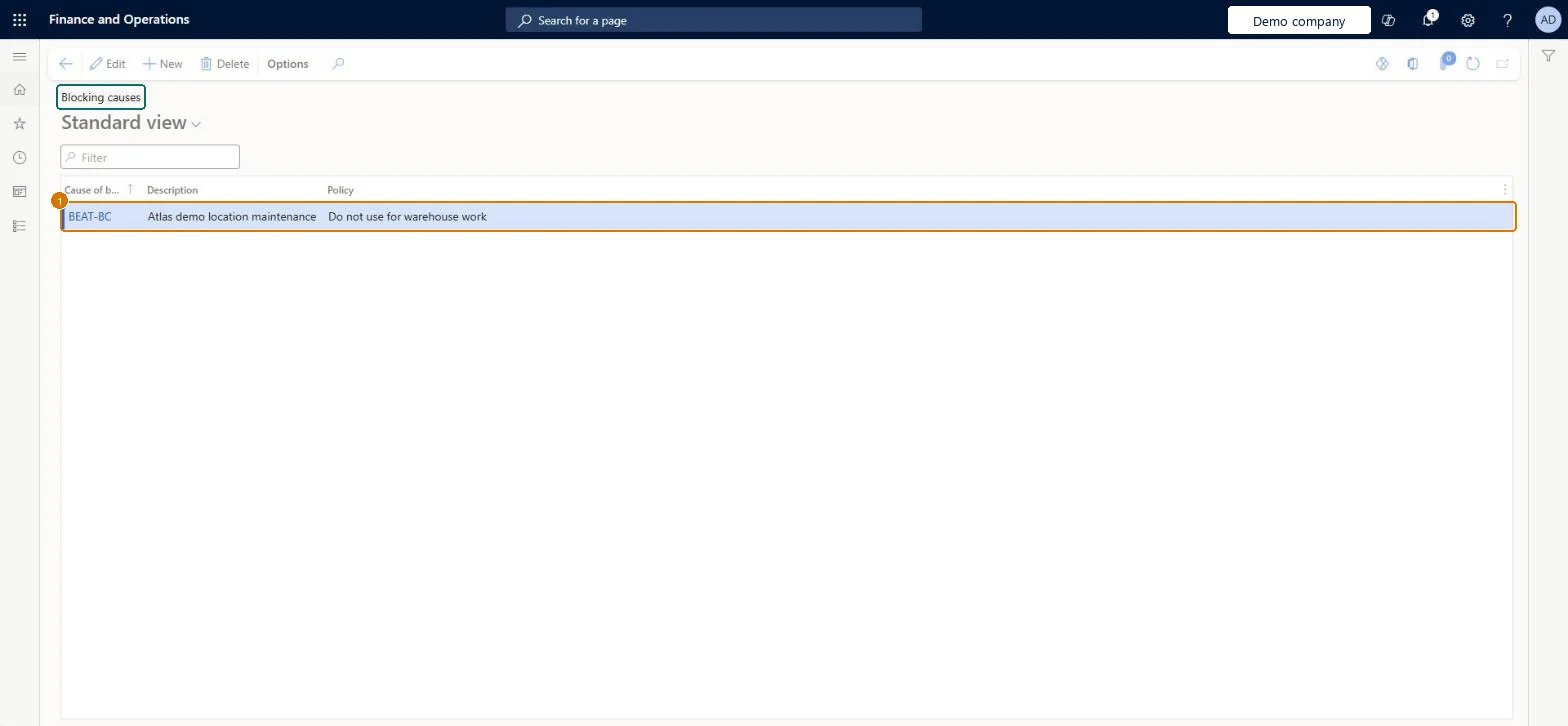
1Cause of blocking
BEAT-BC
Description
Location maintenance
Policy
Do not use for warehouse work
Show the full screen page title tab to open what to set or check
Steps from Microsoft
Go to Inventory management > Setup > Inventory > Blocking causes.
Select New.
In the Cause of blocking field, enter a short name for the cause.
Enter a Description.
In the Policy field, select whether locations blocked for this cause are also blocked for warehouse work.
Policy = Also use for warehouse work for causes such as maintenance, where no picking or putaway may happen at the locationWith Do not use for warehouse work, a location blocked for that cause is still used when warehouse work is processed; only Also use for warehouse work stops it.
PrivilegesMaintain blocking causes WMSBlockingCauseMaintainView blocking causes WMSBlockingCauseViewDutiesInquire into warehouse operation policies WMSWarehouseOperationPoliciesInquireEnable warehouse operation process WMSWarehouseOperationProcessEnable3 security rolesMaterials manager InventMaterialsManagerWarehouse planner WHSWarehousePlannerWarehouse manager WMSWarehouseManagerChecked in Dynamics 365
Roles to set it up and use it
To set it up or change itWarehouse manager WMSWarehouseManagerTo use itMaterials manager InventMaterialsManagerWarehouse planner WHSWarehousePlannerGive people one of these roles. On this system, 3 roles can open this page.Checked in Dynamics 365
Actions on the page
Options: Personalize, Page options, ShareChecked in Dynamics 365
WMSWarehouseLocationBlockingCauseEntity (Cause of blocking): loaded for each company, in Microsoft's default template 300 - Inventory.Load order: Microsoft's default template 300 - Inventory loads Cause of blocking at execution unit 1, level 30, sequence 10. Lower levels load first, and entities at the same level load in sequence order.Load first: the default templates at lower levels (System setup to General ledger)Microsoft Learn
Checked in a working Dynamics 365 system, version 10.0.49: the menu item, form, table and security, the page, the demo records and the values in the screenshots.
To cite this step: IM-SETUP-190, Set up Blocking causes. Beyond ERP Atlas Hub, 2026-11-11. https://www.beyonderp.cloud/atlas/step/IM-SETUP-190