SETUP GUIDEHow to set it up8 sections. Choose a role to highlight what matters to you.
Everyone
1What it is and why
What it is
A report that gathers the data needed to prepare the annual OSHA 300A summary of recorded workplace injuries and illnesses.
What you do here
Use this page to produce, for one workplace location and reporting period, the figures you need to fill in and post the OSHA 300A summary.
Example
For example, in January 2027 BEAT runs the report for 2026 for its US warehouse establishment; the totals match the 4 cases of the 300 log, and the summary is posted at the warehouse.
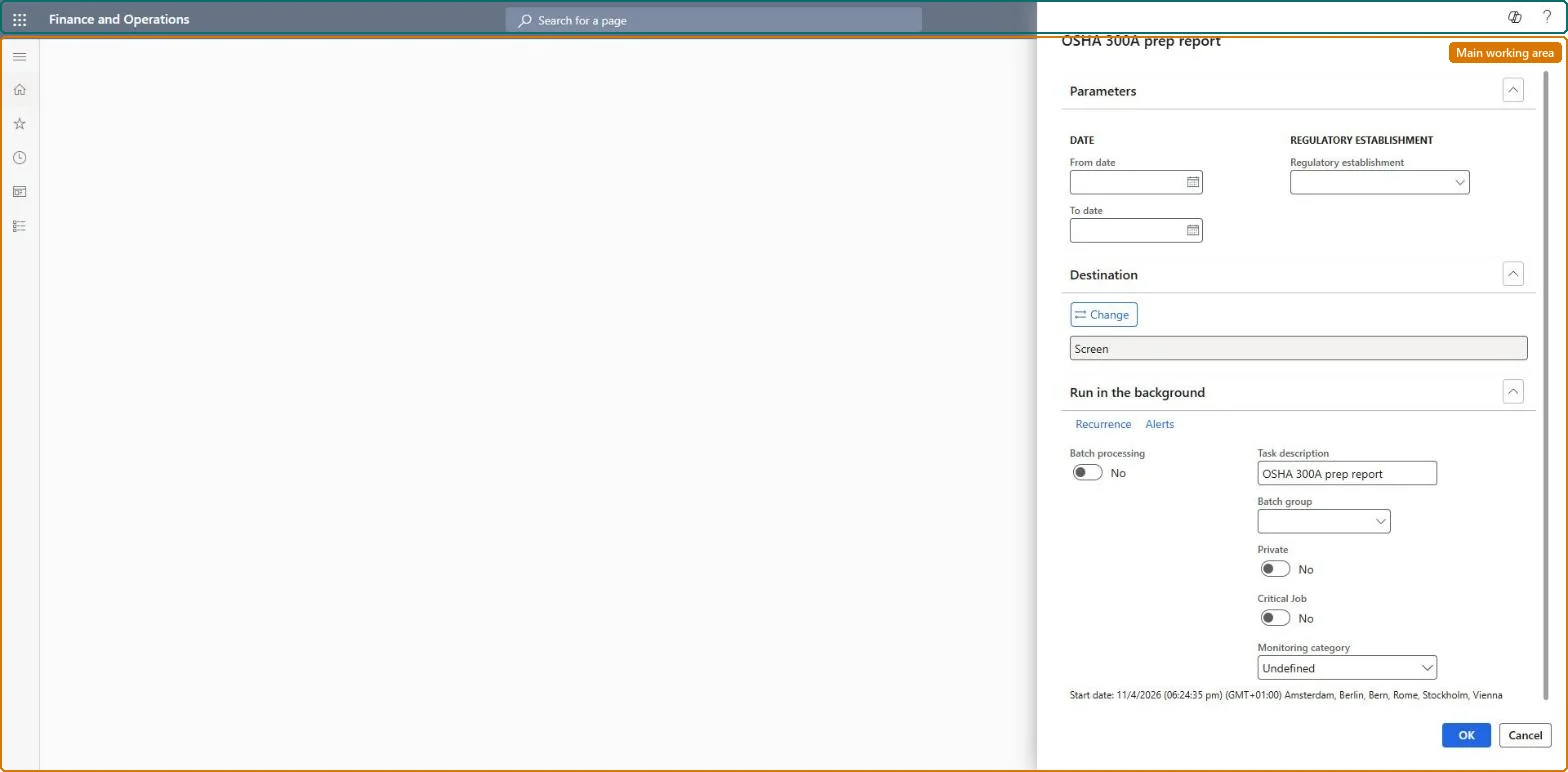
The page in Dynamics 365. page title tab to open what to set or check
About the examples: Examples and screenshots in this guide use BEAT, a demo company in a Dynamics 365 test environment. Use your own company's codes and values instead of copying them.
When to run it
When to run it
At the end of the calendar year, when you prepare the annual OSHA 300A summary to post at each US establishment.
How often
Once a year per establishment, plus again if cases are added or changed afterwards.
What the output shows
The yearly totals of recorded injuries and illnesses for one establishment, used to fill in the OSHA 300A summary. Totals that don't match the 300 log usually mean cases have the wrong establishment or dates.
Run it once a year per establishment for the calendar year, after the 300 log is complete.The OSHA 300A is the annual summary of the incidents recorded in the OSHA 300 log and must be posted at each workplace.
Per company data, US only: the OSHA reports read injury or illness incidents, which Data management lists as not shared, and are run per regulatory establishment, the workplace location (Data management lists Regulatory establishments as shared). Checked in Dynamics 365
Can it be undone
Nothing to undo: The report only reads data.
Feature or country
US
If you change it later
The report totals the incidents of the establishment from the incidents, workers, employments, injury types and outcome types, so cases added or changed after the run need a new run. Microsoft Learn
Technical architect
6Technical
Menu item
HcmOSHA300APrepReportChecked in Dynamics 365
Form
SysOperationTemplateFormChecked in Dynamics 365
Roles to set it up and use it
To use itHuman resource manager HcmHumanResourceManagerHuman resource assistant HcmHumanResourceAssistantCompensation and benefits manager HcmCompensationAndBenefitsManagerGive people one of these roles. On this system, 3 roles can run this page.Checked in Dynamics 365
Load order: The OSHA 300A prep report has no data entity in Data management, so it can't be loaded from a file or a configuration template. It reads the incidents, workers and regulatory establishments; load those and run the report in each environment.Microsoft Learn