Assign positions to pending workers before onboarding
Human resourcesWorkers
HcmWorkerListPage_PendingWorkers
Used by
Accounts payable manager, Auditor, Chief executive officer and 23 more roles
Business process
Update worker information
Menu item
HcmWorkerListPage_PendingWorkers
Main table
HcmWorker
Data entity
HcmWorkerEntity
Setup steps
1 on this page
Show what matters for
SETUP GUIDEHow to set it up8 sections. Choose a role to highlight what matters to you.
Everyone
1What it is and why
What it is
A list page of pending workers, meaning people who have been hired but whose employment starts in the future.
What you do here
Use this page to see upcoming hires with their title, department, manager, and starting date, so that onboarding can be prepared.
Example
For example, BEAT hires 3 people who start on 1 July 2026; on Pending workers two of them show their manager, and the third has none, so HR assigns the Junior buyer position before applying the onboarding checklist.
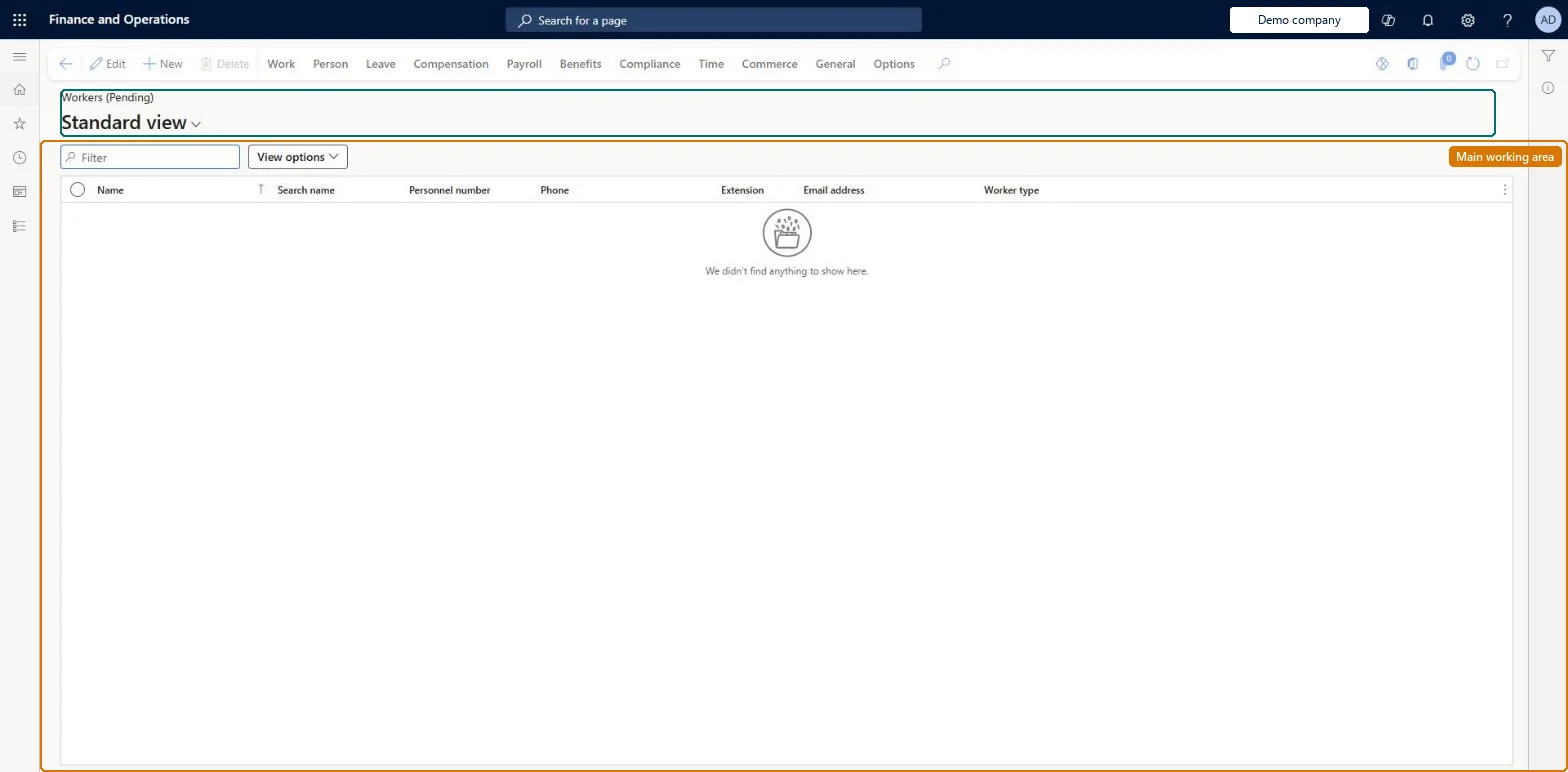
The page in Dynamics 365. page title tab to open what to set or check
About the examples: Examples and screenshots in this guide use BEAT, a demo company in a Dynamics 365 test environment. Use your own company's codes and values instead of copying them.
Setup steps on this page
Assign positions to pending workers before onboarding
Every future hire has a position before the onboarding checklist is applied.
Steps from Microsoft
Go to Human resources > Workers > Pending workers.
The list shows only pending workers: people who are hired but whose employment starts in the future. Use Past workers for people who left, or Workers for the full list.
Sort on Start date to see which hires begin first, so onboarding can be prepared in time. Start date is the first day of work and can differ from the hire date.
Select a pending worker to read the banner, which shows Title, Department, Position type, Manager, Starting date and Legal entity.
Open the Positions tab to see the future position the pending worker is assigned to.
Sort on Start date and filter on workers without a manager first; assign each one a position, then apply the onboarding checklist.Learn recommends assigning the position before applying a checklist, because the manager comes from the position.
On Employees the live security lets Human resource assistant, Compensation and benefits manager, Recruiter, Payroll administrator and Retail operations manager maintain workers; Human resource manager, Payroll manager, Training manager and Chief executive officer can view them. The full role list is under the page's security roles. No Feature management feature is needed for this page.
Shared worker, per-company employment: Data management lists the Worker entity as shared, so a person is one worker record for every legal entity, while employment is held per legal entity. To move a worker to another legal entity, Learn's way is to end the employment in the first legal entity and rehire in the new one. Checked in Dynamics 365
Can it be undone
Reversible: Pending workers' positions and dates can still be changed before the start date.
If you change it later
The position assigned to a pending worker sets the manager shown on the record; onboarding checklist tasks for the manager use it. Without a position, those tasks go to the checklist owner. Microsoft Learn
Technical architect
6Technical
Menu item
HcmWorkerListPage_PendingWorkersChecked in Dynamics 365
Form
HcmWorkerV2Checked in Dynamics 365
Table
HcmWorkerShown as “WORKER” in Record infoKey field: Person_NameChecked in Dynamics 365
PrivilegesView limited workers HcmLimitedWorkerViewCreate workers HcmWorkerCreateEdit workers HcmWorkerEditMaintain workers HcmWorkerMaintainView workers HcmWorkerViewMaintain time registration workers JmgLimitedWorkerMaintainView limited workers JmgLimitedWorkerViewView workers RetailLimitedWorkerViewDutiesMaintain audit policies AuditPolicyMaintainCreate maintenance requests EntAssetRequestCreateMaintain maintenance requests EntAssetRequestMaintainMaintain Asset Management setup EntAssetSetupMaintainView Enterprise Asset Management setup EntAssetSetupViewInquire into benefits process HcmBenefitInquireInquire into limited worker information HcmLimitedWorkerInquireInquire into workers HcmWorkerInquireInquire into workers for CEO HcmWorkerInquireCEOMaintain worker master HcmWorkerMaintainView information about workers HcmWorkerViewInquire into time registration workers JmgLimitedWorkerInquireMaintain time registration workers JmgLimitedWorkerMaintainInquire into payroll position and worker setup PayrollPositionWorkerSetupInquireSet up payroll positions and workers PayrollPositionWorkerSetupMaintainEnable project accounting process ProjProjectAccountingProcessEnableMaintain project master ProjProjectMasterMaintainMaintain retail worker RetailWorkerMaintainTrvEmployeeCreditCardMaintainEnable expense management process TrvTravelAndExpenseProcessEnableInquire into expense management reference data TrvTravelAndExpenseReferenceDataInquire27 security rolesAuditor AuditPolicyManagerChief executive officer CompanyChiefExecutiveOfficerMaintenance clerk EntAssetMaintenanceClerkMaintenance manager EntAssetMaintenanceManagerMaintenance requester EntAssetMaintenanceRequesterExpense administrator ExpenseAdministratorField Service Integration User FieldServiceIntegrationUserCompensation and benefits manager HcmCompensationAndBenefitsManagerHuman resource assistant HcmHumanResourceAssistantHuman resource manager HcmHumanResourceManagerPayroll administrator HcmPayrollAdministratorPayroll manager HcmPayrollManagerRecruiter HcmRecruiterTraining manager HcmTrainingManagerIoT messaging service role IoTIntMessagingServiceRoleShop supervisor JmgShopSupervisorProduction manager ProdProductionManagerProject accountant ProjProjectAccountantProject manager ProjProjectManagerProject supervisor ProjProjectSupervisorRetail operations manager RetailOperationsManagerRetail service RetailServiceRetail store manager RetailStoreManagerService delivery manager SMAServiceDeliveryManagerTestRoleJmgLimitedWorkerMaintainSales manager TradeSalesManagerAccounts payable manager VendInvoiceAccountsPayableManagerChecked in Dynamics 365
Roles to set it up and use it
To set it up or change itHuman resource assistant HcmHumanResourceAssistantCompensation and benefits manager HcmCompensationAndBenefitsManagerRecruiter HcmRecruiterPayroll administrator HcmPayrollAdministratorRetail operations manager RetailOperationsManagerTo use itHuman resource manager HcmHumanResourceManagerPayroll manager HcmPayrollManagerTraining manager HcmTrainingManagerChief executive officer CompanyChiefExecutiveOfficerSales manager TradeSalesManagerGive people one of these roles. On this system, 26 roles can open this page.Checked in Dynamics 365
Actions on the page
Work: Personnel actions, Work details, Changes timeline, Related informationPerson: Personal information, Competencies, DevelopmentLeave: Manage leave, Set upCompensation: Employee compensation, Bank accounts, Labor unions, CommissionPayroll: Taxes, Payroll, Ready to pay, GenerateBenefits: Benefits, Enrollment, Eligibility, ReportsCompliance: ComplianceTime: Maintain, Reports, Inquiries, Time assignment, Flex, Worker balancesCommerce: Set up, Media, View, External identity, POSGeneral: Cases, CAPA, Registration, Warehouses(Action Pane without tabs): New, DeleteChecked in Dynamics 365
HcmWorkerBaseEntity Base worker: the worker record with the person's name and personnel number. Shared by all companies.HcmEmploymentV2Entity Employment V2: the worker's employment in each legal entity, with start and end dates.HcmEmploymentDetailEntity Employment detail: the details of each employment.HcmPersonDetailsEntity Person details: the person's private details.HcmPositionWorkerAssignmentV2Entity Position worker assignments V2: the positions the worker holds.Load order: Load with the Worker data migration template, in its order: Base worker, Employment V2, Employment detail, Person details, then identification, contacts and screenings, then Position worker assignments V2 and Worker primary position. Load the Personnel management setup template and the positions of the Jobs and positions template first, because assignments point to positions.Load first: HcmPositionWorkerAssignmentV2Entity, HcmEmploymentV2Entity, HcmWorkerBaseEntityMicrosoft Learn
Checked in a working Dynamics 365 system, version 10.0.49: the menu item, form, table and security, the page.
To cite this step: HR-RWRK-050, Assign positions to pending workers before onboarding. Beyond ERP Atlas Hub, 2026-11-11. https://www.beyonderp.cloud/atlas/step/HR-RWRK-050