SETUP GUIDEHow to set it up8 sections. Choose a role to highlight what matters to you.
Everyone
1What it is and why
What it is
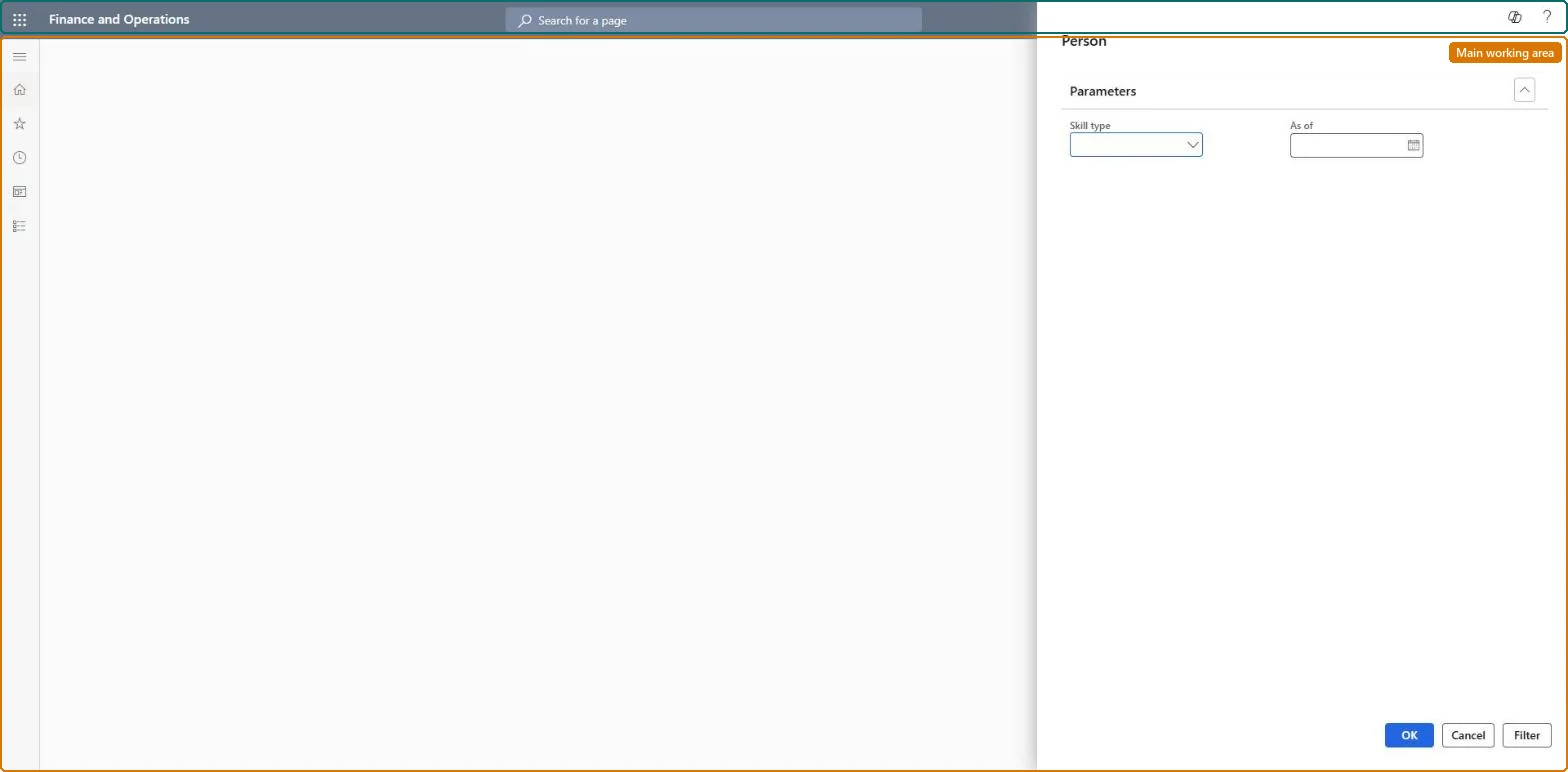
A skill analysis dialog where you choose a skill type and an As of date and limit the people with Filter before the analysis runs.
What you do here
Use it to look at the skills of one skill type for the people you select, such as the applicants shortlisted for one opening.
Example
For example, a recruiter selects the skill type Finance, As of 1 December, and filters on the 5 shortlisted applicants for Senior accountant to look at their finance skills side by side.
The page in Dynamics 365. page title tab to open what to set or check
About the examples: Examples and screenshots in this guide use BEAT, a demo company in a Dynamics 365 test environment. Use your own company's codes and values instead of copying them.
Setup steps on this page
Compare shortlisted people by skill type
Look at one skill type across the selected people.
How to use it
Go to Human resources > Recruitment > Skill analysis > Person.
Under Parameters, pick the Skill type that holds the key skills of the opening and set As of to the selection date.
Select Filter and limit the people to the shortlist of the opening.
Run the analysis and compare the shortlisted people's skills of that type.
Source: Checked in Dynamics 365
Fields on the page
Field
What it means
Example
Skill type
The skill type to analyse.Checked in Dynamics 365
Finance
As of
The As of date entered for the analysis.Checked in Dynamics 365
1 December
Test checklist
Give two applicants skills of the skill type Finance.
Run the analysis for Finance with a filter on those two applicants.
Check exactly 2 people are shown with their Finance skills.
Set the skill type and As of date first, then filter on the people of one shortlist only.Skills are grouped in skill types, so one type at a time keeps the comparison readable.
Nothing is stored: the analysis reads the skills recorded for the people selected. Microsoft Learn
Can it be undone
Nothing to undo: The dialog only reads skills.
If you change it later
The analysis reads the skills recorded for each person, so skills an applicant hasn't had entered under Competencies don't show. Microsoft Learn
Technical architect
6Technical
Menu item
HcmSkillChartPersonChecked in Dynamics 365
Form
DialogChecked in Dynamics 365
Roles to set it up and use it
To use itHuman resource manager HcmHumanResourceManagerHuman resource assistant HcmHumanResourceAssistantRecruiter HcmRecruiterGive people one of these roles. On this system, 3 roles can open this page.Checked in Dynamics 365
Load order: The Person skill analysis has no data entity in Data management, so it can't be loaded from a file or a configuration template. It reads the skills already recorded; load person skills and run it in each environment.Microsoft Learn
Checked in a working Dynamics 365 system, version 10.0.49: the menu item, form, table and security, the page.
To cite this step: HR-RREC-220, Compare shortlisted people by skill type. Beyond ERP Atlas Hub, 2026-11-11. https://www.beyonderp.cloud/atlas/step/HR-RREC-220