SETUP GUIDEHow to set it up8 sections. Choose a role to highlight what matters to you.
Everyone
1What it is and why
What it is
A page where you run a skill mapping search and view the workers, applicants and contacts whose skills, education, certificates, positions and project experience match the criteria you enter.
What you do here
Use this page to search for qualified people and then open the competencies of a person in the results.
Example
For example, BEAT needs two internal trainers for a new forklift course: HR runs a skill mapping for workers only, with the certificate type Forklift instructor and the skill Training delivery, and gets 4 people; opening one shows the certificate on their competencies.
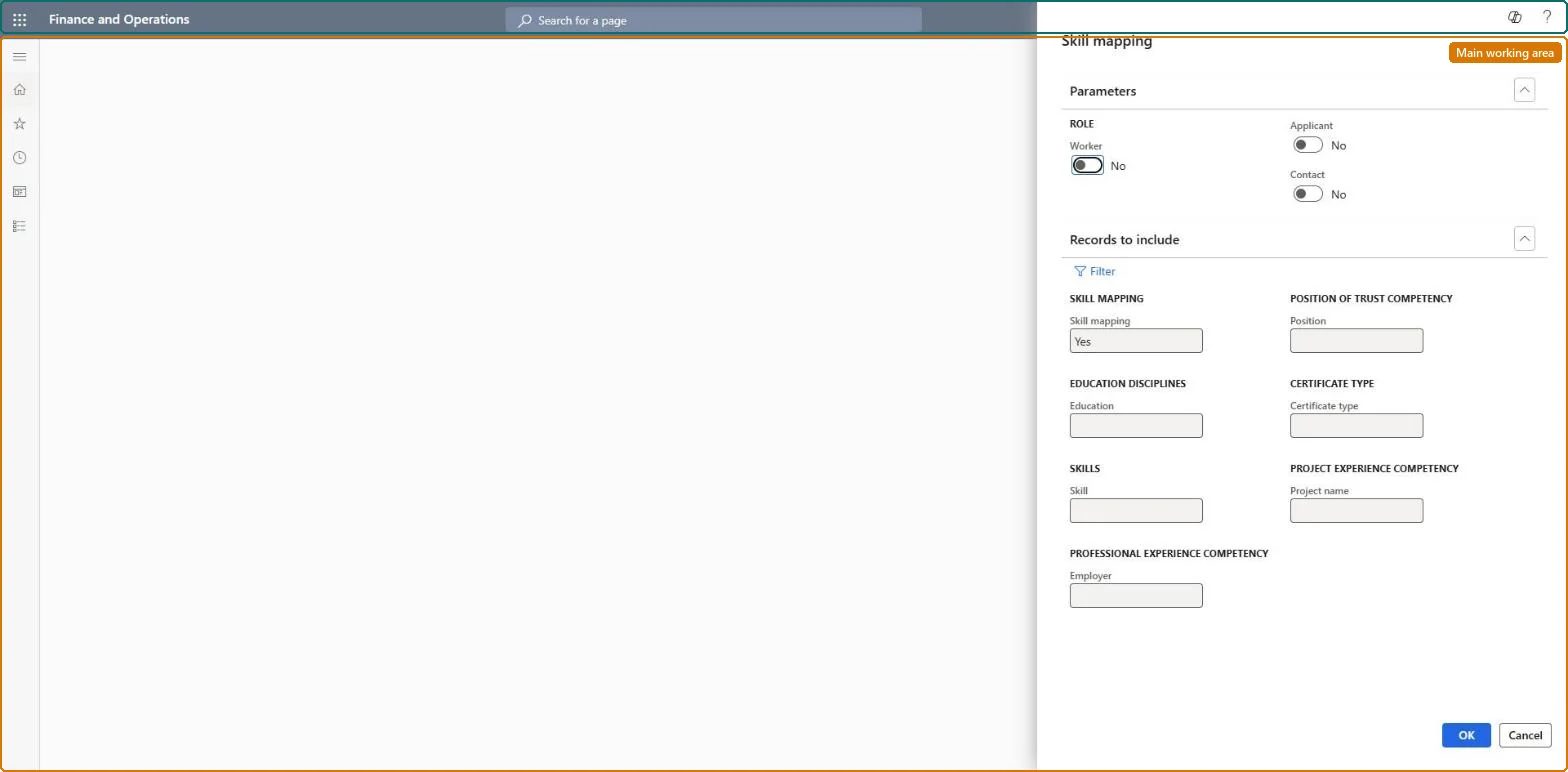
The page in Dynamics 365. page title tab to open what to set or check
About the examples: Examples and screenshots in this guide use BEAT, a demo company in a Dynamics 365 test environment. Use your own company's codes and values instead of copying them.
Setup steps on this page
Search current workers by competency
Find workers who already hold a skill, certificate or education before training or hiring.
How to use it
Go to Human resources > Competencies > Skill analysis > Skill mapping.
Under Parameters, set the Role toggles Worker, Applicant and Contact.
Under Records to include, select Filter or fill in Skill mapping, Position, Education, Certificate type, Skill, Project name and Employer.
Select OK to continue, or Cancel to close.
Source: Checked in Dynamics 365
Fields on the page
Field
What it means
Example
Person
A person whose competencies met the search criteria.Microsoft Learn
A worker who holds the skill is missing from the result
Only workers, applicants and contacts with Include in skill mapping set to Yes are searched and profiled. Set it to Yes on the Worker (or Employee, Applicant, Contacts) page and run again. Microsoft Learn
Too many people are returned
The search looks through skills, education, certificates, positions and project experience. Add a skill, a certificate type or a saved skill mapping profile to the criteria and run again. Microsoft Learn
Test checklist
Make sure two workers who hold a given skill have Include in skill mapping set to Yes.
Create a skill mapping for that skill and run it.
Check both workers are returned and open one to view their competencies.
Turn Applicant and Contact off and search Worker only, starting from a saved skill mapping profile or one certificate type or skill.A skill mapping search looks through skills, education, certificates, positions and project experience of everyone marked Include in skill mapping, so limiting the role keeps the list to people who can be developed or moved.
HR and training staff run it when they plan development, training and succession for current workers. No Feature management feature is needed for this page.
Shared data: the skills, certificates and education recorded for people (the Skill competency, Certificate competency and Education competency entities) and the skills setup are shared in Data management, so the analysis reads the same data from any legal entity. Checked in Dynamics 365
Can it be undone
Nothing to undo: The search only reads competencies; running it changes no record.
If you change it later
Only people marked Include in skill mapping appear in the results. Microsoft Learn
Technical architect
6Technical
Menu item
HcmSkillMappingSearchChecked in Dynamics 365
Form
DialogChecked in Dynamics 365
Roles to set it up and use it
To use itHuman resource manager HcmHumanResourceManagerHuman resource assistant HcmHumanResourceAssistantRecruiter HcmRecruiterTraining manager HcmTrainingManagerGive people one of these roles. On this system, 4 roles can open this page.Checked in Dynamics 365
Load order: Skill mapping has no data entity in Data management, so it can't be loaded from a file or a configuration template. It searches the competencies recorded for people; load them with the Employee development template (Skill competency, Certificate competency, Education competency) and set Include in skill mapping on each person.Microsoft Learn
Checked in a working Dynamics 365 system, version 10.0.49: the menu item, form, table and security, the page.
To cite this step: HR-RCOM-010, Search current workers by competency. Beyond ERP Atlas Hub, 2026-11-11. https://www.beyonderp.cloud/atlas/step/HR-RCOM-010