PAGE GUIDEWhat the page does and how to use it8 sections. Choose a role to highlight what matters to you.
Everyone
1What it is and why
What it is
A setup page that holds the list of skills, each with a skill type and a rating model, that can be assigned to workers, applicants, contacts and jobs.
What you do here
Use this page to enter skills before you assign them to people or jobs, or use them in skill mapping searches and skill profiles.
Example
For example, BEAT creates the skill Excel knowledge with skill type Technical and rating model Skills; it is added to the Accountant job at Intermediate with importance Most and rated on 25 workers, and a skill mapping then finds the 9 rated Intermediate or above.
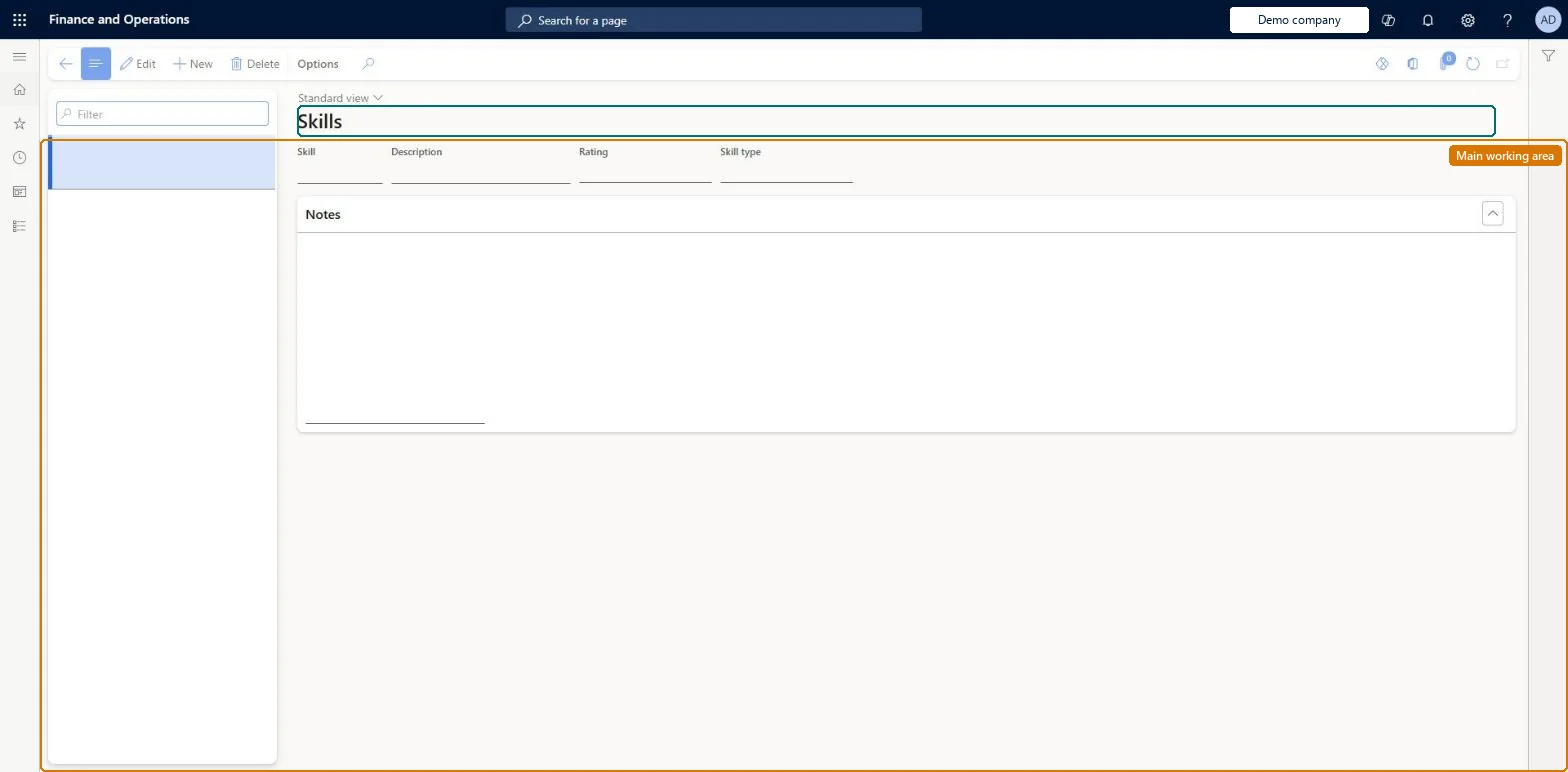
The page in Dynamics 365. page title tab to open what to set or check
About the examples: Examples and screenshots in this guide use BEAT, a demo company in a Dynamics 365 test environment. Use your own company's codes and values instead of copying them.
Setup steps on this page
Set up Skills
Use this page to enter skills before you assign them to people or jobs, or use them in skill mapping searches and skill profiles.
Steps from Microsoft
Go to Human resources > Competencies > Setup > Skills.
Select New.
Enter a name in the Skill field and a Description.
The levels offered come from the skill's rating model. Set the Rating on the skill, and make sure the model has levels. Microsoft Learn
A skill a worker entered in Employee self service doesn't show
Skills that workers enter for themselves need manager approval. Approve the work item, or have the manager enter the skill; a Worker skills workflow can auto-approve skills entered by managers. Microsoft Learn
Test checklist
Create a skill with a Skill type and a Rating model.
As a manager, add the skill to a worker with a level and check it saves.
As an employee, add the skill in Employee self service and check it waits for manager approval.
Add the skill to a job and run a skill gap analysis job - person for that job.
Each skill with a skill type and a rating model, created after both of those are set up.A skill must exist on this page before it can be assigned, used in a skill mapping search or a skill profile, and each skill takes a skill type and a rating model.
Shared: skills are not per company. Data management lists the Skills entity as shared. Checked in Dynamics 365
Can it be undone
Hard to reverse: Skills are assigned to workers (by managers, or by employees in Employee self service with manager approval) and to jobs, and are searched by skill mapping. If the Human resources to bookable resource integration is used, skills are also synchronised to characteristics in Dataverse, and characteristics added through the integration stay on the bookable resource even after the integration is turned off. Microsoft Learn
If you change it later
Skills are rated on workers and required on jobs, and skill mapping searches them. With the Human resources to bookable resource integration, skills are synchronised to characteristics in Dataverse, and characteristics added through the integration stay on the bookable resource if it is turned off. Microsoft Learn
Technical architect
6Technical
Menu item
HcmSkillChecked in Dynamics 365
Form
HcmSkillChecked in Dynamics 365
Table
HcmSkillShown as “SKILLS” in Record infoKey field: SkillIdChecked in Dynamics 365
Data entities
HcmSkillDualWriteEntitySkills (Dual-Write) Checked in Dynamics 365HcmSkillEntitySkills Checked in Dynamics 365
Who can open it
PrivilegesDelete skills HcmSkillMaintainView skills HcmSkillViewDutiesInquire into skills data HcmSkillInquireEnable skills management process HcmSkillsProcessEnable2 security rolesHuman resource assistant HcmHumanResourceAssistantRecruiter HcmRecruiterChecked in Dynamics 365
Roles to set it up and use it
To set it up or change itHuman resource assistant HcmHumanResourceAssistantRecruiter HcmRecruiterGive people one of these roles. On this system, 2 roles can open this page.Checked in Dynamics 365
Developer
7Developer
Open it by URL
https://<your-environment>/?mi=HcmSkill
Integrate with
HcmSkillDualWriteEntity data entity Checked in Dynamics 365
Data migration
HcmSkillEntity Skills. Shared by all companies.HcmSkillDualWriteEntity Skills (Dual-Write): used by the dual-write map to Dataverse characteristics, not for a file load.Load order: Load with the Employee development template after Skill types, Rating models and Rating level; workers' skills (Skill competency) and job skills (Job - skills) load after Skills.Load first: HcmSkillTypeEntity, HcmRatingModelEntity, HcmRatingLevelEntityMicrosoft Learn