Chief executive officer, Compensation and benefits manager, Human resource manager and 2 more roles
Business process
Develop people strategy
Menu item
HcmJobFamily
Main table
HcmJobFamily
Data entity
HcmJobFamilyEntity
Setup steps
1 on this page
Show what matters for
SETUP GUIDEHow to set it up8 sections. Choose a role to highlight what matters to you.
Everyone
1What it is and why
What it is
A setup page where you define job families, which are groups of jobs that involve similar work and need similar training, skills and knowledge.
What you do here
Use this page to create the job families that you link to jobs and positions for reporting.
Example
For example, BEAT groups its Accountant, Senior accountant and Accounts payable clerk jobs in the family Accounting, so a headcount report by family shows 12 positions in Accounting.
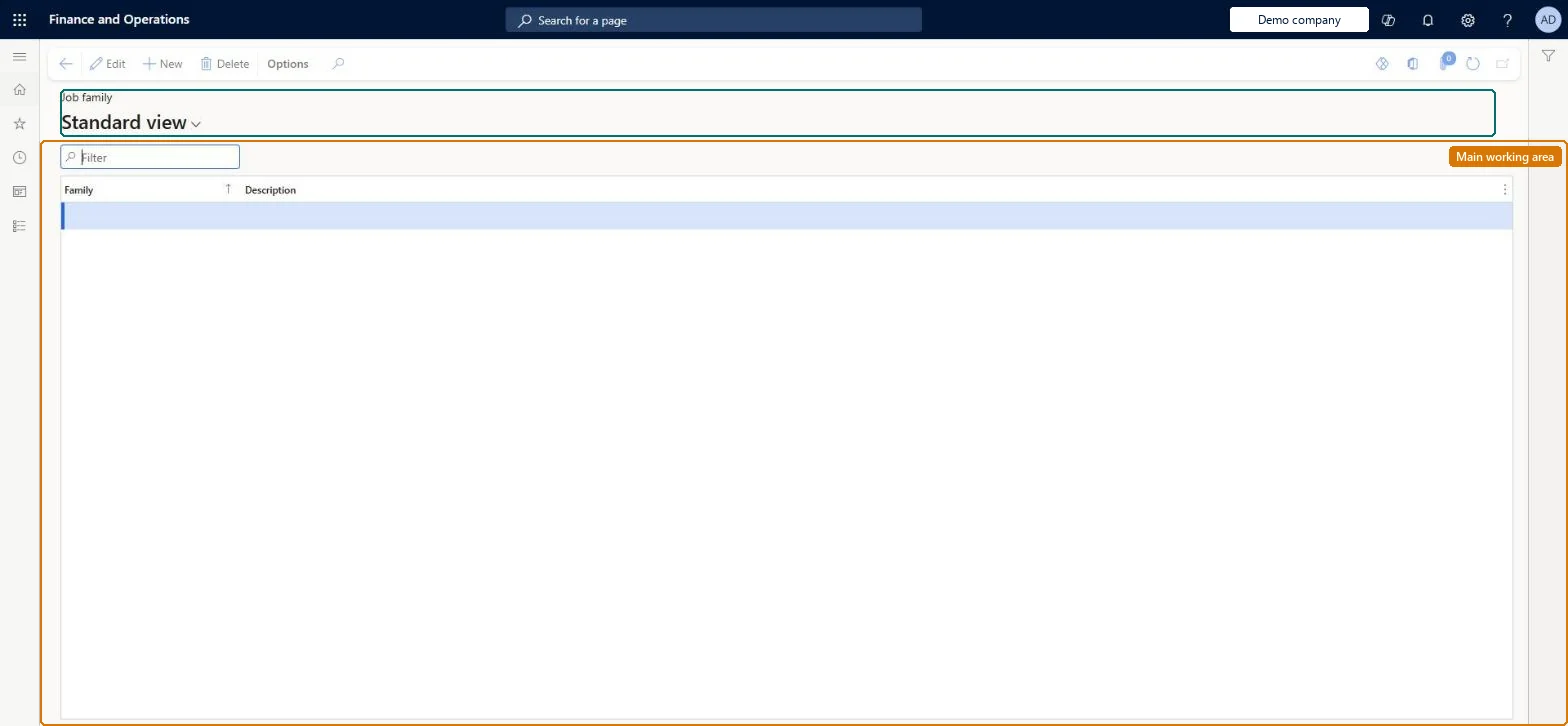
The page in Dynamics 365. page title tab to open what to set or check
About the examples: Examples and screenshots in this guide use BEAT, a demo company in a Dynamics 365 test environment. Use your own company's codes and values instead of copying them.
Setup steps on this page
Set up Job family
Use this page to create the job families that you link to jobs and positions for reporting.
Steps from Microsoft
Go to Human resources > Jobs > Job family.
Use the Filter box to find a row.
Select New and enter the Family code and its Description.
Review the Family and Description columns.
Select Save; select Delete to remove a selected row.
Families at the level your reporting needs: broad (Skilled labor, Unskilled labor) or specific (Accounting, Manufacturing, Sales), created before jobsA job family groups jobs with similar work, training and skills. It is linked on the job and fills in automatically on positions created from the job.
Shared: job families are not per company. Data management lists the Job family entity as shared. Checked in Dynamics 365
Can it be undone
Hard to reverse: Positions take the job family from the job at creation, so changing the family on a job does not update positions that already exist.
If you change it later
Positions copy the job family from the job when the position is created, so changing a job's family later doesn't change positions that already exist. Microsoft Learn
Technical architect
6Technical
Menu item
HcmJobFamilyChecked in Dynamics 365
Form
HcmJobFamilyChecked in Dynamics 365
Table
HcmJobFamilyShown as “JOB FAMILY” in Record infoKey field: JobFamilyIdChecked in Dynamics 365
Data entities
HcmJobFamilyEntityJob family Checked in Dynamics 365
Who can open it
PrivilegesMaintain job families HcmJobFamilyMaintainView job families HcmJobFamilyViewDutiesEnable compensation process HcmCompensationProcessEnableReview organizational information HcmOrganizationalReview5 security rolesChief executive officer CompanyChiefExecutiveOfficerCompensation and benefits manager HcmCompensationAndBenefitsManagerHuman resource manager HcmHumanResourceManagerPayroll administrator HcmPayrollAdministratorPayroll manager HcmPayrollManagerChecked in Dynamics 365
Roles to set it up and use it
To set it up or change itCompensation and benefits manager HcmCompensationAndBenefitsManagerTo use itHuman resource manager HcmHumanResourceManagerPayroll administrator HcmPayrollAdministratorPayroll manager HcmPayrollManagerChief executive officer CompanyChiefExecutiveOfficerGive people one of these roles. On this system, 5 roles can open this page.Checked in Dynamics 365
Developer
7Developer
Open it by URL
https://<your-environment>/?mi=HcmJobFamily
Integrate with
HcmJobFamilyEntity data entity Checked in Dynamics 365
Data migration
HcmJobFamilyEntity Job family. Shared by all companies.Load order: Load Job family before Jobs, as in the Jobs and positions template.Microsoft Learn