Setup step on the Associate financial hierarchies page · General ledger
Set up Associate financial hierarchies
Used to link a category hierarchy of the Derived financial hierarchy category type to the legal entity whose posted transactions it analyzes.
- Used by
- Accountant, Accounting manager, Financial controller and 1 more role
- Business process
- Develop chart of accounts strategy
- Menu item
LedgerDerivedFinHierarchyLegalEntities- Main table
LedgerDerivedFinHierarchyLegalEntities- Data entity
- —
- Setup steps
- 1 on this page
Show what matters for
Everyone
1What it is and why
| What it is | A public sector setup step that associates a derived financial hierarchy with a legal entity. |
|---|---|
| What you do here | Used to link a category hierarchy of the Derived financial hierarchy category type to the legal entity whose posted transactions it analyzes. |
| Example | Associate the Employee programs derived financial hierarchy with the legal entity. |
Functional consultant · Solution architect
2Where it fits
| Business process | Define accounting policies › Develop chart of accounts strategy |
|---|---|
| Menu path | General ledger › Chart of accounts › Dimensions › Associate financial hierarchies |
| Set up first | Category hierarchy role associations Microsoft Learn ↗Category hierarchies Microsoft Learn ↗ |
| Used next by | Derived financial hierarchies Microsoft Learn ↗ |
| Related pages | — |
| In this process | ← Set up Financial dimensions · Set up Derived financial hierarchies → |
End user · Functional consultant
3How to do it
Setup steps on this page
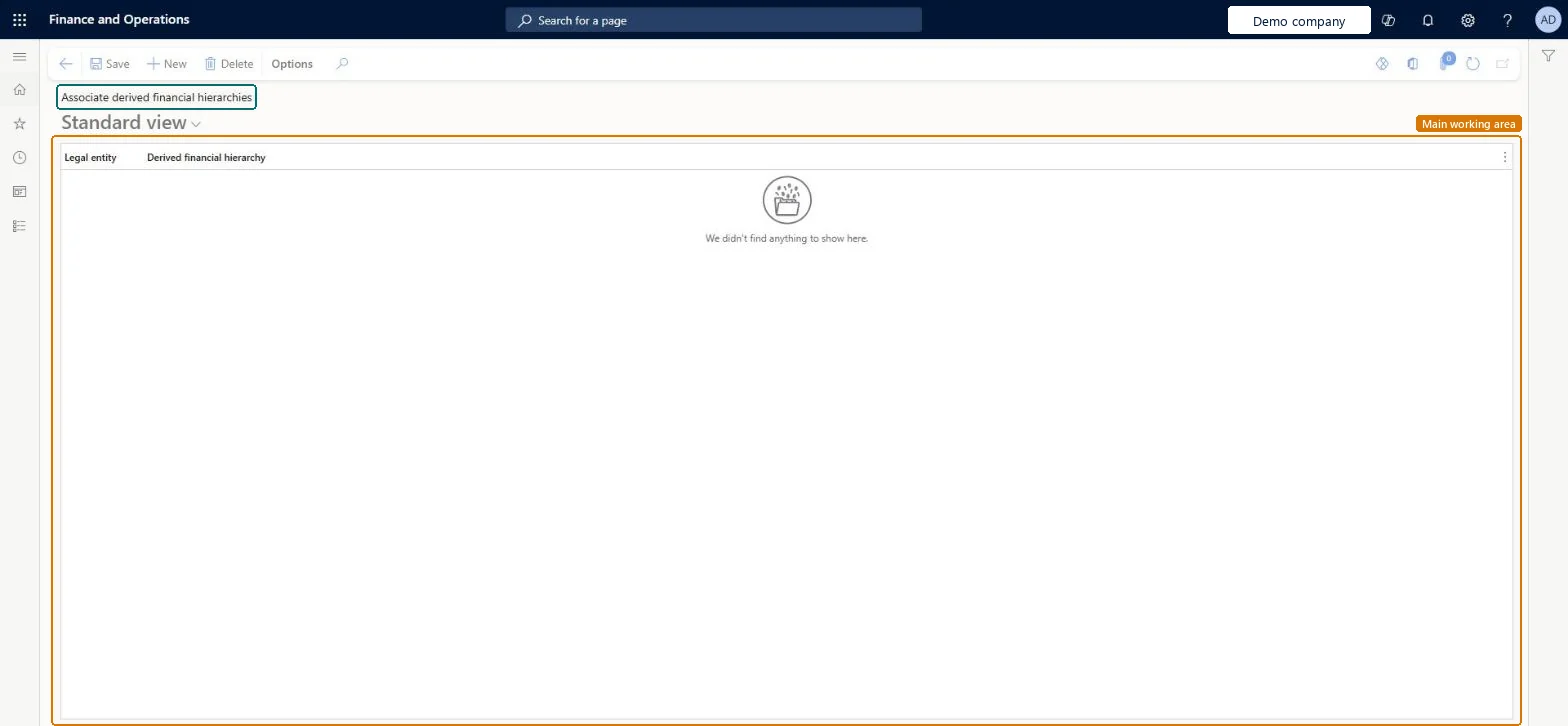
Set up Associate financial hierarchiesNo screenshots yet
Used to link a category hierarchy of the Derived financial hierarchy category type to the legal entity whose posted transactions it analyzes.
Microsoft's steps
- Go to General ledger > Chart of accounts > Dimensions > Associate financial hierarchies.
- Select New.
- In the Legal entity field, select the legal entity.
- In the Derived financial hierarchy field, select the hierarchy to associate with that legal entity.
- Select Save.
Source: Microsoft Learn ↗
Field guide
| Field | What it means | Worked example | Table column |
|---|---|---|---|
| Legal entity | The legal entity that will use the derived financial hierarchy.Microsoft Learn ↗ | — | CompanyInfo |
| Derived financial hierarchy | The category hierarchy, of the Derived financial hierarchy type, linked to the legal entity.Microsoft Learn ↗ | — | EcoResCategoryHierarchy |
Functional consultant
4Setup decisions
| Setup step | Recommended value and why | Decision · common mistake · test |
|---|---|---|
| Set up Associate financial hierarchies | — | — |
Solution architect
5Design impact
| Shared or per company | — |
|---|---|
| Can it be undone | — |
| Feature or country | — |
| If you change it later | — |
Technical architect
6Technical
| Menu item | LedgerDerivedFinHierarchyLegalEntities Checked in Dynamics 365 |
|---|---|
| Form | LedgerDerivedFinHierarchyLegalEntities Checked in Dynamics 365 |
| Table | LedgerDerivedFinHierarchyLegalEntitiesShown as “Ledger derived financial hierarchy legal entities” in Record infoChecked in Dynamics 365 |
| Data entities | — |
| Who can open it | PrivilegesMaintain derived financial hierarchy associations LedgerDerFinHierarchiesAssociationMaintaView derived financial hierarchy associations LedgerDerFinHierarchiesAssociationViewDutiesView derived financial hierarchy filters LedgerDerivedFinancialHierarchyInquireMaintain derived financial hierarchy filters LedgerDerivedFinancialHierarchyMaintain4 security rolesChief financial officerCompanyChiefFinancialOfficerAccountant LedgerAccountantAccounting manager LedgerAccountingManagerFinancial controller LedgerFinancialController |
| Actions on the page | — |
Developer
7Developer
| Open it directly | https://<your-environment>/?mi=LedgerDerivedFinHierarchyLegalEntities |
|---|---|
| Integrate with | — |
| Table definition | LedgerDerivedFinHierarchyLegalEntities columns and relations Microsoft data model ↗ |
Everyone
8Sources and checks
- learn.microsoft.com/dynamics365/finance/public-sector/derived-financial-hierarchies-public-sector
- learn.microsoft.com/dynamics365/finance/public-sector/tasks/set-up-derived-financial-hierarchy-public-sector
- Checked in a working Dynamics 365 system, version 10.0.49: the menu item, form, table and security, the page.
GL-COA-140 — Set up Associate financial hierarchies. Beyond ERP Atlas Hub, snapshot 2026-10-16, partly verified. https://www.beyonderp.cloud/atlas/step/GL-COA-140