Fixed assetsInquiries and reportsTransaction reports
output:AssetBalances
Business process
Analyze fixed assets
Menu item
output:AssetBalances
Setup steps
1 on this page
Show what matters for
SETUP GUIDEHow to set it up8 sections. Choose a role to highlight what matters to you.
Everyone
1What it is and why
What it is
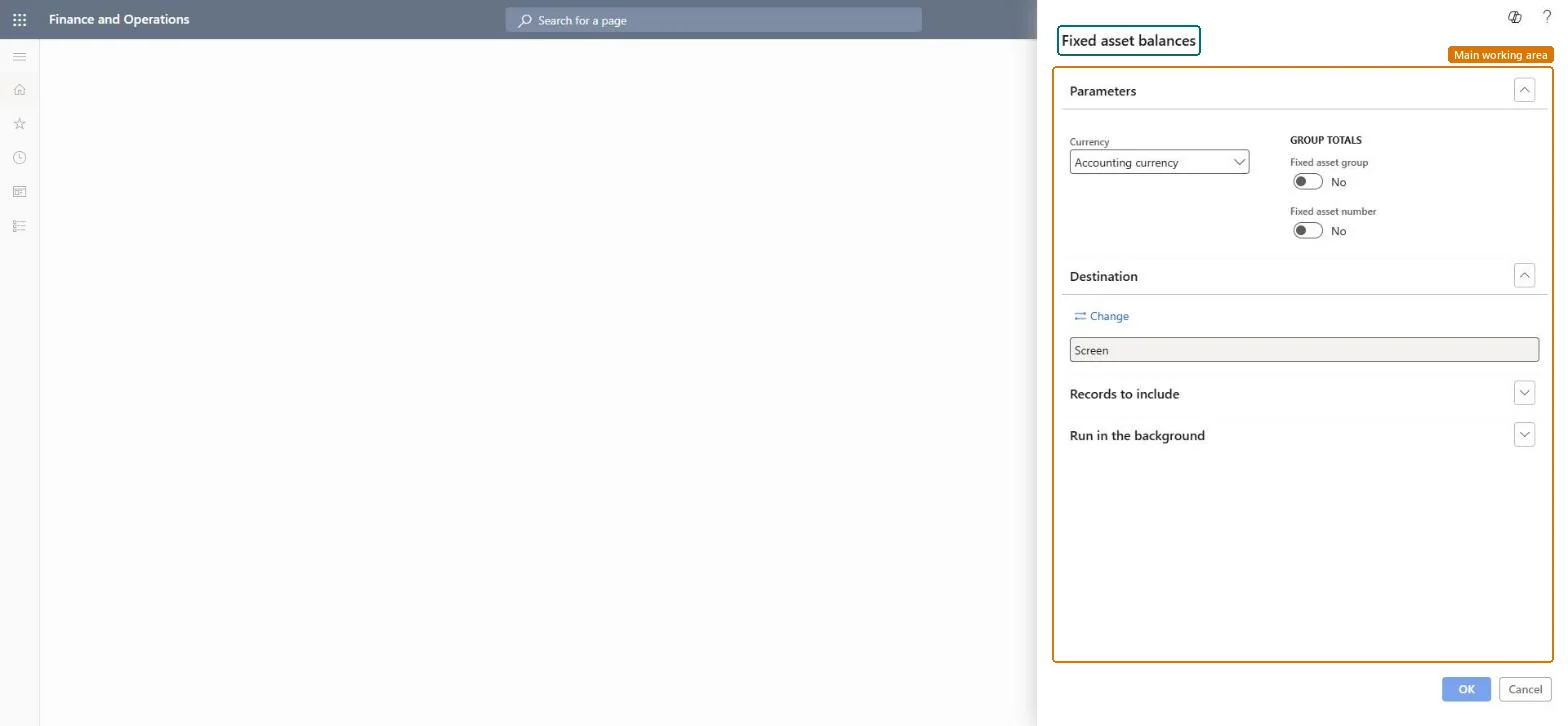
A report that shows fixed asset balance amounts such as depreciation, revaluations, write-ups, write-downs and net book values.
What you do here
Use this report to print the balance amounts of fixed assets, such as depreciation, revaluations, write-ups, write-downs, profit and loss and net book values.
Example
For example, at month end the accountant runs the balances with subtotals per fixed asset group and compares the net book value of group COMP with the computer asset accounts.
The page in Dynamics 365. page title tab to open what to set or check
About the examples: Examples and screenshots in this guide use BEAT, a demo company in a Dynamics 365 test environment. Use your own company's codes and values instead of copying them.
When to run it
When to run it
When you reconcile fixed asset balances with the general ledger at period end.
How often
Monthly or at each period close.
What the output shows
Balance amounts per asset with subtotals per group and asset as chosen. A difference with the ledger usually comes from a book that doesn't post to the general ledger being included.
The currency of the amounts.Checked in Dynamics 365
Accounting currency
Fixed asset group / Fixed asset number (Group totals)
Prints subtotals at that level.Checked in Dynamics 365
Yes
Common errors and fixes
Message
What to do
The report is empty
Check the filters under Records to include and that the assets have posted transactions in the books you selected. Checked in Dynamics 365
Report totals don't match the general ledger
Filter on one book or posting layer: a book that doesn't post to the general ledger (layer None) is in the fixed asset data but not in the ledger. Microsoft Learn
Turn on the Fixed asset group subtotal and keep Accounting currency.The report prints balance amounts such as depreciation, revaluations, write-ups, write-downs and net book values; group subtotals match the ledger accounts per group.
Fixed assets is part of Dynamics 365 Finance. Fixed asset accountants run the report. On this system the roles that open the page include Accounting supervisor, Accountant, Accounting manager, Auditor. No Feature management feature needs to be turned on for this page.
Checked in Dynamics 365
Solution architect
5Design impact
Shared or per company
Per company: the report reads the fixed assets and books of the current legal entity. Microsoft Learn
Can it be undone
Reversible: Running the report changes no data.
If you change it later
The report only reads posted fixed asset data; it changes nothing. Its figures change when transactions are posted, reversed or deleted on the books it covers. Microsoft Learn
Technical architect
6Technical
Menu item
output:AssetBalancesChecked in Dynamics 365
Form
SysOperationTemplateFormChecked in Dynamics 365
Roles to set it up and use it
To use itAccounting supervisor LedgerAccountingSupervisorAccountant LedgerAccountantAccounting manager LedgerAccountingManagerAuditor AuditPolicyManagerChief financial officer CompanyChiefFinancialOfficerGive people one of these roles. On this system, 9 roles can run this page.Checked in Dynamics 365
Load order: Fixed asset balances has no data entity in Data management, so it can't be loaded from a file or a configuration template. The report stores nothing of its own: it reads the posted fixed asset data, so migrate the assets, books and transactions and run it again in the new environment.Microsoft Learn
Fixed asset balances report (Dynamics AX 2012 documentation, an earlier version) (archived Dynamics AX 2012 article for the same report; the menu item name is the same)
Checked in a working Dynamics 365 system, version 10.0.49: the menu item, form, table and security, the page.
To cite this step: FA-RPT-200, Run Fixed asset balances. Beyond ERP Atlas Hub, 2026-11-11. https://www.beyonderp.cloud/atlas/step/FA-RPT-200