Inquiry page · General ledger
Trial balance
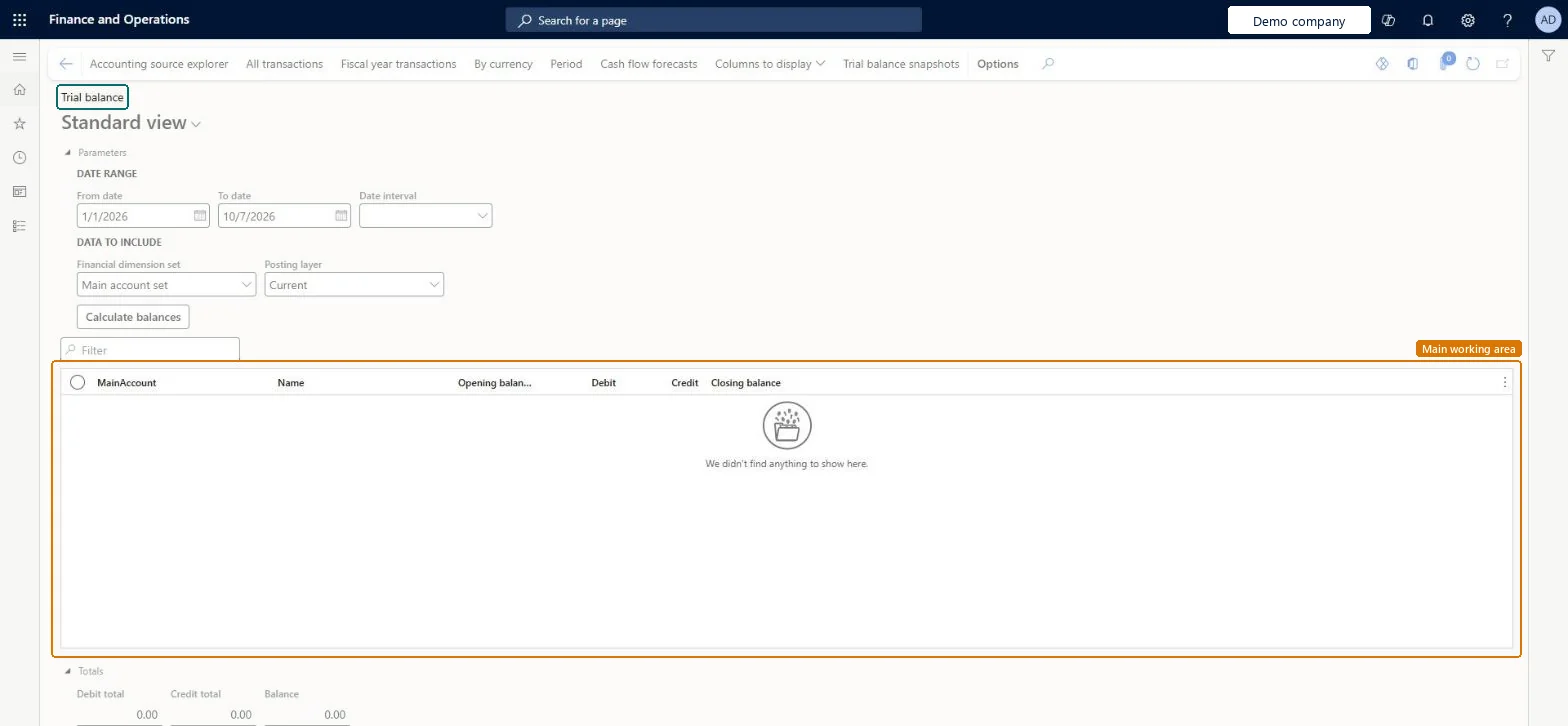
A list page that shows the balances of accounts and/or dimensions for a given period.
- Used by
- Accountant, Accounting manager, Accounting supervisor and 8 more roles
- Business process
- —
- Menu item
LedgerTrialBalanceListPage- Main table
LedgerTrialBalanceTmp- Data entity
- —
- Setup steps
- —
Show what matters for
Everyone
1What it is and why
| What it is | A list page that shows the balances of accounts and/or dimensions for a given period. |
|---|---|
| What you do here | Used to view balances for a selected dimension set and parameters such as dates and posting layer, drill down to the transactions behind a balance, and create trial balance snapshots. |
| Example | Create a trial balance snapshot for a ledger, dimension set, and posting layer, and open it in Excel through its OData entity for external reporting. |
Functional consultant · Solution architect
2Where it fits
| Business process | — |
|---|---|
| Menu path | General ledger › Inquiries and reports › Trial balance |
| Set up first | Financial dimension sets Microsoft Learn ↗Process automations Microsoft Learn ↗ |
| Used next by | — |
| Related pages | Financial reports Microsoft Learn ↗Accounting source explorer Microsoft Learn ↗Voucher transactions Microsoft Learn ↗Audit trail Microsoft Learn ↗ |
End user · Functional consultant
3How to do it
Microsoft's steps
- On the Trial balance list page, on the Action Pane, select Trial balance snapshots.
- Select Add trial balance snapshot.
- In the Ledger field, select the legal entity for the snapshot.
- Select the Financial dimension set and the Posting layer.
- In the Fiscal years to process field, select which fiscal years to include.
- Select OK to create the snapshot.
- To view the results, select Open in Excel.
Source: Microsoft Learn ↗
Field guide
| Field | What it means | Worked example | Table column |
|---|---|---|---|
| Parameters | Sets the dates, posting layer, how opening balances appear and which closing transaction types are shown.Microsoft Learn ↗ | — | — |
| Fiscal years to process | Chooses which fiscal years a trial balance snapshot covers.Microsoft Learn ↗ | — | — |
| Update balances | Starts a batch task that refreshes the dimension set balances straight away.Microsoft Learn ↗ | — | — |
| Show external tracking ID | Shows the fixed ID that outside reporting systems can use for a snapshot.Microsoft Learn ↗ | — | — |
Functional consultant
4Setup decisions
| Setup step | Recommended value and why | Decision · common mistake · test |
|---|---|---|
| — No setup is made on this page. | ||
Solution architect
5Design impact
| Shared or per company | — |
|---|---|
| Can it be undone | — |
| Feature or country | — |
| If you change it later | Changing the parameters refreshes the balances shown; the dates must stay within one fiscal year. Microsoft Learn ↗ |
Technical architect
6Technical
| Menu item | LedgerTrialBalanceListPage Checked in Dynamics 365 |
|---|---|
| Form | LedgerTrialBalanceListPage Checked in Dynamics 365 |
| Table | LedgerTrialBalanceTmpShown as “Trial balance” in Record infoChecked in Dynamics 365 |
| Data entities | — |
| Who can open it | PrivilegesView trial balance list page LedgerTrialBalanceListPageViewDutiesInquire into chart of account master LedgerChartOfAccountsInquireMaintain chart of accounts master LedgerChartOfAccountsMaintain11 security rolesBudget clerkBudgetBudgetClerkBudget contributor BudgetBudgetContributorBudget manager BudgetBudgetManagerChief executive officer CompanyChiefExecutiveOfficerChief financial officer CompanyChiefFinancialOfficerAccounts receivable manager CustInvoiceAccountsReceivableManagerAccountant LedgerAccountantAccounting manager LedgerAccountingManagerAccounting supervisor LedgerAccountingSupervisorFinancial controller LedgerFinancialControllerAccounts payable manager VendInvoiceAccountsPayableManager |
| Actions on the page | Buttons: Accounting source explorer, All transactions, Fiscal year transactions, By currency, Period, Cash flow forecasts, Columns to display, Trial balance snapshotsChecked in Dynamics 365 |
Developer
7Developer
| Open it directly | https://<your-environment>/?mi=LedgerTrialBalanceListPage |
|---|---|
| Integrate with | — |
| Table definition | — |
Everyone
8Sources and checks
- learn.microsoft.com/dynamics365/finance/general-ledger/general-ledger-account-balances
- learn.microsoft.com/dynamics365/finance/general-ledger/general-ledger-account-balances
- learn.microsoft.com/dynamics365/finance/accounts-payable/accounting-source-explorer
- learn.microsoft.com/training/modules/configure-ledgers-journals-dyn365-finance/4-journals
- Checked in a working Dynamics 365 system, version 10.0.49: the menu item, form, table and security, the page.