SETUP GUIDEHow to set it up8 sections. Choose a role to highlight what matters to you.
Everyone
1What it is and why
What it is
A report that lists fixed assets scheduled for replacement, based on the replacement date on their books.
What you do here
Use this report to see which fixed assets are scheduled for replacement in a date range, with their replacement cost and replacement date.
Example
For example, for next year's capital budget the manager lists assets due for replacement between 1 January and 31 December 2027, with their replacement cost, as input for the budget journal.
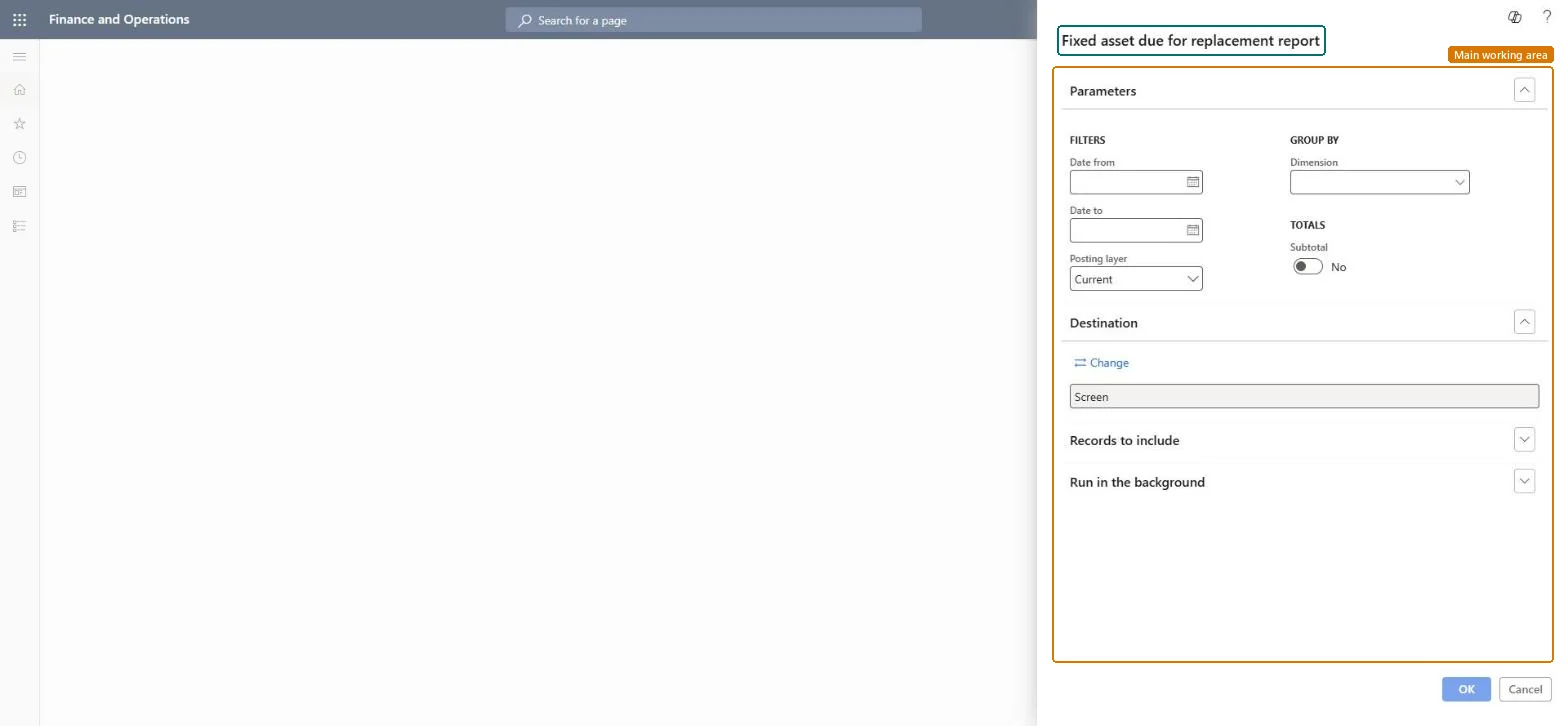
The page in Dynamics 365. page title tab to open what to set or check
About the examples: Examples and screenshots in this guide use BEAT, a demo company in a Dynamics 365 test environment. Use your own company's codes and values instead of copying them.
When to run it
When to run it
When you plan investments and need the assets that are scheduled for replacement in a coming period.
How often
On demand, typically during budget planning.
What the output shows
Assets with a replacement date in the range, with their replacement cost and date, subtotalled per dimension value if chosen. An asset you expect but don't see has no replacement date on its book.
Set Date from and Date to to the budget year and subtotal by group.The report lists assets whose replacement date on the book falls in the range, with replacement cost and acquisition price.
Fixed assets is part of Dynamics 365 Finance. Fixed asset managers run it for budgeting. On this system the roles that open the page include Accounting supervisor, Accountant, Accounting manager, Auditor. No Feature management feature needs to be turned on for this page.
Checked in Dynamics 365
Solution architect
5Design impact
Shared or per company
Per company: the report reads the fixed assets and books of the current legal entity. Microsoft Learn
Can it be undone
Reversible: Running the report changes no data.
If you change it later
The report only reads posted fixed asset data; it changes nothing. Its figures change when transactions are posted, reversed or deleted on the books it covers. Microsoft Learn
Technical architect
6Technical
Menu item
output:AssetDueReplacementChecked in Dynamics 365
Form
SysOperationTemplateFormChecked in Dynamics 365
Roles to set it up and use it
To use itAccounting supervisor LedgerAccountingSupervisorAccountant LedgerAccountantAccounting manager LedgerAccountingManagerAuditor AuditPolicyManagerChief financial officer CompanyChiefFinancialOfficerGive people one of these roles. On this system, 9 roles can run this page.Checked in Dynamics 365
Load order: Fixed asset due for replacement report has no data entity in Data management, so it can't be loaded from a file or a configuration template. The report stores nothing of its own: it reads the posted fixed asset data, so migrate the assets, books and transactions and run it again in the new environment.Microsoft Learn
Fixed asset due for replacement report (Dynamics AX 2012 documentation, an earlier version) (archived Dynamics AX 2012 article for the same report; the menu item name is the same)
Checked in a working Dynamics 365 system, version 10.0.49: the menu item, form, table and security, the page.
To cite this step: FA-RPT-080, Run Fixed asset due for replacement report. Beyond ERP Atlas Hub, 2026-11-11. https://www.beyonderp.cloud/atlas/step/FA-RPT-080