Setup step on the Financial reports page · Consolidations
Report the consolidated results
Use this page to produce consolidated financial statements across companies at report time, with drill-down to transactions and any number of reporting currencies.
SETUP GUIDEHow to set it up7 sections. Choose a role to highlight what matters to you.
Everyone
1What it is and why
What it is
The Financial reporting list page, reached from the Consolidations module, that lists the company's financial reports for opening, generating and designing.
What you do here
Use this page to produce consolidated financial statements across companies at report time, with drill-down to transactions and any number of reporting currencies.
Example
For example, after the October 2026 consolidation BEAT generates Balance Sheet - Default against the consolidation company and drills down from the consolidated cash balance to the consolidation transactions.
The page in Dynamics 365. page title tab to open what to set or check
About the examples: Examples and screenshots in this guide use BEAT, a demo company in a Dynamics 365 test environment. Use your own company's codes and values instead of copying them.
Setup steps on this page
Report the consolidated results
Use this page to produce consolidated financial statements across companies at report time, with drill-down to transactions and any number of reporting currencies.
Steps from Microsoft
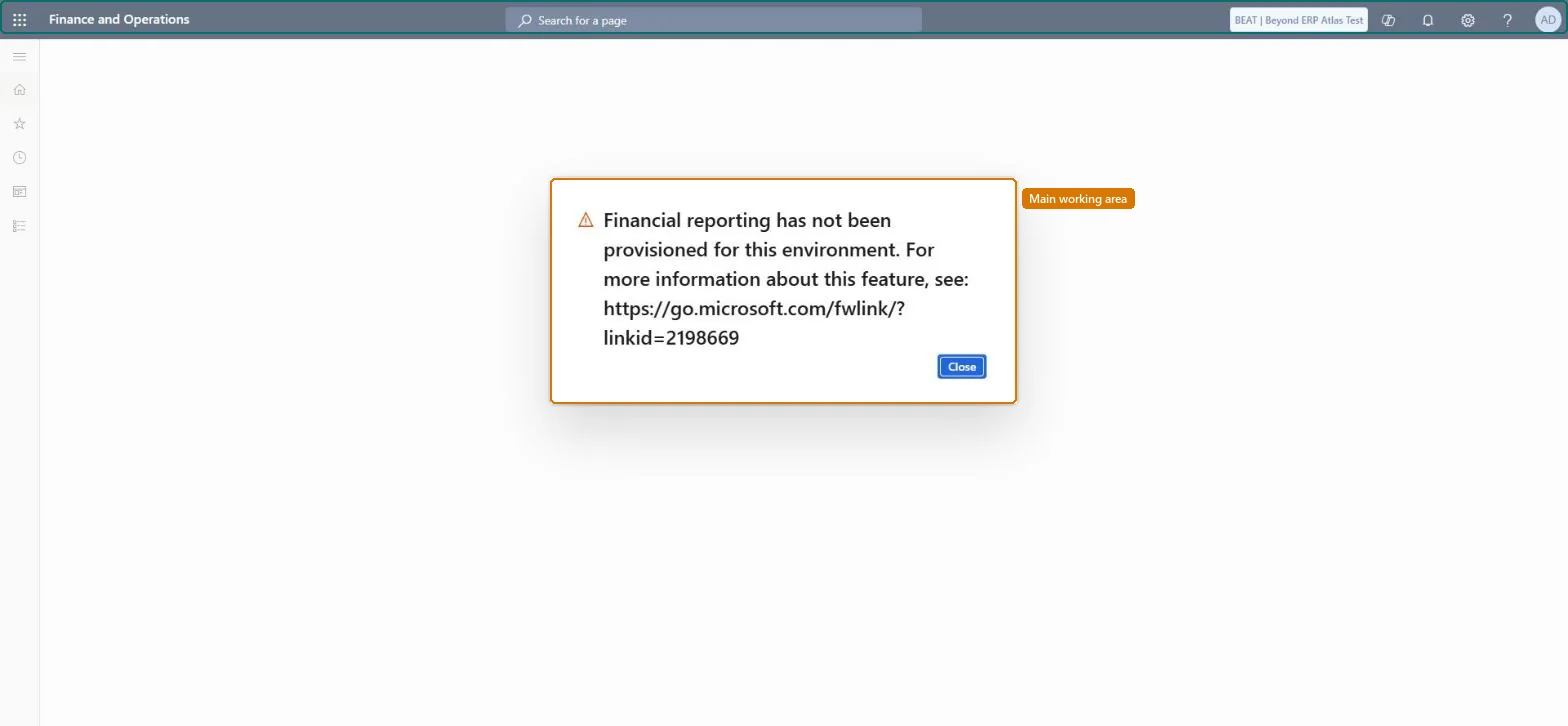
Go to Consolidations > Financial reports; Financial reporting must be provisioned for the environment, or the page shows that it hasn't been.
Open one of the 22 default reports, such as Balance Sheet - Default, or a report built for the group.
Generate it for the consolidation company or for several companies in a reporting tree.
Check the report's 90-day expiration date and export the final version to keep an audit copy.
The page shows that Financial reporting has not been provisioned
Install the Financial reporting add-in for the environment, then open the page again. Microsoft Learn
Test checklist
In the consolidation company, check that a fiscal calendar, ledger, chart of accounts and currency are set up and that at least one transaction is posted.
On General ledger > Ledger setup > Financial reporting setup, check that MainAccount is in the Selected column.
Open Consolidations > Financial reports and open Balance Sheet – Default; check it generates for the previous month.
Drill down on a consolidated balance and check that it reaches the consolidation transactions.
Check the report's expiration date is 90 days out, then export the final version to Excel or PDF.
Use Financial reporting for consolidated statements and drill-down, and keep an exported copy of each final report.Microsoft recommends Financial reporting for multiple reporting currencies and transaction-level detail, and generated reports expire after 90 days by default.
Financial reporting add-in (Installed per environment)
Licence or add-in
Consolidations is part of General ledger in Dynamics 365 Finance. In this system Accountant, Accounting manager, Accounting supervisor, Chief financial officer and Financial controller hold the consolidation duties. Users need the Maintain, Generate or View financial reports duties; the add-in is installed from Power Platform admin center or Lifecycle Services.
Any legal entity or reporting tree: Financial reporting consolidates at report time and can translate into any number of reporting currencies. Microsoft Learn
Can it be undone
Reversible: Reports can be generated again; an expired report is deleted.
If you change it later
Reports reflect the data when they are generated; newly generated reports expire after 90 days unless set to never expire. Microsoft Learn
Developer
6Developer
Data migration
Load order: Financial reports has no data entity in Data management, so it can't be loaded from a file or a configuration template. Report definitions belong to the Financial reporting add-in; recreate or import them there, and generate the reports again in the new environment.Microsoft Learn