SETUP GUIDEHow to set it up8 sections. Choose a role to highlight what matters to you.
Everyone
1What it is and why
What it is
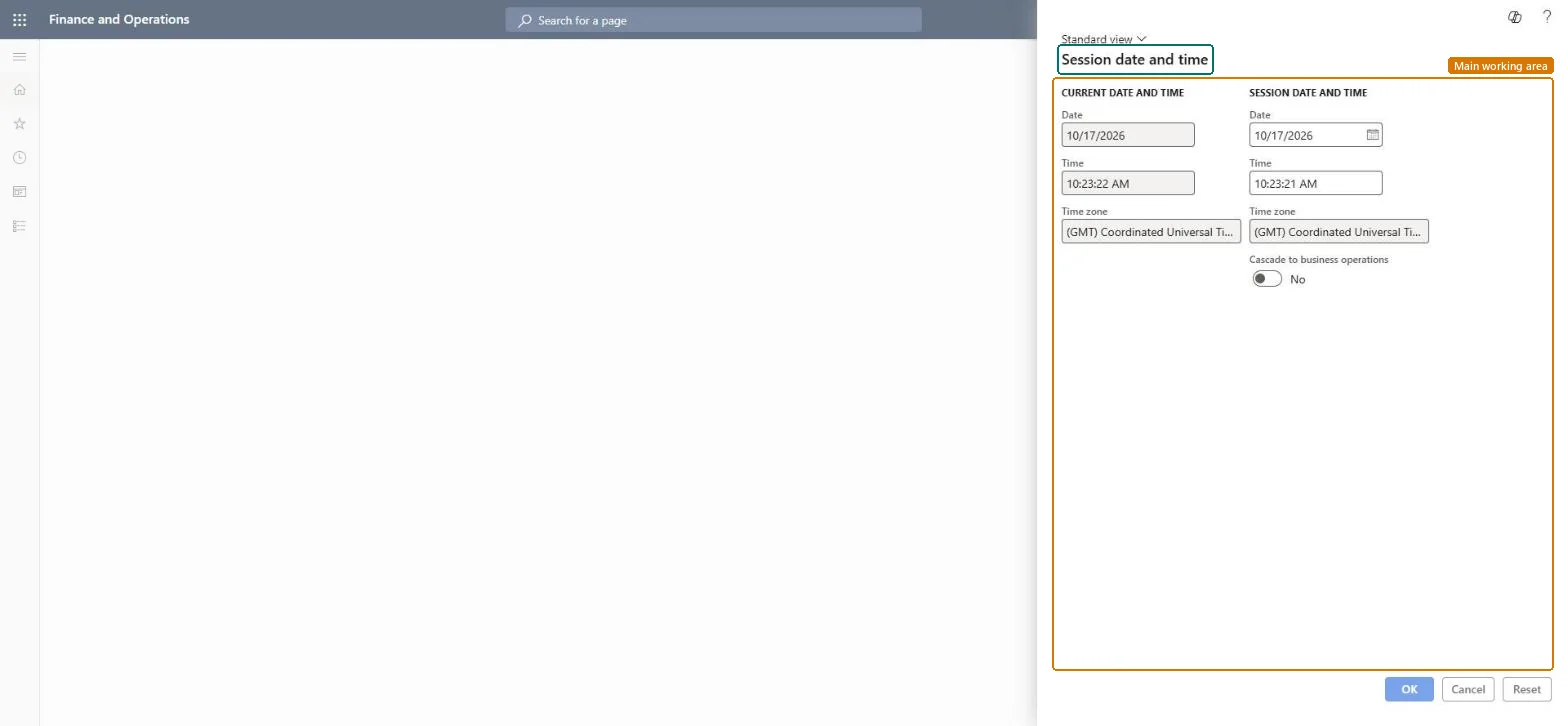
A dialog where you change the date that is used for your current session.
What you do here
Use this page to back-date journal entries or source documents when needed, instead of using today's date.
Example
For example, on 2 November 2026 a BEAT accountant must enter a correcting journal dated 31 October. They set the session date to 10/31/2026, create the journal, and then set the date back to today so that the next documents don't take the October date.
The page in Dynamics 365. page title tab to open what to set or check
About the examples: Examples and screenshots in this guide use BEAT, a demo company in a Dynamics 365 test environment. Use your own company's codes and values instead of copying them.
Setup steps on this page
Back-date documents with the session date
Enter journal entries or documents with a past date without changing the system date.
Set the session date only for the back-dated work, then set it back to today in the same sessionEvery new journal entry and source document in the session defaults to the session date.
On the live system, these roles can open the page: System user, TestEssentialsRole, Retail store IT, Information technology manager, System external user.
Checked in Dynamics 365
Solution architect
5Design impact
Shared or per company
Per user and per session: the date applies to your current session only and doesn't change the date for other users. Microsoft Learn
Can it be undone
Reversible: Set the date back or start a new session; documents already created keep their date.
If you change it later
Journal entries and source documents created while the session date is set default to that date instead of today's date. Microsoft Learn
Technical architect
6Technical
Menu item
SystemDateChecked in Dynamics 365
Form
SystemDateChecked in Dynamics 365
Roles to set it up and use it
To set it up or change itSystem user SystemUserTestEssentialsRole Retail store IT RetailStoreITInformation technology manager SysServerITManagerSystem external user SystemExternalUserGive people one of these roles. On this system, 8 roles can open this page.Checked in Dynamics 365
Developer
7Developer
Open it by URL
https://<your-environment>/?mi=SystemDate
Data migration
Load order: Session date and time has no data entity in Data management. The date belongs to the user's session and is not stored as setup, so there is nothing to migrate.Checked in Dynamics 365
Checked in a working Dynamics 365 system, version 10.0.49: the menu item, form, table and security, the page.
To cite this step: CMN-SESS-010, Back-date documents with the session date. Beyond ERP Atlas Hub, 2026-11-11. https://www.beyonderp.cloud/atlas/step/CMN-SESS-010