Customer service manager, Customer service representative, Sales manager and 1 more role
Business process
Administer system features
Menu item
smmEncyclopedia
Main table
smmEncyclopediaItems
Data entity
smmKnowledgeArticleEntity
Setup steps
1 on this page
Show what matters for
SETUP GUIDEHow to set it up8 sections. Choose a role to highlight what matters to you.
Everyone
1What it is and why
What it is
A page where you register, collect and categorize links to files, documents and web pages that are kept outside the system.
What you do here
It is used as a shared library of information that the whole team or company can open.
Example
For example, BEAT's service team keeps a Volume folder with three articles on sound-system settings. When a representative opens a case in the Volume category, they open the articles from the folder, and the one that solves the issue is ranked as helpful.
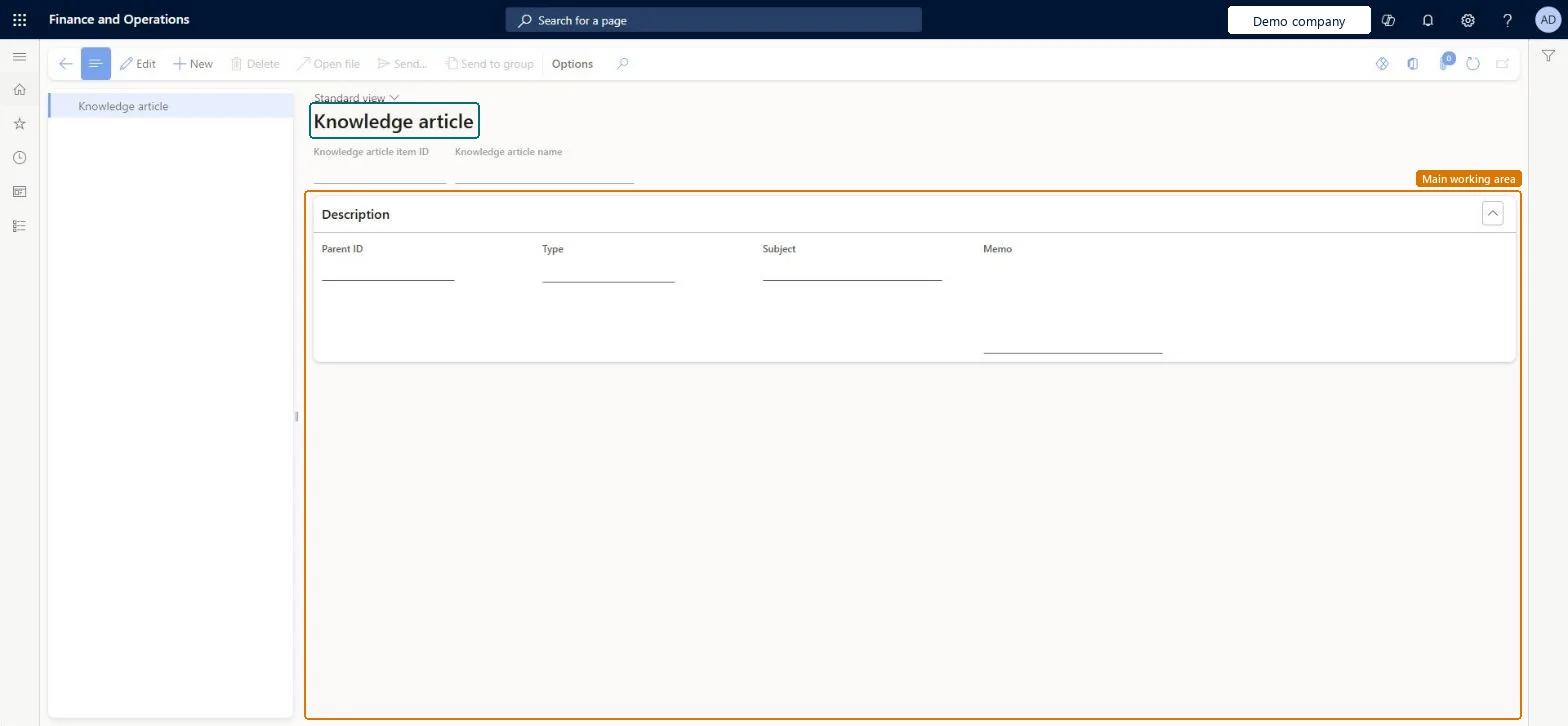
The page in Dynamics 365. page title tab to open what to set or check
About the examples: Examples and screenshots in this guide use BEAT, a demo company in a Dynamics 365 test environment. Use your own company's codes and values instead of copying them.
Setup steps on this page
Keep a shared library of knowledge articles
Collect links and files the team uses to resolve cases.
Steps from Microsoft
Go to Common > Common > Document management > Knowledge articles.
In the left pane, select the folder to add the new entry to.
Select the Knowledge article button.
In the Knowledge article name field, enter a name.
In the Type list, select Folder, Link or File.
For a link, enter the Internet address; for a file, enter or find its path in the Document field.
Use links to shared pages rather than file paths, in folders that match the case categoriesA file article stores a path that only works where that location is reachable; folders that match case categories make articles easy to find from a case.
PrivilegesMaintain the encyclopedia smmEncyclopediaMaintainView knowledge articles smmEncyclopediaViewDutiesInquire into knowledge articles smmKnowledgeArticlesInquireMaintain knowledge articles smmKnowledgeArticlesMaintain4 security rolesCustomer service manager TradeCustomerServiceManagerCustomer service representative TradeCustomerServiceRepresentativeSales manager TradeSalesManagerSales representative TradeSalesRepresentativeChecked in Dynamics 365
Roles to set it up and use it
To set it up or change itCustomer service manager TradeCustomerServiceManagerTo use itCustomer service representative TradeCustomerServiceRepresentativeSales representative TradeSalesRepresentativeSales manager TradeSalesManagerGive people one of these roles. On this system, 4 roles can open this page.Checked in Dynamics 365
Actions on the page
(Action Pane without tabs): New, Delete, Open file, Send..., Send to groupChecked in Dynamics 365
smmKnowledgeArticleEntity (Knowledge articles): loaded for each company.Load order: Load folders before the articles they contain (ParentId), so the tree builds in order.Checked in Dynamics 365
Checked in a working Dynamics 365 system, version 10.0.49: the menu item, form, table and security, the page.
To cite this step: CMN-KA-010, Keep a shared library of knowledge articles. Beyond ERP Atlas Hub, 2026-11-11. https://www.beyonderp.cloud/atlas/step/CMN-KA-010