Cash and bank managementInquiries and reportsBank accounts
output:LedgerBankAccountBalance
Business process
Track cash position
Menu item
output:LedgerBankAccountBalance
Setup steps
1 on this page
Show what matters for
SETUP GUIDEHow to set it up8 sections. Choose a role to highlight what matters to you.
Everyone
1What it is and why
What it is
A report that shows the currency and balance of each bank account, together with the balance in the accounting currency.
What you do here
Use this report to see the balance of every bank account in its own currency and in the accounting currency.
Example
For example, at month end BEAT runs the report for its three bank accounts; the EUR account shows 25,000.00 EUR and 29,250.00 in the accounting currency, which the controller compares with the bank main account before running foreign currency revaluation.
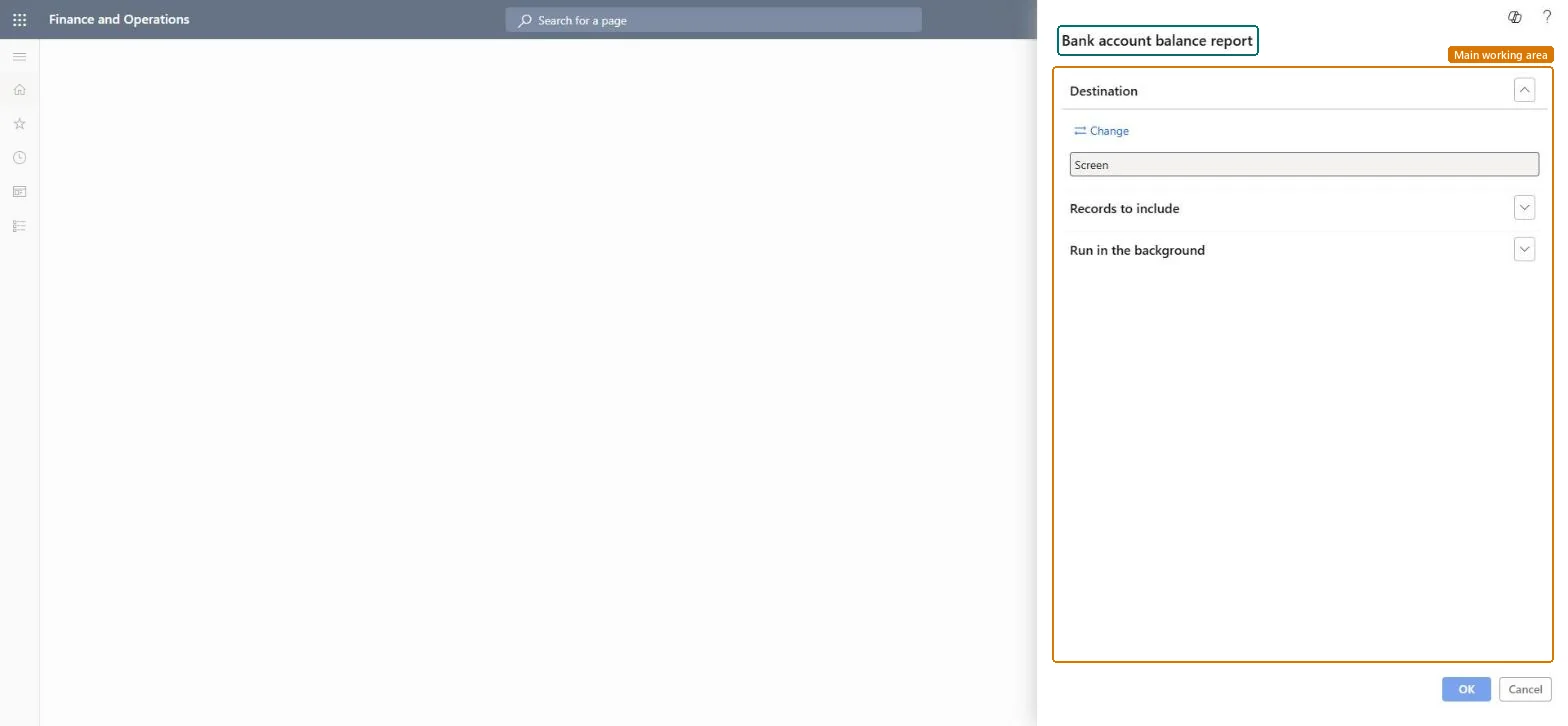
The page in Dynamics 365. page title tab to open what to set or check
About the examples: Examples and screenshots in this guide use BEAT, a demo company in a Dynamics 365 test environment. Use your own company's codes and values instead of copying them.
When to run it
When to run it
At period end, before and after bank foreign currency revaluation, or whenever you need the cash position across all bank accounts.
How often
On demand, typically at each period end.
What the output shows
One line per bank account with its currency, its balance in that currency and its balance in the accounting currency.
Use the report to compare each bank balance in its own currency and the accounting currency.
Steps from Microsoft
Go to Cash and bank management > Inquiries and reports > Bank accounts > Bank account balance report.
Under Records to include, choose the bank accounts to show, for example only the accounts held in a foreign currency.
Read the currency of each bank account and its balance in that currency next to the balance in the accounting currency.
Compare the accounting currency balances with the ledger balances of the bank main accounts; a gap on a foreign currency account often means foreign currency revaluation hasn't been run yet.
The balance of the bank account in its own currency.Microsoft Learn
25,000.00
Balance in accounting currency
The balance converted to the legal entity's accounting currency; after revaluation it reflects the revalued amount.Microsoft Learn
29,250.00
Common errors and fixes
Message
What to do
The accounting currency balance of a foreign currency account differs from the ledger after month end
Run Foreign currency revaluation for the bank account. It revalues the accounting currency balance at the exchange rate date you choose and posts the unrealized gain or loss. Microsoft Learn
Run it at each period end after bank foreign currency revaluation, and compare the accounting currency balance of each account with the bank main account in the trial balance.Revaluation changes the accounting currency balance of foreign currency accounts, so the report agrees with the ledger only after it is posted.
Per company: the report lists the bank accounts of the legal entity you run it in; bank accounts are kept per company. Microsoft data model
Can it be undone
Reversible: The report changes no data.
If you change it later
The accounting currency balance changes when bank foreign currency revaluation is posted or reversed, so run the report after revaluation to see the revalued amounts. Microsoft Learn
Technical architect
6Technical
Menu item
output:LedgerBankAccountBalanceChecked in Dynamics 365
Form
SysOperationTemplateFormChecked in Dynamics 365
Roles to set it up and use it
To use itTreasurer PaymTreasurerChief financial officer CompanyChiefFinancialOfficerAccounting manager LedgerAccountingManagerFinancial controller LedgerFinancialControllerAccountant LedgerAccountantGive people one of these roles. On this system, 11 roles can run this page.Checked in Dynamics 365
Load order: The Bank account balance report has no data entity in Data management, so it can't be loaded from a file or a configuration template. It reads posted bank transactions, so there is nothing to migrate; load opening bank balances through a journal instead.Microsoft Learn
Checked in a working Dynamics 365 system, version 10.0.49: the menu item, form, table and security, the page.
To cite this step: CB-RPT-410, Run the Bank account balance report at period end. Beyond ERP Atlas Hub, 2026-11-11. https://www.beyonderp.cloud/atlas/step/CB-RPT-410