Setup step on the Cash flow forecast setup page · Cash and bank management
Set up Cash flow forecast setup
Used to set how cash flow forecasts are built from ledger, payables, receivables, budget, inventory and project data.
- Used by
- Accounts payable manager, Budget clerk, Budget contributor and 11 more roles
- Business process
- Configure cash flow forecasting in Dynamics 365 Finance
- Menu item
LedgerCovParameters- Main table
LedgerLiquidity- Data entity
LedgerLiquidityEntity- Setup steps
- 1 on this page
Everyone
1What it is and why
| What it is | A setup page where you choose the liquidity accounts to track and the default forecasting behavior for each area of cash flow forecasting. |
|---|---|
| What you do here | Used to set how cash flow forecasts are built from ledger, payables, receivables, budget, inventory and project data. |
| Example | For example, if most vendors are paid from one bank account, you enter its main account in Liquidity accounts for payments so that purchase forecasts land there. |
Functional consultant · Solution architect
2Where it fits
| Business process | Manage cash › Forecast cash flow › Configure cash flow forecasting in Dynamics 365 Finance |
|---|---|
| Menu path | Cash and bank management › Cash flow forecasting › Cash flow forecast setup |
| Set up first | Terms of payment Microsoft Learn ↗Customer groups Microsoft Learn ↗ |
| Used next by | Cash flow forecast automation Microsoft Learn ↗Calculate cash flow forecasts Microsoft Learn ↗Cash overview - all companies Microsoft Learn ↗ |
| Related pages | — |
| In this process | Set up Cash flow forecast automation → |
End user · Functional consultant
3How to do it
Step by step, with screenshots
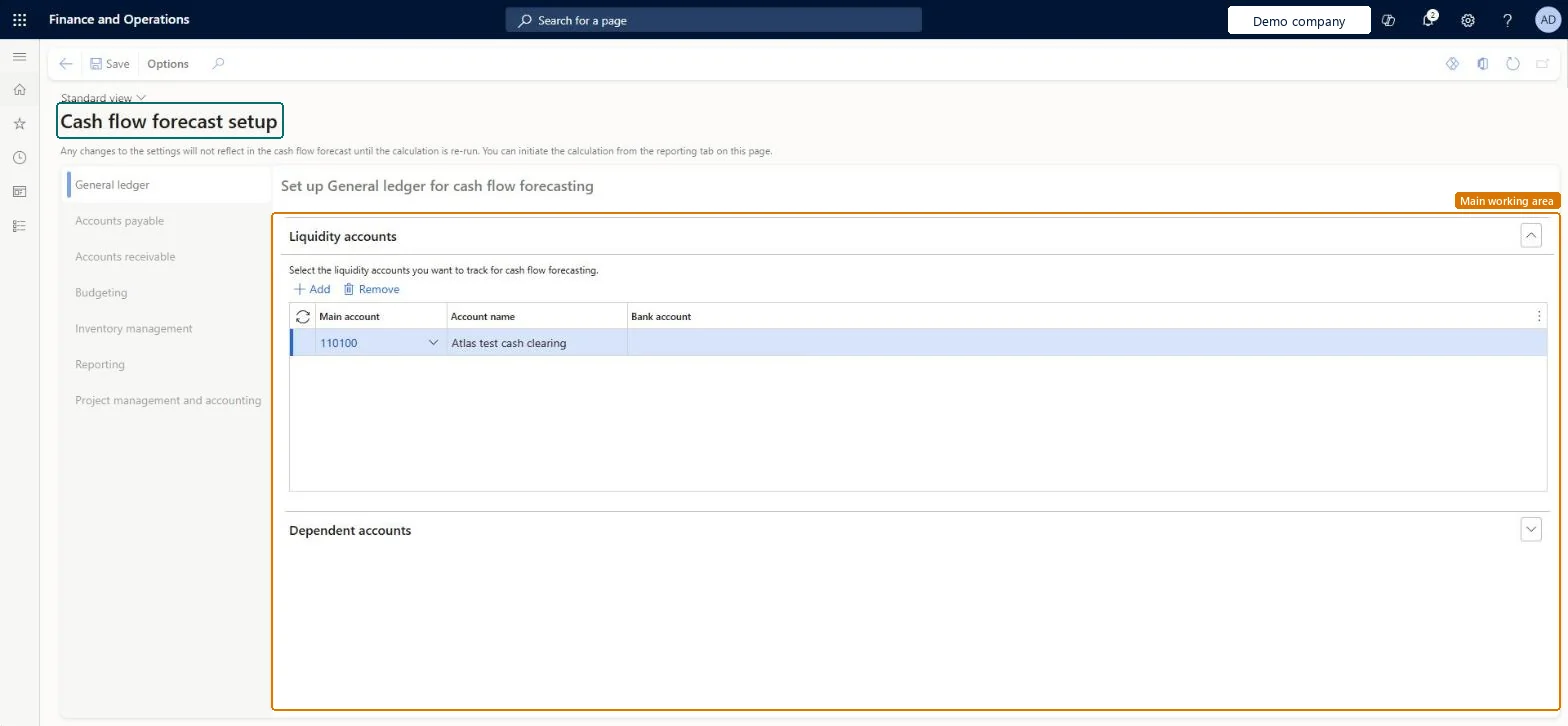
Set up Cash flow forecast setup1 screen
Used to set how cash flow forecasts are built from ledger, payables, receivables, budget, inventory and project data.
Screen 1
Choose the liquidity accounts
Go to Cash and bank management > Cash flow forecasting > Cash flow forecast setup, General ledger tab
- Under Liquidity accounts, select Add
- In Main account, select the cash account to track
- Select Save
1Main account 110100 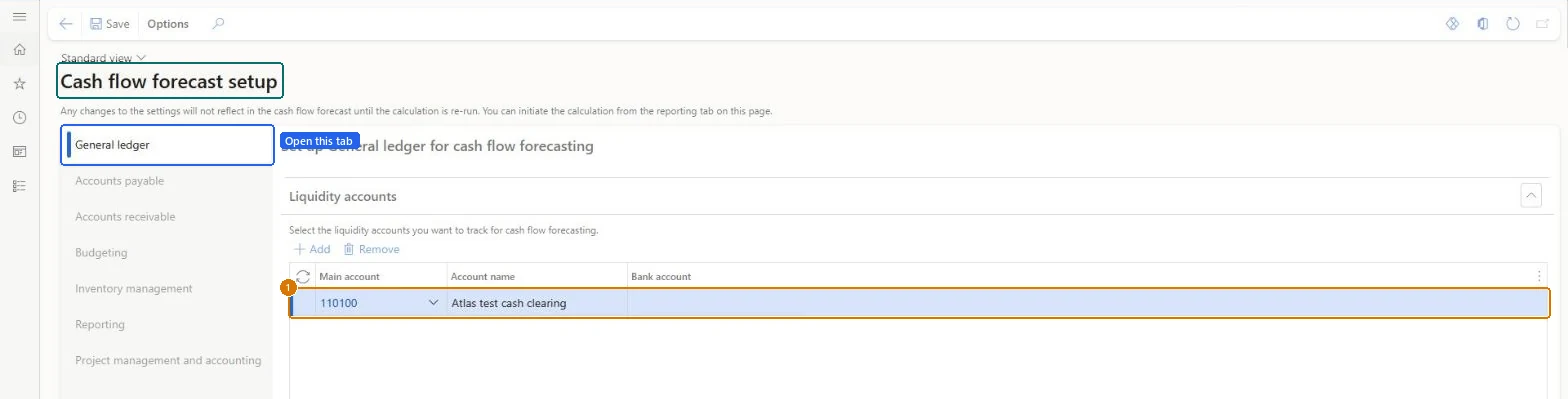
Show the full screen
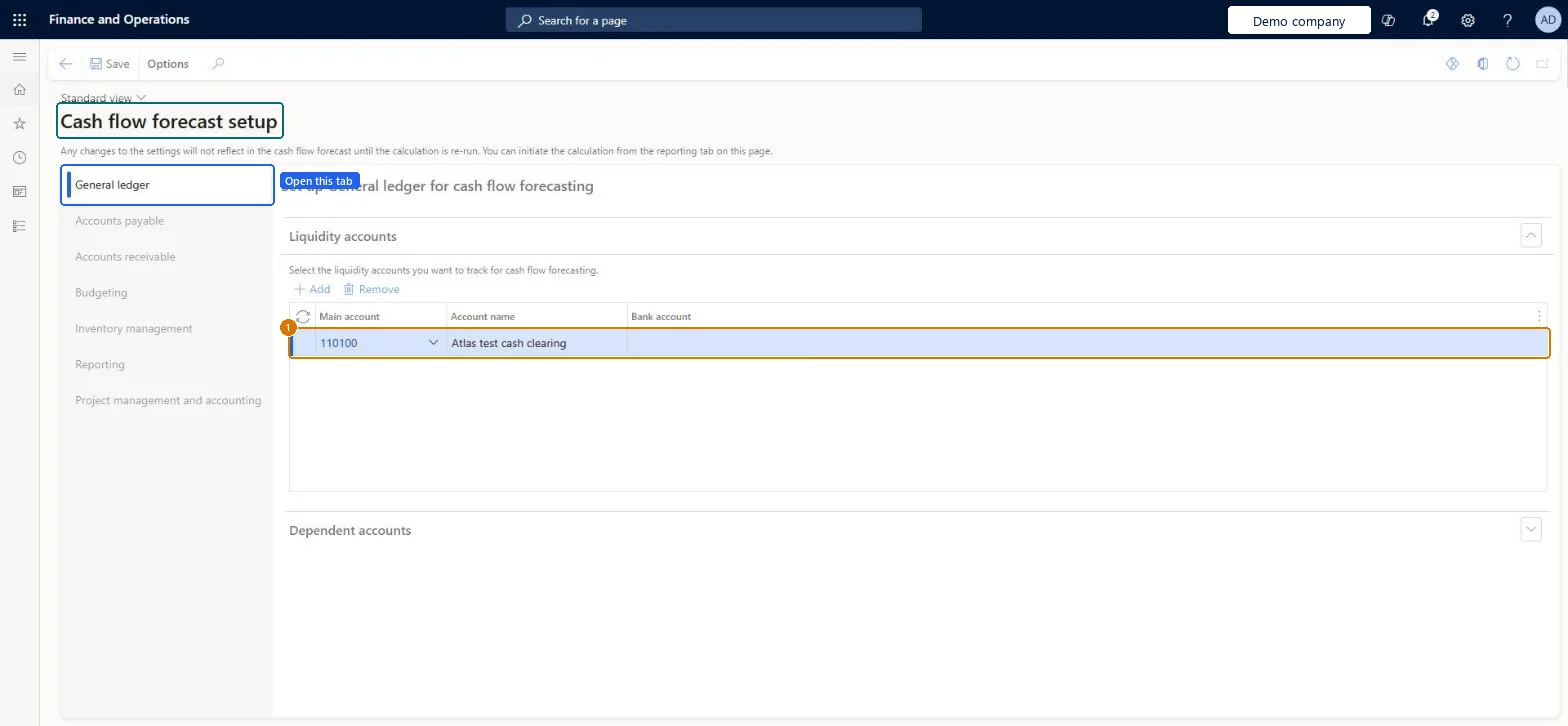
page title tab to open what to set or check
Microsoft's steps
- Go to Cash and bank management > Cash flow forecasting > Cash flow forecast setup.
- On the General ledger tab, select the main accounts to track as liquidity accounts.
- If needed, add dependent accounts with a Main account, Dependent main account, Percent and Posting type.
- On the Accounts payable tab, set the purchasing forecast defaults.
- On the Accounts receivable tab, set the sales forecast defaults.
- On the Budgeting tab, select the budget models to include.
- On the Inventory management tab, select the forecast model to include.
- On the Dimensions tab, choose up to two financial dimensions for filtering.
Source: Microsoft Learn ↗
Field guide
| Field | What it means | Worked example | Table column |
|---|---|---|---|
| Bank account | Shows the bank account linked to the main account, if there is one.Microsoft Learn ↗ | — | — |
| Dependent main account | The account that is affected by transactions on the primary main account.Microsoft Learn ↗ | — | — |
| Percent | How much of the primary account's cash flow is carried to the dependent account.Microsoft Learn ↗ | — | — |
| Posting type | The posting type expected for the forecast amount.Microsoft Learn ↗ | — | — |
| Terms of payment | Default payment terms, used only when the transaction itself has none.Microsoft Learn ↗ | — | — |
| Liquidity accounts for payments | The liquidity account most often used for payments.Microsoft Learn ↗ | — | — |
| Percentage of amount to allocate to cash flow forecast | Use only part of each amount in the forecast; leave blank to use the full amount.Microsoft Learn ↗ | — | — |
| Purchasing time | Overrides the time between invoice due date and payment date for a vendor group.Microsoft Learn ↗ | — | — |
| Sales time | Overrides the time between invoice due date and payment date for a customer group.Microsoft Learn ↗ | — | — |
| Main account | — | 110100 | MainAccount |
Functional consultant
4Setup decisions
| Setup step | Recommended value and why | Decision · common mistake · test |
|---|---|---|
| Set up Cash flow forecast setup | — | — |
Solution architect
5Design impact
| Shared or per company | Per company: each legal entity has its own records. Microsoft data model ↗ |
|---|---|
| Can it be undone | — |
| Feature or country | — |
| If you change it later | With the Cash flow project forecast feature on, don't also transfer project forecasts to a ledger budget model, or they are counted twice. Microsoft Learn ↗ |
Technical architect
6Technical
| Menu item | LedgerCovParameters Checked in Dynamics 365 |
|---|---|
| Form | LedgerCovParameters Checked in Dynamics 365 |
| Table | LedgerLiquidityShown as “Liquidity accounts” in Record infoKey field: MainAccount, MainAccount_MainAccountIdChecked in Dynamics 365 |
| Data entities | LedgerLiquidityEntityLiquidity accounts Microsoft data model ↗ |
| Who can open it | PrivilegesMaintain cash flow forecast setup LedgerLiquidityMaintainView cash flow forecasting setup LedgerLiquidityViewDutiesInquire into chart of account master LedgerChartOfAccountsInquireMaintain chart of accounts master LedgerChartOfAccountsMaintainEnable general ledger process RentalLedgerGeneralLedgerProcessEnable14 security rolesBudget clerkBudgetBudgetClerkBudget contributor BudgetBudgetContributorBudget manager BudgetBudgetManagerChief executive officer CompanyChiefExecutiveOfficerChief financial officer CompanyChiefFinancialOfficerAccounts receivable manager CustInvoiceAccountsReceivableManagerAccountant LedgerAccountantAccounting manager LedgerAccountingManagerAccounting supervisor LedgerAccountingSupervisorFinancial controller LedgerFinancialControllerRental manager RentalManagerRental purchasing manager RentalPurchasingManagerRental sales manager RentalSalesManagerAccounts payable manager VendInvoiceAccountsPayableManager |
| Actions on the page | Options: Personalize, Page options, Edit, ShareChecked in Dynamics 365 |
Developer
7Developer
| Open it directly | https://<your-environment>/?mi=LedgerCovParameters |
|---|---|
| Integrate with | LedgerLiquidityEntity data entity Microsoft data model ↗ |
| Table definition | LedgerLiquidity columns and relations Microsoft data model ↗ |
Everyone
8Sources and checks
- learn.microsoft.com/dynamics365/finance/cash-bank-management/cash-flow-forecasting
- learn.microsoft.com/common-data-model/schema/core/operationscommon/tables/finance/bank/group/ledgerliquidity
- Checked in a working Dynamics 365 system, version 10.0.49: the menu item, form, table and security, the page, the demo records and the values in the screenshots.
CB-CFF-010 — Set up Cash flow forecast setup. Beyond ERP Atlas Hub, snapshot 2026-10-16, partly verified. https://www.beyonderp.cloud/atlas/step/CB-CFF-010