Setup page · Cash and bank management
Cash flow forecast automation
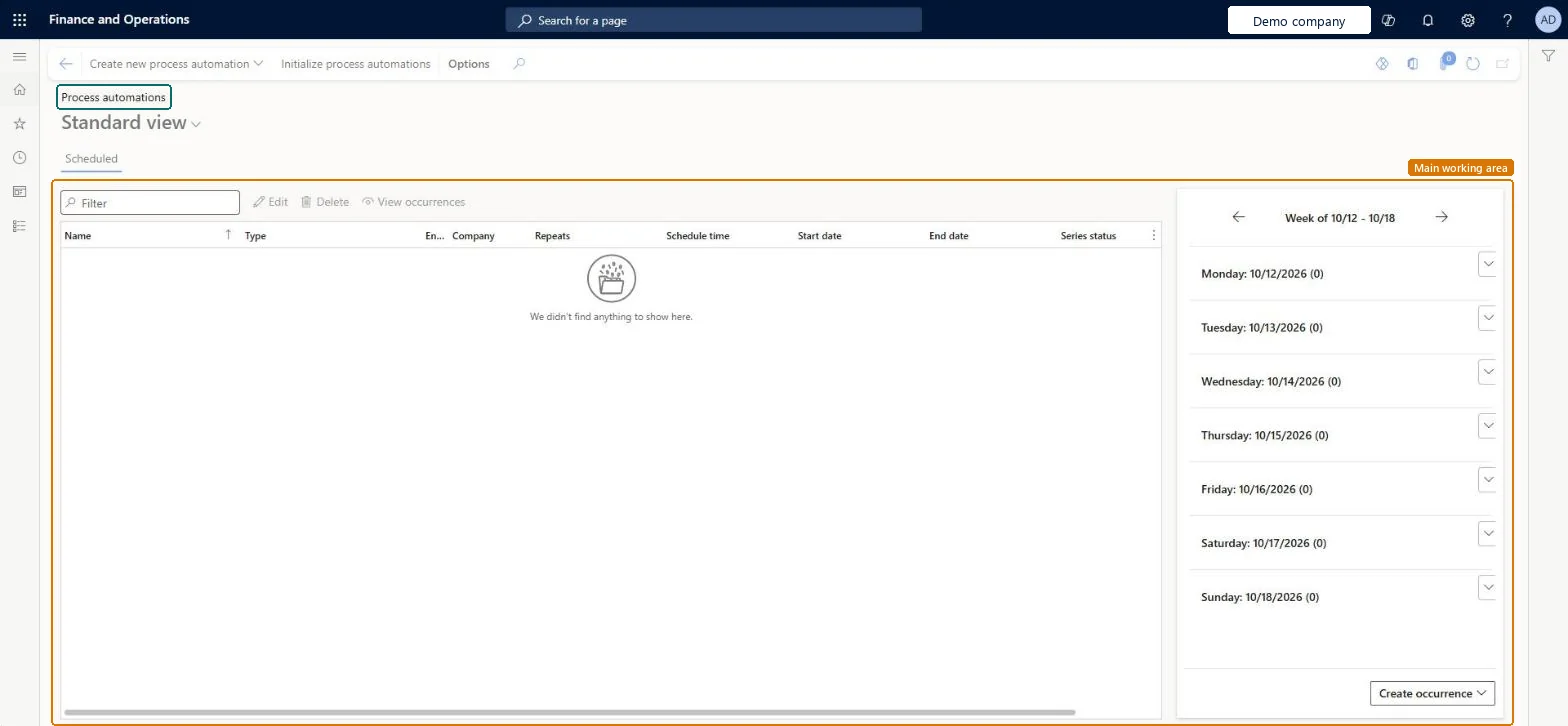
A process automation page where you schedule the cash flow forecast calculation to run regularly for each company.
- Used by
- Accounting manager, Accounting supervisor
- Business process
- Configure cash flow forecasting in Dynamics 365 Finance
- Menu item
LedgerCovTotalProcessAutomationScheduleSeries- Main table
ProcessScheduleSeries- Data entity
- —
- Setup steps
- 1 on this page
Show what matters for
Everyone
1What it is and why
| What it is | A process automation page where you schedule the cash flow forecast calculation to run regularly for each company. |
|---|---|
| What you do here | Used to keep cash flow forecasts up to date without running the calculation by hand. |
| Example | For example, you can schedule a regular New run that only processes new and changed documents, and use Total only when a full rebuild is needed. |
Functional consultant · Solution architect
2Where it fits
| Business process | Manage cash › Forecast cash flow › Configure cash flow forecasting in Dynamics 365 Finance |
|---|---|
| Menu path | Cash and bank management › Cash flow forecasting › Cash flow forecast automation |
| Set up first | Cash flow forecast setup Microsoft Learn ↗Feature management Microsoft Learn ↗ |
| Used next by | Entity store Microsoft Learn ↗Cash overview - all companies Microsoft Learn ↗ |
| Related pages | — |
End user · Functional consultant
3How to do it
Setup steps on this page
Set up Cash flow forecast automationNo screenshots yet
Used to keep cash flow forecasts up to date without running the calculation by hand.
Microsoft's steps
- Select Create new process automation.
- In the Schedule type list, select Cash flow forecast automation, and then select the company.
- Select Create series to open the Schedule page.
- Set the recurrence, name, owner and any alerts.
- Change the Schedule time from the default 12:00:00 AM.
- Select Next, choose Total or New, and then select Finish.
Source: Microsoft Learn ↗
Field guide
| Field | What it means | Worked example | Table column |
|---|---|---|---|
| Schedule type | The kind of process to schedule; choose Cash flow forecast automation and the company.Microsoft Learn ↗ | — | — |
| Schedule time | The time the calculation runs; it must be changed from the default.Microsoft Learn ↗ | — | — |
| Total | Recalculates the forecast for every document.Microsoft Learn ↗ | — | — |
| New | Calculates the forecast only for new documents and documents changed since the last run.Microsoft Learn ↗ | — | — |
Functional consultant
4Setup decisions
| Setup step | Recommended value and why | Decision · common mistake · test |
|---|---|---|
| Set up Cash flow forecast automation | — | — |
Solution architect
5Design impact
| Shared or per company | — |
|---|---|
| Can it be undone | — |
| Feature or country | — |
| If you change it later | The automation feature can't be turned on while older cash flow forecast batch jobs are still scheduled; clear them first. Microsoft Learn ↗ |
Technical architect
6Technical
| Menu item | LedgerCovTotalProcessAutomationScheduleSeries Checked in Dynamics 365 |
|---|---|
| Form | ProcessScheduleSeries Checked in Dynamics 365 |
| Table | ProcessScheduleSeriesShown as “Schedule series” in Record infoChecked in Dynamics 365 |
| Data entities | — |
| Who can open it | PrivilegesMaintain cash flow forecast automation series settings LedgerCovTotalProcessAutomationCriteriaSeriesMaintainDutiesEnable general ledger process LedgerGeneralLedgerProcessEnable2 security rolesAccounting managerLedgerAccountingManagerAccounting supervisor LedgerAccountingSupervisor |
| Actions on the page | Options: Personalize, Page options, ShareChecked in Dynamics 365 |
Developer
7Developer
| Open it directly | https://<your-environment>/?mi=LedgerCovTotalProcessAutomationScheduleSeries |
|---|---|
| Integrate with | — |
| Table definition | — |
Everyone
8Sources and checks
- learn.microsoft.com/dynamics365/finance/cash-bank-management/cash-flow-forecasting
- learn.microsoft.com/training/modules/configure-cash-bank-management-dyn365-finance/set-up-cash-flow-automation
- Checked in a working Dynamics 365 system, version 10.0.49: the menu item, form, table and security, the page.