Upgrade reconciliation data for Modern bank reconciliation
Cash and bank managementSetupAdvanced bank reconciliation setup
BankModernReconciliationUpgradeWizard
Business process
Perform advanced bank reconciliation in Dynamics 365 Finance
Menu item
BankModernReconciliationUpgradeWizard
Setup steps
1 on this page
Show what matters for
SETUP GUIDEHow to set it up8 sections. Choose a role to highlight what matters to you.
Everyone
1What it is and why
What it is
A wizard that upgrades existing bank reconciliation data so that it works with the Modern bank reconciliation feature.
What you do here
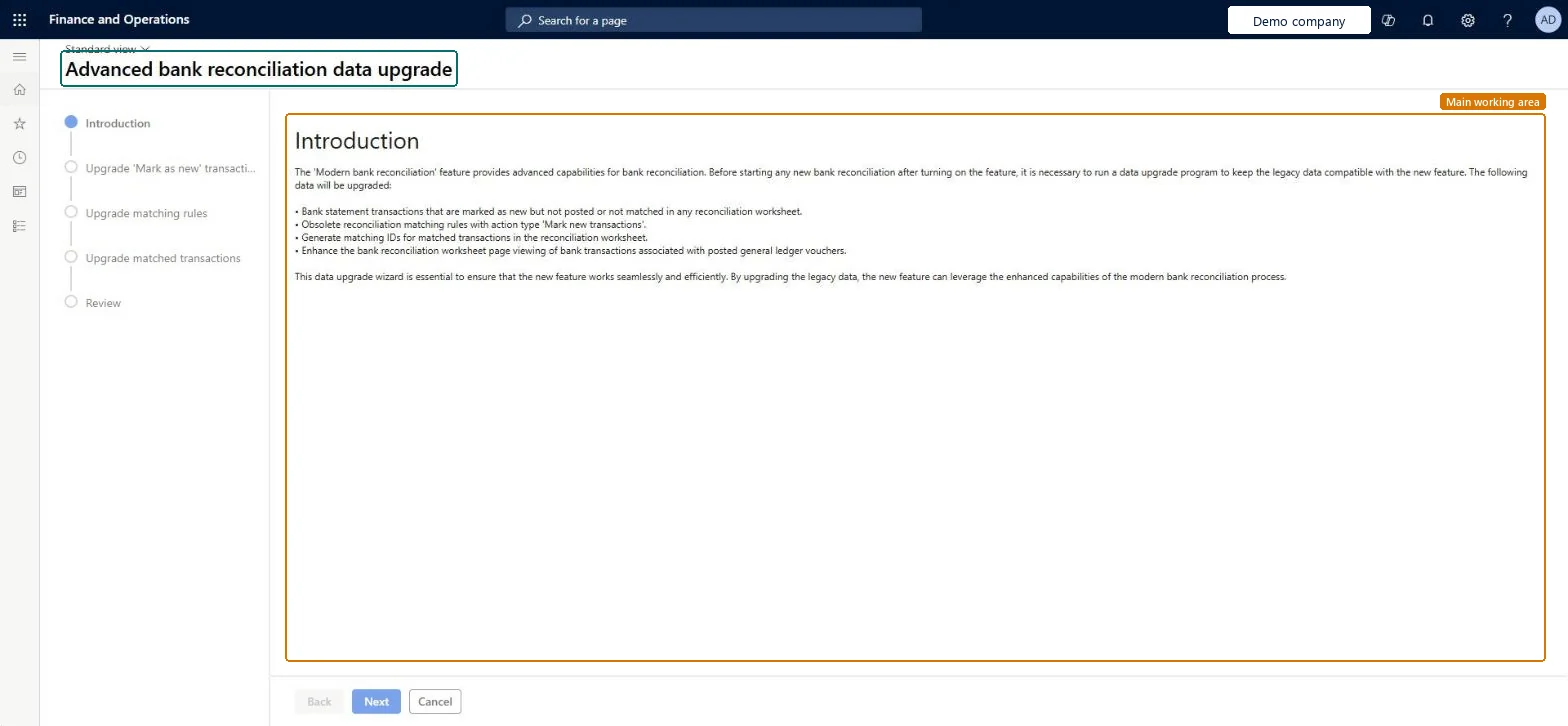
Use this wizard to upgrade bank statement transactions marked as new, matching rules and matched transactions, and to review the result, before you start a new bank reconciliation after the feature is turned on.
Example
For example, before turning on Modern bank reconciliation BEAT reconciles its two statements that still have New lines; it then runs the wizard, which upgrades 12 lines marked as new, 6 matching rules and 3,400 matched transactions, and reviews the result before the next reconciliation.
The page in Dynamics 365. page title tab to open what to set or check
About the examples: Examples and screenshots in this guide use BEAT, a demo company in a Dynamics 365 test environment. Use your own company's codes and values instead of copying them.
When to run it
When to run it
After the Modern bank reconciliation feature is turned on and before you start the next bank reconciliation.
How often
One time, when you move to Modern bank reconciliation.
What the output shows
Bank statement transactions marked as new, matching rules and matched transactions converted so they work with Modern bank reconciliation, summarized at the Review step. Problems with reconciliation reversal later usually mean statements with new lines weren't reconciled before the switch.
Reconcile every statement with New lines first, then run the wizard once and review the result before the next reconciliation.Learn advises reconciling statements with new lines before enabling the feature to avoid reconciliation reversal problems.
Per company: it upgrades the reconciliation data of the current legal entity; matching rules are shared by all legal entities. Microsoft Learn
Can it be undone
No: Treat the upgrade as one-way: Back and Cancel work only before you finish.
If you change it later
Converts existing advanced bank reconciliation data (statement lines marked as new, matching rules and matched transactions) for Modern bank reconciliation. Microsoft Learn
Technical architect
6Technical
Menu item
BankModernReconciliationUpgradeWizardChecked in Dynamics 365
Form
BankModernReconciliationUpgradeWizardChecked in Dynamics 365
Roles to set it up and use it
To set it up or change itTreasurer PaymTreasurerAccountant LedgerAccountantGive people one of these roles. On this system, 2 roles can open this page.Checked in Dynamics 365
Load order: The data upgrade has no data entity in Data management, so it can't be loaded from a file or a configuration template. It converts data already in the environment; run it in each environment after Modern bank reconciliation is turned on.Microsoft Learn
Checked in a working Dynamics 365 system, version 10.0.49: the menu item, form, table and security, the page.
To cite this step: CB-ABR-010, Upgrade reconciliation data for Modern bank reconciliation. Beyond ERP Atlas Hub, 2026-11-11. https://www.beyonderp.cloud/atlas/step/CB-ABR-010