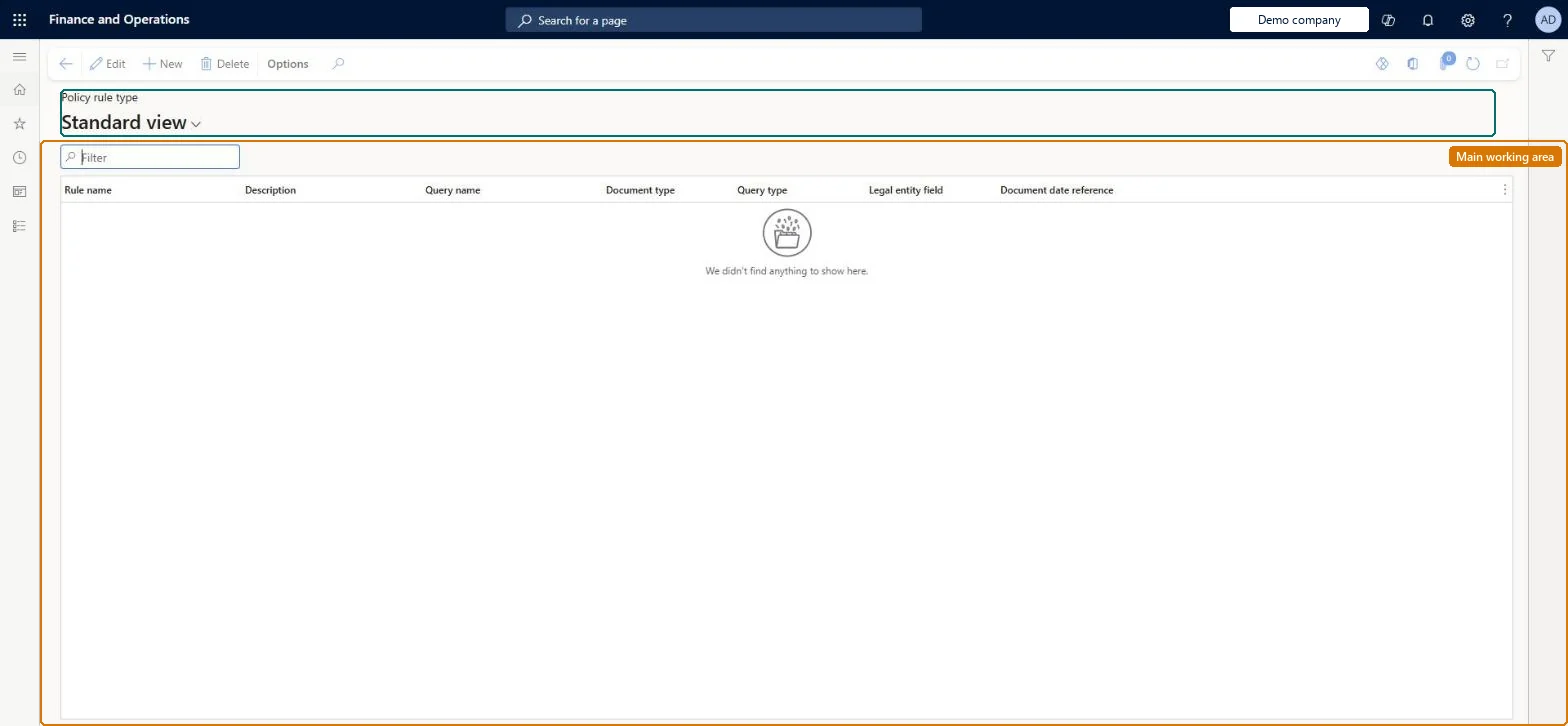
Setup step on the Policy rule type page · Audit workbench
Set up Policy rule type
Use this page to choose the query that defines the documents to audit, the query type, and the fields that identify the legal entity and the document date used for selection.
SETUP GUIDEHow to set it up8 sections. Choose a role to highlight what matters to you.
Everyone
1What it is and why
What it is
A setup page where you define policy rule types, each based on a predefined audit query and a query type, that audit policy rules are built from.
What you do here
Use this page to choose the query that defines the documents to audit, the query type, and the fields that identify the legal entity and the document date used for selection.
Example
For example, a rule type can use the Expense report line query with the Aggregate query type and the modified date and time as the document date.
The page in Dynamics 365. page title tab to open what to set or check
About the examples: Examples and screenshots in this guide use BEAT, a demo company in a Dynamics 365 test environment. Use your own company's codes and values instead of copying them.
Setup steps on this page
Set up Policy rule type
Use this page to choose the query that defines the documents to audit, the query type, and the fields that identify the legal entity and the document date used for selection.
Steps from Microsoft
Go to Audit workbench > Setup > Policy rule type.
Select New.
In the Rule name and Description fields, type values.
In the Query name field, select a query.
In the Query type field, select a query type.
In the Legal entity and Document date reference fields, select the fields to use.
The name of the policy rule type, up to 100 characters.Microsoft Learn
Name
Description
A user-friendly description of the rule, up to 500 characters.Microsoft Learn
Description
Query name
A predefined query whose name begins with AuditPolicy that defines the data reviewed in the audit; new queries cannot be created from the user interface.Microsoft Learn
Document type
Read-only name of the primary table that the query uses, which is the type of document the policy audits.Microsoft Learn
Query type
Conditional, Aggregate, Sampling, Duplicate, List search, or Keyword search; it controls the default fields on the query and policy rule pages.Microsoft Learn
QueryClassification
Legal entity
The column of the document table that shows the company or legal entity the document belongs to.Microsoft Learn
Document date reference
The date or date/time field used to select documents by the batch or test date range.Microsoft Learn
Test checklist
Create a rule type with Query name Expense report line, Query type Aggregate, Legal entity and a Document date reference.
Check Document type fills in from the query.
Create a policy rule from it on an audit policy and run Test for a date range.
Try to activate a second rule for the same rule type and check only one can be active.
One rule type per audit check, choosing the Query type that matches it (Conditional, Aggregate, Sampling, Duplicate, List search or Keyword search) and a Document date reference that matches how you will set batch date rangesOnly one policy rule can be active at a time per rule type, and the document date field decides which documents fall inside a run's date range.
Expecting to build a new query here. Only predefined queries whose names begin with AuditPolicy can be selected; new queries must be created in code.
Solution architect
5Design impact
Can it be undone
Reversible: The rule type is the starting point for policy rules; its date field affects which documents later runs select.
If you change it later
Only one policy rule can be active at a time for each policy rule type, and the date field chosen here decides which documents fall inside a policy run's date range. Microsoft Learn
Technical architect
6Technical
Menu item
AuditPolicyRuleTypeChecked in Dynamics 365
Form
SysPolicySourceDocumentRuleTypeChecked in Dynamics 365
Table
SysPolicySourceDocumentRuleTypeShown as “POLICY SOURCE DOCUMENT RULE TYPE” in Record infoChecked in Dynamics 365
Data entities
VendInvoicePolicyRuleTypeEntityVendor invoice policy rule types Microsoft data model PayrollPremiumEarningPolicyRuleTypeEntityPayroll premium earning policy rule type Microsoft data model
To set it up or change itAuditor AuditPolicyManagerTo use itFinancial controller LedgerFinancialControllerGive people one of these roles. On this system, 2 roles can open this page.Checked in Dynamics 365
VendInvoicePolicyRuleTypeEntity (Vendor invoice policy rule types): shared by all companies, in Microsoft's default template 120 - Accounts payable.PayrollPremiumEarningPolicyRuleTypeEntity (Payroll premium earning policy rule type): shared by all companies.Load order: Microsoft's default template 120 - Accounts payable loads Vendor invoice policy rule types at execution unit 1, level 30, sequence 10. Lower levels load first, and entities at the same level load in sequence order.Load first: the default templates at lower levels (System setup to General ledger)Microsoft Learn