| What it is | A setup page for form notes. |
|---|---|
| What you do here | Use this page to create the standard text that appears on various pages and documents. |
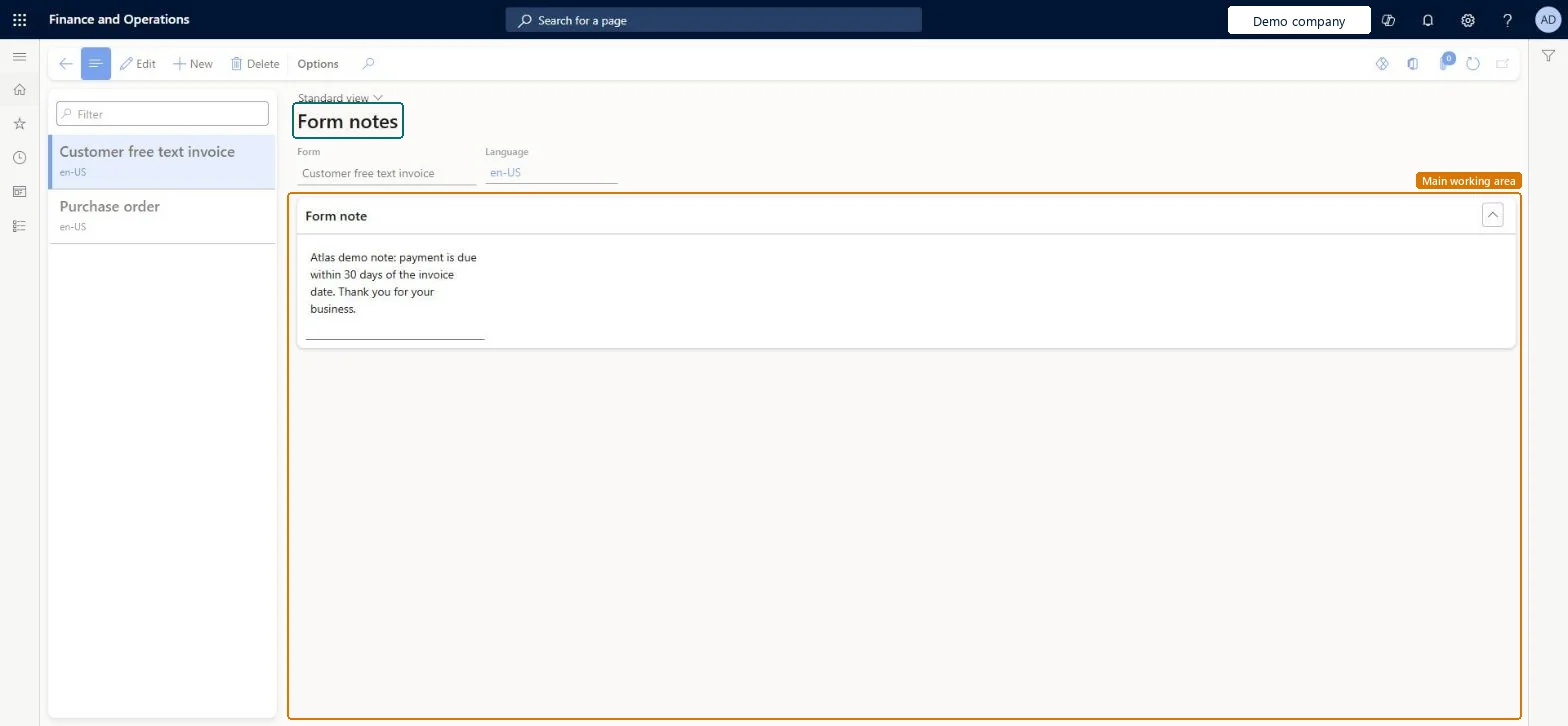
Setup step on the Form notes page · Accounts payable
Create the standard text that is printed on vendor documents.
VendFormLetterRemarksFormLetterRemarksFormLetterPrintedFormNoteEntity| What it is | A setup page for form notes. |
|---|---|
| What you do here | Use this page to create the standard text that appears on various pages and documents. |
| Business process | Manage accounts payable › Process supplier invoices › Record supplier invoices in Dynamics 365 Finance |
|---|---|
| Menu path | Accounts payable › Setup › Forms › Form notes |
| Related pages | Form setup Microsoft Learn Form sorting parameters Microsoft Learn |
| In this process | Set up Vendor charges group · Set up Form setup |
About the examples: Examples and screenshots in this guide use BEAT, a demo company in a Dynamics 365 test environment. Use your own company's codes and values instead of copying them.
Create the standard text that is printed on vendor documents.
Screen 1
Go to Accounts payable > Setup > Forms > Form notes
| 1Form | Purchase order |
|---|---|
| Language | en-US |
| Form note | For information only. No commercial commitment. |
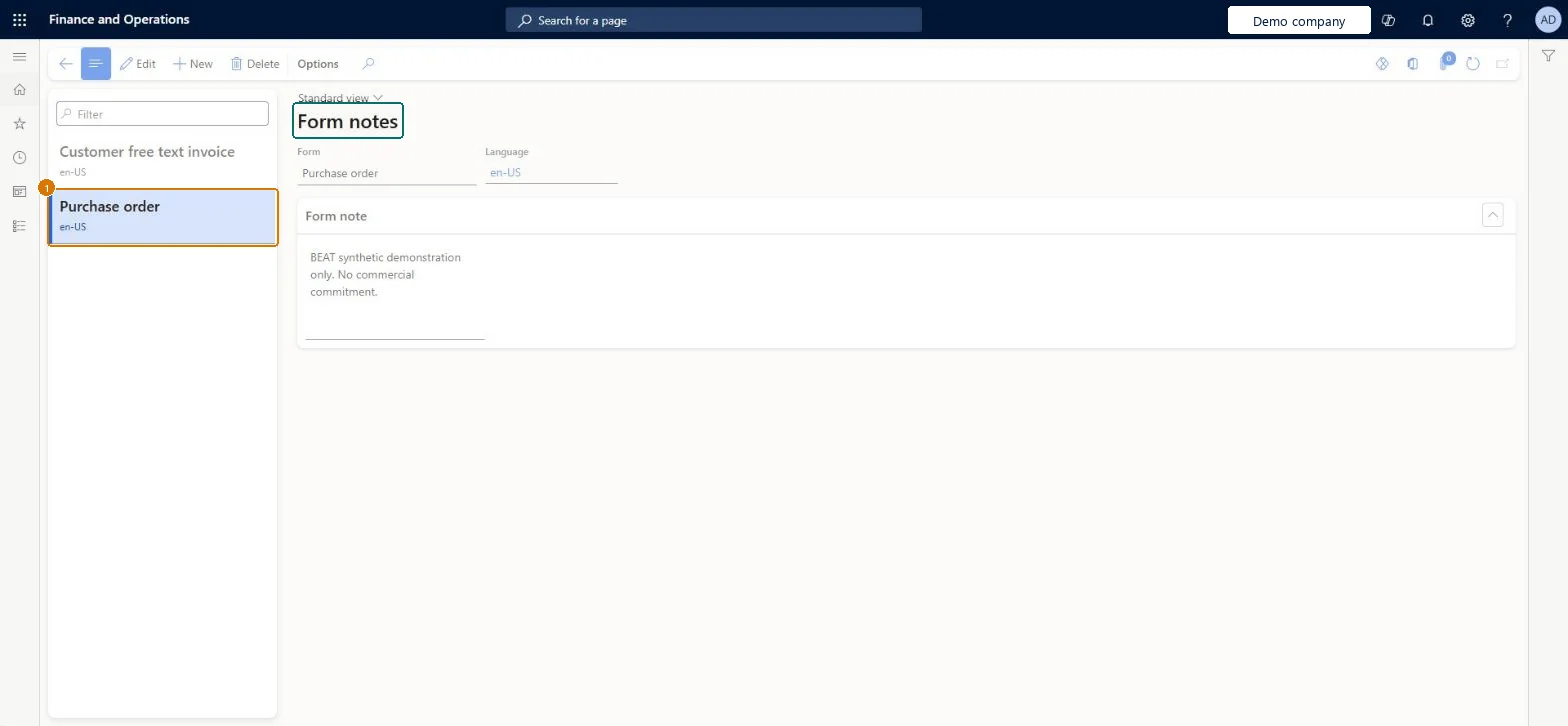
Source: Checked in Dynamics 365
| Field | What it means | Example | Table column |
|---|---|---|---|
| Form | Purchase order | FormLetter | |
| Language | en-US | LanguageId | |
| Form note | For information only. No commercial commitment. |
| Shared or per company | Per company: each legal entity has its own records. Microsoft data model |
|---|
| Menu item | VendFormLetterRemarks Checked in Dynamics 365 |
|---|---|
| Form | FormLetterRemarks Checked in Dynamics 365 |
| Table | FormLetterRemarksShown as “Form note” in Record infoChecked in Dynamics 365 |
| Data entities | FormLetterPrintedFormNoteEntityPrinted form notes Microsoft data model |
| Who can open it | PrivilegesMaintain purchase form notes VendFormLetterRemarksMaintainView purchase form notes VendFormLetterRemarksViewDutiesMaintain vendor invoices VendInvoiceVendorInvoicesMaintainInquire into vendor invoice status VendInvoiceVendorInvoiceStatusInquire14 security rolesChief financial officerCompanyChiefFinancialOfficerLanded cost agent ITMAgentAccountant LedgerAccountantAccounting manager LedgerAccountingManagerAccounting supervisor LedgerAccountingSupervisorFinancial controller LedgerFinancialControllerAccounts payable centralized payments clerk PaymAccountsPayableCentralPaymClerkAccounts payable payments clerk PaymAccountsPayablePaymentsClerkRental coordinator agent RentalCoordinatorAgentRental manager RentalManagerRental purchasing manager RentalPurchasingManagerRental sales manager RentalSalesManagerAccounts payable clerk VendInvoiceAccountsPayableClerkAccounts payable manager VendInvoiceAccountsPayableManager |
| Roles to set it up and use it | To set it up or change itAccounts payable manager VendInvoiceAccountsPayableManagerRental manager RentalManagerRental coordinator agent RentalCoordinatorAgentRental sales manager RentalSalesManagerAccounts payable clerk VendInvoiceAccountsPayableClerkTo use itAccounting supervisor LedgerAccountingSupervisorAccounting manager LedgerAccountingManagerChief financial officer CompanyChiefFinancialOfficerFinancial controller LedgerFinancialControllerAccountant LedgerAccountantGive people one of these roles. On this system, 14 roles can open this page.Checked in Dynamics 365 |
| Open it by URL | https://<your-environment>/?mi=VendFormLetterRemarks |
|---|---|
| Integrate with | FormLetterPrintedFormNoteEntity data entity Microsoft data model |
| Data migration | FormLetterPrintedFormNoteEntity (Printed form notes): loaded for each company, in Microsoft's default template 140 - Accounts receivable.Load order: Microsoft's default template 140 - Accounts receivable loads Printed form notes at execution unit 1, level 30, sequence 10. Lower levels load first, and entities at the same level load in sequence order.Load first: the default templates at lower levels (System setup to General ledger)Microsoft Learn |
| Table definition | FormLetterRemarks columns and relations Microsoft data model |
To cite this step: AP-SETUP-090, Set up Form notes. Beyond ERP Atlas Hub, 2026-11-11. https://www.beyonderp.cloud/atlas/step/AP-SETUP-090