About the examples: Examples and screenshots in this guide use BEAT, a demo company in a Dynamics 365 test environment. Use your own company's codes and values instead of copying them.
Step by step, with screenshots
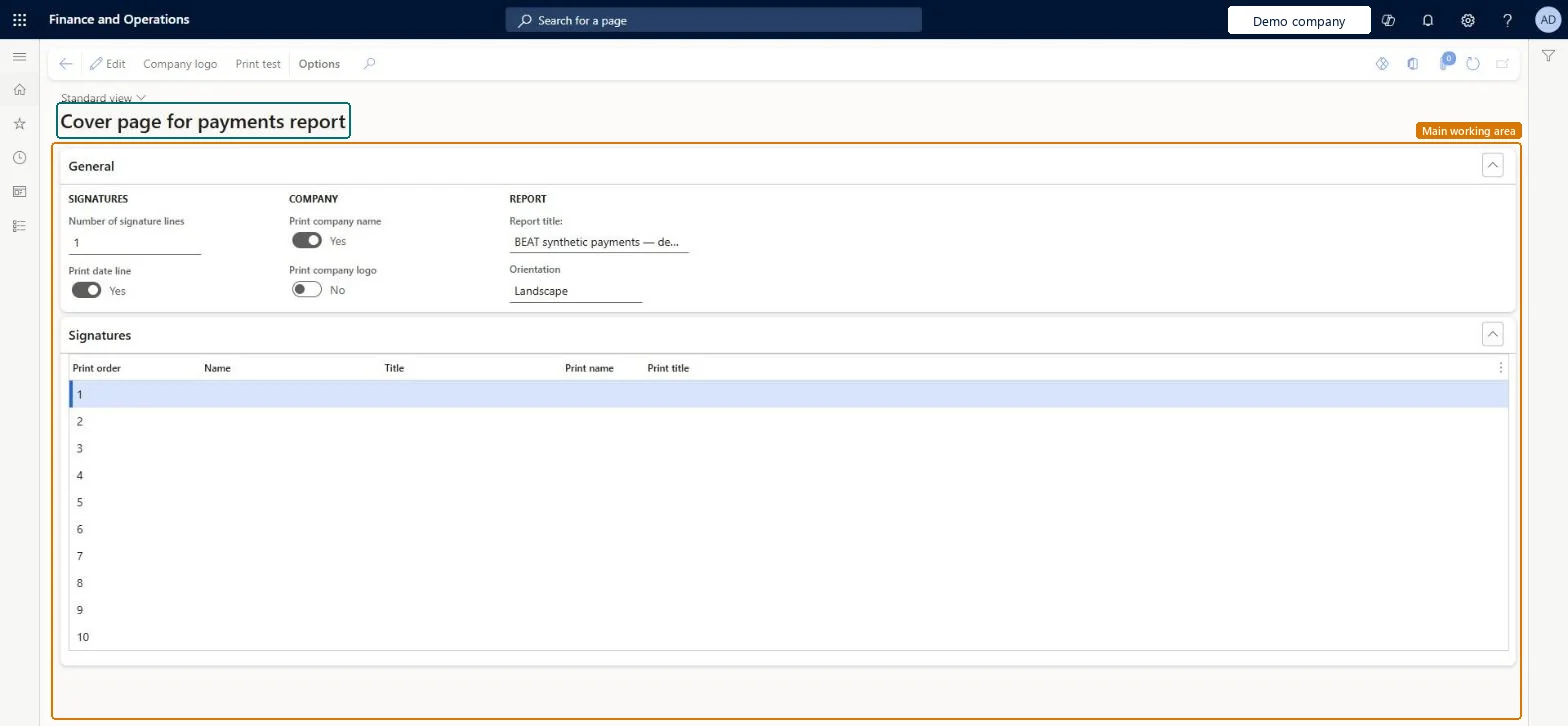
Set up Cover page for payments report1 screen
Defines the number of signature lines and the names and titles printed on the cover and signature pages of a payments report.
Screen 1
Set up the payments report cover page
Go to Accounts payable > Payment setup > Cover page for payments report, General section
Select Edit
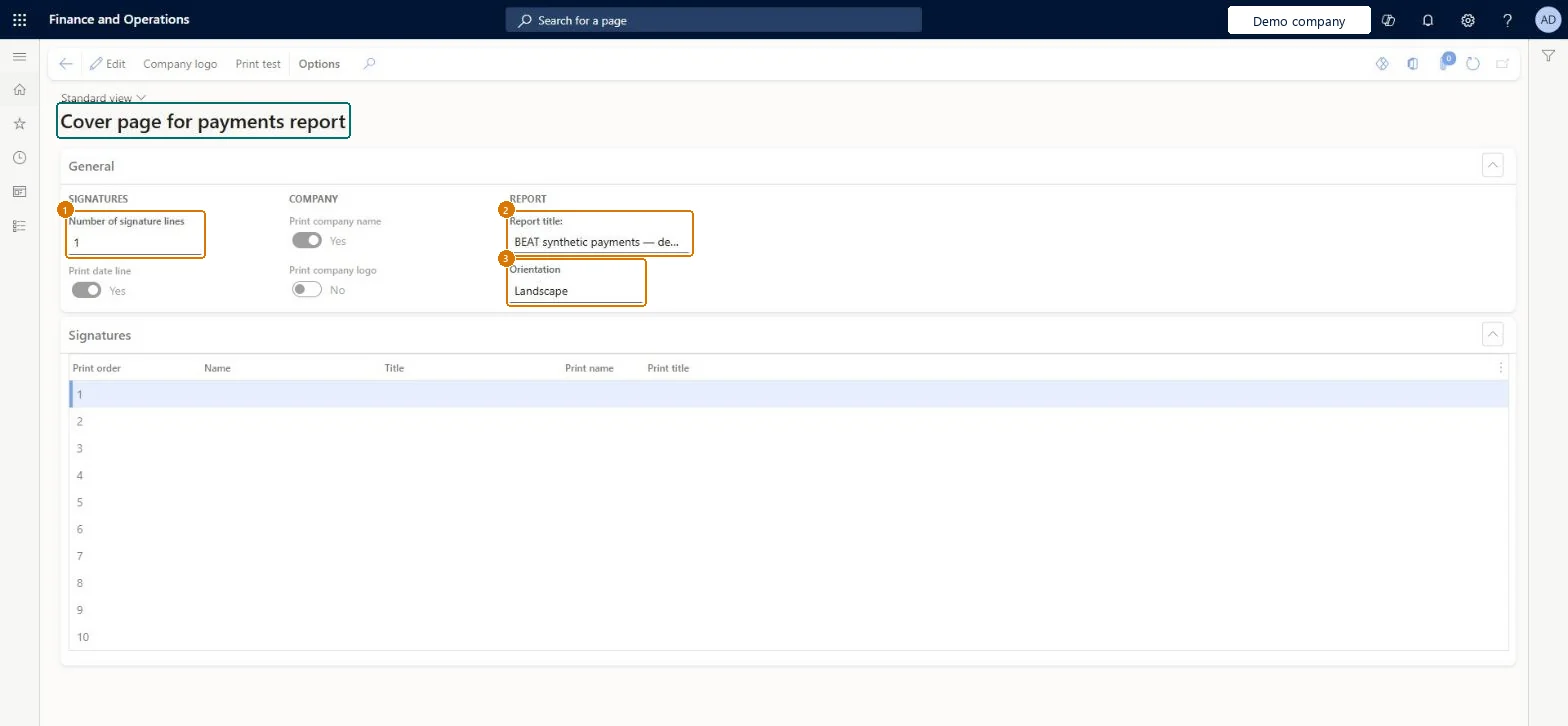
Enter Number of signature lines
Enter Report title and set Orientation
1Number of signature lines
1
2Report title
Vendor payments
3Orientation
Landscape
Print company name
Yes
Print company logo
No
Show the full screen page title tab to open what to set or check
Steps from Microsoft
Go to Accounts payable > Payment setup > Cover page for payments report.
Select Edit.
In the Number of signature lines field, select an option.
Enter the Name and Title of each person who signs.
Optionally, select Print name and Print title to print them on the report.
Reversible: The page only controls what prints on the cover and signature pages of the payments report; it can be edited at any time. Microsoft Learn
Technical architect
5Technical
Menu item
VendCoverPageSetupChecked in Dynamics 365
Form
VendCoverPageLayoutChecked in Dynamics 365
Table
VendCoverPageLayoutShown as “Cover Page Layout Table” in Record infoKey field: RecIdChecked in Dynamics 365
Who can open it
PrivilegesMaintain the cover page for vendor payment reports VendCoverPageSetupMaintainDutiesEnable invoice and payment process VendInvoiceInvoicePaymentProcessEnable2 security rolesAccounting supervisor LedgerAccountingSupervisorAccounts payable manager VendInvoiceAccountsPayableManagerChecked in Dynamics 365
Roles to set it up and use it
To set it up or change itAccounts payable manager VendInvoiceAccountsPayableManagerAccounting supervisor LedgerAccountingSupervisorGive people one of these roles. On this system, 2 roles can open this page.Checked in Dynamics 365
Actions on the page
Options: Personalize, Page options, ShareChecked in Dynamics 365
Checked in a working Dynamics 365 system, version 10.0.49: the menu item, form, table and security, the page, the demo records and the values in the screenshots.
To cite this step: AP-PAYSETUP-020, Set up Cover page for payments report. Beyond ERP Atlas Hub, 2026-11-11. https://www.beyonderp.cloud/atlas/step/AP-PAYSETUP-020