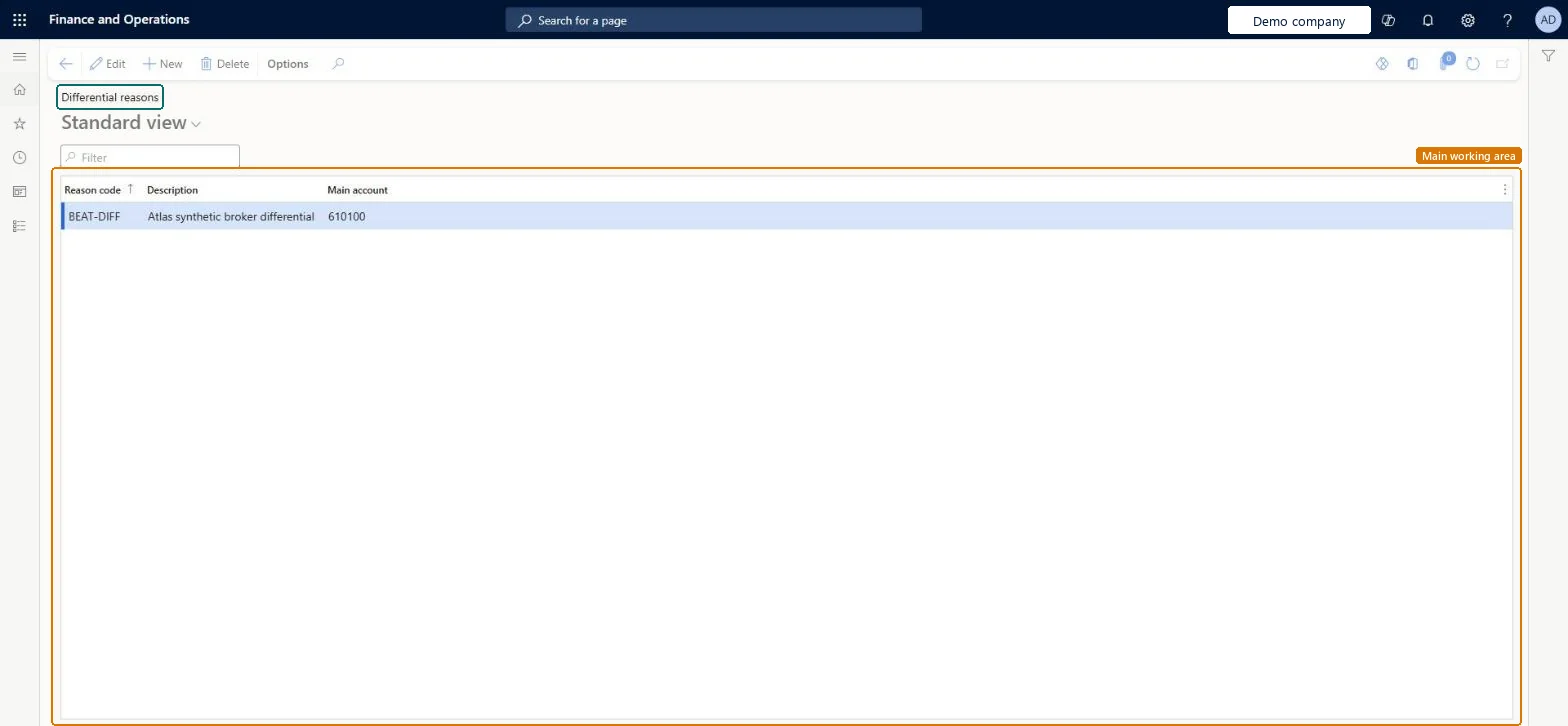
Setup step on the Differential reasons page · Accounts payable
Set up Differential reasons
Defines reason codes, each with a write-off main account, that explain and post the difference when a broker claim is closed for less than the qualified fee.
Calculate and pay broker commissions in Dynamics 365 Supply Chain Management
Menu item
MCRBrokerDifferentialReason
Main table
MCRBrokerWriteOffReason
Data entity
MCRBrokerDifferentialReasonCodeEntity
Setup steps
1 on this page
Show what matters for
SETUP GUIDEHow to set it up8 sections. Choose a role to highlight what matters to you.
Everyone
1What it is and why
What it is
A setup page of reason codes used when broker claims are closed with differences, each linked to a write-off main account.
What you do here
Use this page to define the reason codes and the write-off expense account used when a broker claim's approved amount differs from the qualified amount.
Example
When you close a partially approved broker claim, the system prompts for a reason code that explains the difference.
The page in Dynamics 365. page title tab to open what to set or check
About the examples: Examples and screenshots in this guide use BEAT, a demo company in a Dynamics 365 test environment. Use your own company's codes and values instead of copying them.
Step by step, with screenshots
Set up Differential reasons1 screen
Defines reason codes, each with a write-off main account, that explain and post the difference when a broker claim is closed for less than the qualified fee.
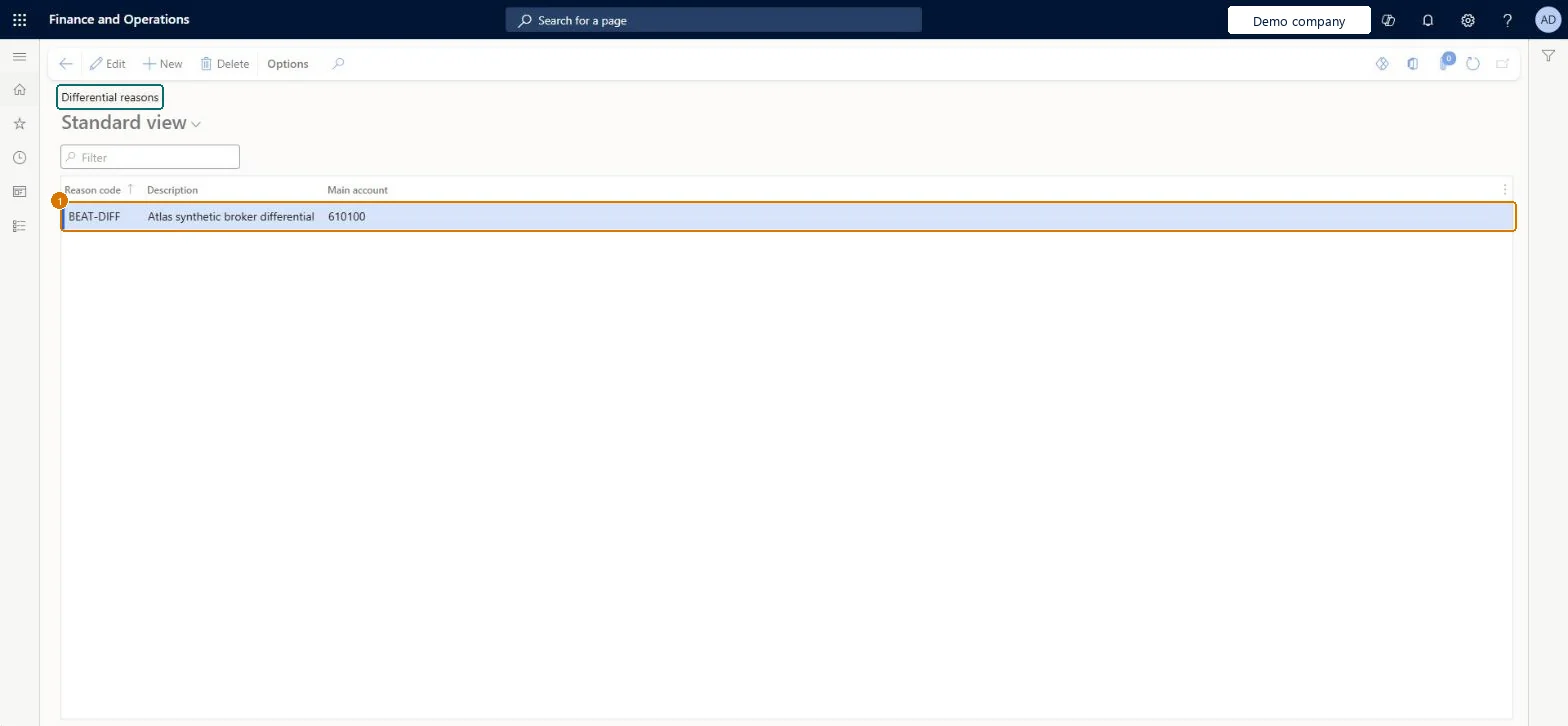
Screen 1
Create the differential reason
Go to Accounts payable > Broker and royalties > Differential reasons
Select New
Enter the reason code, description and main account
1Reason
BEAT-DIFF
Description
Broker differential
Main account
610100
Show the full screen page title tab to open what to set or check
How to use it
Go to Accounts payable > Broker and royalties > Differential reasons.
Select New to add a row.
Enter the Reason code and a Description.
Choose the Main account.
Select Edit to change an existing reason, or Delete to remove the selected one.
Select Save if the page is in edit mode.
Source: Checked in Dynamics 365
Fields on the page
Field
What it means
Example
Table column
Main account
The write-off expense account used for a reason code.Microsoft Learn
610100
WriteOffLedgerDimension
Reason
The code of the reason used when a broker claim is closed with a difference.Microsoft Learn
PRICE
Description
A short description of the differential reason.Checked in Dynamics 365
Broker differential
Description
Test checklist
Create a reason code with a write-off main account.
Partially approve a broker claim after a sales return so that a Difference remains.
Close the claim, select the reason code, and check the Differentials tab.
In a customer-pays scenario, check that the differential journal posts to the reason's main account.
One reason code per cause of difference (for example returns), each with the broker fee write-off main accountClosing a claim with an outstanding difference prompts for a reason code, and the Main account on that code is the write-off account for the differential journal.
Pointing every reason at a general expense account: when the customer pays the broker fee, the differential journal posts to this account, so the write-off ends up mixed with unrelated costs.
Reversible: The account is read when a claim is closed, so a change affects later closings only.
Technical architect
6Technical
Menu item
MCRBrokerDifferentialReasonChecked in Dynamics 365
Form
MCRBrokerWriteOffReasonChecked in Dynamics 365
Table
MCRBrokerWriteOffReasonShown as “Broker differential reasons” in Record infoChecked in Dynamics 365
Data entities
MCRBrokerDifferentialReasonCodeEntityBroker differential reason codes Microsoft data model
Who can open it
PrivilegesMaintain differential reasons MCRBrokerDifferentialReasonMaintainDutiesMaintain broker information MCRBrokerMaintain2 security rolesMarketing manager CRMMarketingManagerSales manager TradeSalesManagerChecked in Dynamics 365
Roles to set it up and use it
To set it up or change itSales manager TradeSalesManagerMarketing manager CRMMarketingManagerGive people one of these roles. On this system, 2 roles can open this page.Checked in Dynamics 365
Checked in a working Dynamics 365 system, version 10.0.49: the menu item, form, table and security, the page, the demo records and the values in the screenshots.
To cite this step: AP-BROKER-020, Set up Differential reasons. Beyond ERP Atlas Hub, 2026-11-11. https://www.beyonderp.cloud/atlas/step/AP-BROKER-020